YouTube Auto Dubbing for Urdu Videos: Turn On Free English Audio (Pakistani Creators)
YouTube's automatic dubbing turns Urdu videos into English audio for free. See the five Studio steps, which videos get skipped, and how to review dubs first.
YouTube's automatic dubbing can turn an Urdu video into an English audio track for free: in the YouTube Studio app, tap your profile picture, then Settings, then Automatic dubbing under Content, and switch it on. Urdu is supported only as a source language, so YouTube dubs Urdu into English, but it does not dub English videos into Urdu.
For a Pakistani channel, that one switch can open an Urdu cooking, tech or education video to English-speaking viewers without recording a second version. We read YouTube's automatic dubbing help page on 1 November 2026. Below is how to turn it on, how to review dubs before they go live, which videos are rejected, and how to judge whether it helps your channel.
YouTube dubs Urdu videos into English, not the other way round
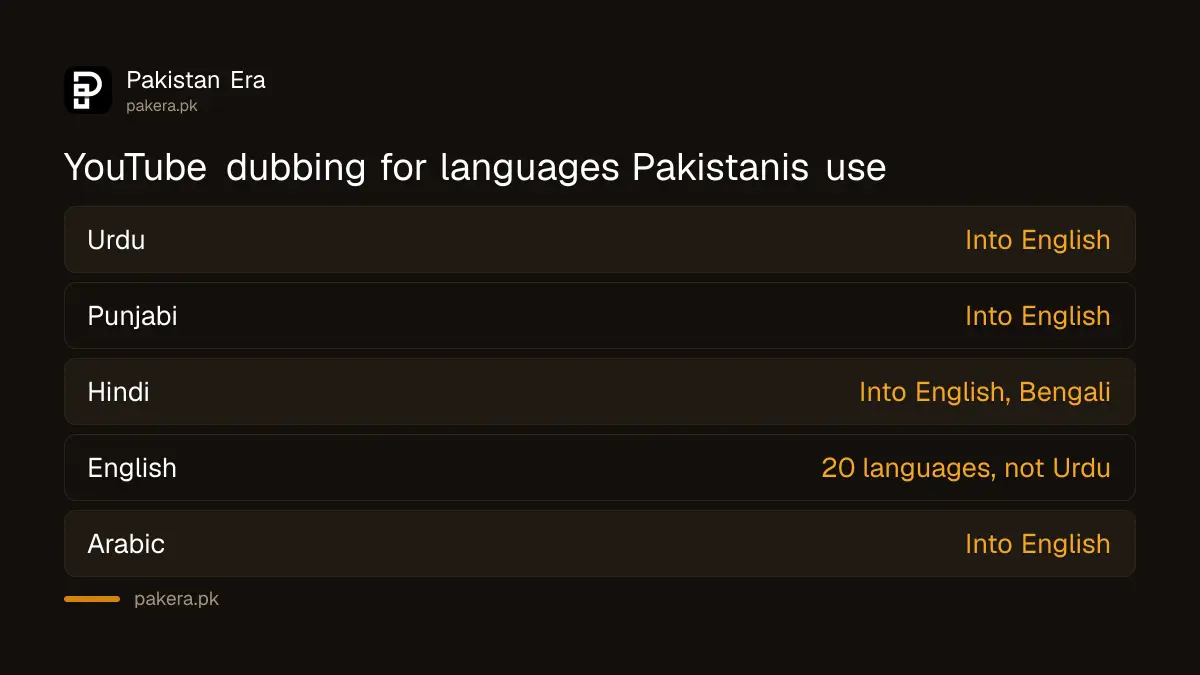
YouTube's language table lists Urdu as an original language with English as its only dub language. English videos can be dubbed into 20 languages, including Hindi, Punjabi and Arabic, but Urdu is not one of them. So an English channel cannot reach Urdu audiences this way.
| Your video's language | YouTube can dub it into | Expressive voice? |
|---|---|---|
| Urdu | English | Not marked |
| Punjabi | English | Not marked |
| Hindi | English, Bengali | English marked |
| English | 20 languages incl. Hindi, Punjabi, Arabic | Some marked |
| Arabic | English | Marked |
YouTube marks some language pairs as supporting expressive speech, which copies the speaker's pitch and tone. Urdu to English carries no such mark on the page, so expect a more standard synthetic voice. Even where it is marked, YouTube says expressive speech will not always be used.
Five steps switch on automatic dubbing in YouTube Studio
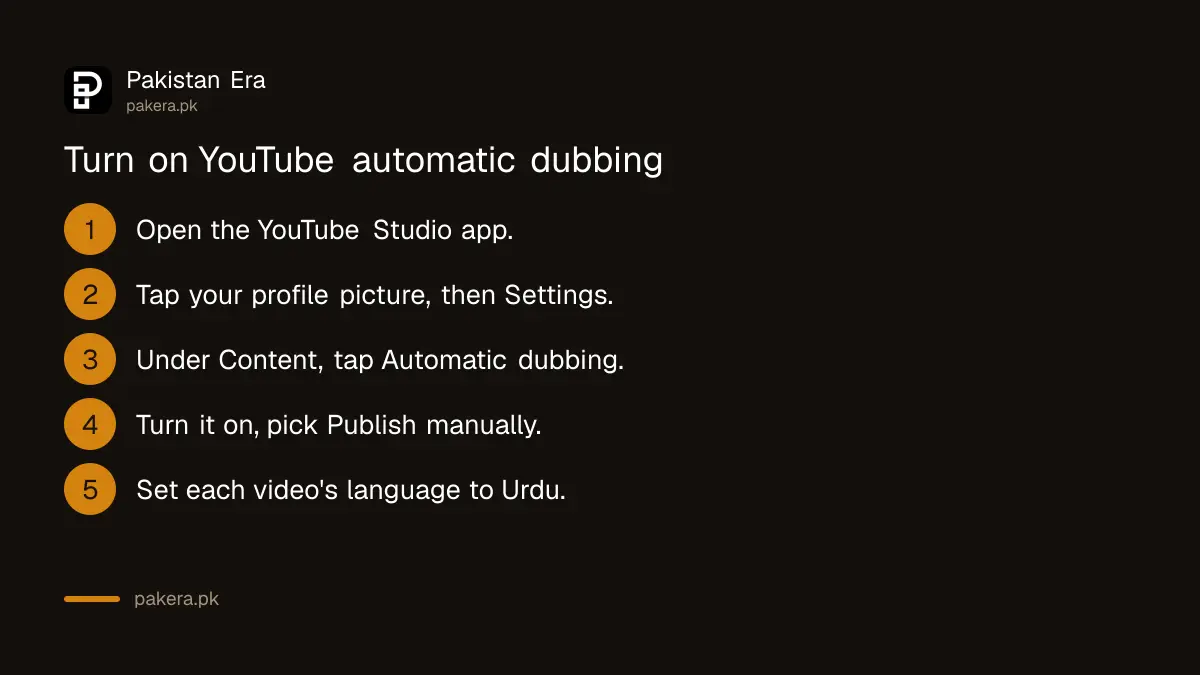
Open the YouTube Studio app, tap your profile picture, open Settings, find Automatic dubbing under Content and turn it on. Choose Publish manually if you want to check each dub before viewers hear it. You can change the setting at any time.
- Open the YouTube Studio app and sign in to your channel.
- Tap your profile picture, then Settings.
- Under Content, tap Automatic dubbing.
- Turn it on, and tap Publish manually if you want to review dubs first.
- Set each video's original language correctly to Urdu before upload.
YouTube says the feature is on by default for eligible creators. If you do not see it, check Advanced settings in YouTube Studio on a computer for an early access Enable button.
Step 5 is the one people skip. YouTube says that if a dub is mistranslated, you fix it by changing the video's original language, which makes it regenerate the dubs. A video tagged as English when you speak Urdu will produce nonsense.
Dubs are managed only from YouTube Studio on a computer
You can switch the feature on in the phone app, but previewing, publishing, unpublishing or deleting a dub needs YouTube Studio on a computer. Go to the video's Languages section, hover over English, and use the menu in the Audio column.
That matters for creators who run everything from a phone. Plan one weekly session on a laptop to review new dubs, especially if you chose Publish manually; until you approve them, viewers will not get the English track.
YouTube also says you cannot edit an automatic dub. Your options are publish, unpublish or delete. If a line comes out wrong, the honest fix is to remove that dub rather than leave a bad translation on a video that carries your name.
Long, music-heavy or claimed videos are not dubbed
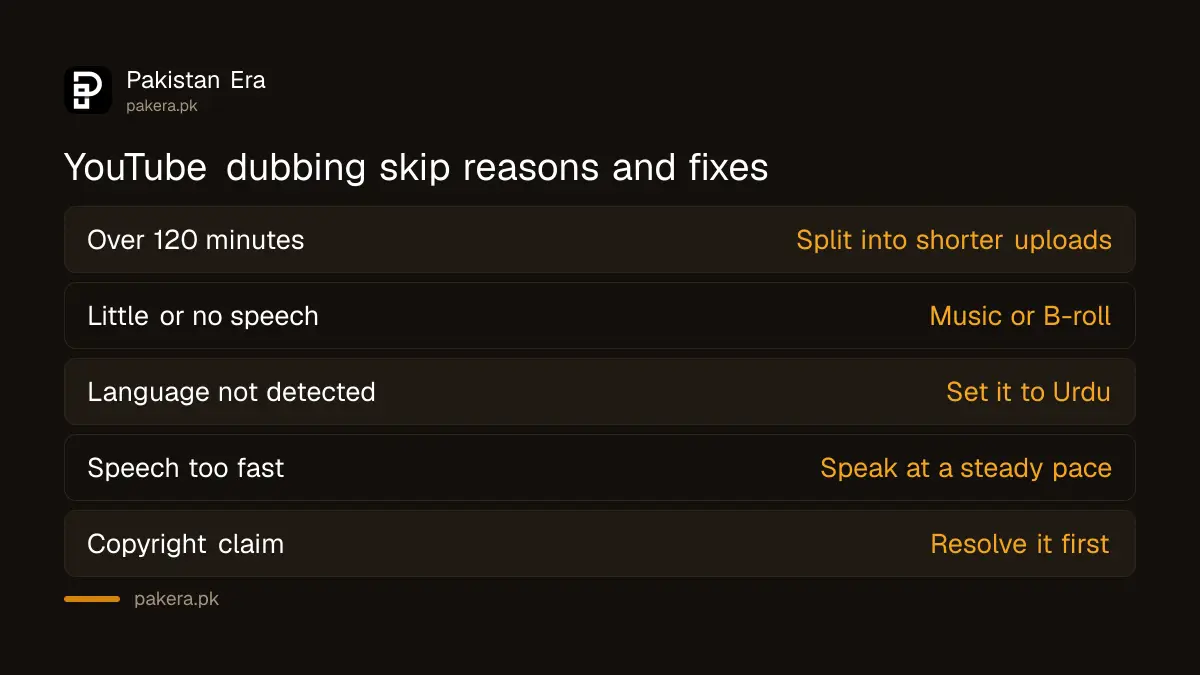
YouTube will not dub videos longer than 120 minutes, videos with little or no speech, videos in an unsupported or undetected language, speech that is too fast, or videos with copyright claims. Shorter talking videos with clear Urdu speech are the best fit.
| Reason a video is skipped | What to do |
|---|---|
| Longer than 120 minutes | Split long streams into shorter uploads |
| Little or no speech | Expected for music or B-roll videos |
| Language not detected | Set the original language to Urdu |
| Speech too fast | Speak at a steadier pace in future videos |
| Copyright claim | Resolve the claim first |
YouTube warns that quality varies by language. Accents, dialects, background noise, names, idioms and technical jargon can all come out badly. A clean microphone and a quiet room help the dub as much as they help the original.
Our view: test dubbing on evergreen videos and watch the audience report
Dubbing makes most sense on evergreen how-to videos, such as recipes, phone fixes or freelancing tutorials, where an English viewer has a real reason to watch. Turn it on, then compare your audience geography in YouTube Analytics before and after a few weeks. If English-speaking countries do not grow, the dub is not earning its place.
From an SEO angle, a dub does not translate your title or description; YouTube lets viewers set preferred languages for audio, titles and descriptions separately. If you want English viewers to find the video, add an English title and description translation yourself in the same Languages section.
Keep YouTube's AI rules in mind too. Automatic dubbing is YouTube's own tool, but if you use other AI tools to alter voices or faces, the rules on disclosing AI-altered content in YouTube Studio apply. Channels that pile up mass-produced AI uploads also risk the inauthentic content policy, which can cost monetisation. If that has already happened, the steps for a YouTube monetisation appeal explain the review.
Lip sync, which matches mouth movements to the dub, is experimental and limited to select channels. It is switched on under Allow experimental lip sync in Advanced settings on a computer, if your channel has it.
Common questions
Can YouTube dub my Urdu videos into English?
Yes. YouTube's automatic dubbing lists Urdu as a source language with English as the dub language.
Can YouTube dub English videos into Urdu?
No. Urdu is not among the 20 dub languages offered for English videos on YouTube's help page.
Is YouTube automatic dubbing free?
YouTube's help page does not mention any charge, and says the feature is on by default for eligible creators.
Can I edit a YouTube auto dub?
No. You can publish, unpublish or delete a dub from YouTube Studio on a computer, but you cannot edit it.
How do viewers hear the English dub?
Viewers can set a preferred audio language or switch between the original and dubbed audio tracks on any video.
How we verified this
What we checked, where we read it, and what we could not confirm.
We read YouTube's automatic dubbing help page on 1 November 2026 for the language table, expressive speech marks, the Studio steps, the Publish manually option, the computer-only dub management, ineligibility reasons and lip sync. We have not run an Urdu video through it, so we cannot judge the English voice quality, and the page does not state which channels count as eligible beyond the reasons a video is skipped.
About the author

Founder and Editor
Umer Kureshi founded Pakistan Era in July 2024 and runs it as administrator, SEO lead and writer, overseeing website operations, search growth, content strategy and coverage of technology and current affairs.