YouTube Monetization Disabled or YPP Rejected in Pakistan: Appeal in 21 Days or Reapply
YouTube disabled your monetization or rejected your YPP application? Appeal within 21 days or reapply after 30 or 90 days. Fixes, strike rules and the PIN step.
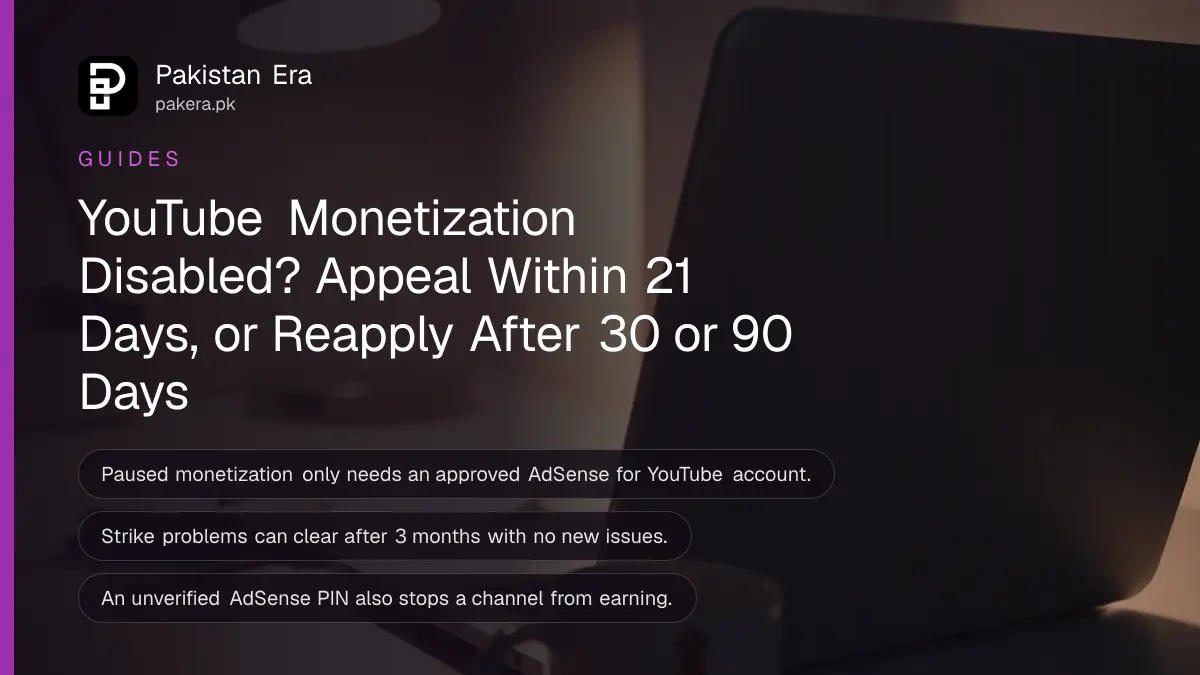
If YouTube disables monetization on your channel or rejects your Partner Program application, you can appeal within 21 days. Otherwise you wait: 30 days to reapply after a first rejection, and 90 days after a suspension or a repeat rejection. The table below shows which clock applies to you, followed by the fixes YouTube asks for, the 3-month rule for strikes, and the AdSense PIN step that quietly blocks many Pakistani channels.
Most Pakistani creators find out from an email titled something like "Your channel is no longer eligible", or from a red notice in the Earn tab. We read YouTube's Help Centre pages on disabled monetization, Partner Program eligibility, the channel monetization policies and strike appeals on 24 October 2026. The rules below are YouTube's; the advice on wording is ours.
Paused, disabled and rejected are three different problems
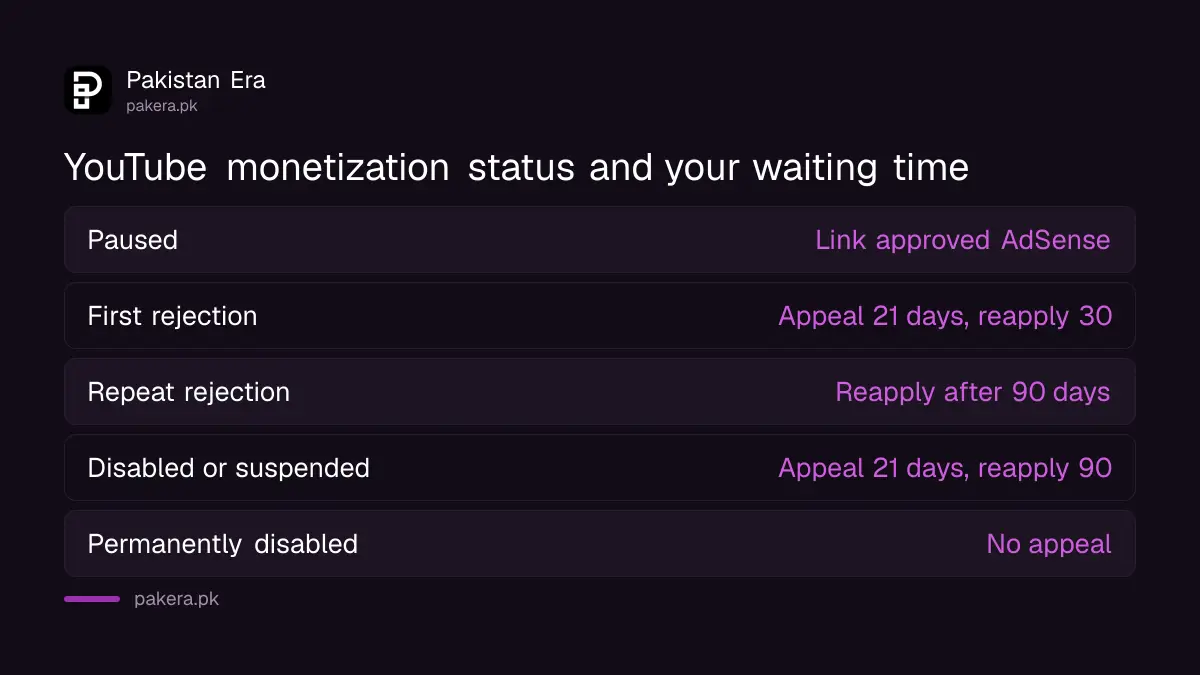
Paused monetization usually means your AdSense for YouTube account needs linking or approval. Disabled means YouTube removed you from the Partner Program for a policy reason. Rejected means your first application failed review. Each has its own fix and its own waiting time.
| Your status | What it means | Appeal window | Reapply after |
|---|---|---|---|
| Paused | Link an active, approved AdSense for YouTube account | Not needed | Not needed |
| Application rejected, first time | Reviewers found policy problems | 21 days | 30 days |
| Rejected again, or already reapplied | Significant part of channel breaks policy | Not stated | 90 days |
| Disabled or suspended from YPP | Removed for policy violations | 21 days | 90 days |
| Permanently disabled | Severe violations | Not offered | Not offered |
YouTube also says a channel on a "non-monetizing agreement" with YouTube cannot earn, and that channels which did not accept the updated Partner Program terms of 11 July 2023 lost monetization. If you joined YPP years ago and never logged in to accept new terms, check that first.
YouTube disables monetization for five main reasons
YouTube's list is short: monetizing videos you do not own, monetizing content that is not advertiser-friendly, missing the July 2023 terms, being on a non-monetizing agreement, and breaking the monetization, spam, AdSense or Terms of Service rules. Severe violations can disable monetization permanently on any of your accounts.
For channels in Pakistan, the first and last reasons are the usual suspects. Drama clips, cricket highlights, songs and news footage taken from TV channels count as content you do not own. YouTube's monetization policies also reject "reused content" and channels whose videos feel mass-produced or made from a template, which now includes many AI voice-over channels. The checks to see if your channel looks inauthentic or mass-produced cover that rule in detail.
For Shorts, re-uploads also lose reach. If most of your Shorts are clips from elsewhere, read the rules on which Shorts count as original before you reapply.
How to appeal or reapply in 6 steps
Start in the Earn section of YouTube Studio. YouTube says that is where you read about the policy your channel broke and where you check your application status. Fix the channel before you appeal, because the reviewer looks at the channel as it is on the day.
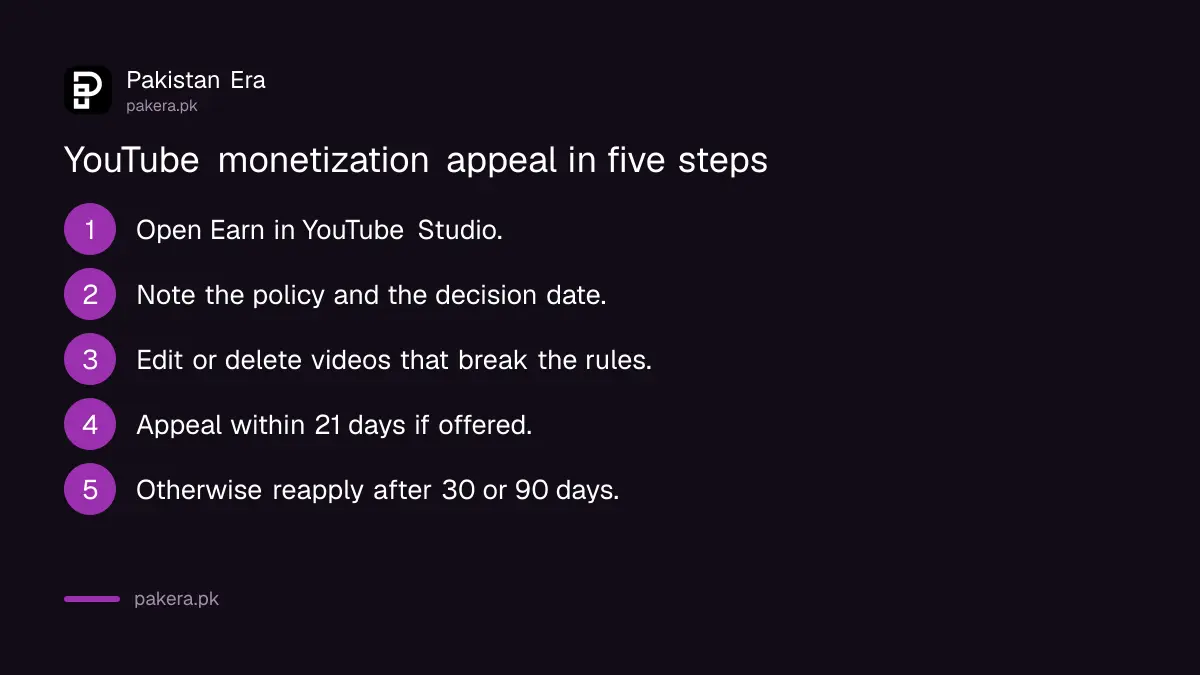
- Sign in to YouTube Studio and open Earn. Note the policy YouTube names and the date of the decision.
- Review your videos against the channel monetization policies, the advertiser-friendly guidelines and the Community Guidelines.
- Edit or delete videos that break those rules. Start with your most viewed videos, because reviewers see those first.
- If you are inside the 21 days and believe the decision is wrong, use the appeal option YouTube offers for your decision.
- If you are past 21 days, keep uploading original content and reapply once your 30 or 90 days are over.
- Watch your email. YouTube says a reapplication review takes about a month, and status shows in Earn.
Deleting videos has one trap. YouTube says that deleting a video with a Community Guidelines strike does not remove the strike, and you lose the chance to appeal it. Appeal a wrong strike first, then clean up.
Strikes block monetization until they clear or 3 months pass
Community Guidelines strikes, copyright strikes and videos matching other people's content can suspend monetization on all your related accounts. If you cannot fix them, YouTube may reinstate monetization after 3 months with no new issues and policy-compliant uploads.
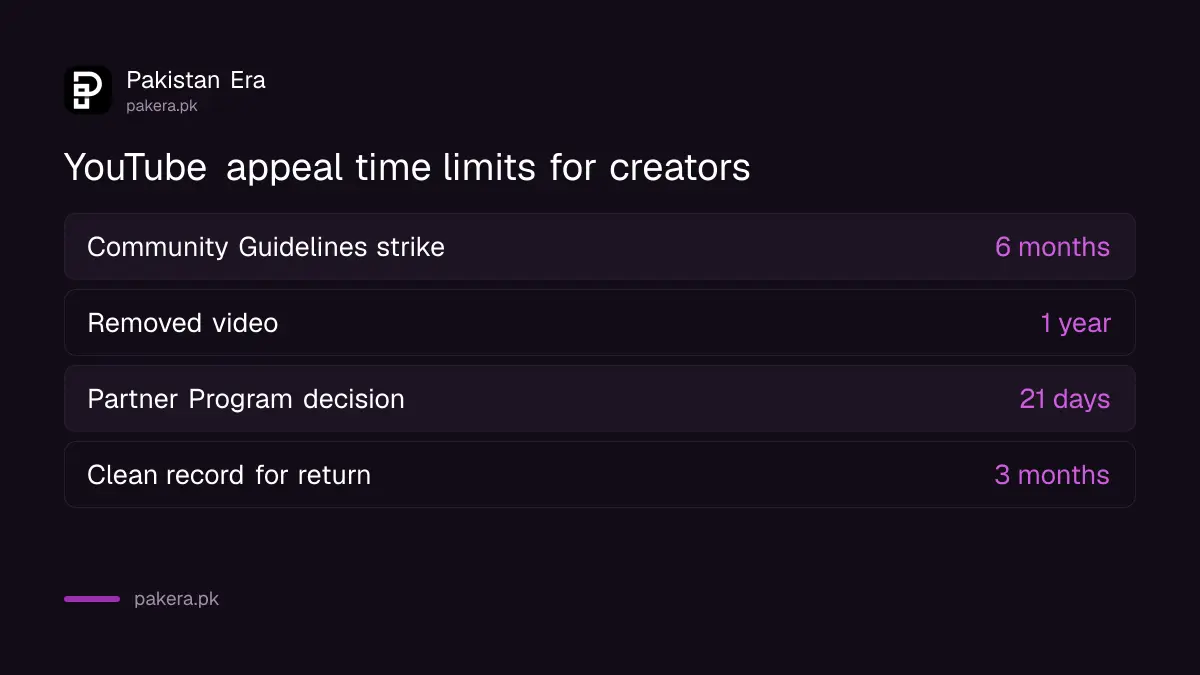
You can appeal a Community Guidelines strike for 6 months after it was issued, from the Channel violations card on your Studio dashboard, and each strike can be appealed only once. YouTube adds that you can apply to YPP after strikes expire or after a successful appeal removes them. Copyright strikes follow a different route; the steps to fix a YouTube copyright strike explain the three-in-90-days rule.
| Problem | Time limit | Where |
|---|---|---|
| Community Guidelines strike | Appeal within 6 months | Studio dashboard, Channel violations |
| Removed video | Appeal within 1 year | Studio, Content, Notice link |
| YPP suspension with strikes | Possible return after 3 clean months | Earn |
| YPP decision | Appeal within 21 days | Earn |
An unverified AdSense PIN also stops payments
YouTube says that if your identity or PIN is not verified, your channel cannot monetize. Google posts a PIN to your payment address, and you enter it in AdSense for YouTube. Depending on location, identity checks come first.
Pakistani post can be slow, and many creators assume they were demonetized when the real gap is an unentered PIN. Sign in to AdSense for YouTube and look for a PIN or identity alert. The limits and the lost-PIN route are covered in how to verify your AdSense PIN. US tax details are a separate requirement and affect how much is withheld, not whether you can earn.
Thresholds still apply when you reapply: 1,000 subscribers with 4,000 watch hours in 12 months, or 10 million Shorts views in 90 days, on YouTube's current page. YouTube has announced higher bars for new channels from 1 February 2027, set out in the Partner Program changes for 2027. A channel that has to wait 90 days should count back from that date.
Common questions
How many days do I have to appeal a YPP rejection?
21 days, according to YouTube's Partner Program page. After that, wait 30 days and reapply with more original content.
Can I reapply if my channel was suspended from YPP?
Yes, 90 days after the suspension, unless the disable was permanent for severe violations.
How long does a reapplication review take?
About a month, YouTube says. You can check the status in the Earn section of YouTube Studio.
Do my old subscribers and watch hours still count?
YouTube says it doesn't matter if counts drop below the threshold while you wait for review after applying. Before applying, you need to meet the current numbers.
Will YouTube still show ads on my videos?
Yes, it may. YouTube's terms let it serve ads on any content, but you get no share until you are back in the Partner Program.
Is demonetization the same as a terminated channel?
No. A demonetized channel stays online. A terminated channel is removed and has its own one-year appeal process.
How we verified this
What we checked, where we read it, and what we could not confirm.
We read YouTube's Help Centre pages Monetization is disabled for my channel, YouTube Partner Program overview and eligibility, the channel monetization policies and the strike appeal page on 24 October 2026. YouTube does not describe the 21-day appeal screen in detail, so we could not confirm its exact buttons, and we did not test an appeal on a real channel.
About the author

Technology Journalist & Multimedia Producer
Ahmad Ali is a technology journalist and multimedia producer at Pakistan Era, joining the team in October 2026. He covers consumer technology and digital life for Pakistani readers, combining research with hands-on product testing.