YouTube Video Blurry After Upload in Pakistan: HD Processing, Upload Settings and Every Fix
YouTube lets you publish once SD is ready, so a new upload looks blurry until HD finishes. How to wait it out, verify for faster processing and set 1080p right.
A YouTube video looks blurry right after upload because YouTube lets you publish once the standard definition (SD) version is ready, while the HD and 4K versions are still processing. Wait for HD processing to finish, usually shown in YouTube Studio, and the sharp version appears on its own. If it stays blurry after that, the cause is the file you uploaded or the viewer's connection.
Below is how processing works, the upload settings YouTube recommends, a checklist for files that stay soft, and the one account step that speeds processing up.
YouTube publishes the SD version first and adds HD later
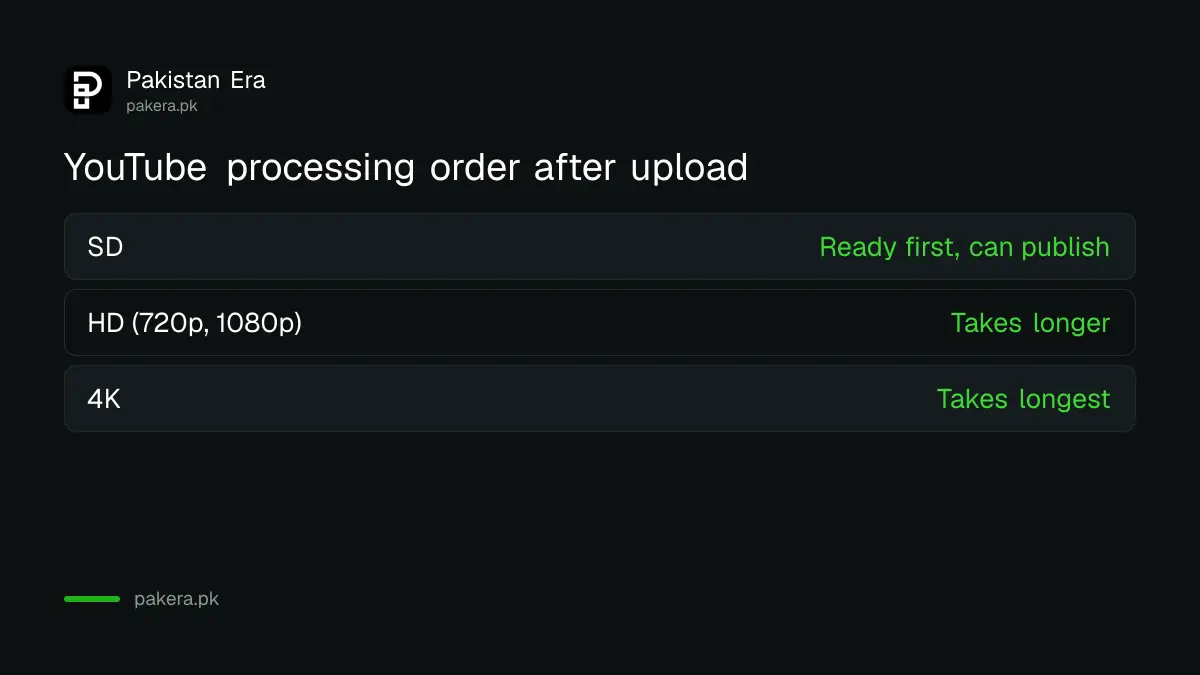
When you upload, YouTube converts your video into several resolutions. Its help centre says the video can be published once SD processing is complete, and that higher qualities such as HD and 4K may take more time to process.
That is the whole mystery for most creators. You upload a crisp 1080p video at night, publish it the moment the upload bar finishes, share the link in your WhatsApp group, and everyone sees a soft 360p picture. An hour later it is fine. Nothing was wrong with the file.
YouTube shows an estimated processing time for SD, HD and 4K during upload. It says the time depends on quality, video length, format and traffic. A long 4K video uploaded at a busy time takes the longest.
Schedule or keep it private until HD is ready
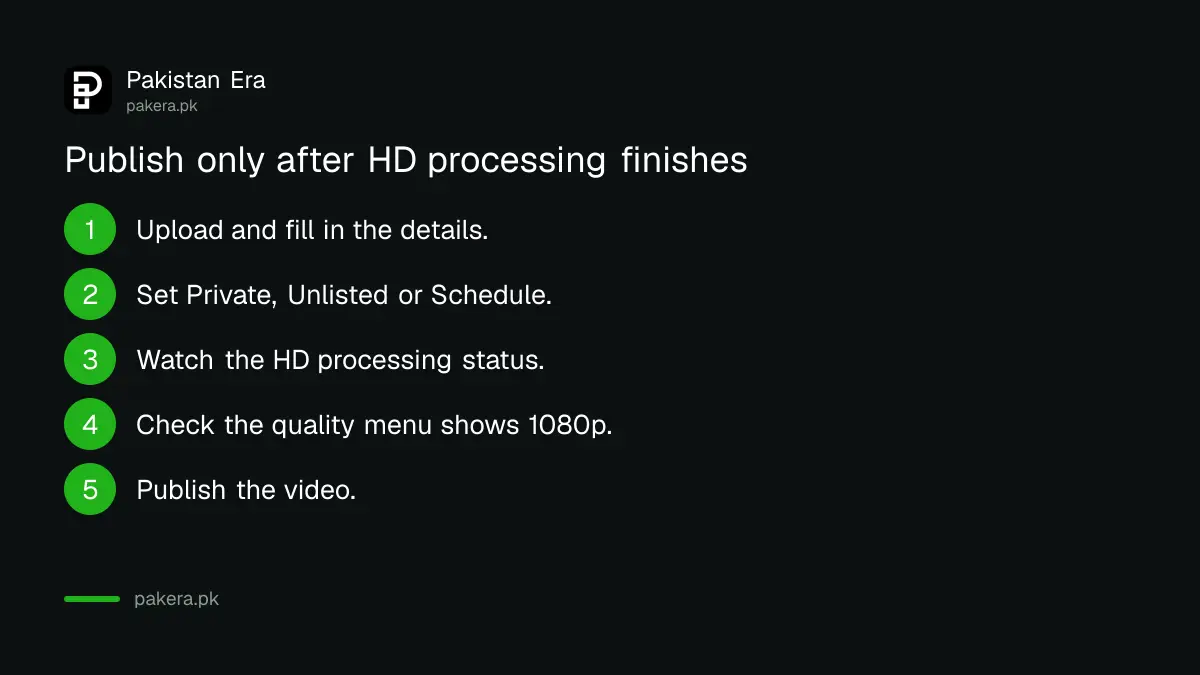
Upload the video as private or unlisted, or schedule it a few hours ahead, then publish once HD processing has finished. Viewers then see the sharp version from the first minute.
- Upload in YouTube Studio and fill in the details.
- Under visibility, choose Private or Unlisted, or Schedule a later time.
- Watch the processing status for HD, and 4K if you uploaded it.
- When HD is done, open the video and check the quality menu shows 1080p.
- Publish, or let the schedule run.
YouTube notes that if you close the upload window before choosing visibility, the video is saved as private. That is a safe default rather than a problem.
Verify your channel for faster processing
YouTube's upload help says that for optimal processing time you should verify your YouTube account. Verification is a free phone check, and it also unlocks videos longer than 15 minutes and custom thumbnails.
If your channel is new and every upload feels slow, check this first. The steps to verify your phone on YouTube for 15 minute videos and thumbnails take a few minutes. It is the cheapest fix on this page.
Upload settings YouTube recommends for a sharp result
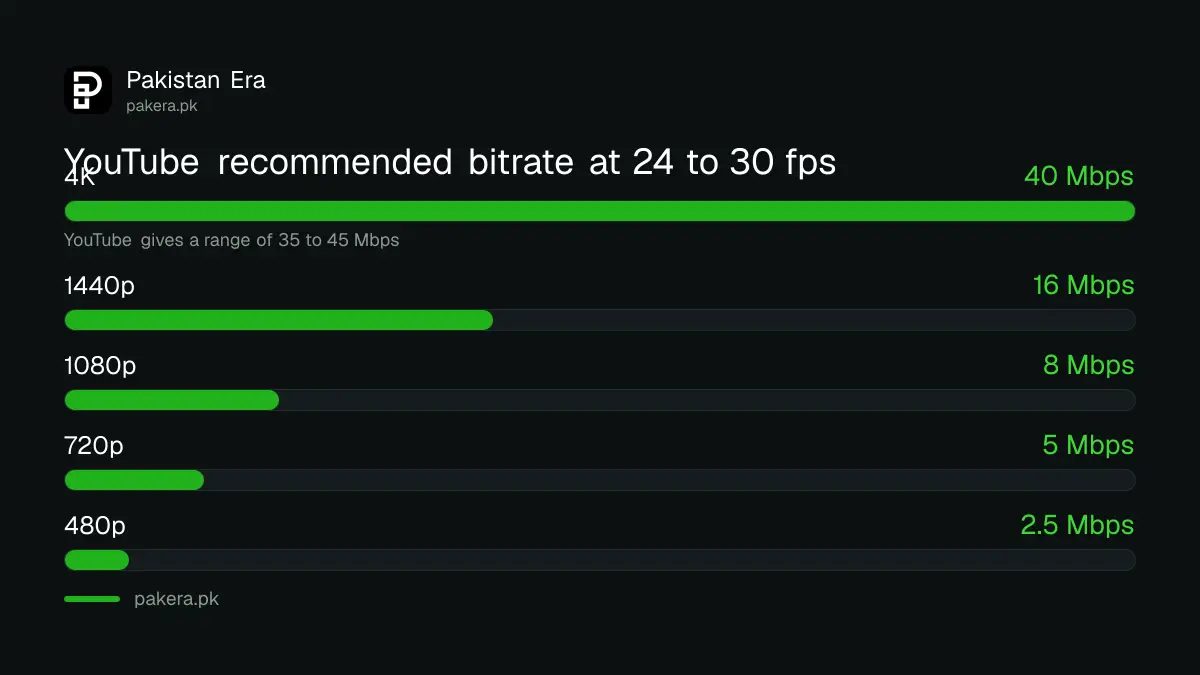
YouTube recommends an MP4 file with the H.264 video codec, AAC audio at 48kHz, the same frame rate you recorded in, and about 8 Mbps for 1080p at 24 to 30 frames per second. Higher bitrates are suggested for higher frame rates and resolutions.
| Resolution | Size (16:9) | Bitrate, 24 to 30 fps | Bitrate, 48 to 60 fps |
|---|---|---|---|
| 2160p (4K) | 3840 x 2160 | 35 to 45 Mbps | 53 to 68 Mbps |
| 1440p (2K) | 2560 x 1440 | 16 Mbps | 24 Mbps |
| 1080p (HD) | 1920 x 1080 | 8 Mbps | 12 Mbps |
| 720p (HD) | 1280 x 720 | 5 Mbps | 7.5 Mbps |
| 480p (SD) | 854 x 480 | 2.5 Mbps | 4 Mbps |
Many phone and desktop editors offer a 1080p export preset; check its bitrate against this table. YouTube also asks you not to add black bars or padding to the video itself, because it stops the player fitting the video to each screen. Upload vertical or square video as it is.
Why a video stays blurry after processing
If HD is finished and the video still looks soft, the upload itself was low quality, the export bitrate was too low, the file was sent through WhatsApp first, or the viewer is on a slow connection or an old device that cannot play higher formats.
- The source is SD. YouTube says a video recorded in standard definition will not be available in HD.
- The file was compressed on the way. Clips sent to you on WhatsApp arrive at 720p or lower by default. Ask for the original as a Document.
- The export setting was low. Re-export at 1080p and the bitrate above.
- The viewer's connection. On Auto, YouTube lowers quality on slow internet, whatever you uploaded.
- The viewer's device. YouTube says 1080p and 4K may not play on devices without VP9 support.
A 1080p upload has one extra benefit. YouTube Premium viewers can watch it in 1080p Premium, a higher bitrate version, which YouTube offers only for videos uploaded in 1080p, not higher or lower. If you edit with AI tools, also check the rules to disclose AI or altered content in YouTube Studio before you publish.
Common questions
How long does YouTube take to process HD?
YouTube does not give a fixed time. It shows an estimate during upload and says it depends on quality, length, format and traffic.
Why is my YouTube video only 360p after upload?
You probably published while only SD processing was complete. Wait for HD processing to finish.
Does verifying my channel speed up processing?
YouTube's upload help says to verify your account for optimal processing time.
What bitrate should I use for 1080p on YouTube?
YouTube recommends about 8 Mbps at 24 to 30 frames per second, and 12 Mbps at 48 to 60.
Should I upload in 4K to look sharper?
It can help, but 4K takes longest to process, and viewers need a VP9 capable browser or device to see 4K.
Why does my video look fine to me but blurry to others?
On Auto, YouTube picks quality from each viewer's connection and screen, so a slow connection gets a lower version.
How we verified this
What we checked, where we read it, and what we could not confirm.
Last checked 25 October 2026. On that date we read YouTube's help pages Upload YouTube videos, YouTube recommended upload encoding settings, Video resolution and aspect ratios, Change the quality of your video, and Use your YouTube Premium benefits. YouTube does not publish typical processing times, and we did not time a test upload.
About the author

Technology Journalist & Multimedia Producer
Ahmad Ali is a technology journalist and multimedia producer at Pakistan Era, joining the team in October 2026. He covers consumer technology and digital life for Pakistani readers, combining research with hands-on product testing.