Unlock YouTube Features in Pakistan: Verify Your Phone for 15 Minute Videos and Thumbnails
YouTube has three feature levels. See what a phone check unlocks, what advanced access needs for monetisation and where to check your status in Studio.
Short answer: A new YouTube channel gets standard features only. Verify your phone number to unlock intermediate features: videos longer than 15 minutes, custom thumbnails and live streaming on a computer. Advanced features, including monetisation applications and clickable links, need ID or video verification, or enough channel history. Check your status in YouTube Studio under Settings, Channel, Feature eligibility.
A student in Peshawar starts a study channel and tries to upload a 40 minute lecture. YouTube stops it. He tries to add a custom thumbnail and cannot. His channel is fine. It simply has not been verified, so it sits on the lowest feature level.
We read YouTube's feature access help page on 12 October 2026. The three levels and the steps come from that page. We did not verify a new account ourselves, so check the options in your own Studio, since YouTube can change them by country.
YouTube gives channels three levels of features
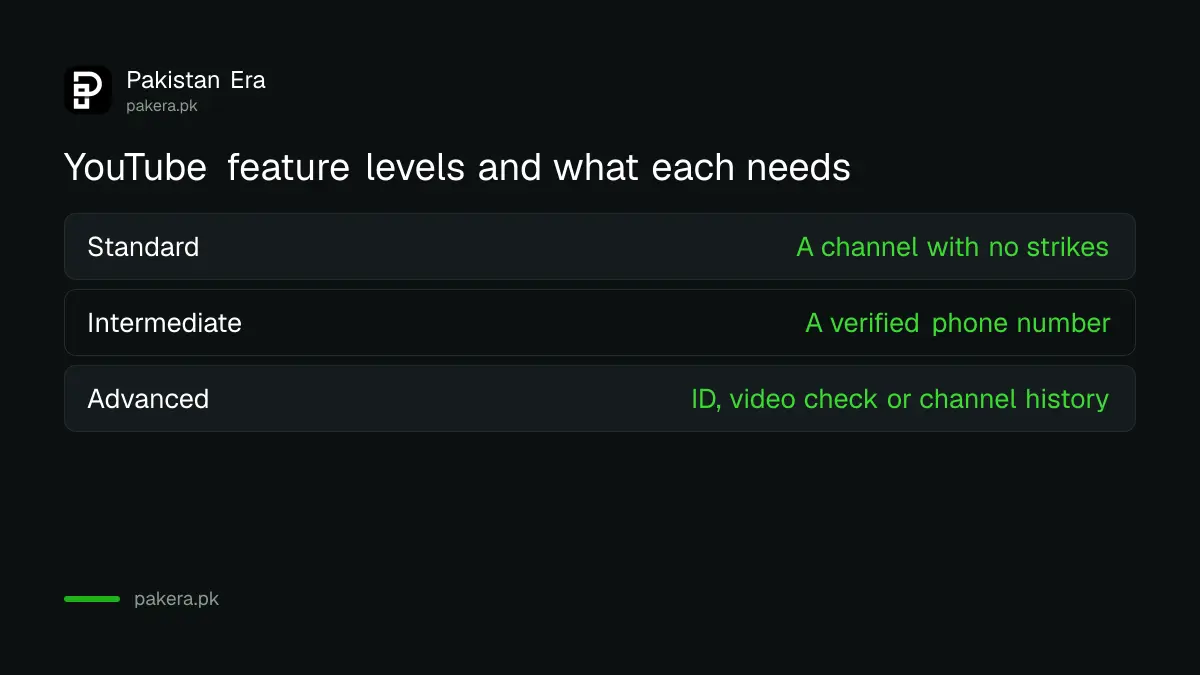
YouTube sorts channel features into standard, intermediate and advanced. Standard needs nothing but a channel with no Community Guidelines strikes. Intermediate needs phone verification. Advanced needs ID or video verification, or enough channel history. Each level raises the daily limits as well as the tools.
| Level | What you need | What it unlocks |
|---|---|---|
| Standard | A channel with no Community Guidelines strikes | Uploads and Shorts, playlists, Posts tab, with low daily limits |
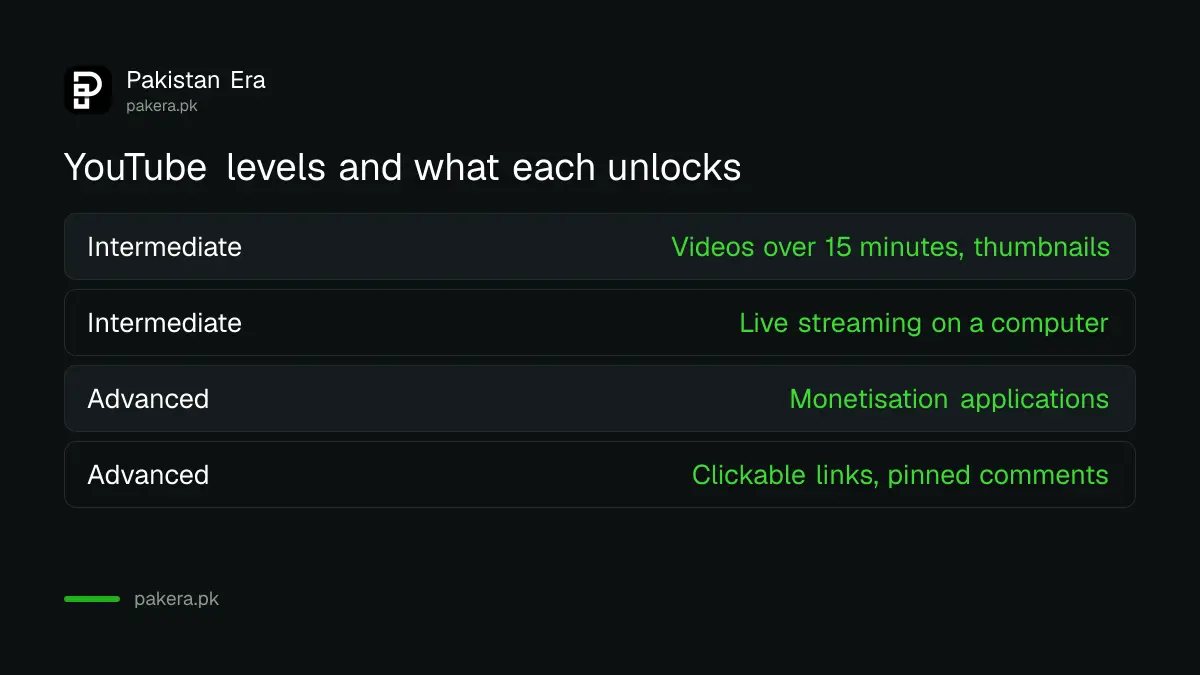
| Intermediate | A verified phone number | Videos over 15 minutes, live streaming on a computer, custom thumbnails, podcasts, higher limits |
| Advanced | ID or video verification, or enough channel history | Monetisation applications, Content ID appeals, clickable links, pinned comments, A/B testing, more |
Check your current level in YouTube Studio first
Your channel may already have more access than you think. YouTube shows each feature as Enabled or not under Feature eligibility, so look there before you start a verification you may not need.
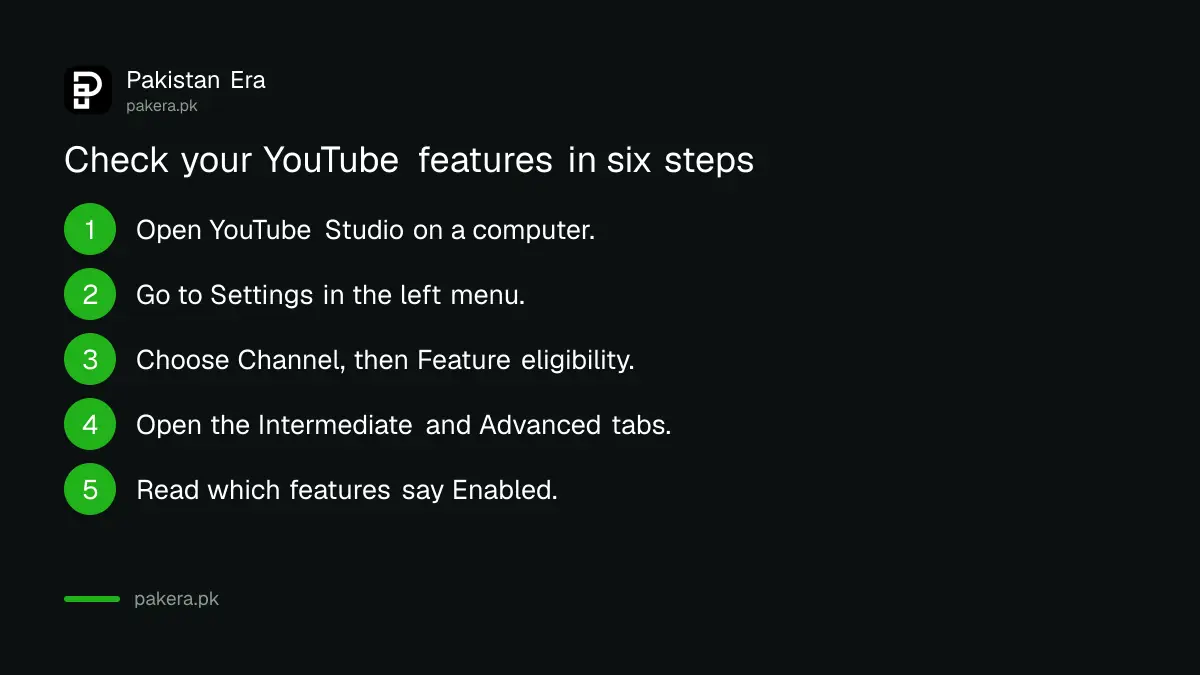
- Open YouTube Studio on a computer and sign in to the channel account.
- Go to Settings in the left menu.
- Choose Channel, then Feature eligibility.
- Open the Intermediate and Advanced tabs.
- Read which features say Enabled and which need an action.
- Follow the verify prompt for the level you need.
YouTube also says daily limits apply. If you hit one, you can verify to move to a higher level or wait 24 hours.
Phone verification unlocks the long video and thumbnail tools
Verify your phone number to reach the intermediate level. Follow the prompt in Studio. This step is quick and is enough for most small channels that want long videos, thumbnails and live streams from a computer.
Use a number you control and keep. For your account safety, the steps in turning on two-step verification are worth doing at the same time.
Note one limit. YouTube says your access depends on a positive channel history and on following the Community Guidelines. A strike can remove a feature even after you have verified.
Advanced features need identity, a video check or channel history
Advanced access is the one you need for monetisation. YouTube says it requires a valid ID, a video verification, or sufficient channel history. The features include applying for monetisation, appealing Content ID matters, adding clickable links, pinning comments and embedding live streams.
Plan this step before you apply for earnings. Monetisation applications sit in the advanced list, so reach that level first, then meet the thresholds. The thresholds and dates are in the Partner Program changes for 2027, and the money side is in what YouTube pays in Pakistan.
If your account was hacked and features disappeared, that is a separate problem. Start with the hacked channel recovery steps.
Keep the access you have earned
Verification does not protect a channel from losing features. Strikes and policy breaches can. The faults that cost creators most are reused clips and copyright problems, which are covered in the Shorts originality change and the copyright strike steps.
- Verify once, with your own phone number and your own ID.
- Read every Studio notice the day it arrives.
- Do not use another person's account to upload.
- Keep your recovery phone and email up to date.
Common questions
Why can I not upload a video over 15 minutes?
Your channel is likely at the standard level. Verify your phone number to reach the intermediate level, which YouTube says allows videos longer than 15 minutes.
How do I verify my YouTube channel with a phone number?
Open Feature eligibility in YouTube Studio, choose the intermediate features and follow the verify prompt. Enter the code YouTube sends you.
What do I need for advanced features?
A valid ID, a video verification, or enough channel history, as YouTube states. You must also keep a positive channel history and follow Community Guidelines.
Do I need advanced access to earn money?
YouTube lists monetisation applications among the advanced features. So yes, reach advanced access before you apply, then meet the programme's thresholds.
Where do I see which features I have?
In YouTube Studio, open Settings, then Channel, then Feature eligibility. Enabled features are marked.
What if I reach a daily upload limit?
YouTube says you can verify to move to a higher level, or wait 24 hours.
How we verified this
What we checked, where we read it, and what we could not confirm.
We read YouTube's feature access levels help page on 12 October 2026 for the three levels, the requirements, the daily limits and the Studio path. YouTube may change verification options by country, so follow the prompts in your own Studio.
About the author

Senior Writer, Public Services and Technology
Shahid joined us in 2024 as an author. He is a senior contributor to Pakistan's leading technology websites. He writes detailed articles, mostly covering his expertise in the latest tech, mobiles, apps, gadgets, and step-by-step guides. His ideology is to help people understand the latest trends and explain complex methods through very easy-to-understand guides.