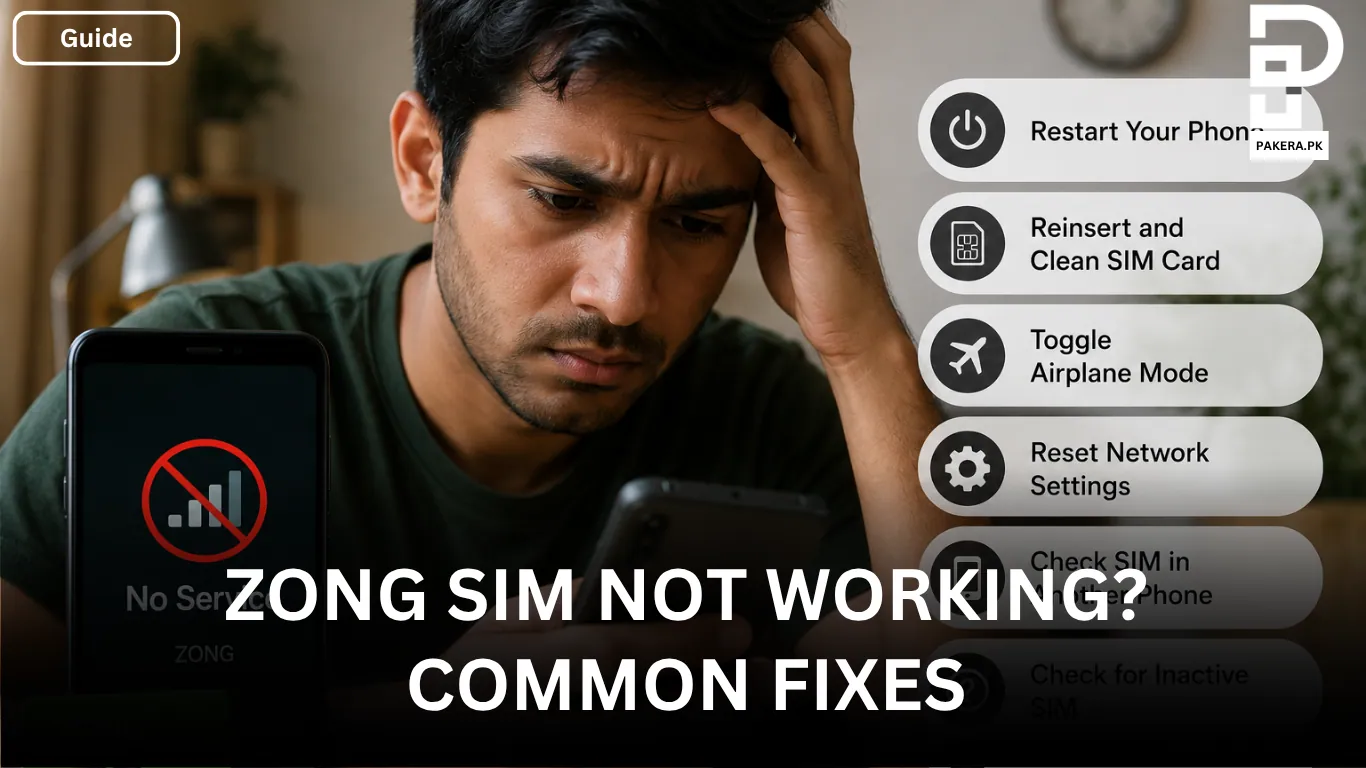
If your Zong SIM isn’t working, don’t assume it’s damaged straight away. In many cases, the problem is caused by a temporary network issue, incorrect phone settings, or the SIM card not making proper contact with your device. The good news is that a few simple troubleshooting steps are often enough to restore service without replacing the SIM.
Whether you’ve lost signal, can’t make calls, send SMS, or use mobile data, it’s worth trying a few basic fixes before visiting a customer service centre. In this guide, I’ll walk through the most common causes and the solutions that usually get a Zong SIM working again.
Restart Your Phone
The first thing to try is restarting your phone. Turn the device off completely, wait for about two minutes, and then switch it back on.
A restart refreshes your phone’s connection to the mobile network and can clear temporary glitches that may be preventing your SIM from working properly. Although it’s a simple step, it often resolves minor network issues without any further troubleshooting.
Remove and Reinsert the SIM Card
If restarting your phone doesn’t help, remove the SIM tray and take out the Zong SIM.
Gently clean the SIM’s metal contacts with a soft, dry cloth to remove any dust or dirt that may interfere with the connection. Once cleaned, place the SIM back into the tray carefully, making sure it fits properly before inserting it into your phone again.
A loose or poorly seated SIM card can sometimes cause network detection problems, so it’s worth checking before moving on to more advanced fixes.
Toggle Airplane Mode
Another quick fix is to turn Airplane Mode on for around 30 seconds and then switch it off again.
Doing this forces your phone to disconnect from the mobile network and reconnect, which can help restore signal or network registration. If your phone suddenly lost service or shows no signal, this simple trick is often worth trying.
Reset Network Settings
If you’re still unable to make calls, send messages, or use mobile data, resetting your phone’s network settings may help.
This refreshes all saved mobile network configurations along with Wi-Fi and Bluetooth settings. It does not delete your personal files, photos, or apps, but you’ll need to reconnect to saved Wi-Fi networks afterwards.
In many cases, resetting the network settings resolves connectivity issues caused by incorrect or corrupted network configurations.
Check Whether the Problem Is the SIM or the Phone
If none of the basic troubleshooting steps work, the next step is to determine whether the issue is with the SIM card or your phone.
Insert your Zong SIM into another compatible device. If the SIM works normally in the second phone, the problem is most likely with your original device. If it still doesn’t work, the SIM itself may be faulty or inactive.
This simple test can save you time by helping you identify the actual cause of the problem.
Check If the SIM Has Been Deactivated
If your Zong SIM hasn’t been used or recharged for a long time, it may have been blocked or deactivated due to inactivity.
In this situation, you’ll need to contact Zong customer support to confirm the SIM’s status. They can tell you whether it can be reactivated or if you’ll need to replace it.
Replace a Damaged SIM Card
If your SIM card is physically damaged, scratched, cracked, or doesn’t work in any phone, it may need to be replaced.
Visit your nearest Zong franchise or customer service centre, where the staff can inspect the SIM and issue a replacement after verifying your identity.
Based on reports shared by users on Facebook, a replacement SIM typically costs around Rs. 500, although the actual fee may vary depending on Zong’s current policy.
Contact Zong Customer Support
If you’ve tried all of the above and your SIM still isn’t working, it’s time to contact Zong customer support.
You can:
- Dial 310 from an active Zong number.
- Call 051-111-222-111 from any network.
A customer service representative can check your SIM’s status, identify any network-related issues, and guide you through the next steps if the problem can’t be resolved with basic troubleshooting.
Frequently Asked Questions
A Zong SIM may show no signal because of a temporary network issue, incorrect phone settings, a loose SIM card, or a faulty SIM. Restarting your phone, reinserting the SIM, or toggling Airplane Mode can often resolve the problem.
Insert the SIM into another compatible phone. If it doesn’t work in any device, it may be physically damaged or faulty and should be inspected at a Zong franchise or customer service centre.
Yes. If a SIM remains unused or isn’t recharged for an extended period, Zong may deactivate it. Contact customer support to check its status and see whether it can be reactivated.
No. Resetting network settings only removes saved network configurations, including mobile, Wi-Fi, and Bluetooth settings. Your personal files, photos, apps, and other data remain unchanged.
According to reports shared by users on Facebook, a replacement SIM usually costs around Rs. 500, although the exact fee may vary depending on Zong’s latest policy.
Conclusion
A Zong SIM that stops working doesn’t always mean it’s damaged. In many cases, the issue can be fixed by restarting your phone, cleaning and reinserting the SIM, toggling Airplane Mode, or resetting your network settings. If the SIM still doesn’t work after trying these fixes, test it in another phone to identify whether the problem lies with the SIM or your device. For inactive or damaged SIM cards, Zong customer support or your nearest franchise can help you get the issue resolved.

Ali Akhtar is a young and curious voice here at Pakistan Era. He is currently pursuing his A-Levels and has a growing interest in Pakistan’s changing industrial landscape and educational trends. Ali likes to write in a way that helps him explain and explore the world around him. His writing reflects the perspective of the new generation navigating the evolving trends of Pakistan where technology, youth innovation, and shifting opportunities are reshaping the country’s future.