Buying a Used iPhone in Pakistan: 6 Checks Before You Pay
Buying a used iPhone in Pakistan? Check PTA status on 8484, Activation Lock, battery health, Parts and Service History and Apple warranty before you pay.
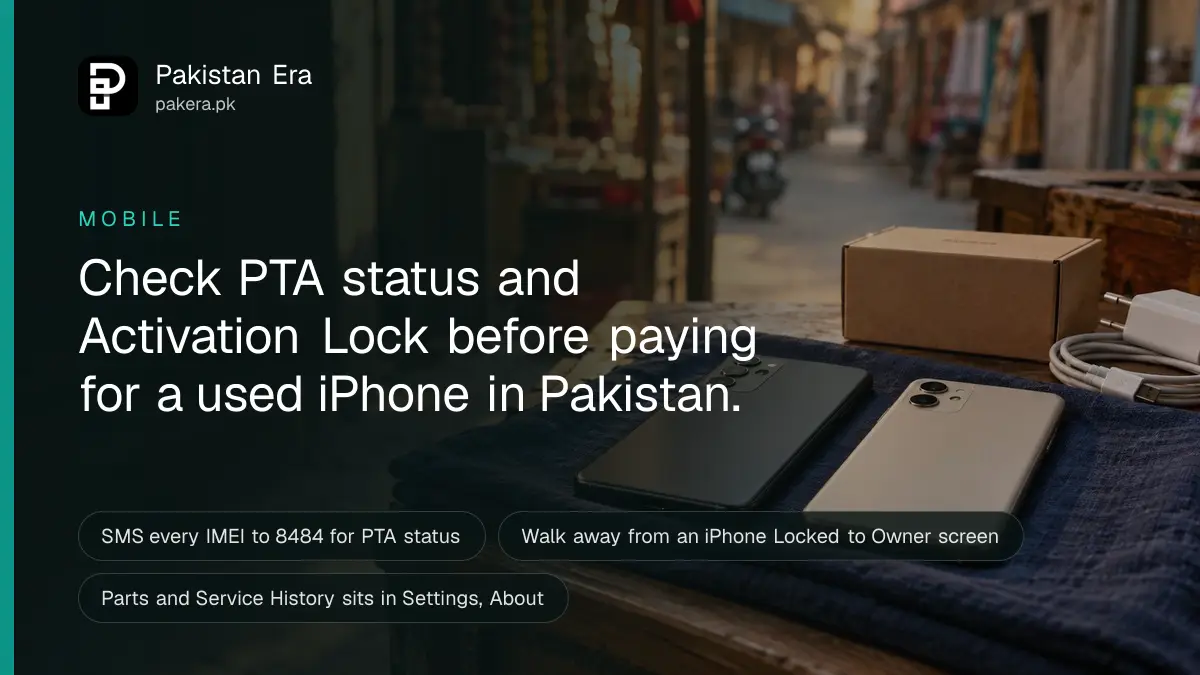
Before paying for a used iPhone in Pakistan, check four things on the spot: the PTA status of every IMEI (SMS the IMEI to 8484), that the phone shows the Hello setup screen and not "iPhone Locked to Owner", the battery's Maximum Capacity, and Parts and Service History in Settings, General, About. Walk away if any one fails.
A used iPhone in Pakistan can be a good buy or an expensive brick. The difference is usually ten minutes of checking before cash changes hands. We built this checklist from Apple's own support pages and PTA's DIRBS site, read on 28 September 2026.
Take the checks in order. The first two decide whether the phone is usable at all. The rest decide whether the price is fair.
Check PTA status for every IMEI first
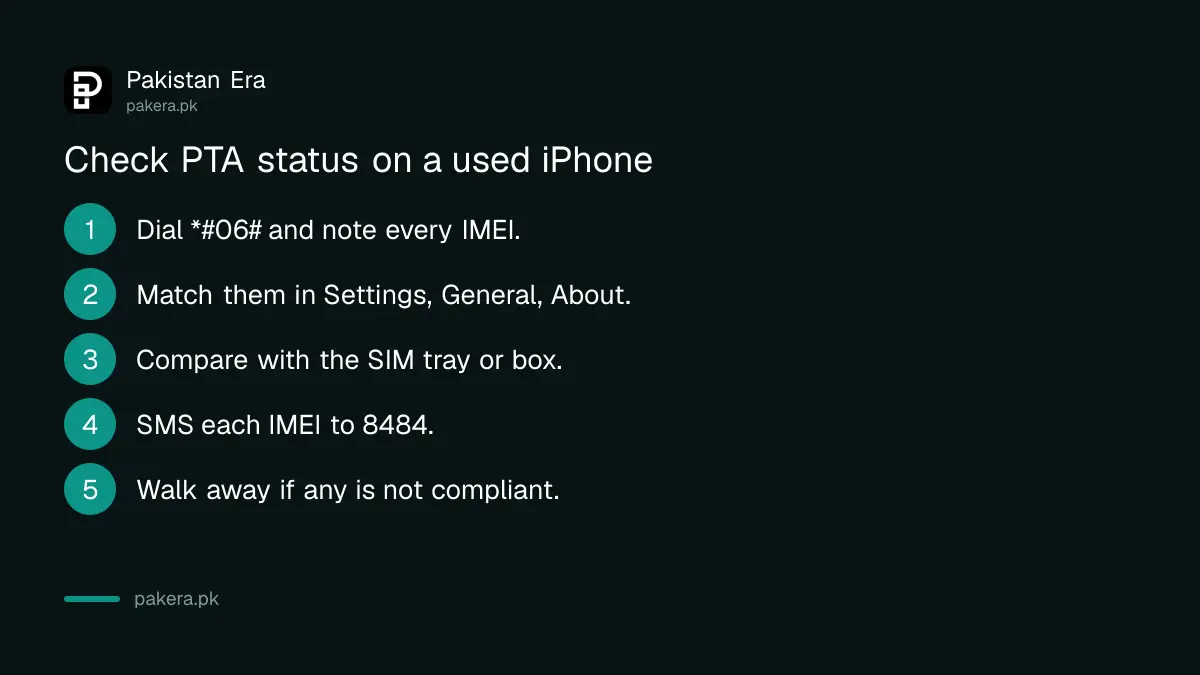
Dial *#06# on the iPhone to show its IMEI numbers, then SMS each 15-digit IMEI to 8484, or enter it on PTA's DIRBS site. An iPhone with two SIM slots or eSIM has two IMEIs, and PTA says to check each one. A non-compliant phone will lose mobile service.
PTA's DIRBS page gives these exact steps: dial *#06#, then send each 15-digit IMEI by SMS to 8484. The site at dirbs.pta.gov.pk has an IMEI box that does the same. The full method, with screenshots, is in how to check an IMEI number in Pakistan.
- Dial *#06# on the phone and write down every IMEI shown.
- Open Settings, General, About, and check the same IMEIs appear there.
- Compare them with the SIM tray or the box, if the seller has it.
- Send each IMEI by SMS to 8484, or check it on DIRBS.
- Walk away if any IMEI is not compliant, unless you plan to pay the PTA tax yourself.
A "non-PTA" iPhone is not always a bad buy, but it must be priced as one. Registering it means paying PTA tax, and the amount depends on the model. Work it out with a PTA tax calculator before you agree a price. Sellers often call a phone "JV" or "factory unlocked" when what matters is the DIRBS result.
Make sure Activation Lock is off
Apple's rule is blunt: do not take ownership of any used iPhone protected by Activation Lock. On iOS 15 and later, a locked phone shows "iPhone Locked to Owner" when you turn it on. Without the previous owner's Apple Account password, nobody can reactivate it, including a repair shop.
Activation Lock switches on by itself when the owner sets up Find My. Apple stores the owner's account on its activation servers. So a phone that looks fine in the market can be useless the moment it is reset. Apple's support page gives this check for buyers:
- Turn the phone on. If you see "iPhone Locked to Owner", do not buy it.
- If the passcode screen or Home Screen appears, the phone has not been erased. Ask the seller to erase it in front of you.
- Start the setup. If it asks for the previous owner's Apple Account, hand it back and ask them to enter their password.
- The phone is ready only when you see the Hello screen.
Never accept "I will remove it from my account tonight". If the seller cannot sign out in front of you, the deal is off.
Read battery health from Settings, not the seller
Open Settings, Battery, Battery Health to see Maximum Capacity. Apple says iPhone 14 and earlier batteries are designed to keep 80% of capacity at 500 full charge cycles, and iPhone 15 batteries at 1,000 cycles. A figure well under 80% means a battery replacement soon.
Look for Apple's warning too. If the phone says it is "unable to verify this iPhone has a genuine Apple battery", the battery was replaced with a part Apple cannot confirm, and the health figure may not be accurate. That is a reason to push the price down, or to walk away.
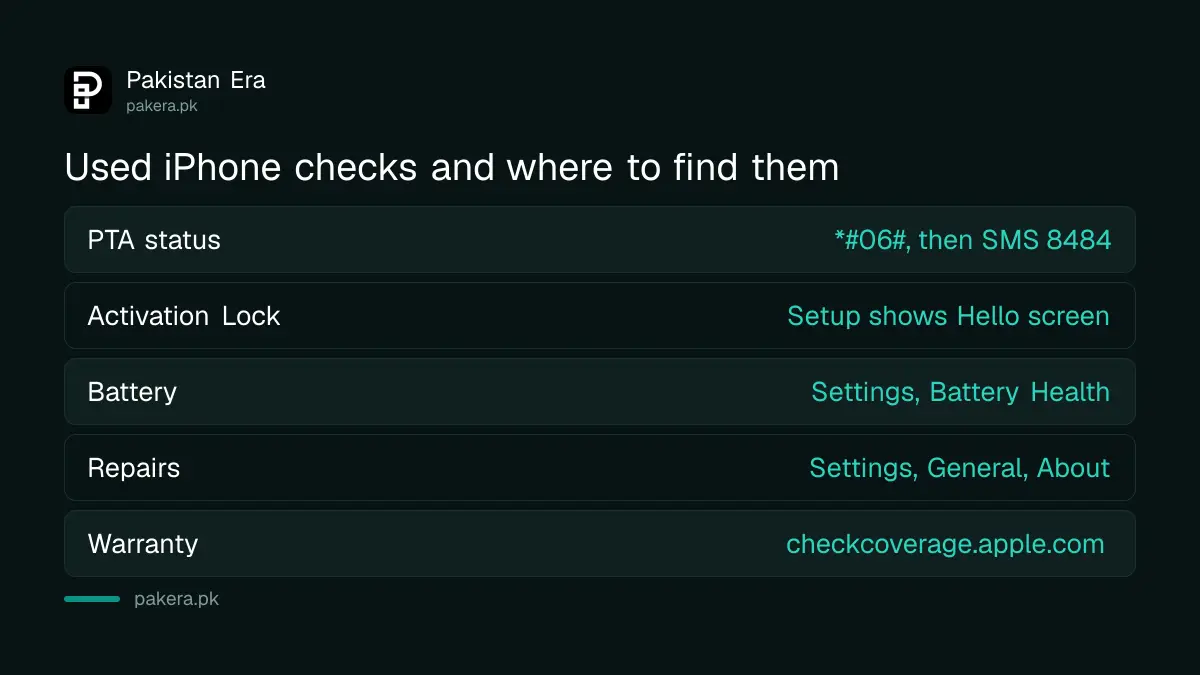
| Check | Where on the iPhone | Walk away if |
|---|---|---|
| PTA status | *#06#, then SMS to 8484 | Any IMEI is not compliant and the price ignores the tax |
| Activation Lock | Turn on, then start setup | "iPhone Locked to Owner" or a request for the old Apple Account |
| Battery | Settings, Battery, Battery Health | Low Maximum Capacity or a "genuine battery" warning |
| Repairs | Settings, General, About | "Unknown" or "Unverified" parts not disclosed |
| Warranty | checkcoverage.apple.com | Coverage does not match what the seller claims |
Parts and Service History shows past repairs
On iOS 15.2 and later, open Settings, General, About. If the iPhone was repaired, a Parts and Service History section appears. Apple labels each part Genuine, Used, Unknown or Unverified. On iPhone 12 and later it covers the battery, display, logic board and both cameras.
Here is what each label means, in Apple's words and ours:
- Genuine: the repair used genuine Apple parts and processes.
- Used: a genuine part that was already installed in another iPhone.
- Unknown: the part may not be genuine, may not work as expected, or was not linked to the phone. Apple says it might lower trade-in value.
- Unverified: the logic board came from another iPhone. Apple says features such as Apple Pay may not work.
A phone fixed at a local shop with a non-Apple screen or battery can show "Unknown". It does not stop the phone working, but it should cut the price. Apple also says a used part taken from another device that was protected by Activation Lock is not eligible for Apple warranty service.
Check warranty and stolen status before you pay
Enter the serial number at Apple's checkcoverage.apple.com to see whether the iPhone still has Apple warranty or AppleCare. Then make sure the phone is not reported stolen. PTA can block a stolen handset by IMEI, and a blocked phone loses mobile service even after you pay.
The serial number is in Settings, General, About. Apple's coverage page confirms the model and any remaining coverage. If a seller says "still in Apple warranty" and the page disagrees, trust the page.
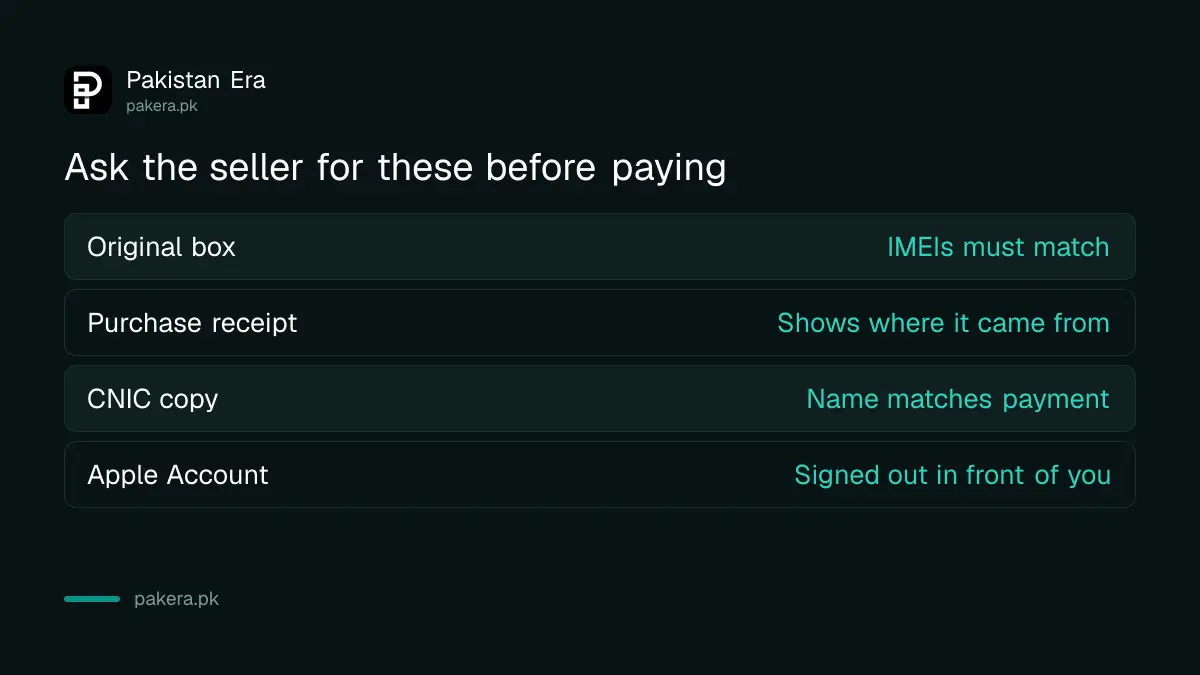
Victims of phone theft in Pakistan report the IMEI so PTA can block it, which is how to block a lost or stolen phone. As a buyer, protect yourself the other way round. Ask for the original box with matching IMEIs, a purchase receipt, and a copy of the seller's CNIC. A seller who refuses all three is telling you something.
Pay safely and keep a paper trail
Meet in a busy public place or at the seller's shop, finish every check first, and pay last. A bank transfer to an account in the seller's own name leaves a record that cash does not. Write the IMEIs, price and date on a receipt, and both of you sign it.
- Never pay an advance for a phone you have not held and checked.
- Match the account name on the transfer to the name on the seller's CNIC.
- Put your SIM in before paying and make a call, to confirm mobile service works.
- Sign in with your own Apple Account at setup, then turn on Find My, so the phone is protected from day one.
A tired used iPhone with a weak battery and an Unknown screen is not always cheaper in the end. Before you decide, compare it with buying an iPhone on instalments in Pakistan.
Common questions
How do I check if a used iPhone is PTA approved?
Dial *#06#, then send each 15-digit IMEI by SMS to 8484, or enter it on dirbs.pta.gov.pk. Check every IMEI, since dual SIM and eSIM iPhones have two.
What does "iPhone Locked to Owner" mean?
It means Activation Lock is on and the phone is still tied to someone's Apple Account. Apple says not to take ownership of it.
What battery health is acceptable on a used iPhone?
Apple designs batteries to keep 80% capacity after 500 cycles on iPhone 14 and earlier, and 1,000 cycles on iPhone 15. Below 80%, plan for a replacement and price it in.
Is an "Unknown Part" message a reason not to buy?
Not always. It means a part may not be genuine or verified. The phone still works, but the price should be lower and the seller should have told you.
Can I check an iPhone's Apple warranty in Pakistan?
Yes. Enter the serial number from Settings, General, About at checkcoverage.apple.com to see any remaining warranty or AppleCare.
Should I buy a non-PTA iPhone?
Only at a price that includes the PTA tax you will pay to register it. Otherwise it will lose mobile service on Pakistani networks.
Once the phone is yours, see how to add a payment method to your Apple ID in Pakistan and how to check a phone warranty.
How we verified this
What we checked, where we read it, and what we could not confirm.
We checked this on 28 September 2026. The IMEI steps are on PTA's DIRBS site. The Activation Lock checks are in Apple's Activation Lock for iPhone and iPad page. Battery figures come from Apple's "iPhone battery and performance" page, and the repair labels from Apple's "iPhone Parts and Service History" page. The payment advice is our own. We did not inspect a particular phone for this checklist.
About the author

Senior Writer, Public Services and Technology
Shahid joined us in 2024 as an author. He is a senior contributor to Pakistan's leading technology websites. He writes detailed articles, mostly covering his expertise in the latest tech, mobiles, apps, gadgets, and step-by-step guides. His ideology is to help people understand the latest trends and explain complex methods through very easy-to-understand guides.