Add a Payment Method to Your Apple ID in Pakistan: Cards Only, No Mobile Billing
Apple lists only cards and account balance for Pakistan. How to add a card to your Apple ID, fix a declined card, use Family Sharing and remove a card.
In Pakistan, Apple accepts only two ways to pay on your Apple Account: most credit and debit cards, and an Apple Account balance you top up with a card. Apple's own country list shows no mobile billing, no gift cards and no Apple Pay for Pakistan. Add a card in Settings, then your name, then Payment & Shipping.
Adding an Apple ID payment method in Pakistan fails more often than it should. The reason is usually the card, the billing address or the account country, not Apple. We read Apple's support pages on 28 September 2026, including its table of payment methods by country, and checked live App Store prices for Pakistan.
The App Store charges Pakistan in rupees. On 28 September 2026 Apple's store data showed Procreate Pocket at Rs 1,700 for Pakistan, against $5.99 in the United States.
Apple lists cards and account balance for Pakistan
Apple's page "Payment methods that you can use with your Apple Account" lists Pakistan with just two entries: an Apple Account balance from adding funds, and most credit and debit cards. Neighbouring countries such as the UAE and Saudi Arabia also get mobile billing and gift cards. Pakistan does not.
| Payment method | Pakistan | UAE, for comparison |
|---|---|---|
| Credit and debit cards | Yes, most cards | Yes |
| Apple Account balance | Yes, from adding funds only | Yes, from gift cards or adding funds |
| Mobile phone billing | Not listed | Du and Etisalat |
| Apple Gift Card | Not listed | Yes |
| Apple Pay | Not listed | Yes |
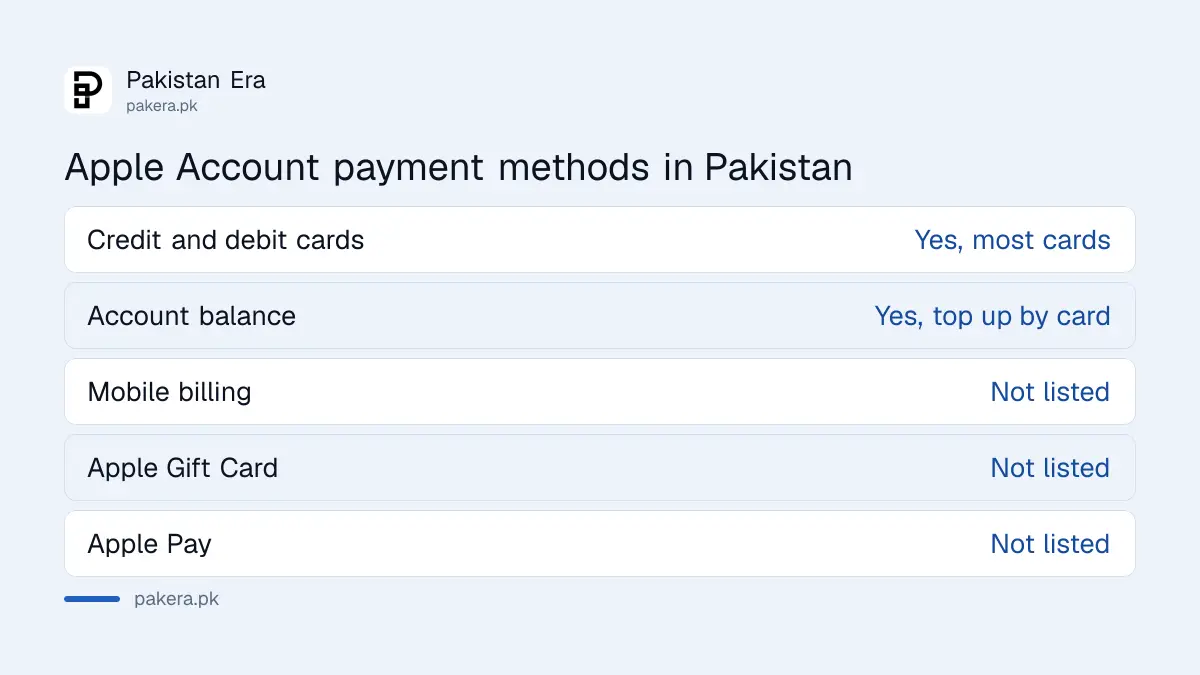
So a Jazz, Zong, Telenor or Ufone balance cannot pay for apps on an iPhone. That is different from Android, where Google Play in Pakistan has its own rules. Apple says payment methods are "subject to change", so check the page again if you read this months from now.
Add a card to your Apple Account in five steps
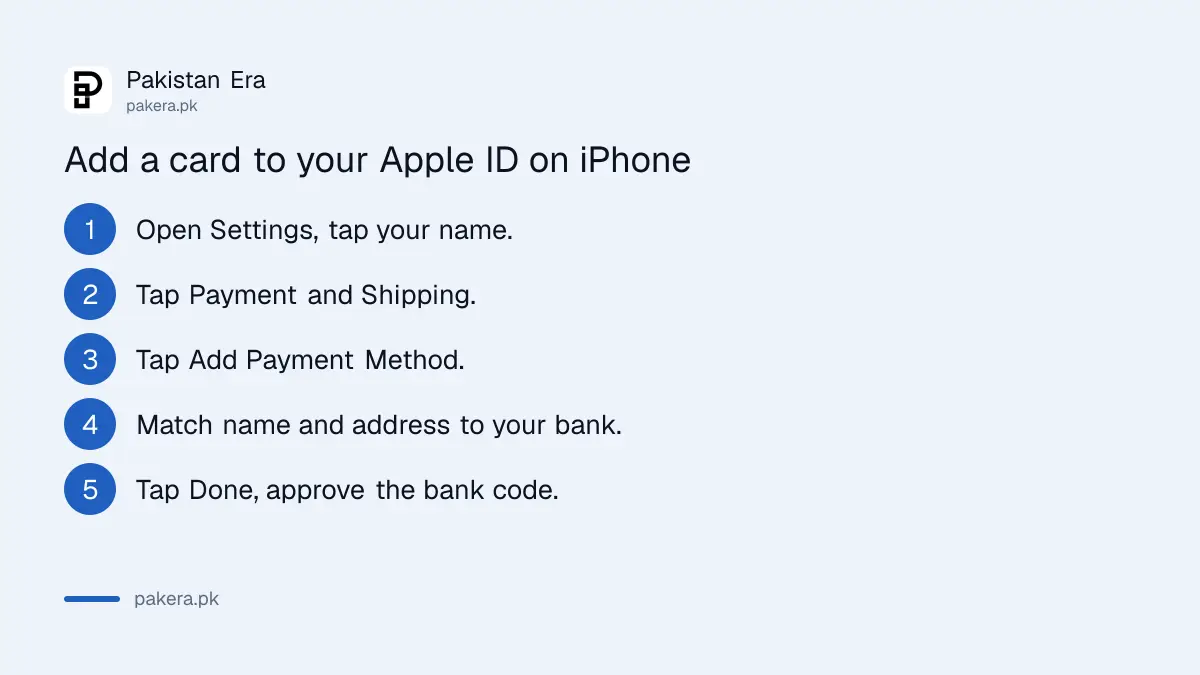
On an iPhone or iPad, go to Settings, tap your name, then Payment & Shipping, then Add Payment Method. Enter the card and a billing address that matches your bank's records exactly. Your bank may send a one-time code to confirm the card before Apple accepts it.
- Open Settings and tap your name at the top.
- Tap Payment & Shipping. Sign in if asked.
- Tap Add Payment Method and enter the card number, expiry and security code.
- Check your name, billing address and phone match what your bank holds.
- Tap Done, then confirm through your bank's app or SMS if asked.
On a Mac, open the App Store, click your name, then Payment Methods. On Windows, use the Apple Music or Apple TV app and choose Manage Payments. You can also add a card after signing in at account.apple.com. If you have more than one card, drag them into the order you want Apple to try them.
Before you start, switch on online and international use for your card in your bank's app. Many Pakistani cards ship with it off. HBL, for example, says its Visa and Mastercard debit cards work for e-commerce once that switch is on.
Four checks fix most rejected cards
Apple's help page gives the causes: the name and billing address do not match the bank's records, the account's country is not Pakistan, the card needs verification the bank has not completed, or the card itself is not accepted. Fix the first three before trying another card.
- Name and address: spell them exactly as your bank does, including the city.
- Account country: an Apple Account set to the US or UAE will not take a Pakistani card. Apple's page on changing country or region explains how to switch.
- Bank verification: Apple notes that international cards may have to be authenticated first. Approve the request in your bank's app.
- Card type: "most" cards is Apple's word, not "all". A prepaid or virtual card may be refused.
People without a bank card often try a virtual dollar card. Test one with a small top-up first. We did not test any virtual card with Apple, so we cannot say which ones pass.
Top up your Apple Account balance instead of storing a card for every buy
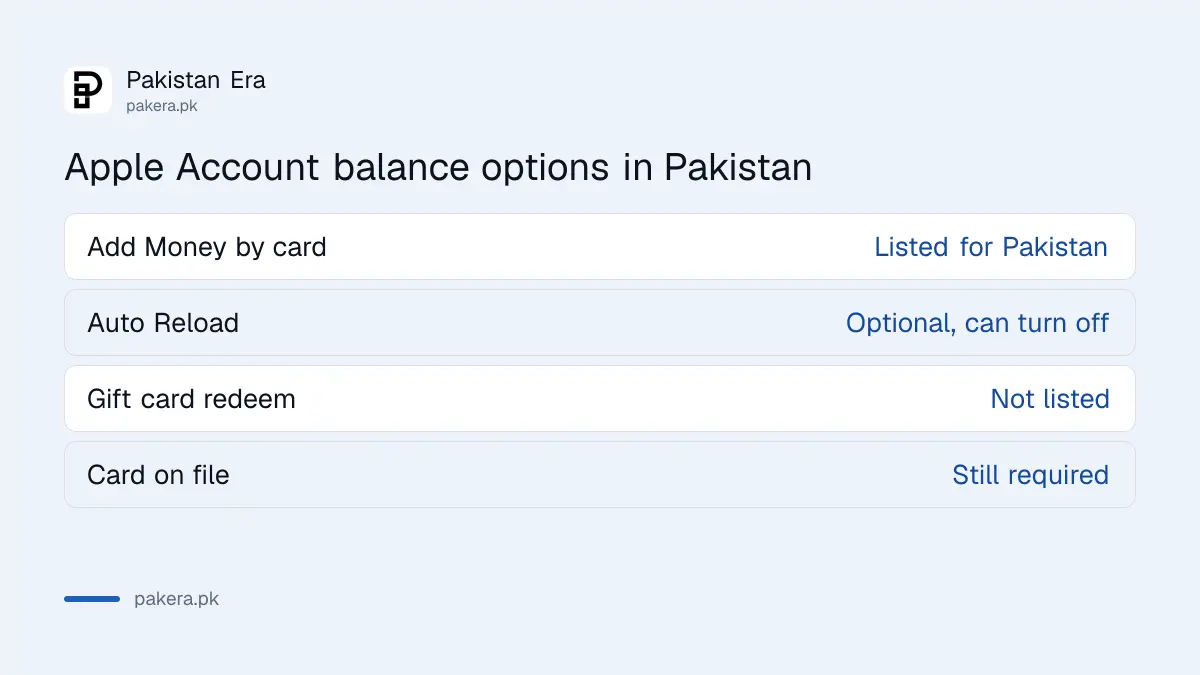
In Pakistan you can add money to your Apple Account balance with your card, then spend that balance on apps and subscriptions. In the App Store, tap your photo, then Add Money, and pick an amount. You still need a valid card on file to do this.
A balance helps if you want a fixed monthly budget for a child or yourself. Apple also offers Auto Reload, which tops up the balance automatically. Turn it off from the same Add Money screen if you do not want repeat charges.
Apple Gift Cards are the catch. Apple's list does not show gift card redemption for Pakistan, and Apple says gift cards "aren't available in all countries or regions". A card bought abroad, for another country's store, will not help a Pakistan account. Be wary of anyone selling Apple codes on social media.
Family Sharing puts every purchase on the organiser's card
With Family Sharing and Purchase Sharing on, the family organiser pays for everyone's purchases. A member's own Apple Account balance is used first, and any shortfall goes to the organiser. Adults can add their own card instead. Ask to Buy lets a parent approve a child's purchases.
- On the organiser's iPhone, open Settings and tap Family.
- Tap Purchase Sharing, then Turn On.
- Tap Purchase Sharing again to check which card is the default.
Families sharing an Apple Music plan in Pakistan or iCloud+ storage should decide early whose card pays. Everything the family buys lands on that one statement.
Removing a card needs your subscriptions cleared first
Go to Settings, your name, Payment & Shipping, Edit, then the red delete button. Apple will not let you remove the last payment method while you have a subscription such as iCloud+, an unpaid balance, or Purchase Sharing turned on as organiser.
So cancel the subscription first and wait for the paid period to end. Organisers should turn off Purchase Sharing before removing the card. If it still will not go, Apple says to change the payment method instead, or contact Apple Support. The same logic applies when you cancel a Google Play subscription: removing a card does not cancel anything by itself.
Your bank may add FBR tax on each charge
Apple prices the Pakistan App Store in rupees, but the payment still goes to a company abroad. FBR's withholding tax rate card, updated to 30 June 2026, sets advance tax under section 236Y on card payments remitted abroad at 0.5% for active taxpayers and 1% for others. Your bank decides whether a charge counts.
On a Rs 1,700 app, 1% is Rs 17. Small, but it shows up on statements and confuses people who expect the exact store price.
Common questions
Can I pay for iPhone apps with my Jazz or Zong balance?
No. Apple's payment list for Pakistan does not include mobile phone billing for any network. You need a credit or debit card, or an Apple Account balance topped up with one.
Does the App Store in Pakistan charge in rupees?
Yes. Apple's store data for Pakistan shows prices in rupees, for example Rs 1,700 for Procreate Pocket on 28 September 2026.
Can I use an Apple Gift Card in Pakistan?
Apple does not list gift card redemption for Pakistan. It lists only an Apple Account balance from adding funds, and most credit and debit cards.
Why does my Apple ID say my payment method was declined?
Usually the name or billing address does not match your bank, international use is off, or the account is set to another country. Fix those, then try again.
Can I remove my card from my Apple ID completely?
Yes, if you have no active subscription, no unpaid balance and no Purchase Sharing as organiser. Otherwise Apple keeps at least one payment method on file.
Does Apple Pay work in Pakistan?
Apple does not list Apple Pay as a payment method for Apple Accounts in Pakistan.
Buying a second hand iPhone? Run our used iPhone checklist first.
How we verified this
What we checked, where we read it, and what we could not confirm.
We checked this on 28 September 2026. The Pakistan entry is on Apple's page Payment methods that you can use with your Apple Account. The steps come from Apple's support pages on adding, changing and removing a payment method, adding money to your balance, and Family Sharing purchase sharing. Rupee prices came from Apple's store lookup for Pakistan. The 236Y rates are in FBR's withholding tax rate card. We did not add a card to a Pakistan account ourselves.
About the author

Tax, Bills and Technology Writer
Ali Akhtar is a young and curious voice here at Pakistan Era. He is currently pursuing his A-Levels and has a growing interest in Pakistan’s changing industrial landscape and educational trends. Ali likes to write in a way that helps him explain and explore the world around him. His writing reflects the perspective of the new generation navigating the evolving trends of Pakistan where technology, youth innovation, and shifting opportunities are reshaping the country’s future.