How to Check If a Company Is Registered With SECP in Pakistan
Check if a company is registered with SECP using the free Company Name Search, read each result column, and learn why registration is not a licence to invest.
To check if a company is registered with SECP, open SECP's free Company Name Search at eservices.secp.gov.pk/eServices/NameSearch.jsp, type at least three letters of the name, pick "Beginning With" and search. A real company shows its status, registration office, registration number and date. Registration alone does not allow a company to take your money for investment.
A WhatsApp message says a firm is "SECP registered" and pays 5 per cent a month. That claim takes one minute to test. The search below tells you if the company exists at all, and the rest of this page tells you what the result does and does not prove.
SECP's free Company Name Search shows if a company exists
The Securities and Exchange Commission of Pakistan (SECP) keeps a public Company Name Search. It needs no login and no fee. You type a name or an incorporation number, and the page lists every matching company with its status and registration details.
We ran several searches on 25 November 2026. A search for "Pakistan State Oil" returned one row: PAKISTAN STATE OIL COMPANY LIMITED, status Incorporated, CRO Karachi, registration number 0004460, registered 3 June 1974. A made-up name such as "Online Earning" returned no rows at all.
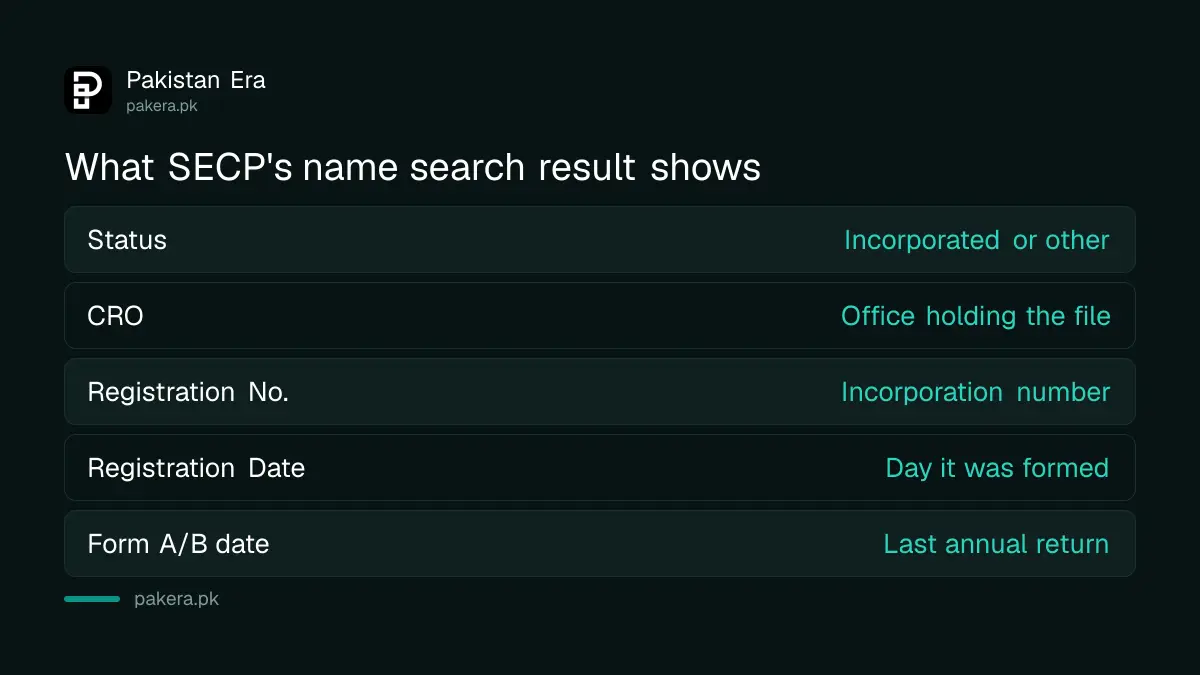
| Column on the result | What it tells you |
|---|---|
| Company Name | The exact legal name, ending in Limited or (Private) Limited |
| Status | For example "Incorporated" for a company on the register |
| CRO | The Company Registration Office that holds the file, such as Karachi, Lahore or Multan |
| Registration No. | The company's incorporation number |
| Registration Date | The day the company was formed |
| Form A/B Made Upto Date | The date up to which its last annual return was made, blank if none shows |
| Mandatory Filing | Shown as Yes or N/A |
Search a company name in five steps
The search takes about a minute on a phone. Use the exact name from the company's own papers or app, not the brand name in an advert, because many apps trade under a short brand while the legal company has a longer name.
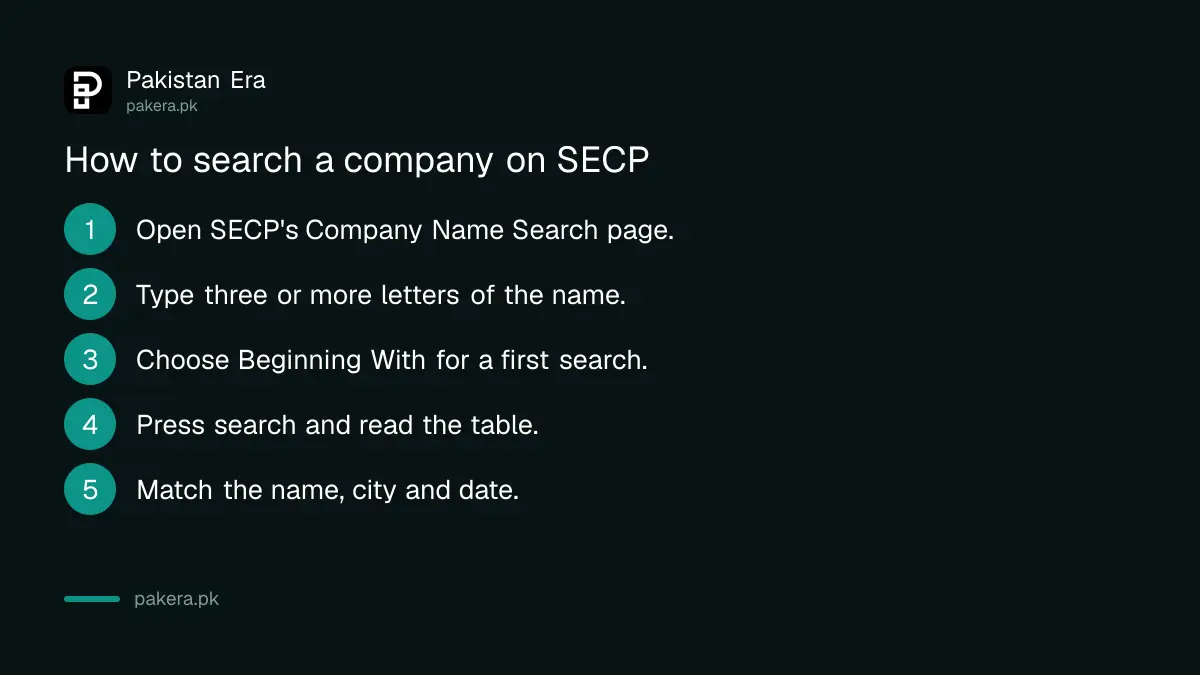
- Open eservices.secp.gov.pk/eServices/NameSearch.jsp in your phone or laptop browser.
- Type at least three letters of the company name. The page also accepts the incorporation number.
- Choose "Beginning With" for a first search. Use "Exact Name" once you know the full legal name, or "Including Exact String" for a word in the middle.
- Press the search button and wait for the table.
- Match the full name, the CRO city and the registration date against what the company told you.
If the company gave you an incorporation number, search that number too. A number that brings up a different company name is a clear warning.
Registered does not mean allowed to take your investment
A company on the register is only a legal person. SECP has said many times in its public warnings that registration alone does not let a company collect deposits or run investment schemes. Taking public money needs a separate SECP licence, such as an NBFC, broker or fund licence.
So "SECP registered" on a poster proves little. Scam schemes often register a cheap private company first and then show its certificate of incorporation as if it were a licence. Ask instead: "Which SECP licence do you hold, and under which licence number?"
One clear example: Blink Capital Management, the firm SECP acted against over a Ponzi-style scheme, still showed as "Incorporated" in our search on 25 November 2026. The status tells you the company exists on paper, not that its business is lawful. The full case is set out in the account of the Blink Capital Ponzi scheme.
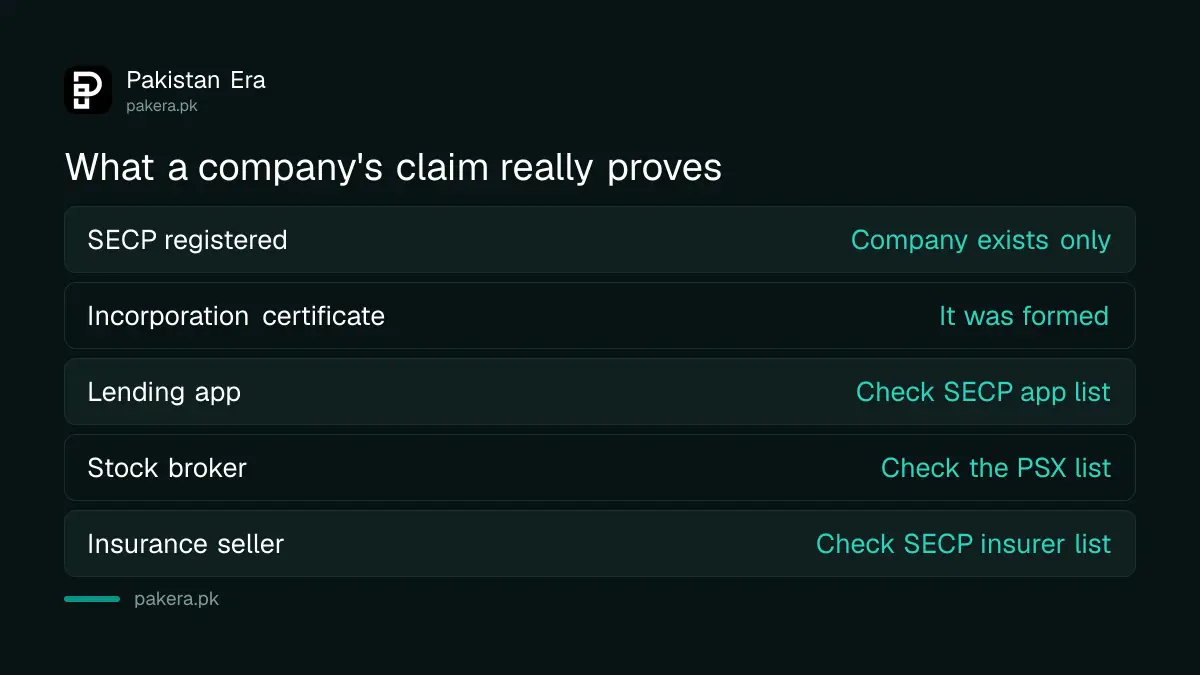
| What the company says | What it proves | What to check next |
|---|---|---|
| "We are SECP registered" | Only that a company exists | Ask for the licence type and number |
| Shows a certificate of incorporation | Only that it was formed | Search the name and match the date |
| Says it is a lending app | Nothing on its own | SECP's list of licensed lending apps |
| Says it is a stock broker | Nothing on its own | The PSX list of brokers |
| Says it sells insurance | Nothing on its own | SECP's insurer and broker lists |
Match the licence to the business the company runs
Each kind of money business has its own licence and its own public list. Check the right list for the service on offer. A lending app, a share broker and an insurance seller are all checked in different places.
- A loan app: check the steps to check if a lending app is SECP licensed.
- A share broker or trading app: check the PSX list of TREC holders before you open an account.
- An insurance policy or broker: check the SECP licensed insurers and brokers.
- A crypto exchange: that falls under PVARA, not SECP.
If a business offers fixed monthly profit on a deposit and fits none of these lists, treat it as unlicensed until it shows otherwise in writing.
A missing or odd result is a warning sign
No result usually means the name is wrong or the company does not exist. Try a shorter part of the name with "Beginning With" before you decide. If it still shows nothing, do not send money on the strength of a "registered" claim.
Other warning signs on the result page:
- The company was formed only weeks or months ago but claims years of profits.
- The CRO city is far from where the company says it works, and it cannot explain why.
- The registered name is different from the one on its app, receipt or bank account.
- Payment is asked into a personal account or wallet, not the company's own bank account.
A clean result is a start, not an all clear. Every check above still applies.
Report a fake "SECP registered" claim to SECP
If a company uses SECP's name falsely, or takes deposits without a licence, report it to SECP. Its complaint portal is the first choice, and email and a toll-free line also work. If you have already lost money online, also file a complaint with the National Cyber Crime Investigation Agency (NCCIA).
The full list of SECP channels is in the steps to file a complaint with SECP. Attach the screenshots of the offer, the name the company used, and any payment receipts.
Common questions
Is SECP's Company Name Search free?
Yes. The search page needs no login and no payment. Anyone can search a company name or an incorporation number.
Does "Incorporated" mean the company is safe?
No. It only means the company is on the register. It says nothing about whether the company may take deposits or pay the returns it promises.
Can a registered company take deposits from the public?
Not on registration alone. SECP has said that a certificate of incorporation does not allow a company to raise deposits or launch investment schemes. That needs a separate licence.
Why does the search show nothing for a company I know exists?
The legal name may differ from the brand. Type the first three or four letters with "Beginning With", or search the incorporation number from the company's papers.
Does the search show a company's directors?
No. The free name search shows the name, status, CRO, number, date and filing columns. It does not list directors or shareholders.
Who do I contact for more detail on a company?
The result page tells you to contact the CRO named in the result. Each CRO holds the company's file.
How we verified this
What we checked and where we read it.
We ran searches on SECP's Company Name Search (eservices.secp.gov.pk/eServices/NameSearch.jsp) on 25 November 2026 for "Pakistan State Oil", "Blink Capital", "Smart Trading", "Forex" and two made-up names, and recorded the columns and statuses shown. The page carries a disclaimer that its results are system generated and do not reserve a name. SECP's position that registration does not allow deposit taking is taken from its public warnings on unauthorised investment schemes. Official source: SECP Company Name Search.
Free on WhatsApp
Get last dates and rule changes on WhatsApp
We post new last dates, fee changes and fixes for common problems, a few short posts a day.
Follow Pakera on WhatsAppOther followers cannot see your number.
Pakera Solves It
Which online process wasted your time this week?
A portal that will not load, a form nobody explains, a complaint that went nowhere. Tell us. Every week we pick one, solve it step by step and publish the answer.
About the author

Senior Writer, Public Services and Technology
Shahid joined us in 2024 as an author. He is a senior contributor to Pakistan's leading technology websites. He writes detailed articles, mostly covering his expertise in the latest tech, mobiles, apps, gadgets, and step-by-step guides. His ideology is to help people understand the latest trends and explain complex methods through very easy-to-understand guides.