Move EA FC Mobile to a New Phone in Pakistan: Link Your Account and Keep Your Progress
Move EA SPORTS FC Mobile to a new phone in Pakistan: link EA Account, Facebook or Google Play, sign in on the new phone, and fix progress that did not restore.
To move EA SPORTS FC Mobile to a new phone, first link the game on your old phone: Settings, Account Management, Link Accounts, then pick EA Account, Google Play, Facebook, LINE, Game Center or Apple Account. On the new phone, install FC Mobile and sign in to that same account. Your squad, coins and progress come across. It is free.
The one thing that cannot be fixed later is a guest account. EA says a guest can only save on the phone or tablet where the guest account was made. If that phone is lost, reset or broken, the progress may be gone. So link today, even if you are not changing phones yet.
| Your situation | What to do |
|---|---|
| Old phone works, game not linked | Link an account on the old phone first |
| Old phone works, game linked | Sign in to the same account on the new phone |
| Android to iPhone, or iPhone to Android | Link EA Account or Facebook, not Google Play or Game Center |
| Old phone lost, game was linked | Sign in to the linked account on the new phone |
| Old phone lost, played as guest | Contact EA Player Support in the game, recovery is not promised |
| Under the age of digital consent | Guest only, no linking |
Link FC Mobile to an account in three taps
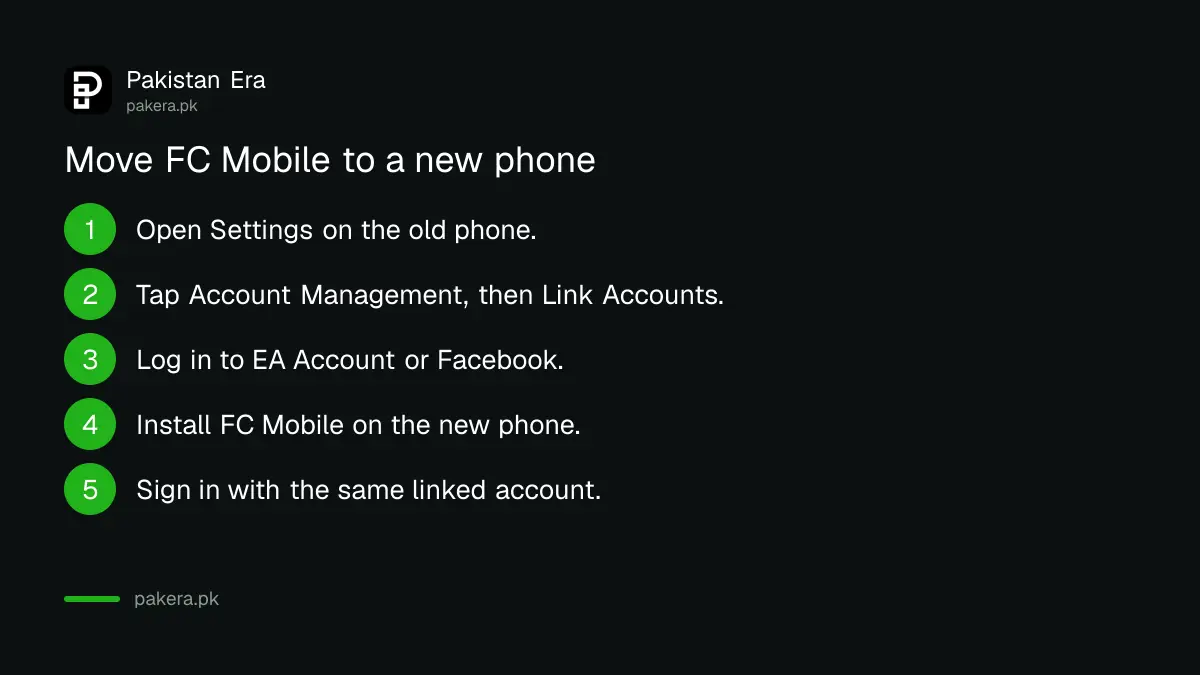
Linking backs your FC Mobile progress up to an account instead of the phone. Open Settings, go to Account Management, tap Link Accounts and log in. Android shows EA Account, Google Play, LINE and Facebook. iPhone shows EA Account, Facebook, Game Center, LINE and Apple Account.
On an Android phone
- Open FC Mobile and tap the Settings (cogwheel) icon.
- Under Account Management, tap Link Accounts.
- Choose EA Account, Google Play, LINE or Facebook, and log in.
On an iPhone or iPad
- Open FC Mobile and tap Settings.
- Under Account Management, tap Link Accounts.
- Choose EA Account, Facebook, Game Center, LINE or Apple Account, and log in.
EA gives a reward for linking: one for a Facebook, Google Play, Game Center, LINE or Apple Account link, and one for an EA Account link. Each is given once. Linking both an EA Account and one other account gives you a backup route if one login is lost.
Pick the account that works on your next phone
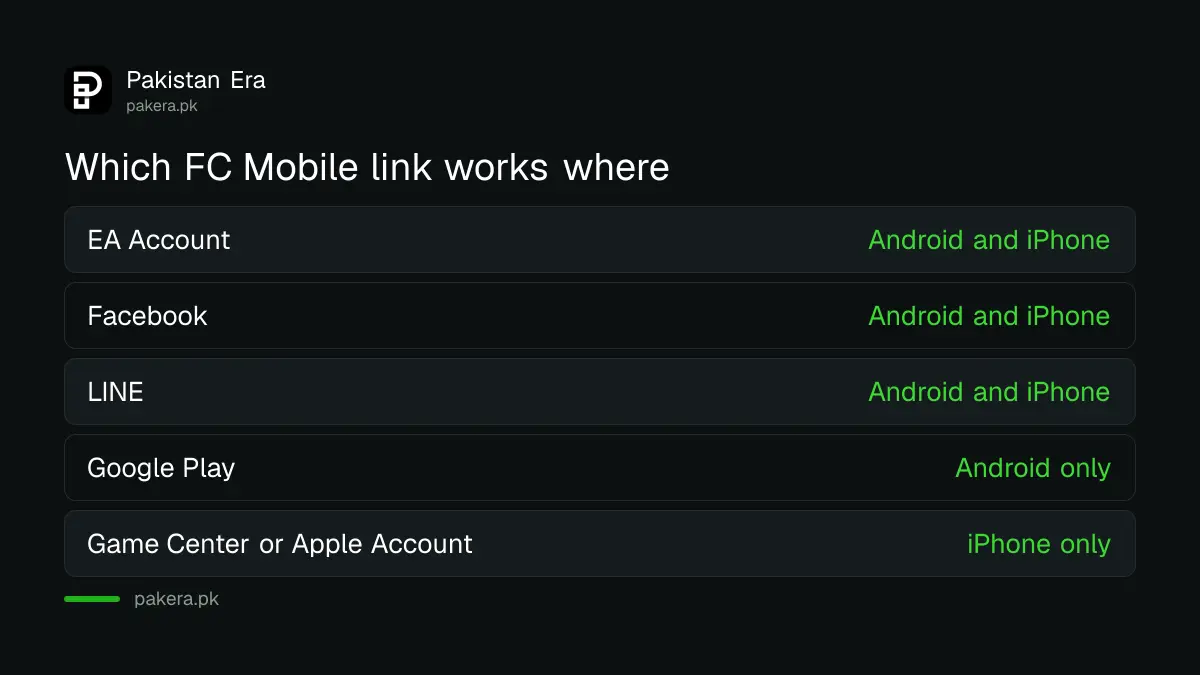
Choose the link by the phone you will use next. Google Play only exists on Android, and Game Center and Apple Account only on iPhone. An EA Account or Facebook link appears on both, so either one carries FC Mobile between Android and iPhone.
| Link | Android | iPhone | Best for |
|---|---|---|---|
| EA Account | Yes | Yes | Any switch, and EA support |
| Yes | Yes | Switching between Android and iPhone | |
| LINE | Yes | Yes | Players who already use LINE |
| Google Play | Yes | No | Android to Android |
| Game Center or Apple Account | No | Yes | iPhone to iPhone |
In Pakistan many players first linked FC Mobile through a Facebook account that was later disabled or hacked. That is why an EA Account link is the safer pick. It uses your own email, and you control the password. If your email is the weak point, recovering a Gmail account comes first.
Move your progress to the new phone
With the game linked, the move is just a sign in. Install FC Mobile from the Play Store or App Store, skip any new guest start if you can, and sign in with the exact login you linked. EA says progress should restore after you log in.
- On the old phone, check Settings, Account Management to see which account is linked. Write it down.
- Install FC Mobile on the new phone and open it.
- Go to Settings, Account Management, and sign in with the same EA Account, Facebook, LINE, Google Play or Apple login.
- Check your club name, level and coins match the old phone.
- Only then delete the game from the old phone.
The same idea works for Konami's football game. If you play both, moving eFootball to a new phone with a KONAMI ID covers that one.
Fix FC Mobile progress that did not come back
If you see an empty new club after signing in, do not play on it. EA's own steps for lost mobile progress on a linked game are to update the app, restart the phone, log out and back in, and try another device. Reinstall only if the game is linked.
- Install any FC Mobile update from the store.
- Restart the phone.
- Log out of the game and log back in with the linked account.
- Try logging in on another phone or tablet, if you have one.
- If you linked through Google Play or Game Center, remove that account from the phone's settings, open the game and log in again by hand.
- Uninstall and reinstall FC Mobile, but only if you are sure the game was linked.
Still empty? Contact EA from inside the game: tap the Settings icon on the home screen, then the arrow next to Player Support. Give your User ID from the old phone if you have it, plus the club name and roughly when you last played.
Guest and underage accounts have limits
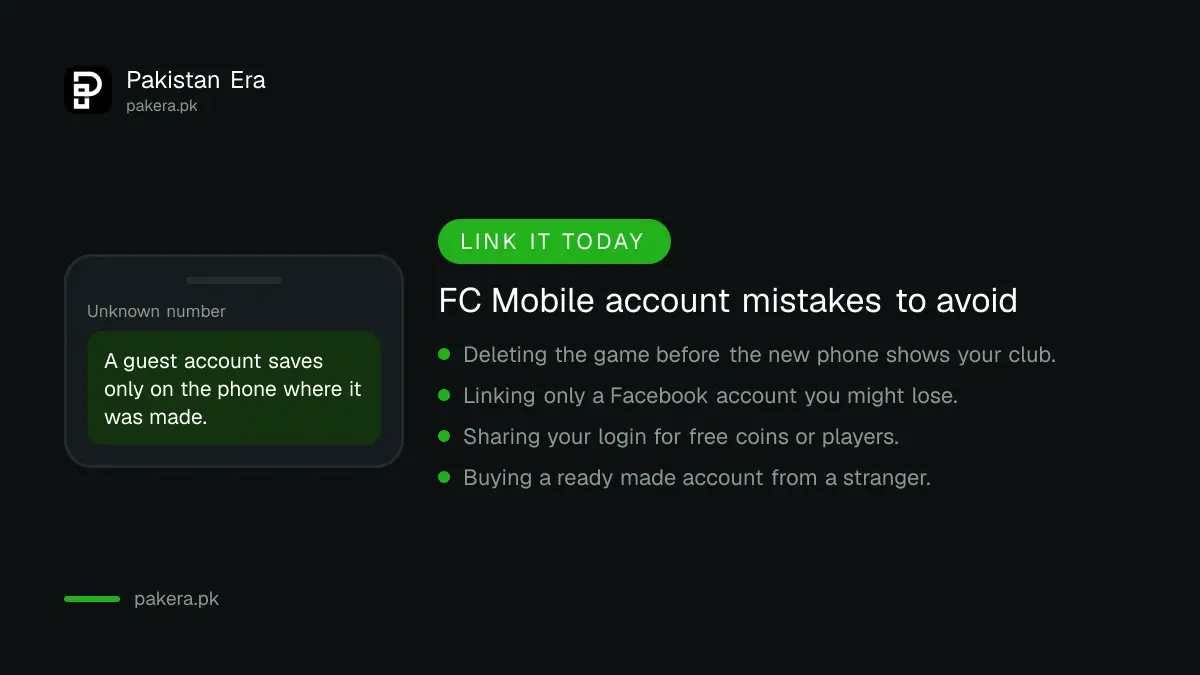
A guest account saves only to the phone it was made on, and EA says you might not get the progress back if something happens to that phone. Players below the age of digital consent in their country can only play as a guest and cannot link.
If your age was entered wrongly, EA says the only way to change it is to contact Player Support in the game. Tap the Settings icon on the home screen, then the arrow next to Player Support, and follow the steps.
- Do not share your linked Facebook or EA login with anyone who offers coins or players in return.
- Do not buy a ready made FC Mobile account. The first owner can take it back with the original login.
- Buy FC Points only inside the game, through Google Play or the App Store. For a charge you did not mean to make, Google Play's refund rules apply.
Common questions
Can I move FC Mobile from Android to iPhone?
Yes, if you link an account that works on both, such as your EA Account or Facebook. Google Play does not open on iPhone, and Game Center does not open on Android.
Can I recover a guest FC Mobile account?
EA says guest progress is saved only on the device it was made on, and may not come back if that device or app is lost. Contact Player Support in the game, but expect no promise.
Do I lose my coins and players when I change phones?
No, if the game is linked. Your progress is backed up to the linked account, and signing in to it on the new phone brings it back.
Why can't my child link FC Mobile?
Players under the minimum age of digital consent in their country can only play as a guest. EA does not let those accounts link.
How do I contact EA support for FC Mobile?
From the game. Tap the Settings icon on the home screen, then the arrow next to Player Support, and follow the instructions.
How we verified this
What we checked and where we read it.
Last checked 25 November 2026. Steps come from EA Help: How to save your progress in EA SPORTS FC Mobile and Restore lost progress in EA mobile games. The table of which link works on which phone follows from the account lists EA gives for Android and iOS. The Facebook advice for Pakistan is our own.
Free on WhatsApp
Get last dates and rule changes on WhatsApp
We post new last dates, fee changes and fixes for common problems, a few short posts a day.
Follow Pakera on WhatsAppOther followers cannot see your number.
Pakera Solves It
Which online process wasted your time this week?
A portal that will not load, a form nobody explains, a complaint that went nowhere. Tell us. Every week we pick one, solve it step by step and publish the answer.
About the author

Technology Journalist & Multimedia Producer
Ahmad Ali is a technology journalist and multimedia producer at Pakistan Era, joining the team in October 2026. He covers consumer technology and digital life for Pakistani readers, combining research with hands-on product testing.