How to Recover a Lost PUBG Mobile Account in Pakistan: Facebook, Google or Guest
Lost your PUBG Mobile account? Recover the Facebook, Google or Apple login you linked, use your second link, then contact support with your Character ID.
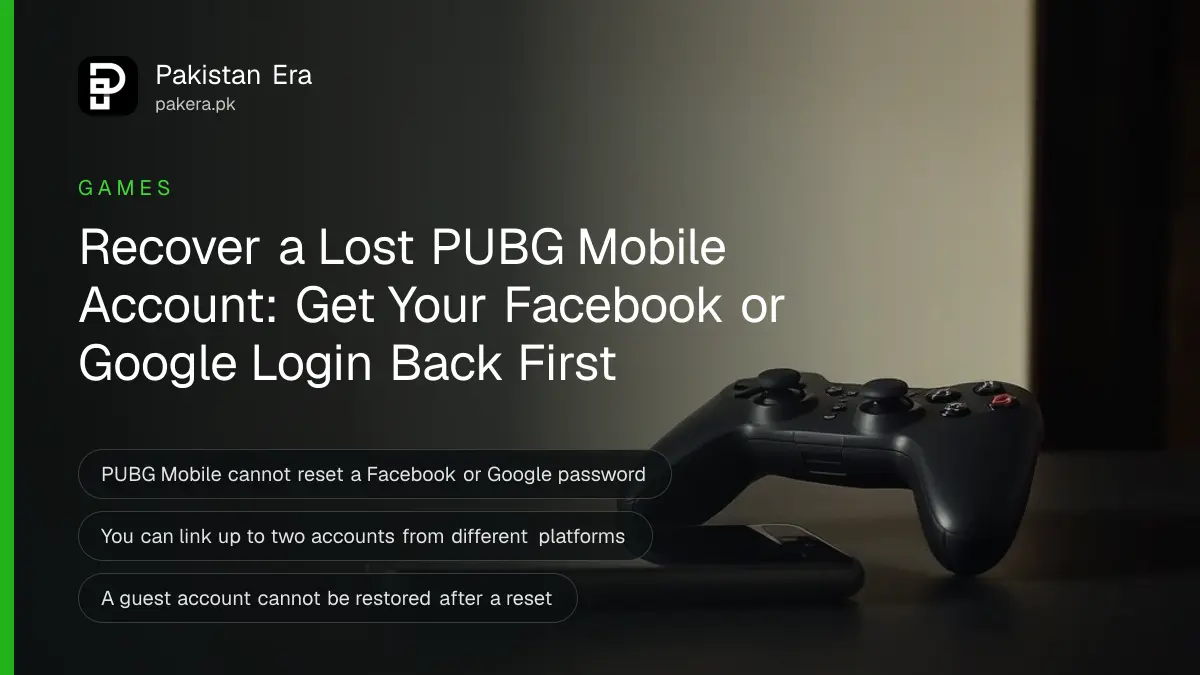
To recover a lost PUBG Mobile account, first get back the Facebook, Google Play, Apple, X or Discord account you linked to the game, because PUBG Mobile logs you in through it. If that account is blocked, log in with your second linked account. Then contact PUBG Mobile Customer Service, or email service@pubgmobile.com, with your Character ID. A guest account cannot be recovered.
A redeem code needs your Character ID, and the ID sits inside your profile. So a player who has lost the login cannot redeem anything. The fix almost never starts inside PUBG Mobile. It starts with the account you used to sign in. How to use a code once you are back in is covered in PUBG Mobile redeem codes and the Redemption Center.
Your PUBG Mobile account lives inside the account you linked
PUBG Mobile does not give you a separate username and password. You sign in through a linked account: Google Play, Apple, Facebook, X or Discord on Android, and Game Center, Apple, Facebook, X or Discord on iPhone. Lose that login and you lose the game account with it.
PUBG Mobile's help centre says plainly that if you lost access to a linked Google Play or Facebook account, you must use that platform's own recovery tool or support. PUBG Mobile cannot reset a Facebook or Google password for you. So find out which account you used, then recover that one first.
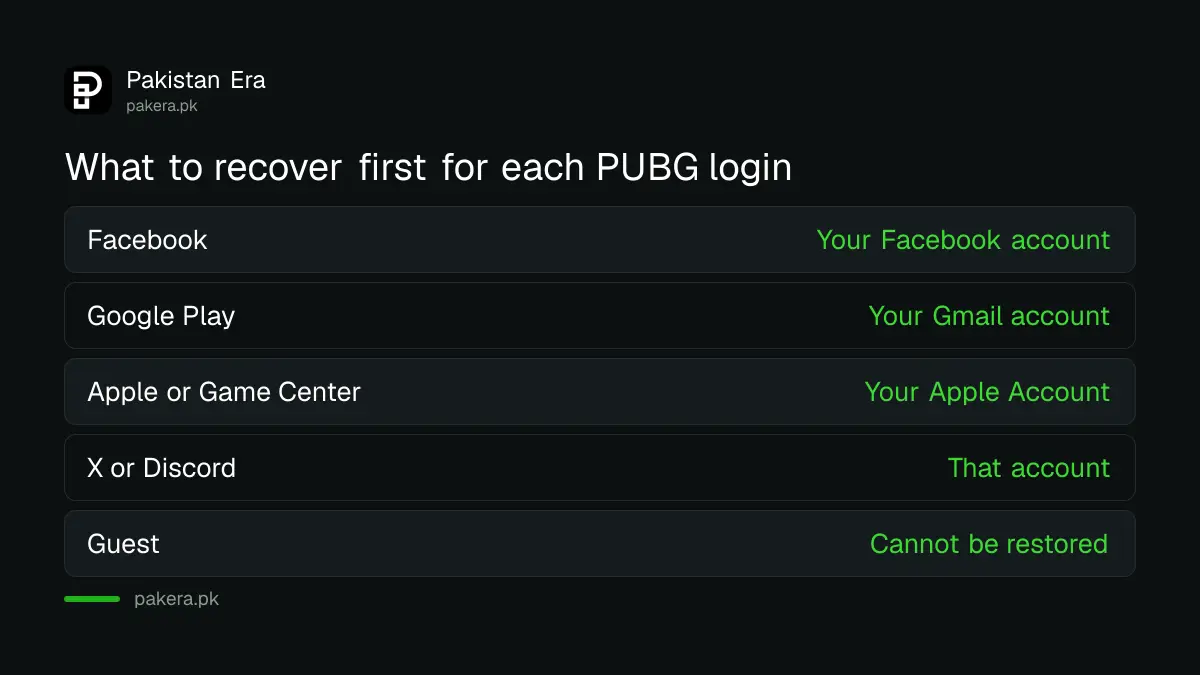
| How you signed in | What to recover first |
|---|---|
| Your Facebook account, through Facebook's recovery steps | |
| Google Play (Android) | Your Gmail account, through Google account recovery |
| Apple or Game Center (iPhone) | Your Apple Account |
| X or Discord | That account, through its own support |
| Guest | Nothing to recover: guest data cannot be restored |
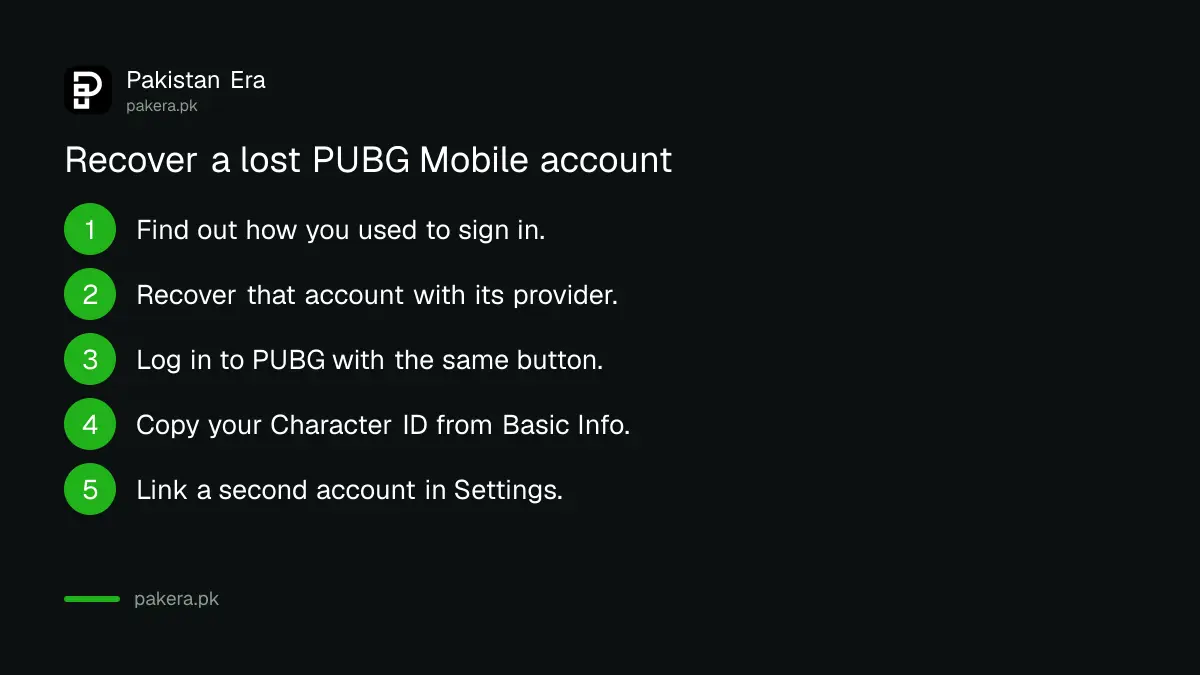
Recover a lost PUBG Mobile account in six steps
Work out your login method, recover that account, then sign in to PUBG Mobile with it on the same kind of phone. If the game opens, link a second account at once. If it still fails, contact Customer Service with your Character ID and proof of the account.
- Remember how you used to sign in. The login buttons on the PUBG Mobile start screen show the options.
- Recover that account with its own provider. For Gmail, follow Gmail account recovery. For Facebook, follow how to recover a hacked Facebook account.
- Open PUBG Mobile and tap the same login button you used before. A Google Play login does not work on an iPhone.
- If the game opens, tap your profile, go to Info and then Basic Info, and copy your Character ID. Save it somewhere safe.
- Link a second account in Settings, under social account linking, so one blocked login never locks you out again.
- If you still cannot get in, contact Customer Service as shown below.
Blocked from Facebook or Google: use your second linked account
If Facebook, Google or X has blocked your account, PUBG Mobile cannot unblock it or appeal for you. Its help centre says to check the restriction with that platform and, if your game is linked to another login, use that one to keep playing while you sort it out.
This is why the second link matters. PUBG Mobile lets you link up to two accounts from different platforms. A player who linked both Facebook and Google can lose one and still play. A player who linked only Facebook has to wait for Facebook.
If your Facebook was disabled, the appeal goes to Facebook, not to PUBG Mobile.
Guest accounts cannot be recovered
A guest account is not tied to any login. PUBG Mobile says that if you delete or reinstall the game, or reset or change your phone while playing as a guest, your play records and payment history are not protected, and support cannot restore them.
Guests also play with limits: rank stops at Gold V, they can only play Solo, they cannot use public chat, and they do not appear in rankings. Linking an account removes all of these limits. If you still play as a guest on your old phone, link an account today before the phone is reset.
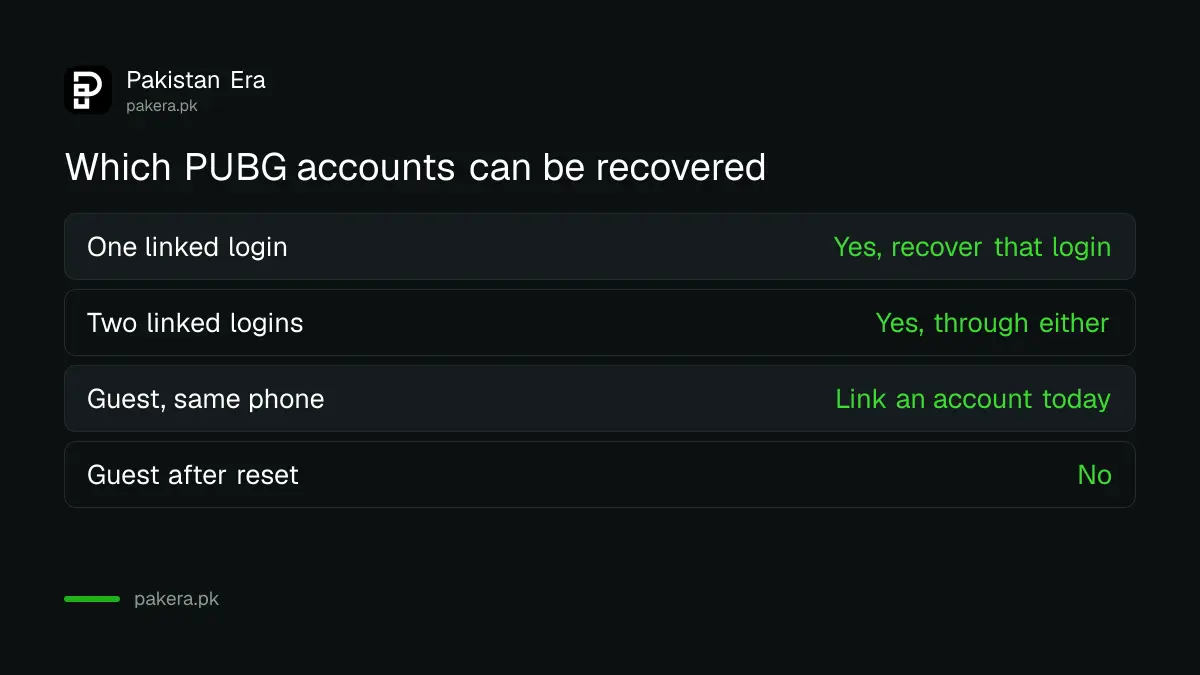
| Account type | Can it be recovered? | What to do now |
|---|---|---|
| Linked to one account | Yes, if you recover that login | Add a second link |
| Linked to two accounts | Yes, through either login | Keep both logins safe |
| Guest on the same phone | Only while the phone keeps the game | Link an account today |
| Guest after reset or reinstall | No | Start again and link from day one |
Contact PUBG Mobile Customer Service with your Character ID
PUBG Mobile's best support route is the Customer Service icon in the in-game Settings menu. If you cannot reach the lobby, email service@pubgmobile.com. Give your Character ID, your in-game name and how you used to log in. Support has no office in Pakistan.
Your Character ID is a number, not your nickname. If you cannot log in, look for it in an old screenshot of your profile, a friend's friend list, or a past message to support. Players who bought UC should keep the purchase receipt from Google Play, the App Store or Midasbuy, the official top-up site.
- Write one clear message. Do not open a new ticket every day.
- Send it from the email address linked to your account, if you have one.
- Keep every reply in one thread.
Never pay anyone to recover your account
PUBG Mobile support cannot see or reset your Facebook or Google password, so nobody who claims to "recover" an account for a fee can do it through PUBG Mobile. People who ask for your login, OTP or a payment usually take the account. Account sharing also breaks the game's rules.
Buy UC only in the game or through the official routes in PUBG UC top-up in Pakistan. If your account was banned rather than lost, the route is different: see the PUBG Mobile ban appeal.
Common questions
How do I recover my PUBG Mobile account without Facebook?
Log in with your second linked account if you have one. If not, recover the Facebook account first, because PUBG Mobile cannot reset it for you.
Can I recover a PUBG Mobile guest account?
No. PUBG Mobile says guest data is not protected after you delete, reinstall or change the device, and support cannot restore it.
Where is my PUBG Mobile Character ID?
Tap your profile icon at the top left of the lobby, open Info and then Basic Info. Tap the copy icon next to the ID.
How do I contact PUBG Mobile support from Pakistan?
Use the Customer Service icon in the in-game Settings menu, or email service@pubgmobile.com with your Character ID.
How many accounts can I link to PUBG Mobile?
Up to two, from different platforms. Link a second one so one blocked login does not lock you out.
Can I move my PUBG account from Android to iPhone?
Yes, but not with Google Play. Link Apple, Facebook, X or Discord on the Android phone, then log in with it on the iPhone.
How we verified this
What we checked and where we read it.
Last checked 28 November 2026. We read the Account section of the PUBG Mobile help centre: the answers on a lost account, being blocked from Facebook, X or Google, finding the Character ID, linking a social account, guest account limits and disappearing guest accounts. The Customer Service icon and the support email come from PUBG Mobile's contact page. Menu names can change with game updates.
Free on WhatsApp
Get last dates and rule changes on WhatsApp
We post new last dates, fee changes and fixes for common problems, a few short posts a day.
Follow Pakera on WhatsAppOther followers cannot see your number.
Pakera Solves It
Which online process wasted your time this week?
A portal that will not load, a form nobody explains, a complaint that went nowhere. Tell us. Every week we pick one, solve it step by step and publish the answer.
About the author

Technology Journalist & Multimedia Producer
Ahmad Ali is a technology journalist and multimedia producer at Pakistan Era, joining the team in October 2026. He covers consumer technology and digital life for Pakistani readers, combining research with hands-on product testing.