Easypaisa Number Change: Move Your Account to a New SIM, Every Case and the Helpline Steps
Change your Easypaisa number by calling 3737 or 042-111-003-737 to migrate the account. See what to do for a new phone, lost SIM, new number or CNIC change.
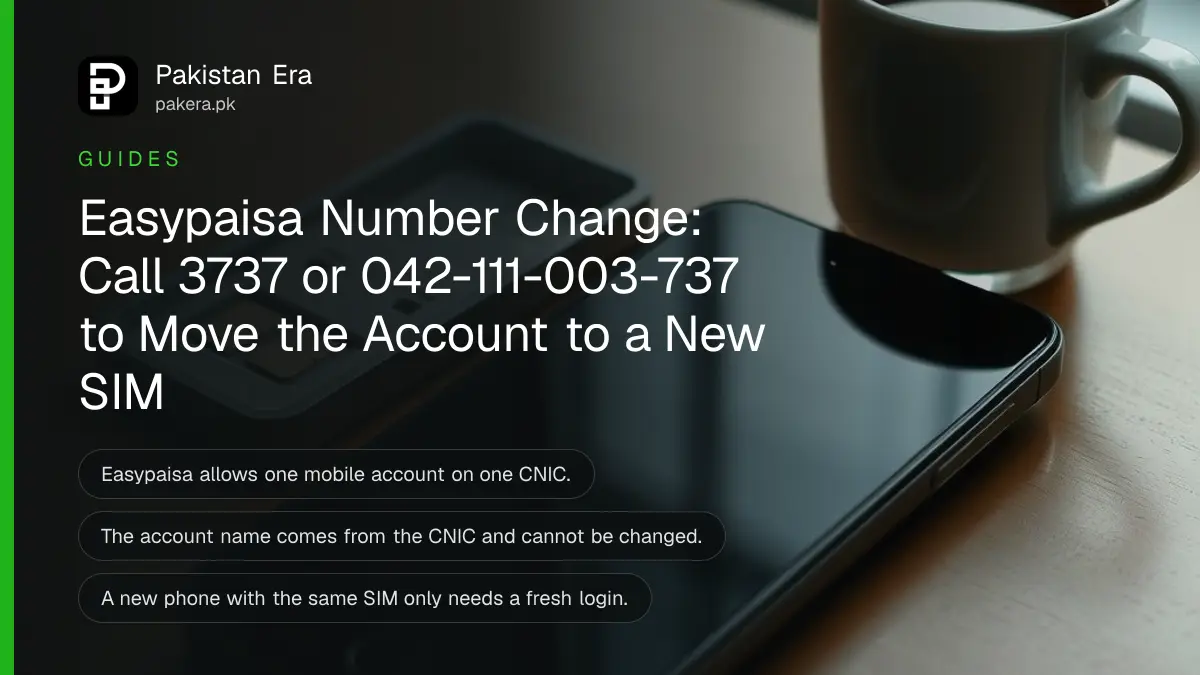
To move Easypaisa to a new mobile number, call the Easypaisa helpline: 3737 from a Telenor number or 042-111-003-737 from any other network. Easypaisa allows one account per CNIC, so the helpline verifies you and migrates the existing account. If you only changed phones and kept the same SIM, you need no call at all. Below is each case, from a lost SIM to a renewed CNIC, with the fix Easypaisa itself gives.
We read the Easypaisa FAQ on 24 October 2026. Two rules in it explain almost every number-change problem. You can hold only one Easypaisa account on one CNIC. And your Easypaisa account number is your mobile number, so a new number means a different account number.
Easypaisa allows one account per CNIC and one per number
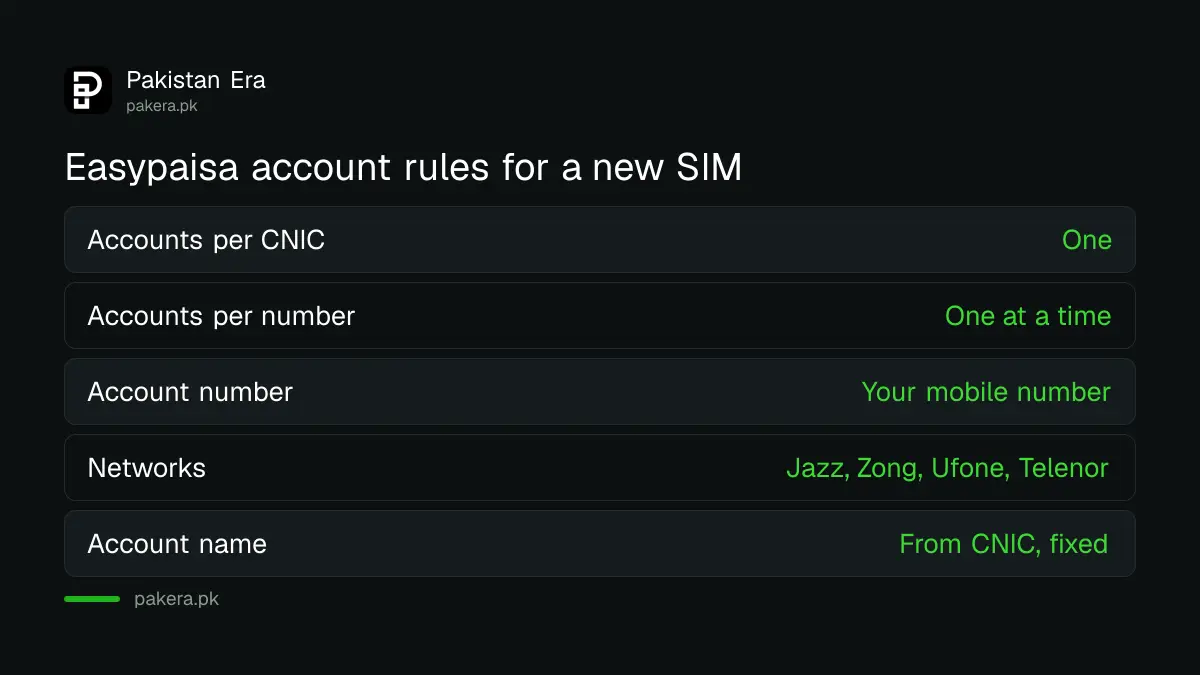
Easypaisa's FAQ says you can open only one mobile account on one CNIC, and only one account on one mobile number at a time. That is why a new SIM cannot simply open a second Easypaisa account while your old one still exists.
People hit this rule when they try to sign up again on a new SIM. The app finds an account already linked to their CNIC and stops. The FAQ's answer for that exact case: call the helpline, get yourself verified, and the account can be migrated.
Two more rules from the FAQ matter here. The name on the account comes from your CNIC and cannot be changed. And an Easypaisa account works on any network, Jazz, Zong, Ufone or Telenor, so switching networks is never the problem in itself.
Pick your case: new phone, lost SIM or new number
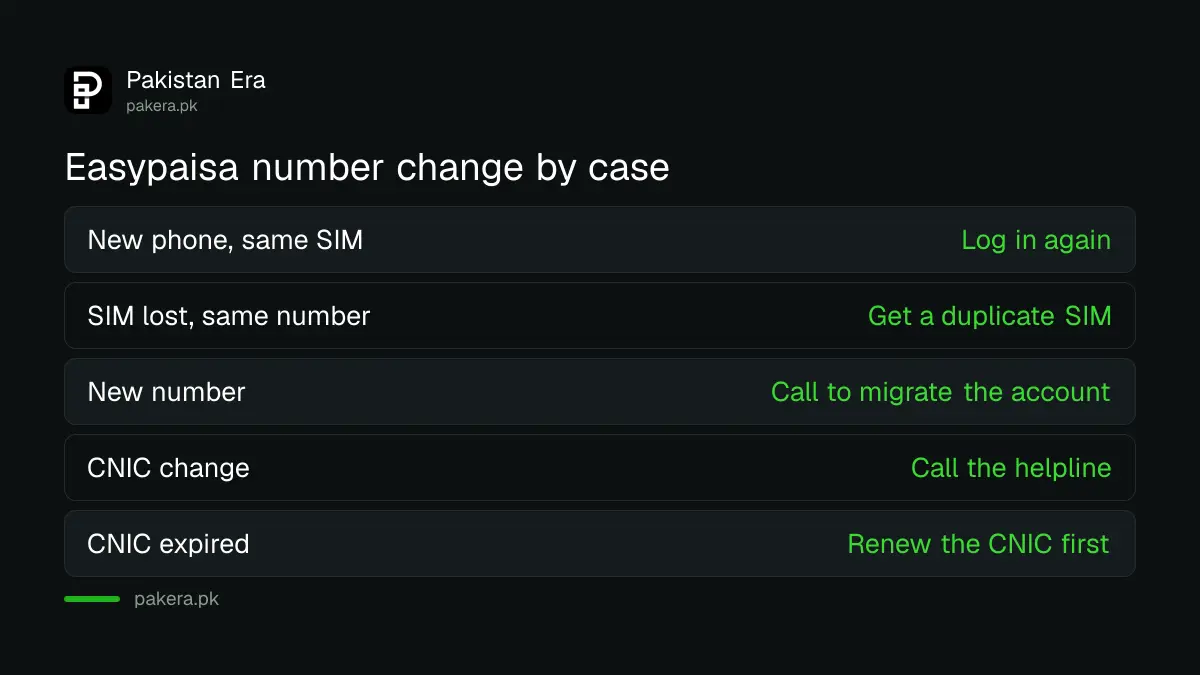
A new phone with the same SIM only needs a fresh login. A lost SIM needs a duplicate on the same number. A genuinely new number needs the helpline, because the account is tied to your CNIC and the old number.
| Your situation | What to do | Helpline needed? |
|---|---|---|
| New phone, same SIM | Install the app and log in with the OTP and PIN | No |
| SIM lost or broken, same number | Get a duplicate SIM on the same number, then log in | No, unless you suspect fraud |
| New number, want to keep the account | Call and ask for the account to be migrated | Yes |
| Signing up on a new SIM fails | The CNIC already has an account; call to migrate it | Yes |
| Need to change the CNIC on the account | Call the helpline | Yes |
| CNIC has expired | Renew the CNIC first | No |
The cheapest route is usually to keep your old number alive. A duplicate SIM costs far less effort than moving a wallet, and every bank and app that knows your old number keeps working. If the old SIM is with Telenor, getting a Telenor duplicate SIM takes one visit.
Call the helpline with your CNIC ready to migrate the account
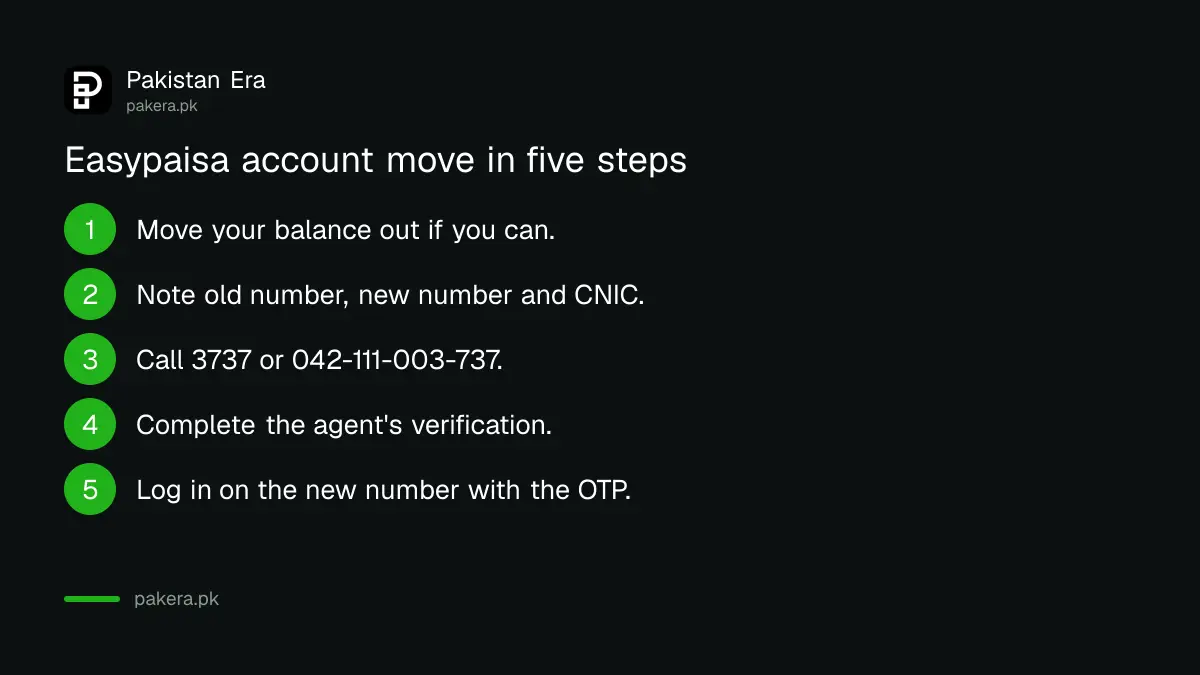
Telenor users call 3737 and users on other networks call 042-111-003-737. Easypaisa says it will verify you and that the account can be migrated. Keep your CNIC, old number and new number ready before you call.
- Move your balance out first if you can still log in on the old number.
- Note your old Easypaisa number, new number and CNIC number.
- Call 3737 from Telenor or 042-111-003-737 from another network.
- Say you want your existing account moved to the new number.
- Complete the verification the agent asks for.
- Log in on the new number with the OTP and set your PIN.
Easypaisa does not publish how long the migration takes or what proof it asks for, so ask the agent and write down any reference number. If the balance is large, our advice is to move it to a bank account or another wallet you control before the switch, using a free Raast transfer.
The OTP always goes to the old number until the move is done
Easypaisa sends the login OTP only to the registered mobile number. Its FAQ says you need that number to get the OTP, and advises opening the account on the number you actively use. Until the move, codes go to the old SIM.
That is why a dead or given-away number is a risk. Operators can reissue an old number to someone new after it has been inactive. If that happens while your wallet is still attached, the new owner receives your OTPs. Moving the account, or closing it, removes that risk.
If your OTP problem is only about signal or a full inbox, the number change is not needed at all. Lockouts after wrong PINs also feel like a number problem, but they have their own fix for a blocked Easypaisa account.
Closing the old account is the other way to start fresh
If you would rather open a clean account on the new number, close the old one first, because the CNIC can only hold one account. Withdraw or transfer the balance, then ask the helpline to close it.
Closing has its own steps and catches, set out in deleting an Easypaisa account permanently. Once it is closed, sign up again on the new SIM with your CNIC. An expired CNIC will block that, as Easypaisa's FAQ says, so renewing an expired CNIC comes first.
Watch for fraud during the switch. Nobody from Easypaisa needs your PIN or OTP to move an account. If someone calls offering to "transfer your Easypaisa to the new SIM" and asks for a code, hang up.
Common questions
Can I change my Easypaisa number?
Yes, through the helpline. Easypaisa says that when an account already exists on your CNIC, it verifies you and the account can be migrated. Call 3737 or 042-111-003-737.
Can I open a second Easypaisa account on a new SIM?
No. Easypaisa allows only one mobile account on one CNIC.
I got a new phone. Do I need to change anything?
No. If the SIM is the same, install the app and log in. Easypaisa works on any phone with the app, but not on two phones at once.
Can I change the name on my Easypaisa account?
No. Easypaisa takes the name from your CNIC and says it cannot be changed.
My SIM is lost. Is my Easypaisa account gone?
No. The account stays on your CNIC and number. Get a duplicate SIM on the same number and log in again.
Can I make Easypaisa on a Jazz or Zong number?
Yes. Easypaisa says accounts can be made on Jazz, Ufone, Zong and Telenor numbers.
How we verified this
What we checked, where we read it, and what we could not confirm.
Last checked 24 October 2026. We read the Easypaisa FAQ at easypaisa.com.pk on 24 October 2026 for the one account per CNIC and per number rules, the helpline numbers, the migration answer, the CNIC change answer, the name rule, the OTP rule and the network rule. Easypaisa does not publish the migration time, the proof it asks for, or any fee, and we did not test a migration. The advice to move your balance first and the note on reissued numbers are our own.
About the author

Senior Writer, Public Services and Technology
Shahid joined us in 2024 as an author. He is a senior contributor to Pakistan's leading technology websites. He writes detailed articles, mostly covering his expertise in the latest tech, mobiles, apps, gadgets, and step-by-step guides. His ideology is to help people understand the latest trends and explain complex methods through very easy-to-understand guides.