How to File a Sales Tax on Services Return With KPRA in Khyber Pakhtunkhwa
File your KPRA sales tax on services return in Khyber Pakhtunkhwa. See the portal steps, the annexures, how to pay and enter the CPR number, and a null return.
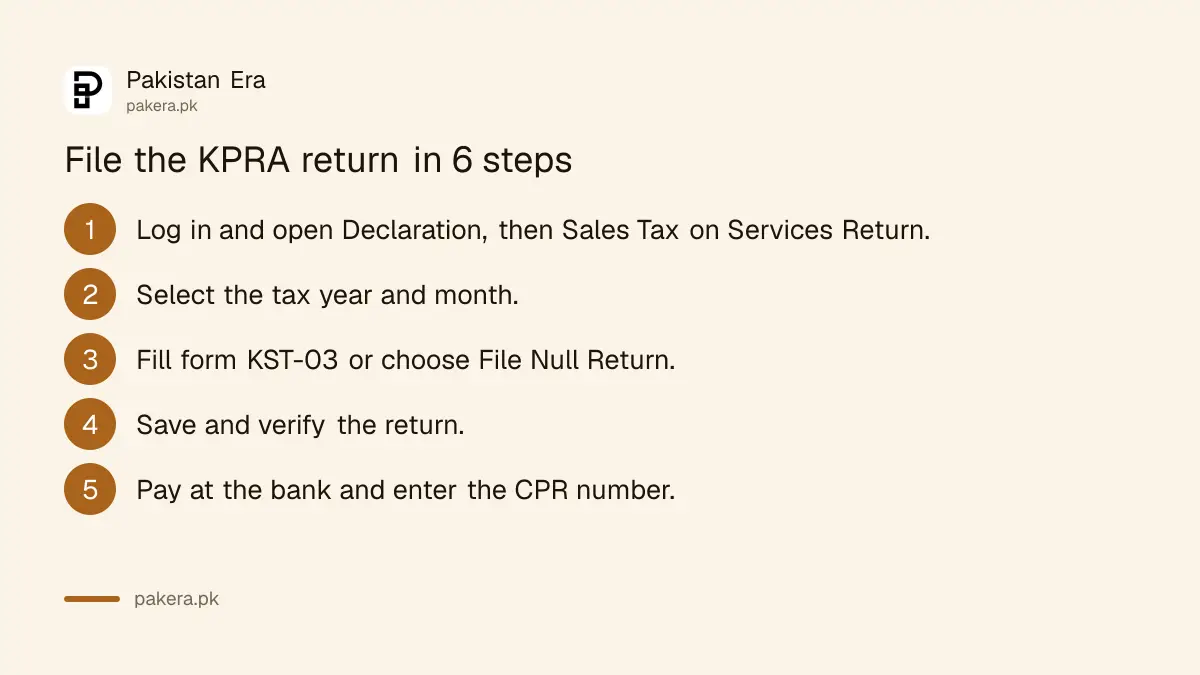
Short answer: Log in to the KPRA portal, open Declaration, choose Sales Tax on Services Return, pick the tax year and month, and fill the form. If you owe nothing, click File Null Return. If you owe tax, pay at a bank, enter the CPR number the bank gives you, verify the return and submit it.
You registered with the Khyber Pakhtunkhwa Revenue Authority (KPRA), and the next month a return was due. A return is due even when the month was quiet. The portal has a button for that, and using it takes two minutes.
We read KPRA's own return filing manual, its taxpayer guide menu and its FAQs. The manual is dated June 2013, and we could not open the live portal from our connection, so check each screen as you go. If you have not registered yet, start with the steps for registering with KPRA.
The KPRA return is separate from your FBR return
Sales tax on services in Khyber Pakhtunkhwa is filed with KPRA, on KPRA's own portal. It is a different return from any federal return, and one does not replace the other. KPRA's FAQ says the separate return is filed electronically and the tax runs on self-assessment.
Self-assessment means you calculate your own tax from your own records. The FBR's federal monthly return works on the same principle, as explained in the steps for filing the monthly sales tax return. For both, keep your invoices, because the department can audit them.
Log in, then prepare the return under Declaration
You log in with your user ID and password, open the Declaration menu and select Sales Tax on Services Return. The Registry section appears already filled with your KNTN, NTN, name and CNIC. You then choose the tax year and month on the left.
If you have no user ID yet, you must first enrol on the portal. The registration steps cover that. Once inside, the form is divided into sections that you fill in order.
- Log in at the KPRA portal, kpra.kp.gov.pk, with your user ID and password.
- Click Declaration, then Sales Tax on Services Return.
- Check the pre-filled Registry section, then select the tax year and month.
- Click File Null Return if nothing is due. Otherwise click Sales Tax Return to open form KST-03.
- Fill the sections and annexures, as set out below.
- Click Save, then Verify.
- Pay any tax, enter the CPR number, and click Submit.
- Click Acknowledgement and print the slip.
The form asks for input tax, output tax and the balance
Form KST-03 has three parts. The credit section collects the sales tax you paid on purchases. The debit section totals the tax you charged on services and exports. A third part works out what you owe or can carry forward.
| Part of the form | What you enter | Annexure |
|---|---|---|
| Domestic purchases for services | Input tax on what you bought | Annex-A |
| Imports | Input tax on imported inputs | Annex-B |
| Services provided | Output tax on your domestic sales | Annex-C |
| Services exported | Exports made in the month | Annex-D |
| Fine, penalty, default surcharge | Any amount due, if applicable | None |
Input tax is the sales tax you paid when you bought something for your business. Output tax is the sales tax you charged your customers. You pay the difference. The manual also has a line for tax withheld by a buyer who acts as a withholding agent.
The form calculates the totals itself. Do not type over an auto-calculated line. KPRA's menu also lists a separate manual for annexure submission, which we did not open.
Pay first, enter the CPR number, then submit
If tax is payable, the e-Payment button creates a PSID, or payment slip ID. You take the printed slip to the bank and pay. The bank gives you a CPR number. Until the bank clears the payment, the buttons stay locked except Print Return.
You can also pay manually at a bank against the return and then enter the CPR number and the amount paid. Only then does the Submit button become active. KPRA also publishes a video on paying sales tax on services online on its taxpayer guide page.
The return must be verified before it can be submitted. After you verify, you can still choose Unverify to edit it. Once submitted, it is locked and you must revise it instead. Our steps for paying tax with a PSID online explain how PSIDs work for federal taxes.
A null return and a revised return use the same portal
A null return is for a month with nothing to pay. You select the period, click File Null Return and submit. A revised return is for fixing a submitted one: the Revise button appears only after submission, and you repeat the verify, pay and submit steps.
The manual does not state a due date, and none of the KPRA pages we read showed one. Confirm your due date on the portal or with KPRA on +92-91-9219202 before the month closes. Late filing can bring a fine, penalty or default surcharge, which the form itself has a line for.
If your return is wrong and the department disagrees, KPRA's FAQ lists the appeal route: the Collector (Appeals), then the Appellate Tribunal, then the High Court on a question of law.
Common questions
Do I have to file if I had no sales this month?
Yes, file a null return. The portal has a File Null Return button for months with nothing payable, and KPRA publishes a video on how to use it.
What is a CPR number?
It is the payment receipt number the bank issues once you pay. You enter it, with the amount, on the return before you can submit it.
Can I edit a return after I submit it?
No, a submitted return is locked. You click Revise, correct it, and go through verify, payment and submit again.
What if the portal will not accept my payment?
Wait until the bank clears the payment, because the buttons stay disabled until then. If it still fails, contact KPRA's support at the email or phone number on its documents sheet.
Is the return the same as the FBR sales tax return?
No. KPRA's return covers the provincial tax on services and is filed on KPRA's portal. FBR's return covers federal sales tax and is filed on Iris.
Which browser should I use?
KPRA's 2013 manual mentions Internet Explorer and enabled pop-ups for printing. Use a current browser and allow pop-ups for the portal.
How we verified this
What we checked, where we read it, and what we could not confirm.
We read KPRA's "How to e-file your sales tax on services return" manual, its taxpayer guide menu and its FAQs at kpra.gov.pk on 11 October 2026. The manual is dated June 2013 and we could not open the live portal, so no screen is confirmed as current and no due date was read.
About the author

Senior Writer, Public Services and Technology
Shahid joined us in 2024 as an author. He is a senior contributor to Pakistan's leading technology websites. He writes detailed articles, mostly covering his expertise in the latest tech, mobiles, apps, gadgets, and step-by-step guides. His ideology is to help people understand the latest trends and explain complex methods through very easy-to-understand guides.