How to Register for Sales Tax on Services With KPRA in Khyber Pakhtunkhwa
Sell services in Khyber Pakhtunkhwa? Register with KPRA, not FBR. See the documents for individuals, partnerships and companies and the e-registration steps.
Short answer: To register for sales tax on services in Khyber Pakhtunkhwa, you apply to the Khyber Pakhtunkhwa Revenue Authority (KPRA) through its e-registration portal, kpra.kp.gov.pk. Have your CNIC, NTN, a paid electricity bill under three months old, a bank statement and your premises documents ready.
A restaurant in Peshawar, a marriage hall in Haripur and a consultancy in Abbottabad can all owe the same tax to the same office. It is the provincial tax on services, and FBR does not collect it. If you sell a service in Khyber Pakhtunkhwa, KPRA is the authority you register with.
We read KPRA's own taxpayer guide pages, its required documents sheet, its e-registration and e-enrolment manuals, and its FAQs. We could not open the portal itself from our connection, so the screen names below come from KPRA's manuals. Check them against the live screens.
KPRA collects the sales tax on services in Khyber Pakhtunkhwa
KPRA is the provincial body that collects sales tax on services in Khyber Pakhtunkhwa, under the province's own sales tax on services law. FBR registration does not cover it. A service business in the province needs a separate KPRA registration.
KPRA's FAQs say the tax runs on self-assessment, meaning you work out and declare the tax yourself. They also say a separate return must be filed electronically for provincial sales tax, apart from any federal return. Our guide to FBR sales tax registration covers the federal side for goods.
KPRA also keeps lists of businesses it has compulsorily registered, such as hotels, restaurants and marriage halls in several regions. If your business is on one, you were registered by order rather than by choice.
You need five or six documents, depending on who you are
KPRA's required documents sheet lists the same core items for everyone: CNIC and NTN, a paid electricity bill, a crossed letterhead page, a bank statement and premises papers. Partnerships and companies add their own registration papers and the details of every director or member.
| Document | Individual | Association of persons | Company |
|---|---|---|---|
| CNIC and NTN copies | Applicant | AOP NTN and all members | Company NTN and all directors |
| Paid electricity bill, under 3 months old | Yes | Yes | Yes |
| One page of business letterhead, crossed | Yes | Yes | Yes |
| Bank statement or account maintenance certificate | Yes | Business name | Business name |
| Partnership deed and Form-H | No | Yes | No |
| SECP incorporation certificate, Form-21 and Form-29 | No | No | Yes |
| Ownership or rent or lease deed of premises | Yes | Yes | Yes |
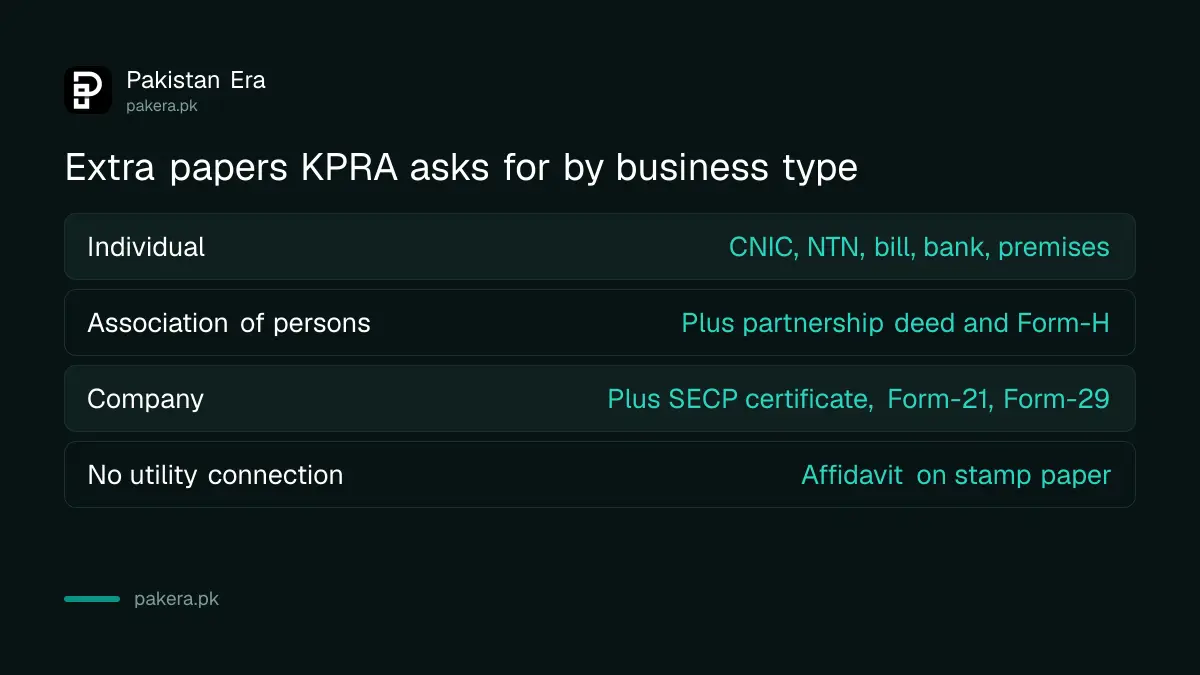
If there is no electricity connection at your premises, the bill is shared, or you run your own generator, the sheet asks for an affidavit on stamp paper in place of the bill. An authority letter is needed if someone else applies for you.
The online application has eight parts, then a verification
On the KPRA portal you choose e-registration, enter your NTN, and the system shows your details as held by FBR. You then complete the form's sections, save, verify the application with your CNIC or NTN, and submit it.
- Open kpra.kp.gov.pk, click e-Registration, then New e-Registration having NTN.
- Enter your NTN and the image characters. The form appears with your FBR particulars filled in.
- Complete the Registry section, then the agent particulars, if someone represents you.
- Add directors or shareholders, other business activities, and every business branch or outlet.
- Add your bank account and complete the declaration.
- Save the form. You can change it and save again before verifying.
- Click Verify Application and enter your CNIC, NTN or passport number when the window asks.
- Click Submit Application. The system sends an activation code and a passcode.
The manual is dated June 2013. KPRA still hosts it on its taxpayer guide page, but menus may have moved since. Treat the order of steps as the reliable part.
After approval you activate your account with the codes
KPRA's registration officer reviews the application. Once approved, you get a KPRA taxpayer number, called a KNTN, and activation details by SMS and email. You then enrol: enter the KNTN, both codes and the image characters, and set a new password and PIN.
If you already hold an FBR login, KPRA's separate quick enrolment guide says you can move your particulars from the FBR portal after logging in there. It sends the pass code and activation code to the email and mobile number registered with FBR, so those must still be valid.
After activation you can log in and file returns. The steps are in our guide to filing a KPRA sales tax on services return.
No NTN or no record found? There is a fix for both
If you have no NTN, KPRA says it issues a provisional registration certificate valid for 30 days or until FBR issues your NTN. If you do have an NTN but the portal says no taxpayer found, check the number and its check digit, then email KPRA's support team.
The manual's wording for the email is a subject line of "Add NTN in database", followed by your NTN, business name and service category. It gives the address esupport@kpra.kp.gov.pk, while KPRA's documents sheet prints esupport@kpra.gov.pk. We cannot tell which is current, so try both or phone the office.
If the NTN is not issued within 30 days, the manual says your KPRA registration is cancelled and you are told by email. Get your NTN first if you can. Our steps for registering as a sole proprietor with the FBR explain how.
KPRA's headquarters are at Phase-3 Chowk, Hayatabad, Peshawar, near the railway track, and the phone number on its documents sheet is +92-91-9219202. Never pay anyone outside the bank or the portal to "speed up" a registration.
Common questions
Do I register with FBR or KPRA for services in Khyber Pakhtunkhwa?
You register with KPRA for the provincial sales tax on services. FBR registration is separate and covers its own federal taxes.
Is registration free?
The KPRA pages we read mention no registration fee. We did not find a fee schedule, so ask KPRA before paying anyone.
Can I register without an NTN?
Yes, for a limited time. KPRA issues a provisional certificate valid for 30 days or until your NTN arrives, and cancels it if the NTN does not come in time.
What do I do if my electricity bill is not in my name?
KPRA's sheet asks for an affidavit on stamp paper when no utility connection exists, the bill is shared, or you run your own generator.
Which services are taxable?
KPRA's FAQ says services outside the Second Schedule of the Act are exempt, so the taxable ones are those listed in it. Read the schedule on the KPRA website for your service.
Where do I appeal a KPRA decision?
KPRA's FAQ lists the Collector (Appeals), then the Appellate Tribunal, then the High Court if a question of law is involved. An Alternate Dispute Resolution Committee is the administrative route.
How we verified this
What we checked, where we read it, and what we could not confirm.
We read the KPRA taxpayer guide pages at kpra.gov.pk on 11 October 2026: the required documents sheet, the how-to-e-register and how-to-e-enrol manuals, the compulsory registration lists and the FAQs. The manuals are dated June 2013 and we could not open the live portal to confirm today's screens, so confirm details with KPRA on +92-91-9219202.
About the author

Senior Writer, Public Services and Technology
Shahid joined us in 2024 as an author. He is a senior contributor to Pakistan's leading technology websites. He writes detailed articles, mostly covering his expertise in the latest tech, mobiles, apps, gadgets, and step-by-step guides. His ideology is to help people understand the latest trends and explain complex methods through very easy-to-understand guides.