Open an Allied Bank Account Online in Pakistan: myPakistan Digital Account Steps and Documents
Open an Allied Bank account online with myPakistan Digital Account: CNIC, picture and income proof, 13 steps on abl.com, then a biometric check lifts the block.
You can open an Allied Bank account online with the myPakistan Digital Account, on abl.com or through myABL, without visiting a branch. You need to be a resident Pakistani with your CNIC, a picture, an email address and, for most accounts, proof of income such as a job letter or salary slip. The account opens with a debit block until you verify your fingerprints in myABL or at a branch.
Allied Bank, often called ABL, offers five account types through this online form, from the Asaan Digital Account to a full current account. Here is what each one is for, what to keep ready, every screen of the form as Allied Bank's own guide shows it, and how to lift the debit block once the account is open.
Five Allied Bank accounts open through myPakistan Digital Account
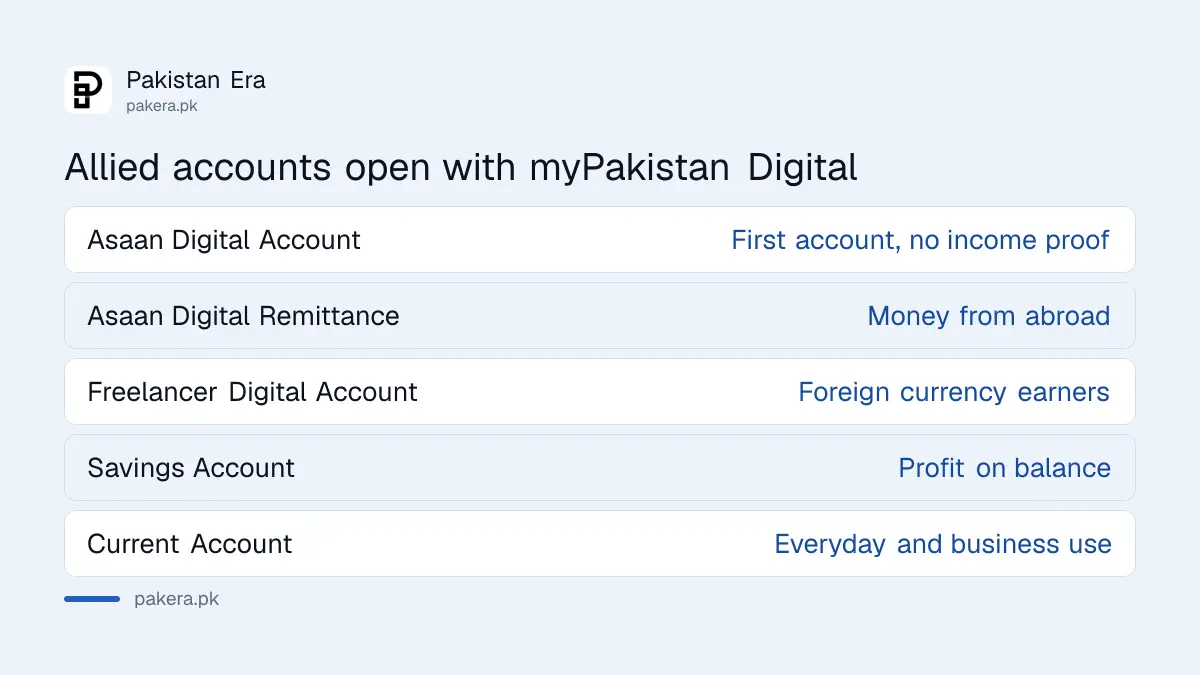
The myPakistan Digital Account form opens five account types: the Asaan Digital Account, the Asaan Digital Remittance Account, the Freelancer Digital Account, a Savings Account and a Current Account. It works 24 hours a day from anywhere in Pakistan, and comes with local and foreign currency debit card options.
| Allied account online | Short name | Who it suits |
|---|---|---|
| Asaan Digital Account | ADA | Low income users and a first bank account |
| Asaan Digital Remittance Account | ADRA | Families receiving money from abroad |
| Freelancer Digital Account | FDA | Freelancers paid in foreign currency |
| Savings Account | None | People who want profit on their balance |
| Current Account | None | Business and heavy everyday use |
Once the account is live you can send money, pay bills and taxes, top up phones and pay fees through Allied's digital channels. Profit on the savings choices is listed in Allied Bank profit rates.
Documents you need for an Allied Bank online account
Allied Bank asks for your ID document, a picture, and proof of income such as a job letter, salary slip or business letter, with its details. Income proof is not needed for the Asaan Digital Account. You also need an email address and the mobile number that will receive the OTP.
- Resident status: the form is only for Pakistanis living in Pakistan. Overseas Pakistanis use the Roshan Digital Account instead.
- ID document: your CNIC, scanned or photographed clearly.
- Picture: a clear photo of yourself.
- Income proof: a job letter, salary slip or business letter, except for an Asaan account.
- Contact details: a working email address and mobile number.
- Next of kin: the name and details of a close relative for the profile screen.
The form shows the full document list on its welcome pop up, and again on the upload screen, so check it before you start. A live chat button sits at the bottom right of every screen if you get stuck. Banks must also explain account terms to you, as set out in your rights at account opening.
How to open an Allied Bank account online, step by step
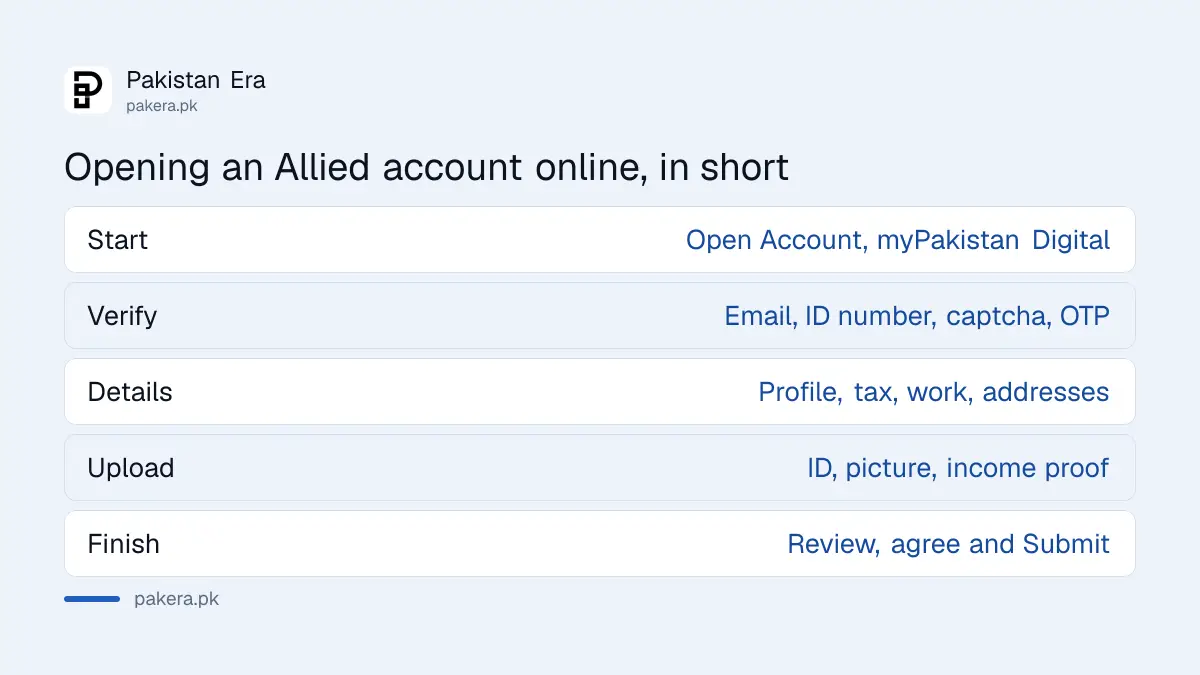
On abl.com, click Open Account and select myPakistan Digital Account. Enter your email and ID number, pass the captcha, verify the OTP, then fill in your profile, tax details, work, addresses and account choices. Upload documents, review, agree to the terms and press Submit.
- Go to abl.com, click Open Account and select myPakistan Digital Account.
- Read the welcome notice listing the required documents, then click OK.
- Enter your email address and ID number, complete the captcha and click Next.
- Enter the OTP sent to you and press Verify and Continue. If it does not arrive within 5 minutes, press Resend OTP.
- Fill in your basic information and click Next.
- Add your customer profile and next of kin details, then press Save and Next.
- Enter your ID and tax details and press Next.
- Enter your business or employment details and press Save and Next.
- Enter your present home address, then your permanent address, or tick Same as Present Address, and press Save and Next.
- Choose your account details, including whether you want a debit card and a cheque book. If an Allied staff member referred you, add their name and staff number.
- Upload every mandatory document and press Next.
- Answer the KYC and FATCA questions, press Review Details, and use the edit button to fix any mistake.
- Agree to the terms and conditions and the account opening declarations, then press Submit.
After you submit, Allied Bank emails you the application details. A short feedback form follows, which you can send with the submit button. The same journey is also available inside myABL, Allied's app and internet banking.
The new account starts with a debit block until biometric checks
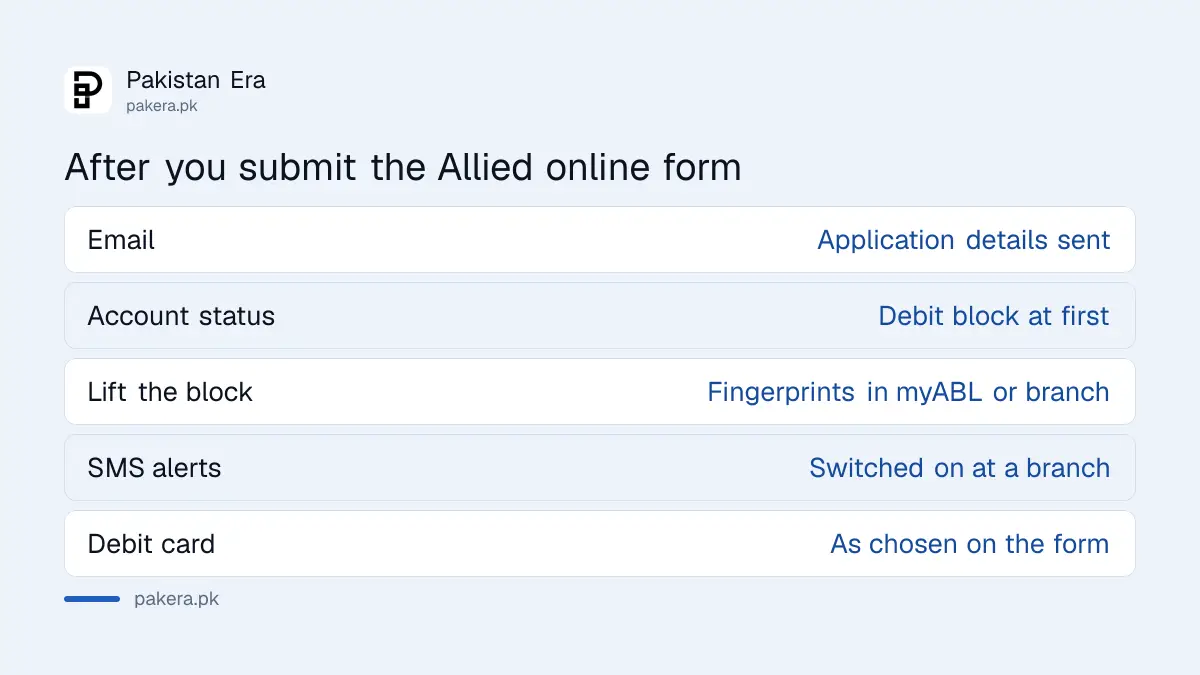
Allied Bank opens a digital account with a debit block, so money can come in but cannot go out. To lift it, verify your fingerprints in myABL or at your nearest branch. To switch on SMS alerts, Allied asks you to visit a branch.
The block is normal and protects you from someone opening an account in your name. Once your fingerprints match NADRA's record, you can use the account fully. If they will not match, the State Bank's other routes are explained in fingerprint not matching at the bank.
| After you submit | What happens |
|---|---|
| Application details sent to your email | |
| Account status | Opened with a debit block |
| Lift the block | Biometric check in myABL or at a branch |
| SMS alerts | Activated at a branch |
| Debit card | As chosen on the account information screen |
Set up myABL and your debit card after opening
When the account is open and the block is lifted, register on myABL to send money, pay bills and manage your card. The debit card you picked on the form can then be activated in myABL, through the helpline on 042-111-225-225, or at a biometric ATM.
The myABL sign up is covered in myABL registration, and card activation in Allied Bank ATM card activation. Fees and daily limits for each card are in the Allied Bank schedule of charges. A myABL user guide for digital accounts is also on the myPakistan Digital Account page.
Common questions
Can I open an Allied Bank account online?
Yes. Resident Pakistanis can open one through the myPakistan Digital Account form on abl.com or in myABL, without visiting a branch.
Which documents does Allied Bank need for an online account?
Your ID document, a picture, and proof of income such as a job letter, salary slip or business letter. Income proof is not needed for an Asaan account.
Why is my new Allied digital account blocked?
Allied opens digital accounts with a debit block. Verify your fingerprints in myABL or at a branch to lift it.
What if the Allied OTP does not arrive?
Wait for the allowed time of 5 minutes, then press Resend OTP on the same screen.
Can overseas Pakistanis use myPakistan Digital Account?
No. It is for residents of Pakistan. Pakistanis living abroad open a Roshan Digital Account, which Allied Bank runs on a separate portal.
Can I choose a debit card and cheque book online?
Yes. The account information screen asks whether you want a debit card and a cheque book.
How we verified this
What we checked and where we read it.
We checked Allied Bank's myPakistan Digital Account page, the step by step guide PDF linked from it, and the start screen of the online account opening portal, which shows the debit block notice, on 17 November 2026. The guide is a set of screen images with English captions; the steps above follow those captions. The page links a key fact statement for deposit accounts, but does not print account limits, so none are given here.
About the author
Public Services and Education Journalist
Fajr Riaz is a journalist and content writer at Pakistan Era, based in Lahore. She covers the questions people meet in everyday life in Pakistan: how a public service works, what a change in the rules means, and where to find a reliable answer.