Galaxy AI in Pakistan: Every Free Feature, Supported Samsung Phones and the Urdu Check
Galaxy AI is free on Samsung phones in Pakistan from the S24 series on. See all 14 features, the language list where Urdu is missing, and how to switch them on.
Galaxy AI is free on Samsung phones in Pakistan from the Galaxy S24 series onward: Samsung Pakistan says its basic Galaxy AI features cost nothing, but Urdu is not on any of its language lists. Below is every feature Samsung names, which phones get them, which languages each one works in, and what to do when a feature will not switch on.
We read Samsung Pakistan's Galaxy AI page and its FAQ on 24 October 2026. Galaxy AI is Samsung's set of built-in AI tools: photo editing, call translation, writing help, transcripts and more. Samsung adds a warning worth reading twice. Future versions may include paid "enhanced" features, and AI tools from other companies on your phone can have their own terms.
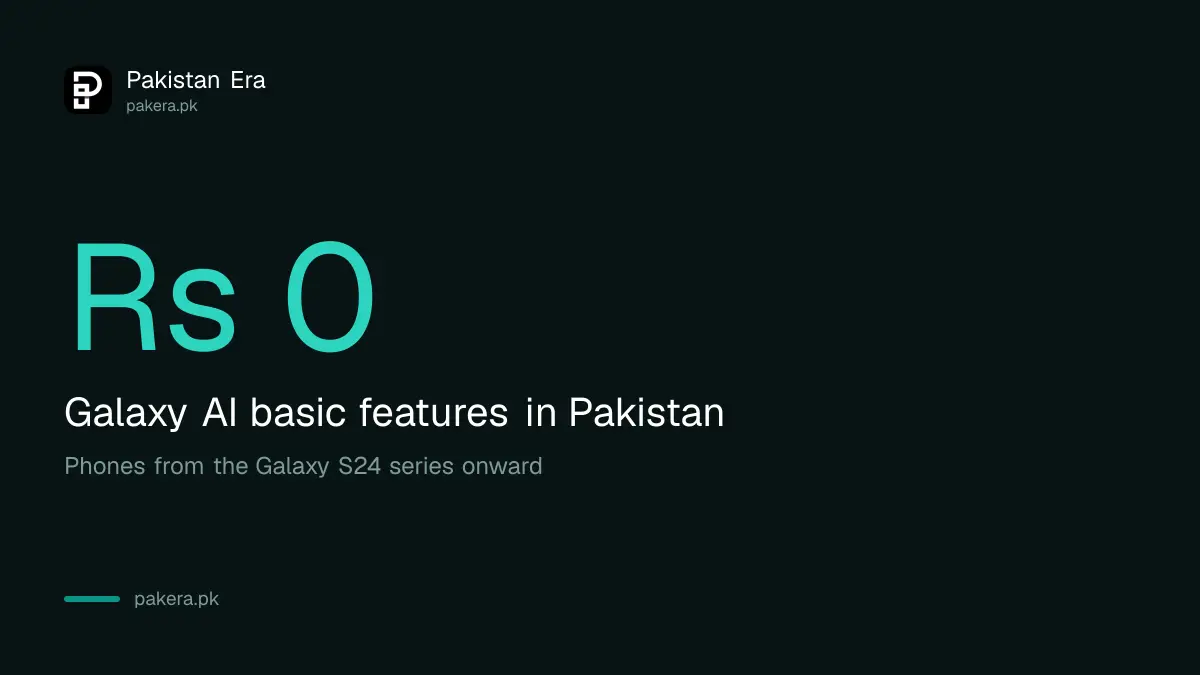
Samsung says basic Galaxy AI features are free
Samsung Pakistan's Galaxy AI page states that "Galaxy AI basic features provided by Samsung are free". There is no monthly charge for the features listed below, and no subscription to buy on a supported phone.
The Samsung Pakistan Galaxy AI page keeps the door open for paid extras later. So if a Galaxy AI tool ever asks you to pay, check whether it is Samsung's own basic feature or a new paid service. Some features also need you to sign in with a Samsung Account, and availability varies by region and model.
Every Galaxy AI feature Samsung lists for Pakistan
Samsung's Pakistan page names 14 Galaxy AI tools, including Photo Assist, Audio Eraser, Call Screening, Interpreter, Transcript Assist, Writing Assist and Now Brief. The FAQ adds Live Translate for calls and Note Assist.
| Feature | What it does | Language count |
|---|---|---|
| Photo Assist | Edits photos with AI | 41 languages |
| Creative Studio | Makes images and stickers | 41 languages |
| Writing Assist | Rewrites and corrects text | 41 languages |
| Live Translate and Interpreter | Translates calls and face-to-face talk | 22 languages |
| Transcript Assist and Note Assist | Turns recordings and notes into text and summaries | 22 languages |
| Call Screening | Answers unknown callers for you | 13 languages |
| Now Brief and Now Nudge | Daily summary and timely suggestions | 13 languages |
| Audio Eraser, Auto Trim, Document Scan | Cleans video sound, trims clips, scans papers | Not language based |
The "what it does" column is our plain description of each named feature. The language counts come from Samsung's FAQ. Samsung also lists Bedtime Guidance and Energy Score, which work through Samsung Health, and Bixby, its voice assistant.
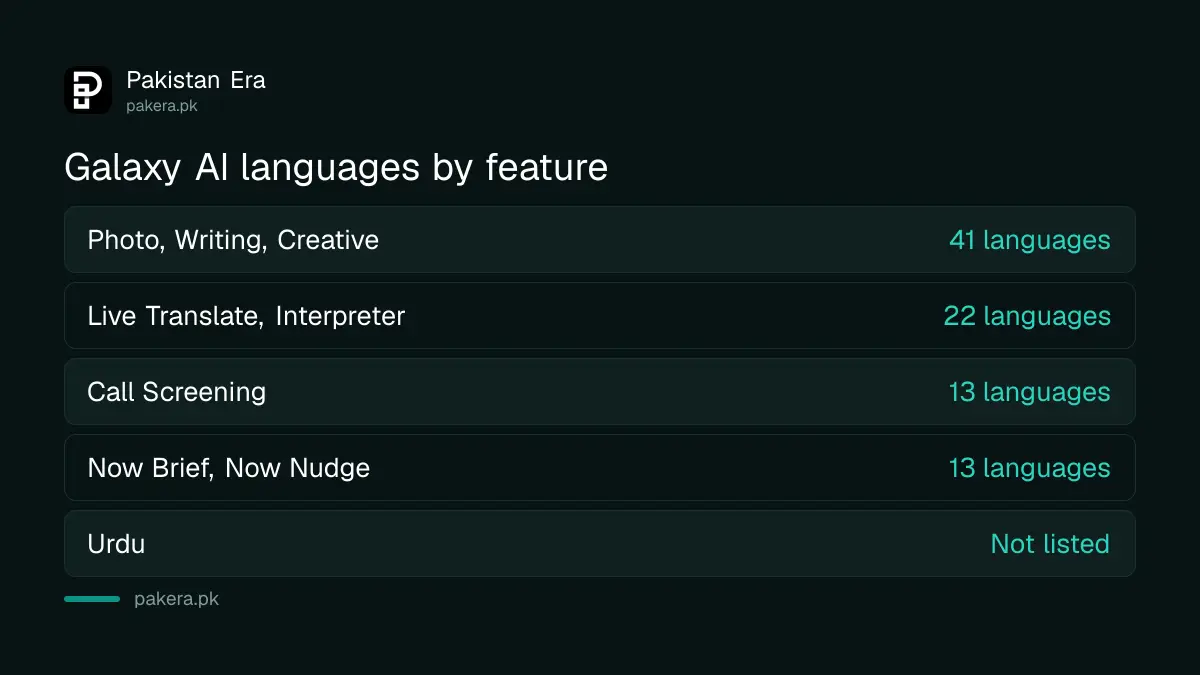
Urdu is not on any Galaxy AI language list
None of Samsung's four language lists for Galaxy AI includes Urdu. The 41-language list for writing and photo tools includes Hindi, Bengali and Gujarati, but not Urdu. So Writing Assist will not correct Urdu script, and Live Translate will not translate an Urdu call.
That is a real gap for Pakistani users. In practice, use English for Writing Assist and note summaries. Spoken Urdu is close to spoken Hindi, but Hindi tools expect Devanagari script, not Urdu's Nastaliq, so do not expect text features to read Urdu writing. Photo tools, Audio Eraser and Document Scan do not depend on language and work the same here as anywhere.
If Urdu matters most to you, a chatbot may serve you better than the phone's own tools, and choosing the best AI for Urdu in Pakistan comes down to ChatGPT, Claude, Gemini or Grok.
Which Samsung phones get Galaxy AI in Pakistan
Samsung's Pakistan page says Galaxy AI is supported on smartphones from the Galaxy S24 series onward. For tablets, watches and Buds, support depends on the model and software version. Health features need Android 11 or later and the Samsung Health app.
Energy Score also needs a Galaxy Watch4 or later running Watch OS 5.0 or later. Samsung's page does not list individual A series models, so if you own a mid-range Galaxy, check the phone's own Settings rather than assuming. Software matters too. Newer features arrive with updates such as the One UI 9 update for Galaxy phones.
Buying second hand? Check how long the phone will keep getting software, because Galaxy AI features depend on updates. Samsung publishes end dates you can look up before you pay, and the steps to check when a Galaxy stops getting security updates take a minute.
How to switch on Galaxy AI features
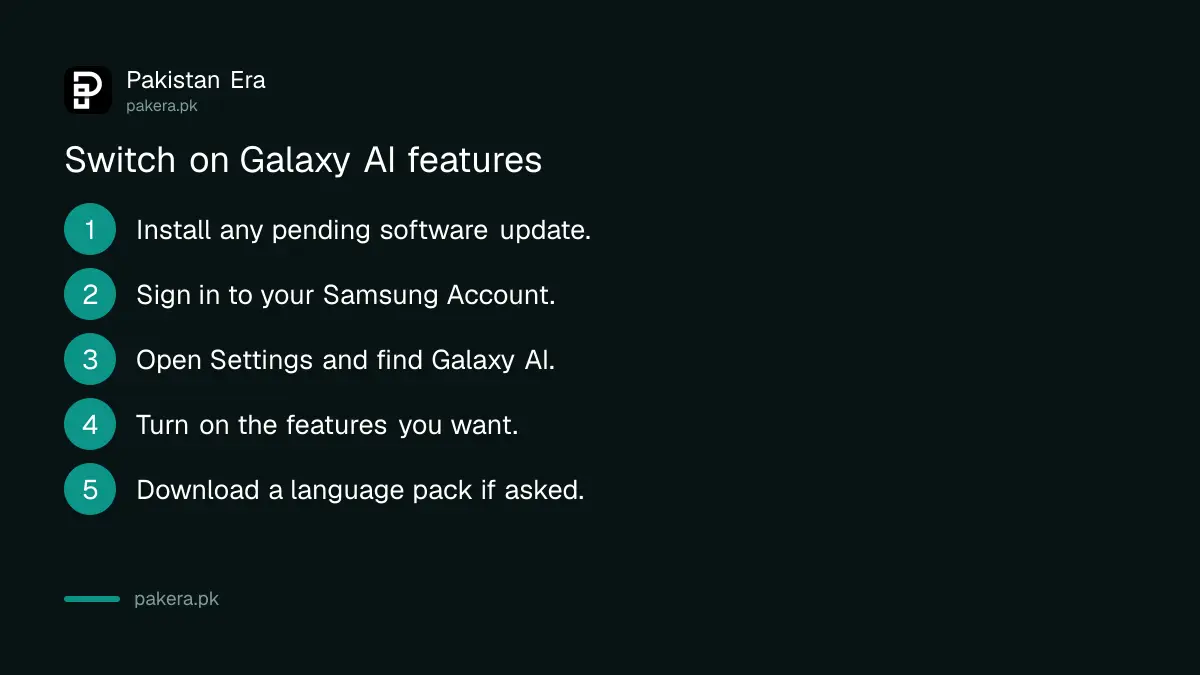
Galaxy AI features sit in your phone's Settings, and some need a Samsung Account. Update the phone first, sign in to your Samsung Account, then turn on the features you want one by one.
- Open Settings, then Software update, and install any pending update.
- Sign in to your Samsung Account in Settings if you have not already.
- Open Settings and find Galaxy AI. On some older software it sits under Advanced features.
- Turn on the features you want, such as Interpreter or Writing Assist.
- Download the language pack for English or the language you will use, if asked.
Menu names can differ slightly between software versions. If a feature is missing, the phone may not support it, or it may not be offered in Pakistan yet.
When a Galaxy AI feature is missing or will not work
The usual causes are an unsupported phone, old software, no Samsung Account, or a language Samsung does not support. Samsung also says availability varies by region, so a feature seen in a foreign video may not exist on a Pakistani unit.
- Feature not in Settings: check the phone is an S24 or newer, then update.
- Translate fails on calls: both languages must be among the 22 Samsung supports. Urdu is not.
- Energy Score blank: pair a Galaxy Watch4 or later and open Samsung Health.
- Phone stuck after updating: follow the steps to fix a phone stuck after an update.
Common questions
Is Galaxy AI free in Pakistan?
Yes. Samsung Pakistan says basic Galaxy AI features provided by Samsung are free. It may add paid enhanced features in future.
Does Galaxy AI support Urdu?
No. Urdu does not appear on any of Samsung's Galaxy AI language lists as of 24 October 2026.
Which Samsung phones have Galaxy AI?
Samsung's Pakistan page lists smartphones from the Galaxy S24 series onward.
Can Galaxy AI translate my calls?
Yes, with Live Translate, in 22 supported languages. Urdu calls are not covered.
Do I need a Samsung Account for Galaxy AI?
For some features, yes. Samsung says certain features require you to sign in.
Will Galaxy AI cost money later?
Samsung says future releases may include paid enhanced features or services. The basic features are free today.
How we verified this
What we checked, where we read it, and what we could not confirm.
Last checked 24 October 2026. We read Samsung Pakistan's Galaxy AI page and FAQ at samsung.com/pk/galaxy-ai on 24 October 2026. The free statement, feature names, language counts, supported phones and Health requirements come from that page. Short descriptions of each feature are ours. We did not test the features on a phone, and Samsung's page does not list A series models, so we could not confirm which mid-range phones get which tools.
About the author

Technology Journalist & Multimedia Producer
Ahmad Ali is a technology journalist and multimedia producer at Pakistan Era, joining the team in October 2026. He covers consumer technology and digital life for Pakistani readers, combining research with hands-on product testing.