GPT-6 Fast, Ultrafast and Credits Explained for ChatGPT Users in Pakistan
Fast mode costs 2.5x your included usage and Ultrafast 8x. See credits per million tokens for Astra, Sol and Luna and a worked example for Pakistani users.
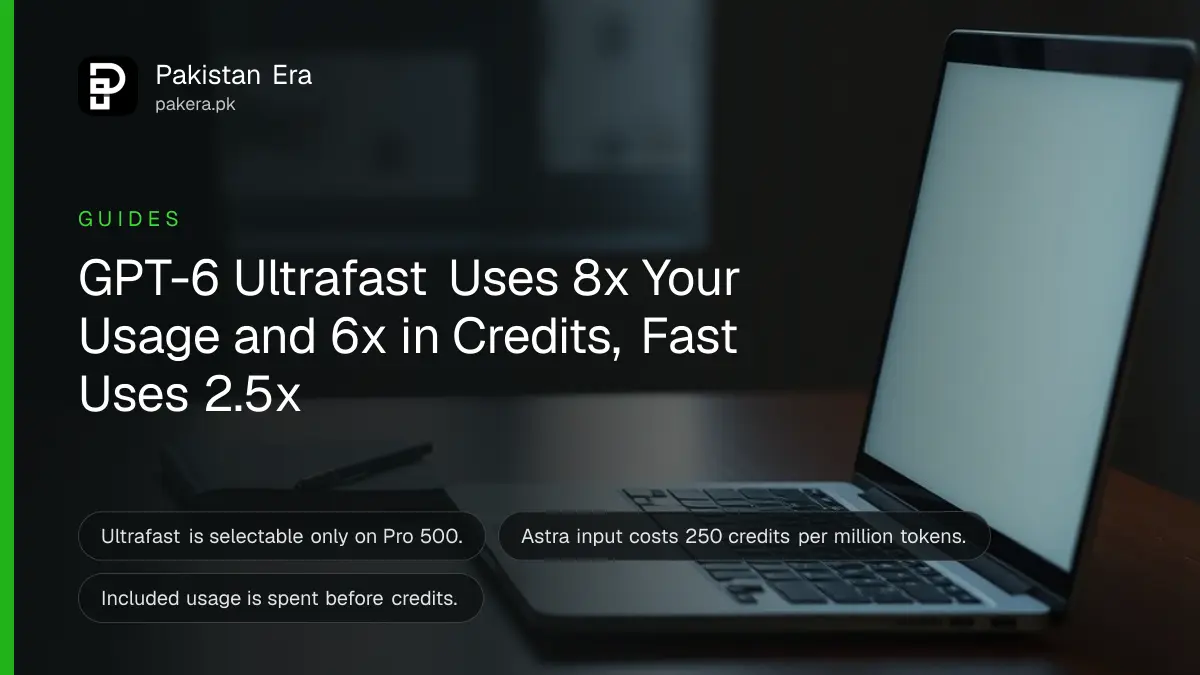
In ChatGPT Work and Codex, Fast mode uses your included plan usage at 2.5 times the normal rate and purchased credits at 2 times. GPT-6 Astra and GPT-6.1 Sol Ultrafast use included usage at 8 times and credits at 6 times. Ultrafast needs Pro 500.
Credits and speed modes confuse many Pakistani users who pay in dollars and watch every rupee. We read OpenAI's Work and Codex pricing page and its Pro tiers help page on 22 October 2026. This explains the multipliers and the credit rates for each GPT-6 model, with worked examples that are our own arithmetic. We did not run any of these tasks.
Fast and Ultrafast cost more per task than Standard mode
OpenAI says the speed modes are relative to Standard for the same model. Fast uses included subscription usage at 2.5 times and purchased credits at 2 times. GPT-6 Astra and GPT-6.1 Sol Ultrafast use included usage at 8 times and credits at 6 times.
| Speed mode | Included plan usage | Purchased credits |
|---|---|---|
| Standard | 1x | 1x |
| Fast | 2.5x | 2x |
| GPT-6 Astra Ultrafast | 8x | 6x |
| GPT-6.1 Sol Ultrafast | 8x | 6x |
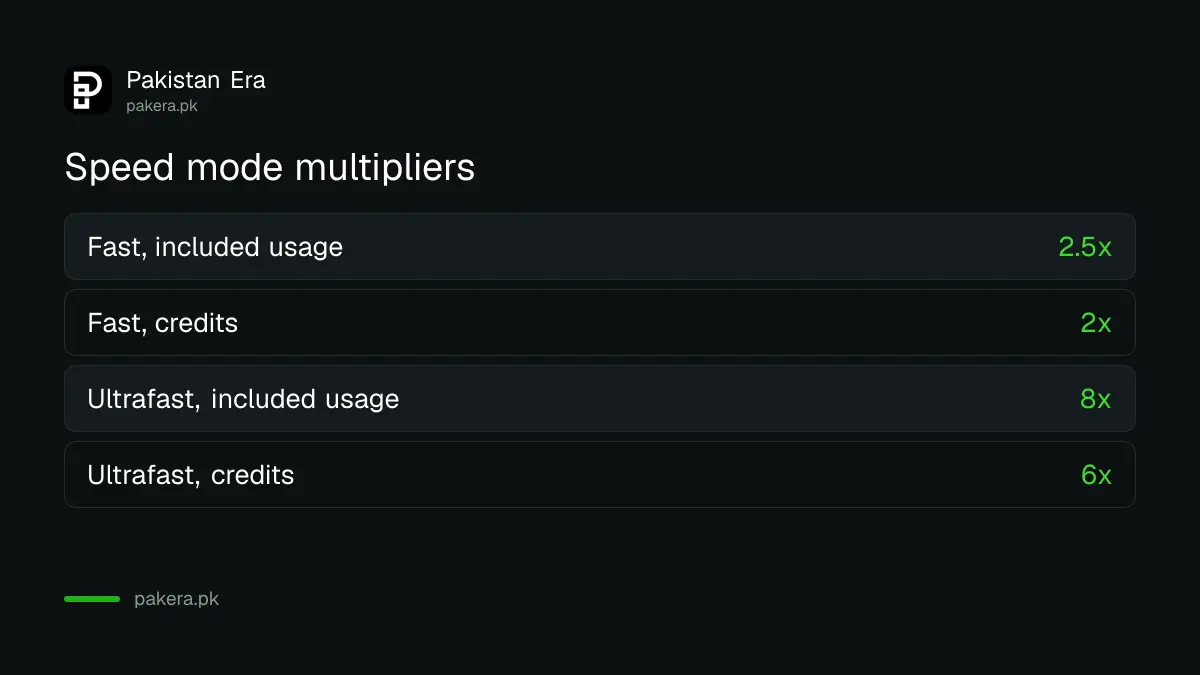
OpenAI warns that these are allowance consumption rates, not guarantees of faster performance. Ultrafast is selectable in the model picker on Pro 500 and on eligible Enterprise and Edu plans. Buying credits on Plus, Pro 100, Pro 200 or Business does not unlock it.
Credits per million tokens differ by a factor of 100 between Astra and Luna
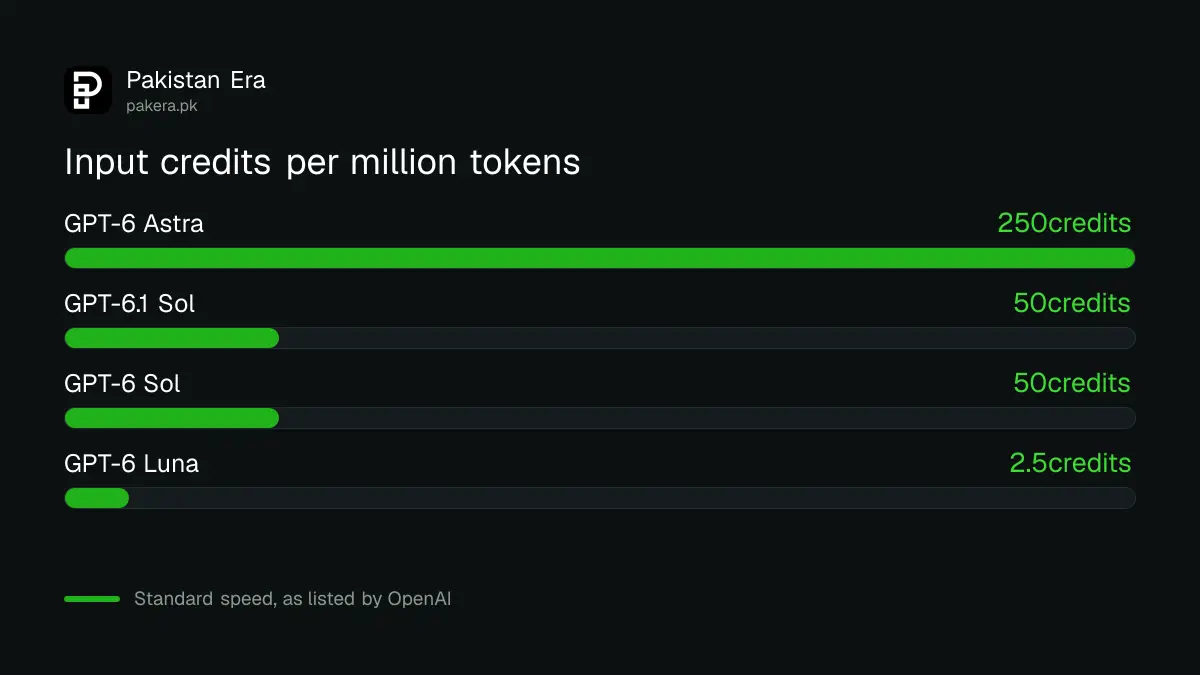
At Standard speed, OpenAI lists credits per million input, cached and output tokens: Astra 250, 25 and 1,250; GPT-6.1 Sol 50, 2.5 and 250; GPT-6 Sol 50, 5 and 250; Luna 2.5, 0.25 and 12.5. A token is a small chunk of text.
| Model | Input | Cached input | Output |
|---|---|---|---|
| GPT-6 Astra | 250 | 25 | 1,250 |
| GPT-6.1 Sol | 50 | 2.5 | 250 |
| GPT-6 Sol | 50 | 5 | 250 |
| GPT-6 Luna | 2.5 | 0.25 | 12.5 |
Tokens include your prompt, files, chat history, tool results and the reply, not just what you type. That is why a long chat costs more per message than a fresh one. Credits matter only after your plan's included usage is gone. Included usage is always spent first.
A sample task costs 37.5 credits on Astra and under 1 on Luna
Take a task that reads 100,000 input tokens and writes 10,000 output tokens. On Astra that is 25 plus 12.5, so 37.5 credits. On GPT-6.1 Sol it is 5 plus 2.5, so 7.5. On Luna it is 0.25 plus 0.125, so 0.375. This is our arithmetic from OpenAI's rates.
- Multiply input tokens in millions by the input rate.
- Multiply output tokens in millions by the output rate.
- Add the two for the Standard cost in credits.
- Multiply by 2 for Fast or 6 for Ultrafast when paying with credits.
- Compare with your included allowance in Settings, then Usage.
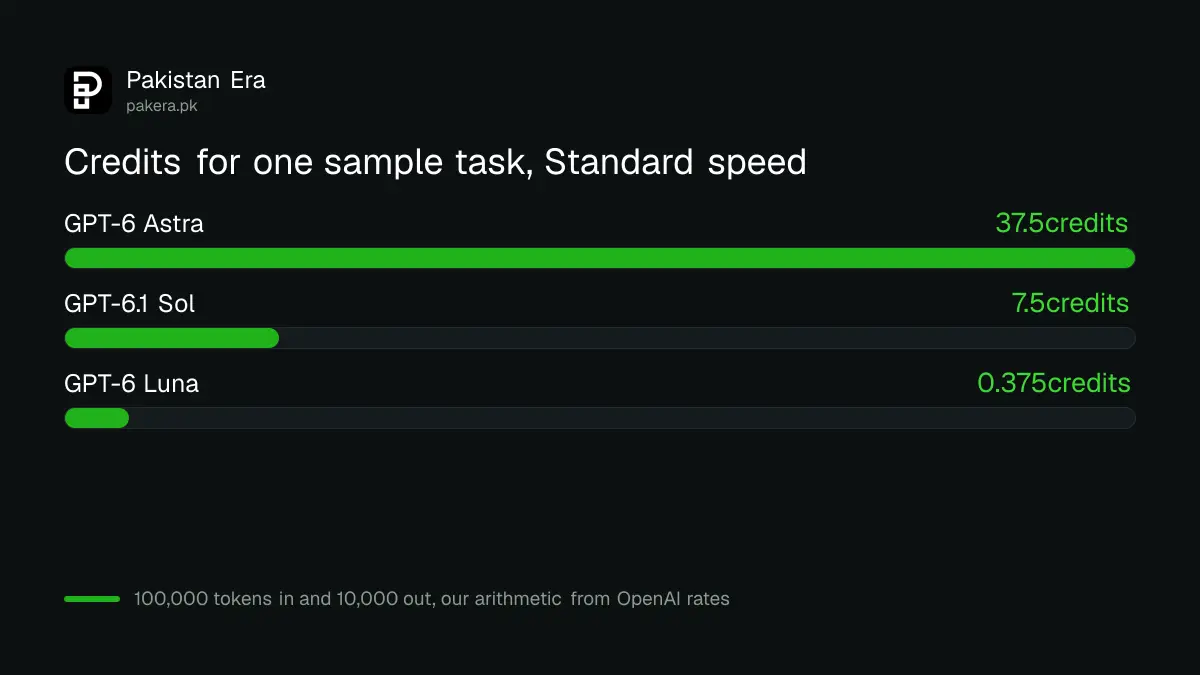
With credits, the same Astra task costs 75 in Fast mode and 225 in Ultrafast. OpenAI also says a typical GPT-5.6 Sol task may use 2 to 15 credits. We could not find the dollar price of a credit on the pages we read, so we cannot convert credits to rupees for you.
Credits line up with API dollar prices at 25 credits to the dollar
The credit rates match OpenAI's API token prices at 25 credits per US dollar: Astra input is 250 credits and $10, Sol 50 and $2, Luna 2.5 and $0.10. That is our observation, not a stated price. Check the buy-credits screen for the real price.
If that ratio held, the sample Astra task above would cost about $1.50, roughly Rs 415 at Rs 277 to the dollar. The API route is in GPT-6 API pricing per million tokens. For the plan route, see what each plan includes per five hours.
Where credits help and where they do not
OpenAI says credits support eligible usage in Codex, ChatGPT Work and the Word, Excel and PowerPoint add-ins, depending on plan and account. They do not add usage for every ChatGPT model or feature. They are an add-on, not a plan change.
A developer with a deadline may buy credits to finish a job. A student should not. For ordinary chat, writing and notes, lighter options such as Study Mode for exams use the plan allowance. Teams read the Business seat rules for workspace credits.
Use the lowest speed that meets your need. OpenAI notes that Astra at low effort can beat Sol at high effort, so lowering effort often saves more than changing speed.
Common questions about Fast, Ultrafast and credits
What is Ultrafast in ChatGPT?
It is a lower-latency mode for GPT-6 Astra and GPT-6.1 Sol in Work and Codex, available on Pro 500 and some Enterprise plans.
Does Fast mode make answers better?
No. It makes them quicker and uses more of your allowance. OpenAI says it is not a quality setting.
Can I buy credits on Plus?
Yes, if credit purchases are available to your account. You find them in Settings, then Usage.
How much does one credit cost?
We did not find a dollar price for a credit. Check the purchase screen in your account.
Do credits work for ordinary chat?
Not for every feature. OpenAI says credits cover eligible usage such as Codex and Work.
Are included usage and credits spent together?
No. Included plan usage is used first, then your credit balance.
How we verified this
What we checked, where we read it, and what we could not confirm.
Last checked 22 October 2026. We read OpenAI's Work and Codex pricing page, its Pro tiers help page and its credits help page. The task examples and the 25 credits to the dollar ratio are our arithmetic. The credit purchase price was not on the pages we read. Rupee conversion uses the State Bank of Pakistan's 22 October rate of about 277.
About the author

Technology Journalist & Multimedia Producer
Ahmad Ali is a technology journalist and multimedia producer at Pakistan Era, joining the team in October 2026. He covers consumer technology and digital life for Pakistani readers, combining research with hands-on product testing.