GPT-6 Usage Limits per ChatGPT Plan in Pakistan: Messages per Five Hours
See how many GPT-6 Astra, Sol and Luna messages ChatGPT Plus allows per five hours, why Pro has no five-hour limit, and what to do at the cap. Read the limits.

On ChatGPT Plus, OpenAI estimates 5 to 45 local GPT-6 Astra messages and 350 to 3,000 GPT-6 Luna messages in every five-hour window in Work and Codex. Pro plans currently have no five-hour limit. These are estimates, and weekly limits can also apply.
People in Pakistan who pay for ChatGPT often ask the same question: how much can I actually use? We read OpenAI's Work and Codex pricing page and its usage help article on 22 October 2026. The numbers below come from them. "Local messages" means chats you run on your own computer through the desktop app or the command line, not tasks sent to OpenAI's cloud.
Plus and Standard Business get the same estimated messages per five hours
OpenAI lists the same ranges for Plus and Standard Business seats: GPT-6 Astra 5 to 45, GPT-6.1 Sol 15 to 160, GPT-6 Sol 15 to 150 and GPT-6 Luna 350 to 3,000 local messages per five-hour window. OpenAI calls them estimates, not fixed limits.
| Model | Local messages per five hours (Plus and Standard Business) | Best for |
|---|---|---|
| GPT-6 Astra | 5 to 45 | Hard bugs, deep research |
| GPT-6.1 Sol | 15 to 160 | Features, reports, analysis |
| GPT-6 Sol | 15 to 150 | Everyday professional work |
| GPT-6 Luna | 350 to 3,000 | Repeated, simple jobs |
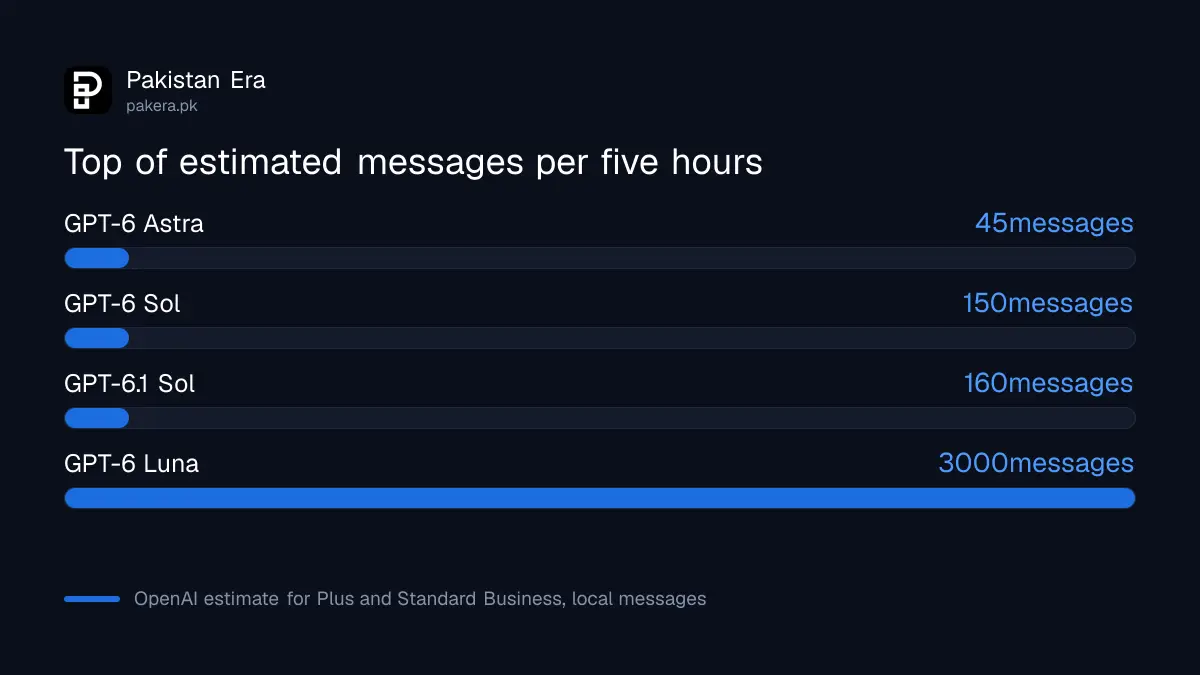
The range is wide because a short question and a long coding task do not cost the same. OpenAI says larger inputs, higher reasoning, Fast mode and multi-step tasks all use more. Cloud tasks can use more than local ones. The Business help page prints 15 to 150 for GPT-6.1 Sol, so the two pages differ slightly on that row.
The five-hour window starts with your first message
OpenAI says a new window starts when you send your first message in Work or Codex after the previous window ends. Where a weekly limit also applies, you need allowance left in both windows to keep working. You can hit the five-hour limit early.
So a freelancer who sends ten heavy Astra messages in the first hour may be locked out for the rest of the window, even with weekly allowance left. The practical fix is to start on a lighter model and move up only for the hard step. OpenAI notes that Astra at low effort can beat Sol at high effort, so try that order before paying for more.
Pro plans currently have no five-hour limit in Work and Codex
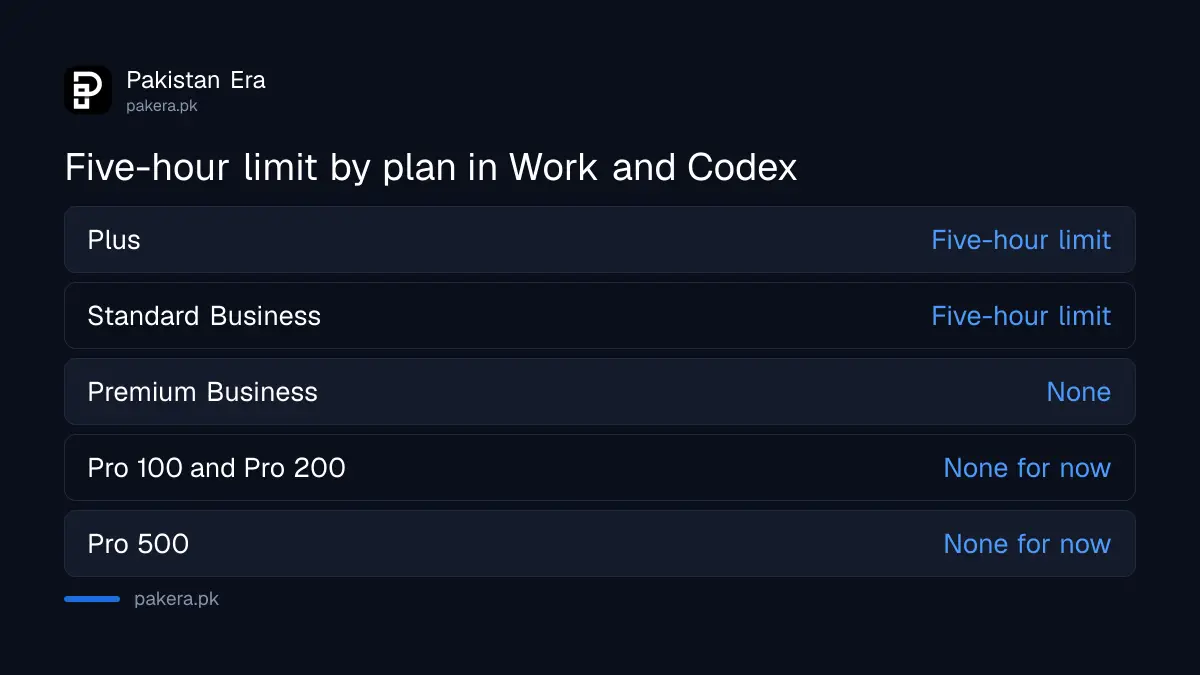
OpenAI says Pro 100, Pro 200 and Pro 500 currently have no five-hour limit in Work and Codex. They still have an included allowance that resets weekly. Business Premium seats also drop the five-hour limit and have five times a Standard seat's usage.
The Pro difference is therefore the weekly budget, not the window. For the detail on each tier, read which Pro plan to choose. The Pro $200 allowance is also changing for newer subscribers on 29 October 2026, which the same page explains.
What happens when you hit the cap
If you reach a limit in the middle of a turn, OpenAI says the agent can finish that turn, subject to fair use. After that you can wait for the reset, buy credits on Plus or Pro, use a saved reset, or run extra local chats with an API key at API rates.
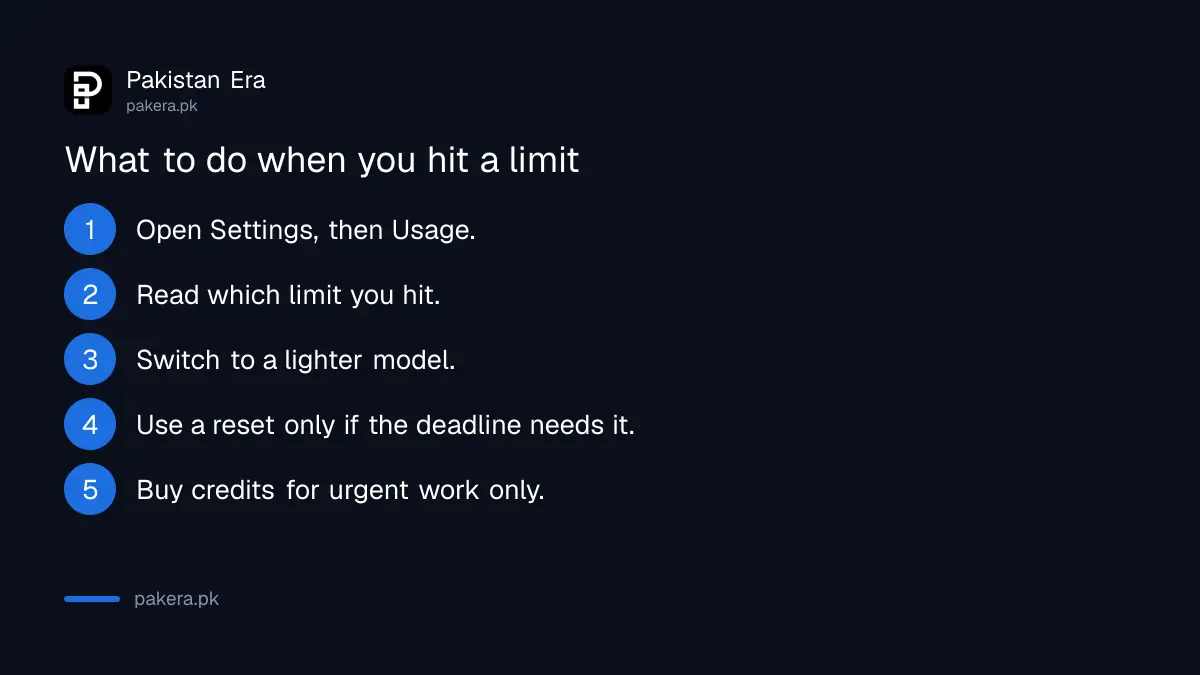
- Open Settings, then Usage, in ChatGPT.
- Read which limit you hit and when it resets.
- Switch to a lighter model such as GPT-6 Luna, but know that switching does not restore a shared allowance.
- Use a saved or purchased reset only if the deadline justifies it.
- Buy credits only for work that cannot wait.
OpenAI says its support team cannot reset limits. It can look at cases where usage was counted wrongly. What credits cost per model is in the credit rates and speed modes.
Chat limits are separate from Work and Codex limits
Work and Codex share one allowance. Ordinary Chat has its own rules. Free and Go have unlimited everyday text chats with safeguards. Pro-level Chat models, such as GPT-6 Pro, have separate message limits, and a Pro subscription does not make them unlimited.
Image generation counts against the same Work and Codex allowance and, on average, uses it three to five times faster than a similar turn without images. For student use such as notes and quizzes, see ChatGPT Study Mode for exams. For model choice by task, see the GPT-6 model line-up by plan.
Common questions about GPT-6 usage limits
How many GPT-6 messages do I get on ChatGPT Plus?
Roughly 5 to 45 Astra, 15 to 160 GPT-6.1 Sol, 15 to 150 GPT-6 Sol and 350 to 3,000 Luna local messages per five hours, as OpenAI's estimate.
Do the limits reset every five hours exactly?
No. A new window opens with your first message after the old one ends, so the reset time moves with your use.
Does Pro have unlimited GPT-6?
No. Pro has no five-hour limit in Work and Codex for now, but it has a weekly allowance. GPT-6 Pro in Chat also has limits.
Can I get more usage without changing plan?
Yes, on Plus and Pro you can buy credits for Work, Codex and some Office add-ins once the included allowance is used.
Does switching model give me more messages?
Not when the allowance is shared. OpenAI says switching models does not restore a shared pool.
Where can I see my remaining usage?
In Settings, then Usage, in ChatGPT, or the usage page in the Codex app. In a Codex command line session, type /status.
How we verified this
What we checked, where we read it, and what we could not confirm.
Last checked 22 October 2026. We read OpenAI's Work and Codex pricing page, its usage help article for GPT-6 Astra and its Business models and limits page. The message ranges are OpenAI's estimates and we did not test them. OpenAI did not publish weekly limit numbers on these pages, so we give none.
About the author

Technology Journalist & Multimedia Producer
Ahmad Ali is a technology journalist and multimedia producer at Pakistan Era, joining the team in October 2026. He covers consumer technology and digital life for Pakistani readers, combining research with hands-on product testing.