How to Redeem a Honkai: Star Rail Code in Pakistan on Android or iPhone
Redeem a Honkai: Star Rail code in Pakistan: in game on Android, or on the official gift page on iPhone. Link your HoYoverse Account and fix invalid codes.
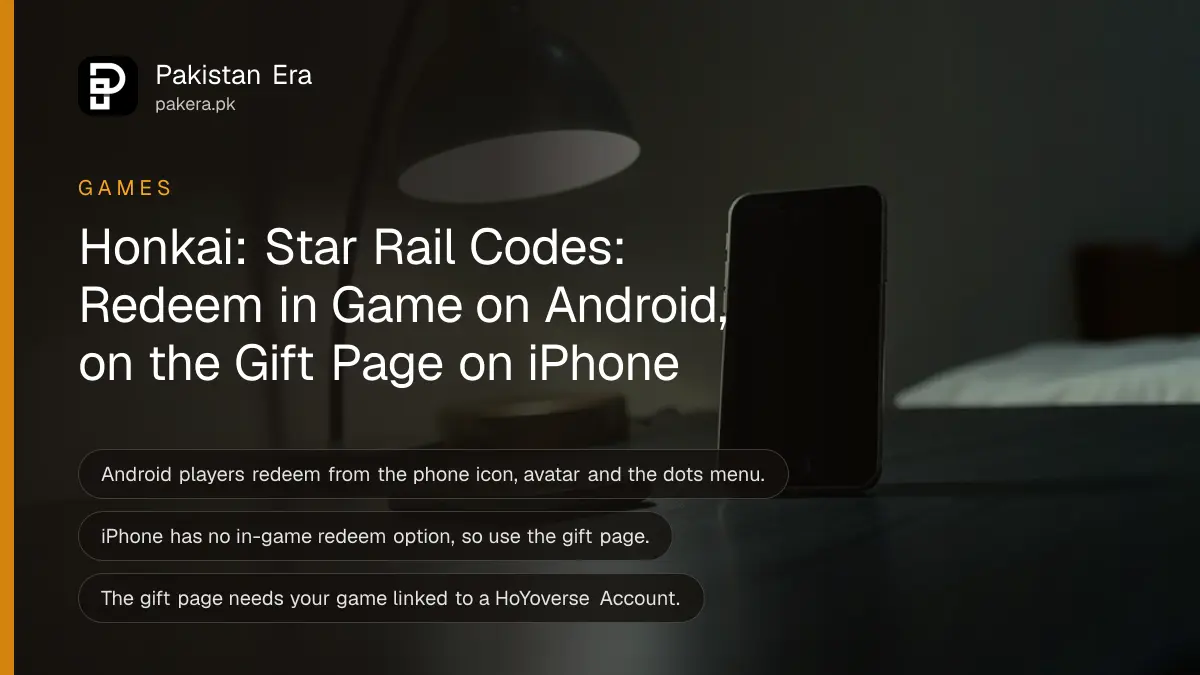
To redeem a Honkai: Star Rail code on Android in Pakistan, tap the phone icon at the top left of the game screen, select your avatar, tap the ... button, choose Redemption Code and enter the code. On iPhone the in-game option does not exist, so use the official gift page at hsr.hoyoverse.com/gift and log in with your HoYoverse Account.
Most iPhone players in Pakistan search for a "redeem button" that is not there. HoYoverse confirms the in-game redemption feature is unavailable on iOS. The web page works for every device, as long as your game is linked to a HoYoverse Account first.
| Your device | Where to redeem | What you need |
|---|---|---|
| Android phone | In game: phone icon, avatar, ..., Redemption Code | Just the code |
| iPhone or iPad | hsr.hoyoverse.com/gift | A linked HoYoverse Account |
| PC | hsr.hoyoverse.com/gift | A linked HoYoverse Account |
How to redeem a Honkai: Star Rail code on Android
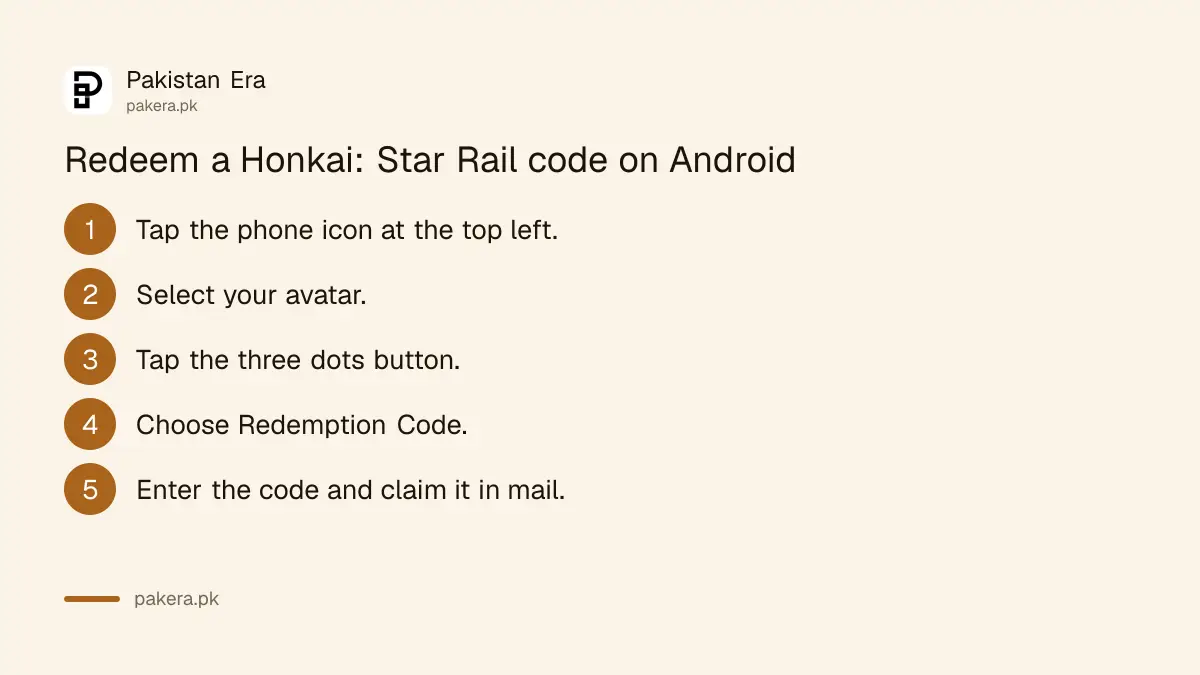
Android players can redeem inside the game in under a minute. The option sits in your profile, reached from the phone icon in the top left corner. Rewards from a code arrive in your in-game mailbox, so check it after you redeem.
- Open Honkai: Star Rail and wait until you are in the game world.
- Tap the phone icon in the top left corner of the screen.
- Select your avatar.
- Tap the ... button.
- Choose Redemption Code.
- Type or paste the code and confirm.
- Open your in-game mailbox and claim the reward.
Pasting the code is safer than typing it. HoYoverse warns that codes are case sensitive and that characters such as 0 and O are easy to mix up.
How to redeem a Honkai: Star Rail code on iPhone
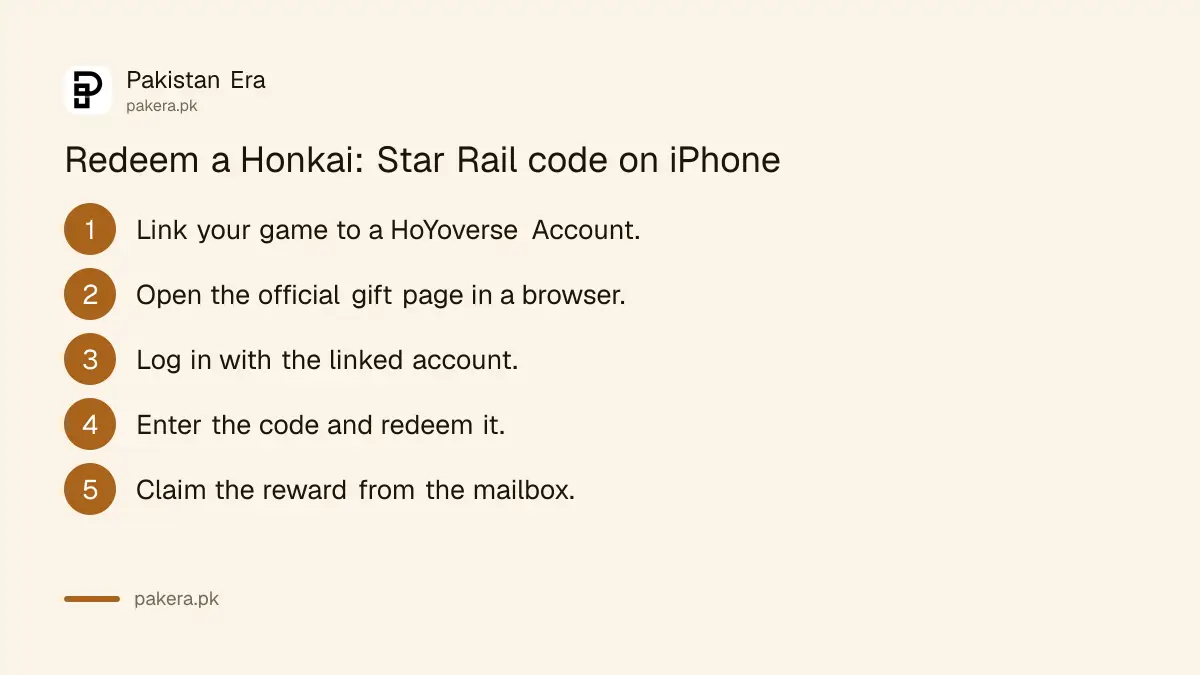
On iPhone and iPad, the code must be redeemed on the official Honkai: Star Rail gift page in a browser. Log in with the same HoYoverse Account your game uses, then enter the code. The reward still arrives in the game's mailbox.
- Link your game to a HoYoverse Account first (steps in the next section).
- Open Safari or Chrome and go to hsr.hoyoverse.com/gift.
- Log in with your linked HoYoverse Account.
- If the page asks for a server, pick the one your character plays on.
- Enter the code and tap Redeem.
- Open the game and claim the reward from the mailbox.
The same page works on a computer. If you play on both an Android phone and an iPhone with one account, you can use either method, but each code works only once.
Link your HoYoverse Account so the gift page finds you
The gift page can only find your character if the game account is linked to a HoYoverse Account. In the game, go to Settings, Account Settings, then HoYoverse Account Center, and link an email or another login such as Google, Apple, Facebook or X.
- In Honkai: Star Rail, open Settings.
- Go to Account Settings, then HoYoverse Account Center.
- Link an email, or a Google, Apple, Facebook or X login.
- Use that same login on the gift page.
On iPhone, HoYoverse supports only Apple and Game Center as phone logins, not Google. On Android, only Google is supported, not Apple. An email link works on both, which makes it the safest choice if you switch phones. If that email is a Gmail you cannot open, start with Gmail account recovery.
HoYoverse says a linked email can be switched later but never removed. Use an email you plan to keep.
Fixes when a Honkai: Star Rail code does not work
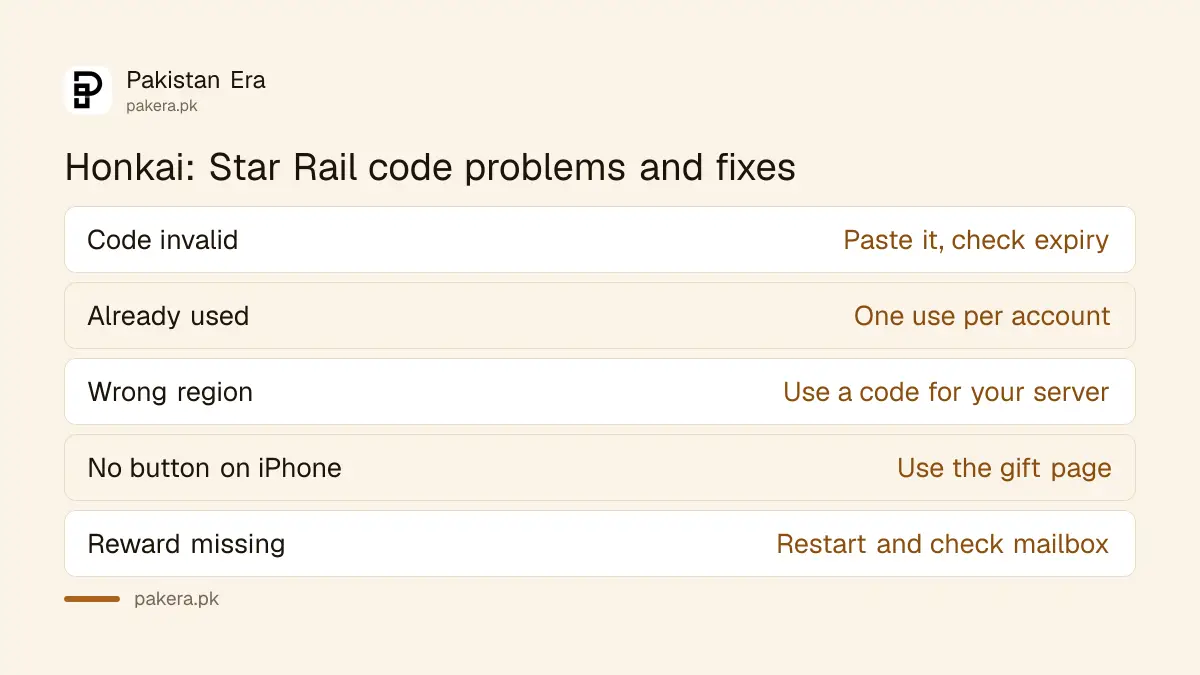
HoYoverse lists four checks for an invalid or used code: the code must match your server region, must not have expired, must be typed exactly, and must not have been used on your account already. Most codes are time sensitive, so old codes fail first.
| Problem | Likely cause | Fix |
|---|---|---|
| Code invalid | Expired, or typed wrong | Paste it, check 0 and O |
| Code already used | Used once on this account | Each code works once per account |
| Wrong region | Code for another server | Use a code meant for your own server |
| No Redemption Code button | You are on iPhone | Use the gift page |
| Gift page finds no character | Game not linked | Link a HoYoverse Account in Settings |
| Reward missing | Mailbox not checked | Restart the game, check the mailbox |
Still missing a reward? HoYoverse asks you to check the mailbox, restart the game, and look at Account History under the Smartphone menu, then Bug Report. If the issue stays, submit a ticket from Bug Report, then Issue Submission, with your UID, server region and screenshots.
Get codes only from official HoYoverse channels
HoYoverse names HoYoLAB, YouTube and Twitch as official sources of codes, and says codes from unofficial sources may be invalid. It also warns that using third-party software to redeem codes breaks its Terms of Service and can lead to penalties on your account.
So skip "code generator" apps and any site that asks for your HoYoverse password. A real code never needs your password, only your logged-in account. For buying Oneiric Shards and passes safely, the payment rules are the same as for Genshin Impact Genesis Crystals in Pakistan, through the official store, Google Play or Apple ID payment.
Common questions
Why can't I find the redeem button in Honkai: Star Rail on iPhone?
HoYoverse has not enabled in-game redemption on iOS. Use the official gift page at hsr.hoyoverse.com/gift instead.
Where do Honkai: Star Rail code rewards go?
To your in-game mailbox. Open the mailbox and claim the attachment after you redeem.
Can I use one code on two accounts?
A code can be used once per account. Check you are logged in to your main account before you redeem.
Do I need to link an account to redeem on Android?
Not for the in-game Redemption Code option. You need a linked HoYoverse Account only for the gift website.
Which server should I use in Pakistan?
The one your character already plays on. Codes must match your server region, so check it before redeeming.
How do I contact Honkai: Star Rail support?
In the game, open the Smartphone menu, tap Bug Report, then Issue Submission. You can also email hsrcs_en@hoyoverse.com.
How we verified this
What we checked and where we read it.
We checked this guide on 24 November 2026 against HoYoverse Help Center articles: How to redeem a code (Android and iOS steps), Why can't I find the redeem code button on my iOS device?, the help article on invalid or already used redemption codes, What should I do if I am missing rewards in Honkai: Star Rail?, and the articles on linking an email and social accounts. The support email is from HoYoverse's password reset article.
Free on WhatsApp
Get last dates and rule changes on WhatsApp
We post new last dates, fee changes and fixes for common problems, a few short posts a day.
Follow Pakera on WhatsAppOther followers cannot see your number.
Pakera Solves It
Which online process wasted your time this week?
A portal that will not load, a form nobody explains, a complaint that went nowhere. Tell us. Every week we pick one, solve it step by step and publish the answer.
About the author

Technology Journalist & Multimedia Producer
Ahmad Ali is a technology journalist and multimedia producer at Pakistan Era, joining the team in October 2026. He covers consumer technology and digital life for Pakistani readers, combining research with hands-on product testing.