How to Subscribe to a Jazz Monthly Internet Package
Jazz monthly internet packages with prices read on jazz.com.pk. Monthly Freedom is 100 GB for Rs 2,608 on *733#. How to subscribe by code or app.
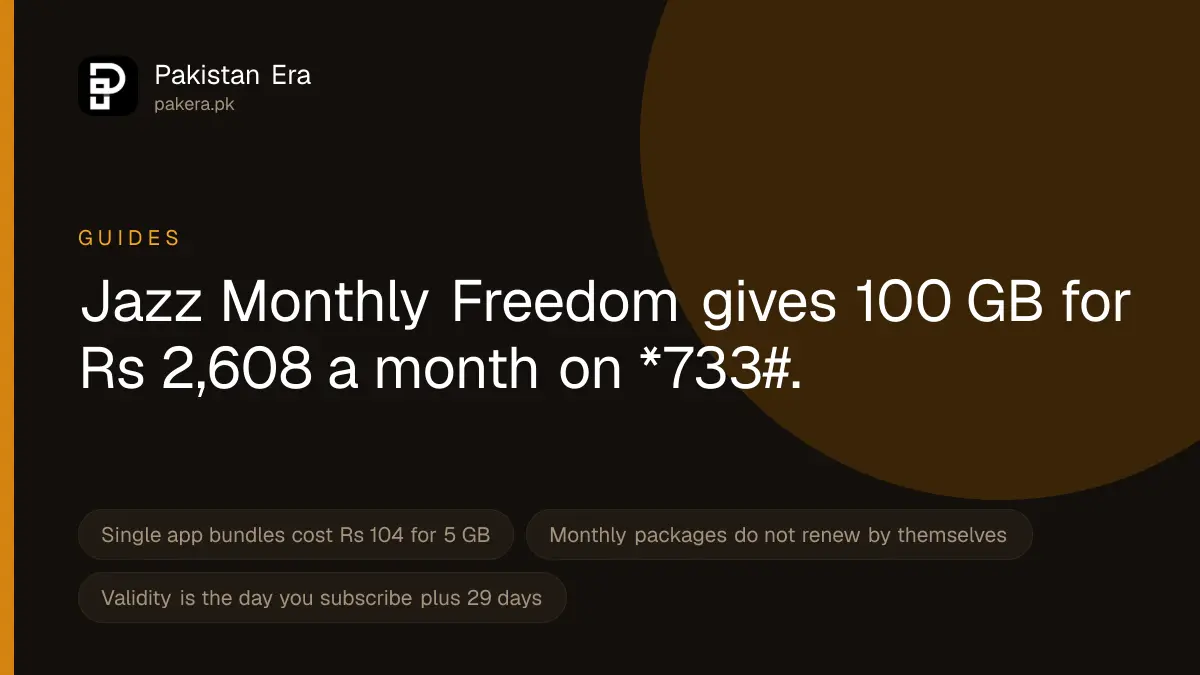
Jazz's main monthly internet package is Monthly Freedom: 100 GB for Rs 2,608, activated by dialling *733#. For less, Monthly YouTube and Social gives 10 GB for YouTube, Facebook and WhatsApp for Rs 608 on *620#. Single app bundles for TikTok, YouTube, Instagram or Snapchat cost Rs 104 for 5 GB. These are the prices, including tax, that Jazz listed on its website on 22 September 2026.
We read every monthly bundle page on jazz.com.pk on 22 September 2026. Jazz changes its packages often, so check the price in SIMOSA or on the bundle page before you pay. We have no Jazz SIM, so we did not dial the codes ourselves.
Jazz monthly internet packages and prices
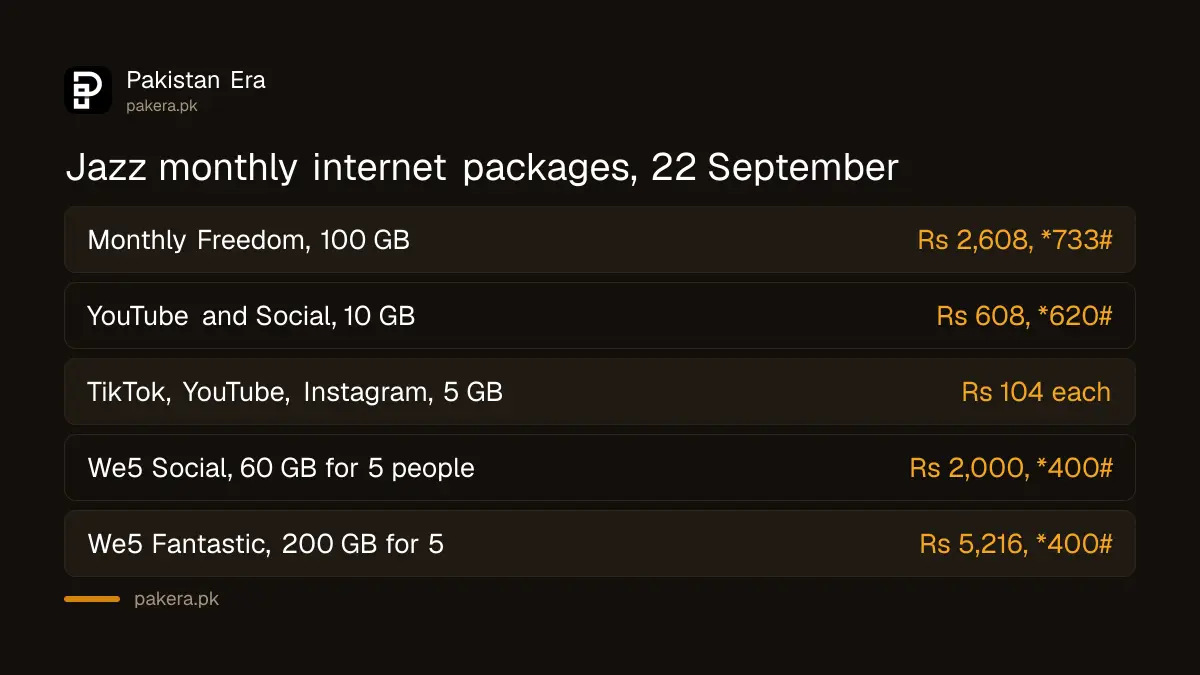
| Package | What you get | Price, incl. tax | Code |
|---|---|---|---|
| Monthly Freedom | 100 GB, 3,000 Jazz minutes and SMS, 750 other network minutes | Rs 2,608 | *733# |
| Monthly YouTube and Social | 10 GB for YouTube, Facebook and WhatsApp, 300 Jazz minutes, 50 other network minutes, 300 SMS | Rs 608 | *620# |
| Monthly TikTok | 5 GB for TikTok only | Rs 104 | No code on the page |
| Monthly YouTube | 5 GB for YouTube only | Rs 104 | No code on the page |
| Monthly Instagram | 5 GB for Instagram only | Rs 104 | No code on the page |
| Monthly Snapchat | 5 GB for Snapchat only | Rs 104 | No code on the page |
| We5 Social | 60 GB for social apps, shared by up to 5 people | Rs 2,000 | *400# |
| We5 Super | 60 GB, shared by up to 5 people | Rs 2,869 | *400# |
| We5 Fantastic | 200 GB, shared by up to 5 people | Rs 5,216 | *400# |
Jazz also lists a Monthly Bachat Offer at Rs 478, with 6 GB for WhatsApp, IMO and Tamasha. Its page says it is only for selected customers in some areas, so you may not be offered it.
The four single app bundles only work in that one app. Your browser, WhatsApp and other apps will still use your normal balance. The Monthly Freedom and single app pages also say they are not available in AJK or Gilgit-Baltistan.
How to subscribe to a Jazz monthly package
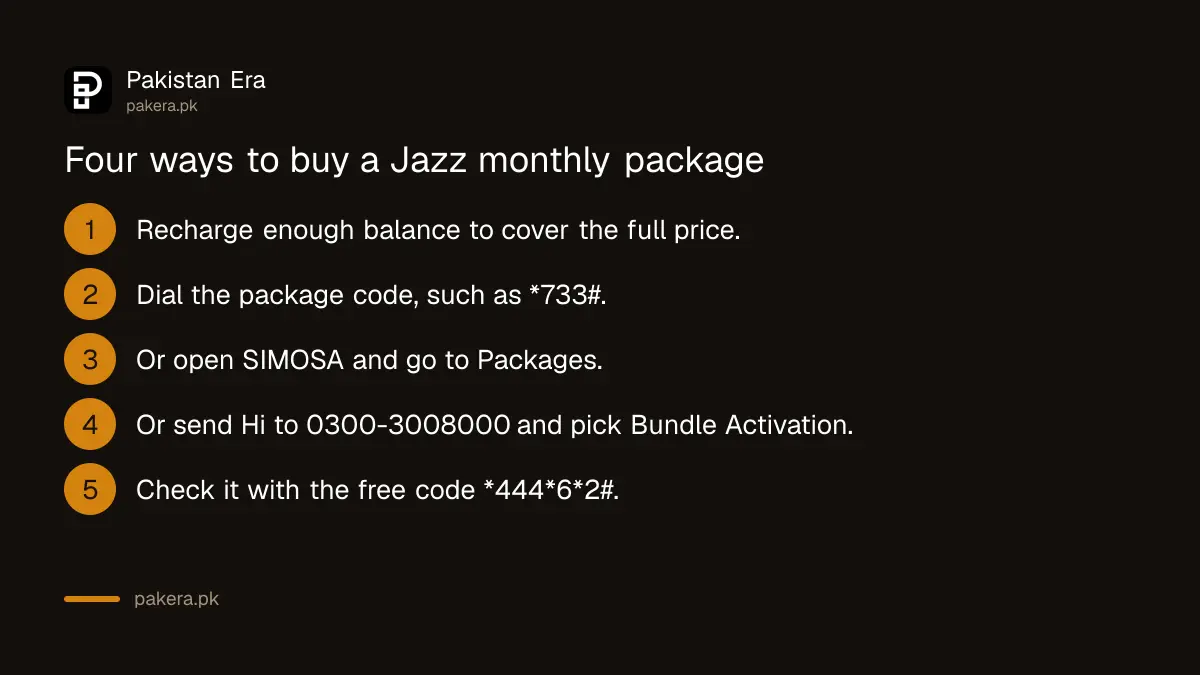
Jazz gives four routes. Pick the one that suits you.
- By dial code. Recharge enough balance first. Then dial the package code, for example *733# for Monthly Freedom, and confirm if asked. This works on any phone and needs no internet.
- Through the menu code. Jazz lists *444# as its code to activate prepaid bundles and offers. It shows a menu you can move through with number keys.
- In the SIMOSA app. Open SIMOSA, go to the Packages section, choose the bundle and confirm. SIMOSA is the app that used to be called Jazz World.
- On Jazz WhatsApp. Send "Hi" to 0300-3008000 from your Jazz number, choose Bundle Activation, then Data Bundles.
Each bundle page on jazz.com.pk also has a Subscribe Now button that asks for your mobile number. That is useful for the single app bundles, which have no code on their pages.
Jazz also has three codes that help you pick a package. *5555# (Just 4 You) shows three offers based on your use. *699# shows packages "tailored" to you, and Jazz says these can differ from person to person. *303# lets you build your own bundle for 1, 7 or 30 days.
Rules to know before you pay
- It does not renew by itself. The Monthly Freedom page says the package is "non-recursive". You must dial the code again when it ends.
- Validity is the day you subscribe plus 29 days. It ends at midnight on the last day.
- Balance must cover the full price. Jazz says the balance needed may be rounded up to the next whole rupee.
- Running out early costs more. On Monthly Freedom, Jazz charges Rs 2.25 per MB once the 100 GB is used but the month has not ended.
- Upgrading can combine bundles. If you have Monthly Freedom and buy a higher priced monthly hybrid bundle, Jazz says the leftover resources join the new bundle until it expires. This does not apply to social or location based bundles.
The minimum Jazz recharge is Rs 100, according to Jazz's FAQ. You can recharge at jazz.com.pk/recharge, in SIMOSA, on WhatsApp, through JazzCash or at a 1-Link ATM.
How to confirm the package is active
Do not rely on memory. Check it straight away.
- Dial *444*6*2#. Jazz lists this free code for checking the active package on a prepaid number.
- Or open SIMOSA. The active package shows on the home page.
- Or send "Hi" to 0300-3008000 and choose Account Details, then Package-Incentives.
If the package does not activate
- Not enough balance. Check your balance with *111# and recharge. Remember the price already includes tax.
- You are in AJK or Gilgit-Baltistan. Some bundles are not offered there. Try *444# to see what is.
- The offer is targeted. Bundles like Monthly Bachat are only for some customers.
- The code has changed. Jazz can change or withdraw any offer. If a code fails, use SIMOSA or WhatsApp, which show the current list.
- The package activated but data is slow. That is a network issue, not a subscription one.
A safety warning
Buy packages only through Jazz's own channels: its codes, SIMOSA, the WhatsApp number 0300-3008000 or jazz.com.pk. Messages offering a "free monthly package" if you click a link or share a code are a common fraud. Never read out a PIN or code from an SMS to someone who calls you. Also watch for extra services you did not ask for. Dial *6611# to see paid services on your number, and unsubscribe from any you did not ask for.
If you were charged and got nothing
Complain to Jazz first. Jazz asks customers to report package problems in SIMOSA, under Support, then Submit a complaint. You can also call 111 from a Jazz prepaid number, or 0 111 300 300 from any network. Keep the date, time and amount. If Jazz does not solve it, complain to PTA.
Common questions
What is the code for Jazz Monthly Freedom?
*733#. Jazz listed it at Rs 2,608 including tax for 100 GB on 22 September 2026.
What is the cheapest Jazz monthly internet package?
The single app bundles for TikTok, YouTube, Instagram or Snapchat, at Rs 104 for 5 GB. They only work in that one app.
Does a Jazz monthly package renew by itself?
Jazz says Monthly Freedom is non-recursive. You must subscribe again when it ends.
Is *602# a Jazz monthly package code?
We could not find *602# on any Jazz page we read on 22 September 2026, so we do not recommend it.
Can I share a Jazz monthly package with family?
Yes, with the We5 bundles on *400#. One person pays and can add up to 4 others.
How long does a Jazz monthly package last?
The day you subscribe plus 29 days. It ends at midnight on the last day.
How we verified this
What we checked, where we read it, and what we could not confirm.
Last checked 22 September 2026. Prices, allowances, codes and rules for Monthly Freedom, Monthly YouTube and Social, Monthly TikTok, Monthly YouTube, Monthly Instagram, Monthly Snapchat, Monthly Bachat, We5 Social, We5 Super and We5 Fantastic are from each bundle's page under jazz.com.pk/prepaid, and the full monthly list from Jazz's prepaid data listing at jazz.com.pk/prepaid/data. *444#, *5555#, *699# and *303# are from Jazz's dial code list and offer pages. The Rs 100 minimum recharge, the recharge routes, *444*6*2#, the SIMOSA and WhatsApp steps and the complaint route are from jazz.com.pk/faqs. We did not dial any code, and prices can change after the date above.
About the author

Public Services and Education Journalist
Fajr Riaz is a journalist and content writer at Pakistan Era, based in Lahore. She covers the questions people meet in everyday life in Pakistan: how a public service works, what a change in the rules means, and where to find a reliable answer.