How to Check Jazz Internet Speed on Your Phone
Check Jazz internet speed on speedtest.net with Wi-Fi off, read the numbers, and fix slow data with Jazz's own APN, 4G check and coverage maps.
To check your Jazz internet speed, turn Wi-Fi off, keep mobile data on, and run a test at speedtest.net or fast.com. The test shows your download speed, upload speed and ping. Jazz does not run its own speed test tool. If the result is slow, Jazz says speed depends on your SIM, your phone, the time of day, how many people are online and your distance from the tower.
We checked Jazz's help pages, its coverage maps and its internet settings instructions on 22 September 2026, and loaded both test sites the same day. We did not run a test on a Jazz SIM ourselves, so we give no typical Jazz speed.
How to run a Jazz speed test
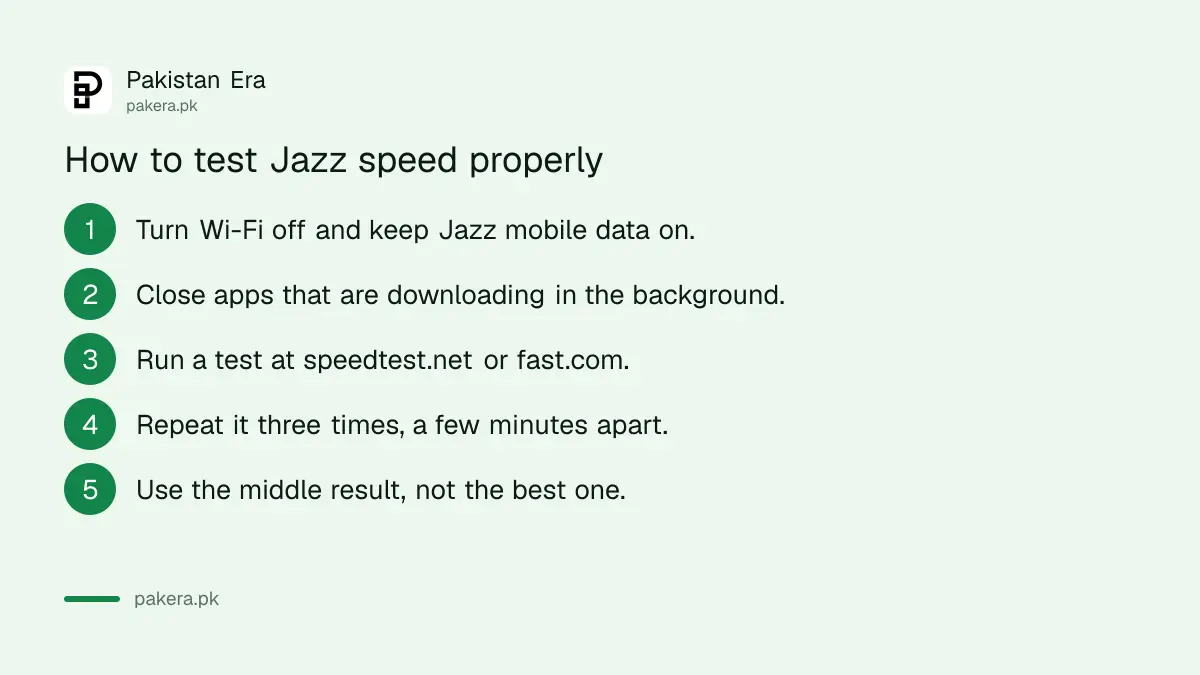
- Turn off Wi-Fi. If Wi-Fi is on, the test measures your Wi-Fi, not Jazz.
- If your phone has two SIMs, set the Jazz SIM as the mobile data SIM.
- Close apps that are downloading or streaming in the background.
- Open speedtest.net in your browser, or install the Speedtest app by Ookla. You can also use fast.com, which starts by itself.
- Tap Go and wait about 30 seconds. Do not use the phone while it runs.
- Note the three numbers: download, upload and ping.
- Run it two more times, a few minutes apart. Use the middle result, not the best one.
A speed test uses data. It can use tens of MBs on a fast connection. Run it when you have an active bundle, because Jazz charges Rs 5 per MB when no data bundle is active.
Jazz's website has a page called "Ookla Speedtest", but it is not a test. It is a page about a speed award Jazz won for 2019. Use the test sites above instead.
What the numbers mean
| Result | What it measures | What it affects |
|---|---|---|
| Download (Mbps) | How fast data reaches your phone | Videos, web pages, downloads |
| Upload (Mbps) | How fast data leaves your phone | Sending photos, video calls, posting |
| Ping (ms) | How long a signal takes to go and come back | Video calls and games. Lower is better |
| Signal bars and 4G or 5G icon | Signal strength and network type | Everything. No 4G icon usually means slow data |
Mbps means megabits per second. It is not the same as MB per second. Divide Mbps by 8 to get MB per second. So a 16 Mbps result downloads about 2 MB each second.
Why Jazz internet is slow, and what to do
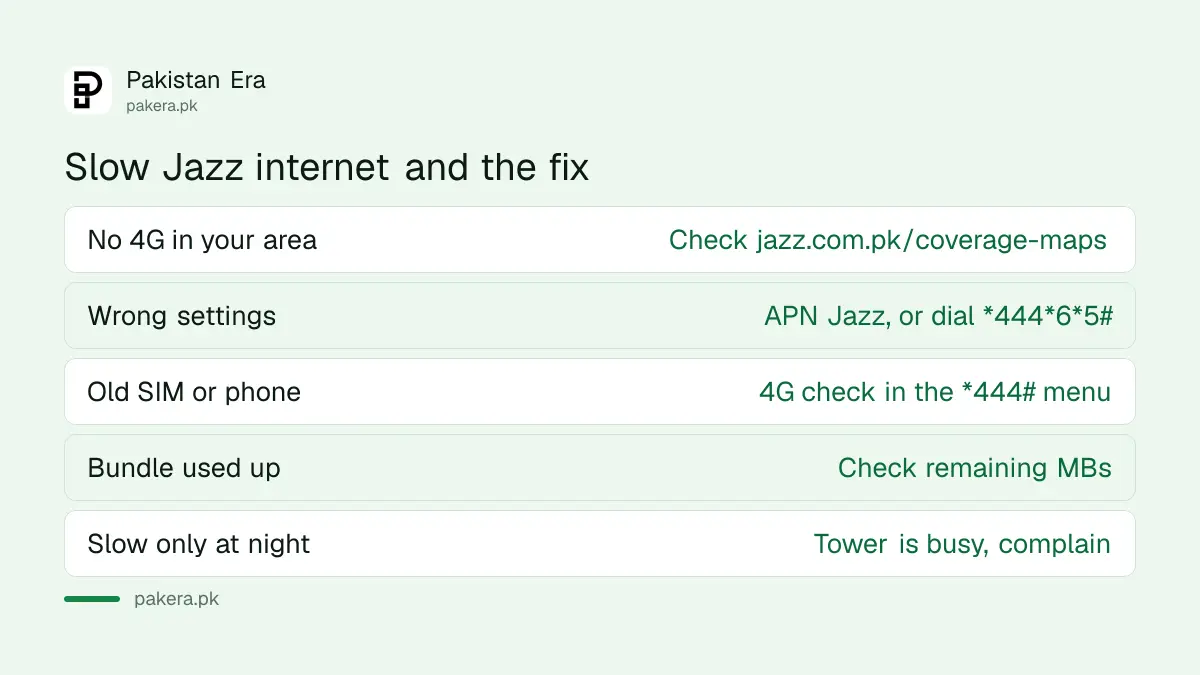
Every Jazz bundle page repeats the same line. Actual speed depends on your SIM, your device, the pages you open, the time of day, the number of people online at once, and your distance from the 2G, 3G or 4G site. Each of those has a fix you can try.
- Check coverage where you are. Jazz publishes coverage maps at jazz.com.pk/coverage-maps and a 5G map at jazz.com.pk/5g-coverage-map. If your area shows no 4G, the speed will stay low.
- Check your internet settings. Jazz says the APN for both prepaid and postpaid is "Jazz". Prepaid users can dial *444*6*5# to get the settings by SMS. Postpaid users send a blank SMS to 7342.
- Set your phone to 4G or 5G. Open your phone's mobile network settings and choose the highest network mode it offers, such as 4G/LTE or 5G.
- Check your SIM and phone support 4G. Jazz's *444# menu has a 4G check for both the SIM and the handset. An old SIM may need replacing. Jazz lists SIM replacement at Rs 550, with fingerprint verification.
- Check your bundle is still active. If the MBs have run out, data may stop or be charged at the base rate.
- Test at a different time. Evenings are busy. If the speed is fine in the morning but slow at night, the tower is crowded. That is Jazz's problem to fix, so complain.
- Move closer to a window, or go outside. Walls weaken the signal. If the speed is much better outside, the problem is your building, not your SIM.
If calls drop indoors too, Jazz offers Wi-Fi Calling on phones that support it. You turn it on in your phone's settings. It helps calls, not mobile data.
How to confirm the fix worked
Run the test again in the same place, at the same time of day, three times. Compare the middle results before and after. A single fast result proves nothing, because speed changes from minute to minute. If you change your SIM, your settings or your network mode, restart the phone before testing again.
A safety warning
Apps that promise to "boost" mobile data cannot change the signal your phone gets from the tower. Some ask for permissions they do not need, such as your contacts or SMS. Install only the Speedtest app by Ookla from Google Play or the App Store, or use the websites. Never install an app from a link sent to you on WhatsApp, even if it says it is from Jazz.
How to complain about slow Jazz internet
Jazz asks customers to report signal problems through the SIMOSA app, under Support, then Submit a complaint. You can also call 111 from a Jazz prepaid number, or 0 111 300 300 from any network. Give them your area, the times it is slow and your speed test results. Screenshots of three or four tests at different times make a strong case.
If Jazz does not fix it, you can complain to PTA.
Common questions
How can I check my Jazz internet speed?
Turn off Wi-Fi and run a test at speedtest.net or fast.com on your Jazz mobile data.
Does Jazz have its own speed test?
No. The "Ookla Speedtest" page on jazz.com.pk is about an award from 2019. It does not test your speed.
What is the Jazz APN?
Jazz says the APN is "Jazz" for both prepaid and postpaid. Prepaid users can dial *444*6*5# to get the settings by SMS.
Does a speed test use my MBs?
Yes. It downloads and uploads real data, so run it when a bundle is active.
Why is my Jazz 4G slow at night?
More people are online in the evening, so each person gets a smaller share. Jazz itself says the number of people online affects speed.
How do I know if my Jazz SIM supports 4G?
Jazz's *444# menu includes a 4G check for your SIM and your phone.
How we verified this
What we checked, where we read it, and what we could not confirm.
Last checked 22 September 2026. The factors that affect speed and the Rs 5 per MB base rate are from Jazz's bundle terms on its prepaid pages at jazz.com.pk. The APN, the *444*6*5# settings code, the 7342 SMS for postpaid, Wi-Fi Calling, the Rs 550 SIM replacement and the SIMOSA complaint route are from jazz.com.pk/faqs. The 4G check in the *444# menu is from Jazz's self-service page. The coverage maps are at jazz.com.pk/coverage-maps and jazz.com.pk/5g-coverage-map, both of which loaded for us on that date. The "Ookla Speedtest" page on jazz.com.pk describes an award for the second half of 2019. We loaded speedtest.net and fast.com but did not run a test on a Jazz SIM.
About the author

Public Services and Education Journalist
Fajr Riaz is a journalist and content writer at Pakistan Era, based in Lahore. She covers the questions people meet in everyday life in Pakistan: how a public service works, what a change in the rules means, and where to find a reliable answer.