iCloud Storage Full on iPhone in Pakistan: Free Up Space Without Paying, Step by Step
iCloud storage full on your iPhone in Pakistan? See what uses the free 5 GB, delete old backups, clear photos, Messages and Mail, and upgrade only if needed.
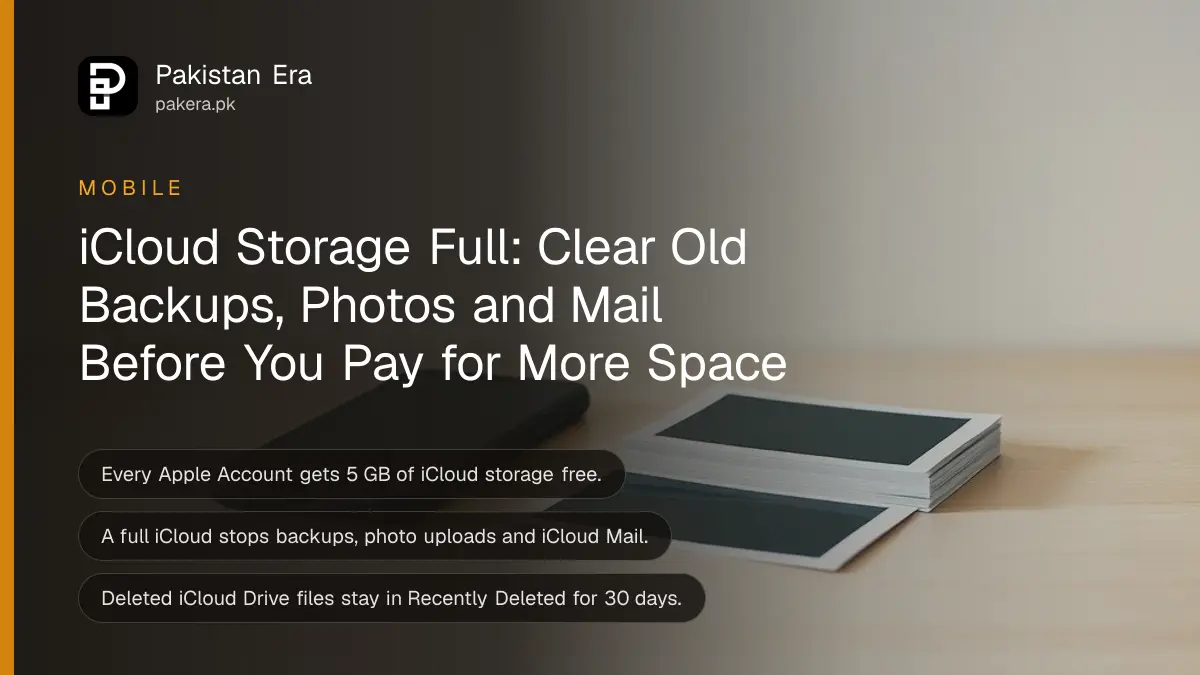
iCloud storage full on your iPhone? Go to Settings, tap your name, iCloud, and open Recommended for You (iOS 17 or later) to see what you can clear. Then delete old device backups, turn off backup for apps you do not need, and clear large Messages and Mail attachments. Every Apple Account gets 5 GB free, shared by everything.
That 5 GB fills quickly. Backups, iCloud Photos, iCloud Drive, Messages and iCloud Mail all draw from the same pool. One phone with a few years of WhatsApp videos and family photos can use it up on its own.
A full iCloud is not only a warning. Apple says the iPhone stops backing up, new photos stop uploading, and your iCloud email address stops sending and receiving mail. So fix it the same day.
A full iCloud stops backups, photo uploads and email
When iCloud storage is full, Apple says four things stop: iCloud Backup, new photos and videos going to iCloud Photos, iCloud Drive and other apps syncing across devices, and sending or receiving email at your iCloud address. Your existing data stays where it is.
| Service | What happens when iCloud is full |
|---|---|
| iCloud Backup | The iPhone stops backing up |
| iCloud Photos | New photos and videos stop uploading |
| iCloud Drive and apps | Files stop staying up to date across devices |
| iCloud Mail | You cannot send or receive email at your iCloud address |
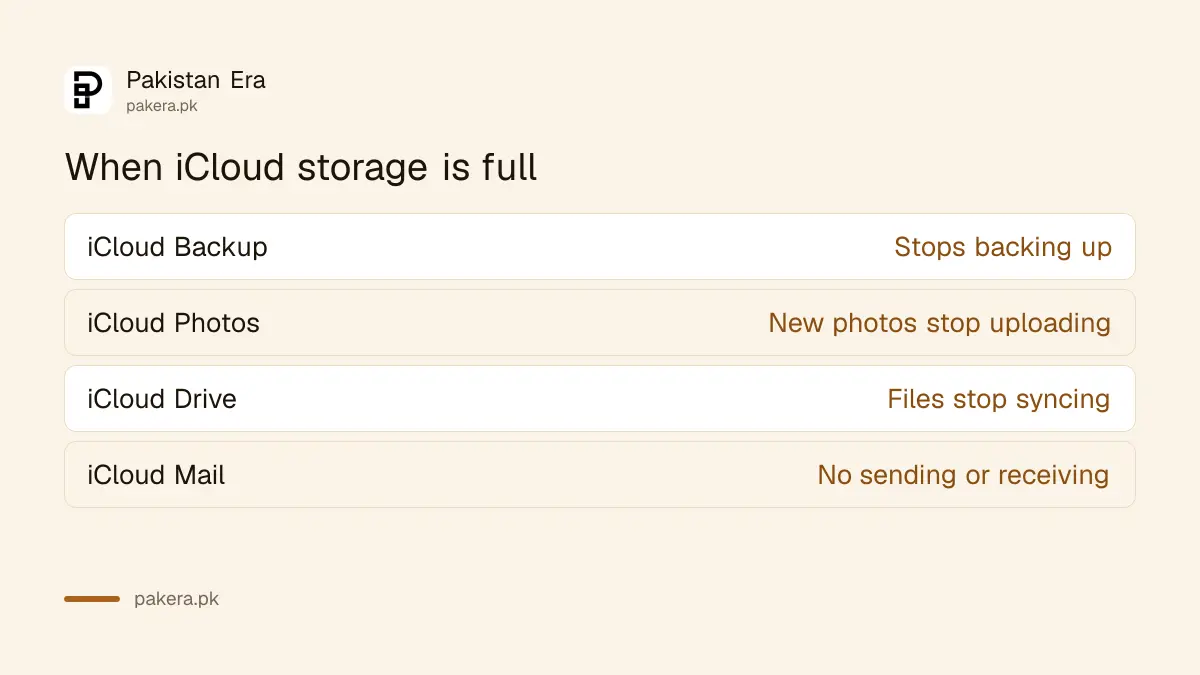
The backup is the one that hurts later. If the phone is lost or stolen while backups are stuck, everything since the last good backup is gone. You can check when that was in the last iCloud backup date.
See what is using your iCloud storage first
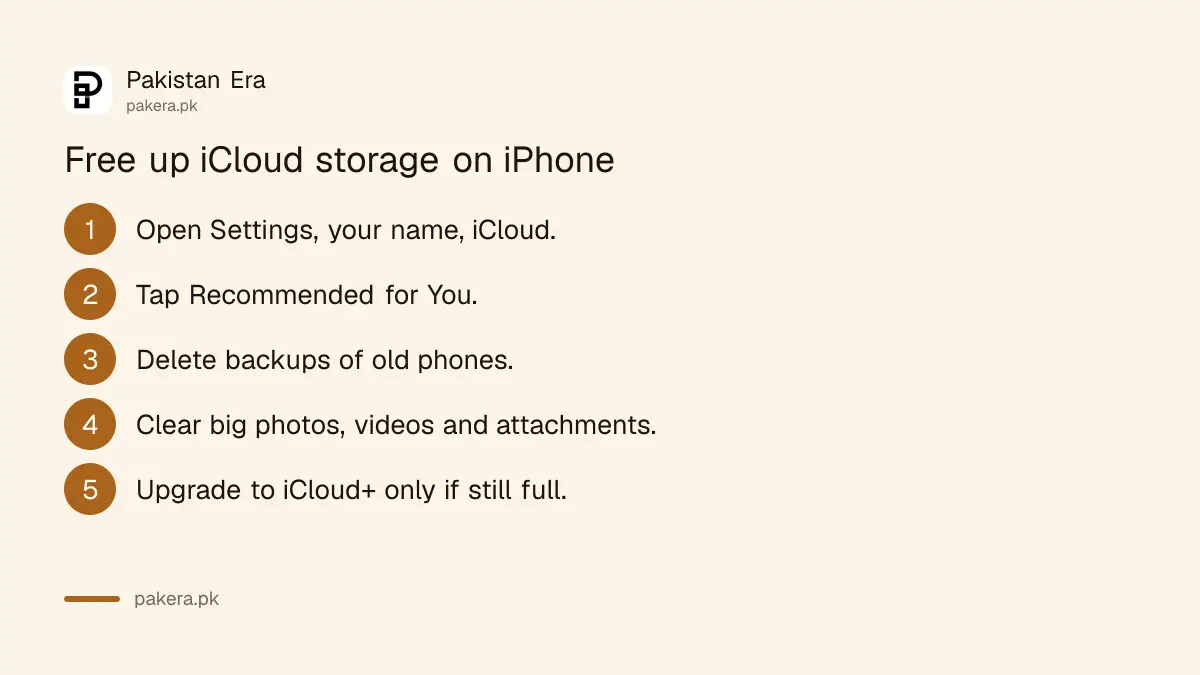
Open Settings, tap your name, then iCloud. The bar at the top shows how your storage is split between Photos, Backups, Drive, Messages, Mail and others. You can also check it at iCloud.com. Start with the biggest block, because that is where space comes back fastest.
- Open Settings and tap your name at the top.
- Tap iCloud.
- Look at the storage bar to see which service uses the most.
- On iOS 17 or later, tap Recommended for You for Apple's suggestions.
- Work through the steps below, biggest item first.
Before you delete anything, Apple advises copying or archiving what you want to keep. Deleting from iCloud usually deletes from every device on the same Apple Account, not only from the cloud.
Delete old backups and turn off backups you do not need
Old backups are often the easiest space to recover. A backup of a phone you sold years ago may still sit in iCloud. You can delete it, and you can turn off backup for apps whose data you do not need. Apple says deleted backups can be recovered for 180 days after you stop using iCloud Backup.
- Old phones: in the iCloud storage list, open Backups, choose a device you no longer use, and delete its backup.
- Big apps: on your current backup, turn off the apps you do not need backed up.
- Check first: make sure photos and videos in an old backup are saved somewhere else before you delete it.
WhatsApp on iPhone also backs up chats to iCloud, so its backup counts toward the same 5 GB. Clearing large videos and voice notes inside WhatsApp makes that backup smaller.
Clear photos, Messages attachments and Mail
Photos are usually the largest item. Deleting a photo from iCloud Photos removes it from every device signed in to the same Apple Account. Messages attachments and Mail with attachments also take real space, and Apple lists both as places to clean.
| Where | What to clear | Watch out for |
|---|---|---|
| iCloud Photos | Duplicates, screenshots, long videos | Deletes on all your devices |
| Shared albums | Photos you added | May count to the album creator |
| Messages | Old chats, photos, videos and files | Also gone from devices that sync Messages |
| iCloud Mail | Mail with attachments, then empty deleted items | Use Mail Cleanup to find big messages |
| iCloud Drive | Old files and folders | Kept 30 days in Recently Deleted |
Move photos off iCloud before you delete them if you want to keep them. Copy them to a computer or external drive. Some people also keep a second copy with Google Photos backup, which has its own storage limit.
Removed something by mistake? Deleted files in iCloud Drive stay in Recently Deleted or Trash for 30 days, and deleted photos on iPhone can often be brought back from Recently Deleted within that window.
Upgrade to iCloud+ only if cleaning is not enough
If you still need more space after clearing backups, photos, messages and mail, Apple suggests upgrading to iCloud+. It adds paid storage on top of the free 5 GB and is billed every month to your Apple Account.
Most single iPhone users do not need the largest plan. Plans and rupee prices are listed in iCloud storage price in Pakistan, along with how to pay from a Pakistani card or Apple balance.
Other items take smaller amounts of space: contact photos and posters, Voice Memos, FaceTime data and Apple Invites data. Apple lists them as things you can clear, but they rarely free much compared with photos and backups.
If the iPhone itself is full rather than iCloud, the fix is different. Phone storage full deals with the space on the device.
Common questions
How much free iCloud storage do I get?
5 GB with every Apple Account. Backups, photos, iCloud Drive, Messages and Mail all share it.
What happens if my iCloud storage is full?
The iPhone stops backing up, new photos stop uploading, iCloud Drive stops syncing, and iCloud Mail stops sending and receiving.
Will deleting an old iPhone backup delete my photos?
It deletes the photos inside that backup. Check that you have those photos saved elsewhere before you delete it.
Does deleting a photo from iCloud delete it from my iPhone?
Yes, with iCloud Photos on. Apple says deleting a photo removes it from all devices on the same Apple Account.
Can I recover a deleted iCloud backup?
Apple says deleted backups can be recovered for 180 days after you stop using iCloud Backup.
How we verified this
What we checked and where we read it.
Last checked 15 November 2026. The 5 GB allowance, what stops when storage is full, and every way to free space come from Apple Support: Manage your iCloud storage.
About the author

Technology Journalist & Multimedia Producer
Ahmad Ali is a technology journalist and multimedia producer at Pakistan Era, joining the team in October 2026. He covers consumer technology and digital life for Pakistani readers, combining research with hands-on product testing.