Back Up Your iPhone to iCloud and Check the Last Backup in Pakistan
Back up your iPhone to iCloud in Pakistan: Settings, your name, iCloud Backup, Back Up Now. See the last backup date, and the 4 conditions for automatic backup.
Short answer: Connect your iPhone to Wi-Fi, open Settings, tap your name, tap iCloud, then iCloud Backup, and tap Back Up Now. Stay on Wi-Fi until it ends. The date and time of your last backup show right under the button. Check it today, because a lost phone cannot be backed up later.
A phone stolen on a Lahore street or dropped in water takes years of photos and chats with it. A backup turns that loss into a bad day instead of a disaster. It takes about five minutes to check, and you do it from the phone itself.
We read Apple's support page on backing up an iPhone with iCloud on 13 October 2026. The steps below follow that page. We did not run them on a phone for this guide, and Apple's page does not state the free storage amount, so see the note on storage below.
Back up by hand in four taps
A manual backup saves your phone's data to iCloud right now. You need Wi-Fi and enough iCloud space. Apple says to stay connected to Wi-Fi until the backup ends, so do not leave the house or switch off the router in the middle.
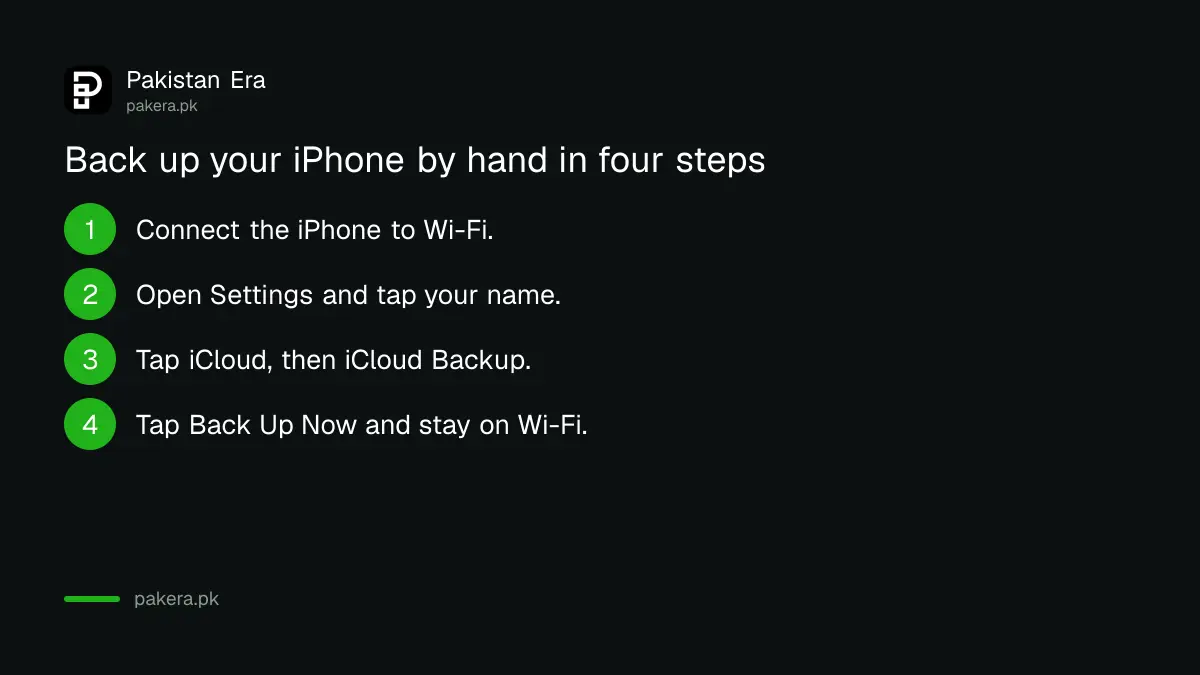
- Connect the iPhone to a Wi-Fi network.
- Open Settings and tap your name at the top.
- Tap iCloud, then iCloud Backup.
- Tap Back Up Now and stay on Wi-Fi until it finishes.
Under the Back Up Now button, Apple shows the date and time of your last backup. If it says weeks ago, or never, do a backup today.
Turn on automatic backup so you never forget
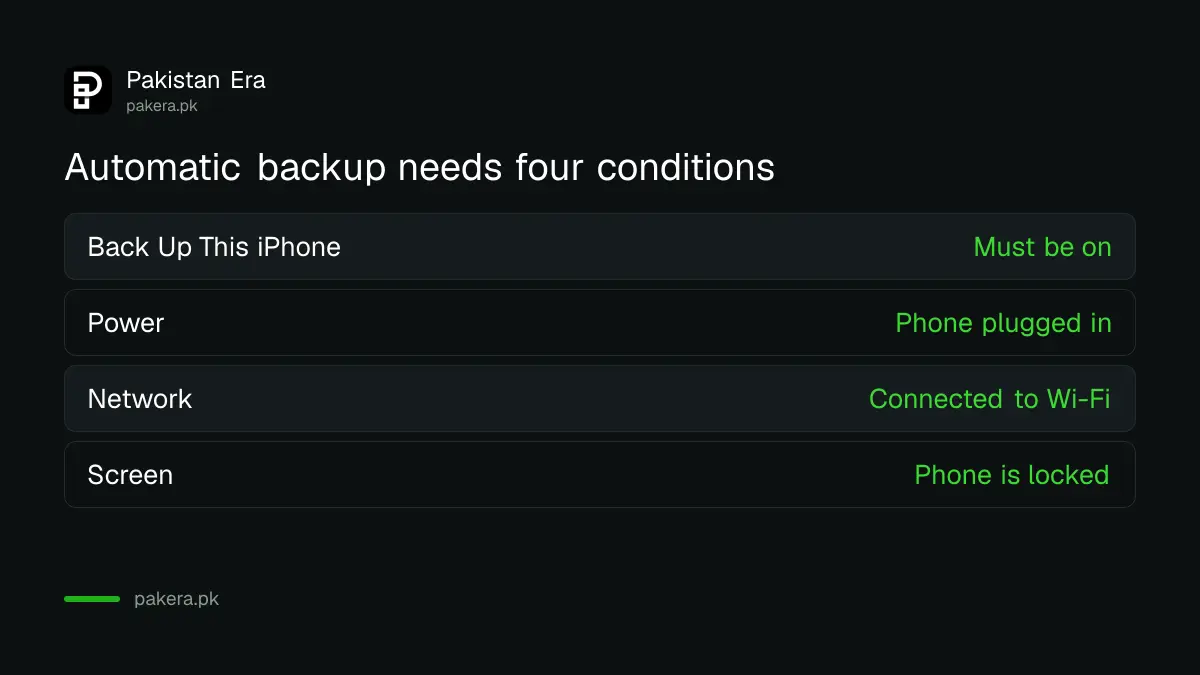
Automatic backup runs by itself each day, but only when four things are true. Apple says the phone must be locked, plugged in to power, connected to Wi-Fi, and have Back Up This iPhone switched on. If one is missing, no backup happens.
Many people charge their phone through the night on Wi-Fi, so this works well. But in Pakistan, load shedding can cut the router at night. Then the phone is on power, but not on Wi-Fi, and the backup is skipped. Check the last backup date every few weeks to be sure it works for you.
| Condition for automatic backup | What to check |
|---|---|
| Back Up This iPhone is on | Settings, your name, iCloud, iCloud Backup |
| Phone is plugged in | Charger connected overnight |
| Phone is on Wi-Fi | Router and power are on |
| Screen is locked | Phone is not in use |
Know what the backup holds and what it leaves out
Apple says an iCloud backup stores information and settings that do not already sync to iCloud. Data that already syncs, such as iCloud Photos, iCloud Drive and Notes, is not inside the backup because it is kept up to date separately.
According to Apple's page, a backup includes device settings, Home Screen layout, app data and organisation, ringtones and Apple Watch backups. It includes Messages and photos only if Messages in iCloud and iCloud Photos are off. This difference confuses many users, so check both switches.
WhatsApp chats need their own step. Turn on the chat backup inside WhatsApp, as set out in the guide to backing up and restoring WhatsApp chats. Moving from Android has a separate route, covered in how to move from Android to iPhone with WhatsApp chats.
Fix the not enough storage alert
If iCloud does not have enough space, Apple shows an alert and offers to buy more storage. Before you pay, see what is taking space. Photos are usually the biggest item, and old backups of devices you no longer use also count.
- Open Settings, tap your name, tap iCloud.
- Look at the storage bar and see which items are largest.
- Delete old backups of phones you no longer own, if they are listed.
- Switch off backup for apps that you do not need, such as games.
- If the space is still not enough, decide whether to buy a bigger plan.
Apple's page does not give the free amount, so confirm it on your own phone's storage screen. Payment for iCloud plans by Pakistani cards can fail, so check that your card works for international payments before you rely on a plan. A free alternative for photos is Google Photos, covered in the guide to Google Photos backup and free space. If storage on the phone itself is the problem, see fixing phone storage full.
Back up before you update, sell or repair
Back up before any big change. This means a new iOS version, a repair shop visit, a factory reset or a sale. Repair shops in Pakistan often wipe a phone to fix a fault, and the data does not return on its own.
Before an update, read the notes in the guide to iOS 27 and supported iPhones. Before selling, back up first and then erase the phone, as shown in erasing a phone before selling it. Keep a recent backup, and a lost phone becomes a phone you replace, not memories you lose.
Common questions
Where do I see when my iPhone was last backed up?
Open Settings, tap your name, tap iCloud, then iCloud Backup. The date and time of the last backup show under the Back Up Now button.
Does iCloud backup run when I am on mobile data?
Apple's page says to connect to Wi-Fi for the backup, and automatic backup needs Wi-Fi. A backup on mobile data is not described there, so use Wi-Fi.
Are my photos in the iCloud backup?
Only if iCloud Photos is off. When iCloud Photos is on, photos sync separately and are not stored inside the backup, according to Apple.
Why did my automatic backup not run?
One of the four conditions was missing. The phone must be locked, on power, on Wi-Fi, and Back Up This iPhone must be on. A night power cut can break the Wi-Fi.
Can I back up to a computer instead?
Yes. Apple lists backup to a Mac and to a Windows PC as other methods. We did not read those steps for this page, so follow Apple's own instructions for them.
How we verified this
What we checked, where we read it, and what we could not confirm.
Last checked on 13 October 2026, Pakistan time. We read Apple's page on backing up your iPhone or iPad with iCloud and its backup overview. We did not verify the free iCloud storage amount or how Pakistani cards pay for plans on Apple's pages. The night load shedding point is our own observation about local conditions, not Apple's wording.
About the author

Technology Journalist & Multimedia Producer
Ahmad Ali is a technology journalist and multimedia producer at Pakistan Era, joining the team in October 2026. He covers consumer technology and digital life for Pakistani readers, combining research with hands-on product testing.