How to Move WhatsApp Chats From iPhone to Android in Pakistan, Step by Step
Move WhatsApp chats from an iPhone to an Android phone with the same number over Wi-Fi. Read the 5 checks, 9 steps and what does not transfer, per WhatsApp.
To move WhatsApp chats from an iPhone to an Android phone, open WhatsApp on the iPhone, tap Chats, then Transfer chat history, then Transfer to Android. Keep the same phone number, use Wi-Fi, and do the transfer before you finish setting up WhatsApp on the new phone.
Changing phones in Pakistan often means losing years of family chats and photos. WhatsApp announced on 26 March 2026 that its chat transfer now supports iOS to Android, not just moves within the same platform. We read its Help Center page on the steps on 21 October 2026. This guide gives the rules and the order that matters.
Chat transfer now works from iPhone to Android
WhatsApp says its chat transfer feature moves your history from iOS to Android over a direct Wi-Fi link, and that WhatsApp cannot see the data. The reverse direction, Android to iPhone, is a different process, covered in moving WhatsApp data from Android to iPhone.
The announcement says the feature is "rolling out now and will be available to everyone soon". If you do not see the option, update WhatsApp and try again in a few days.
Check five things before you start
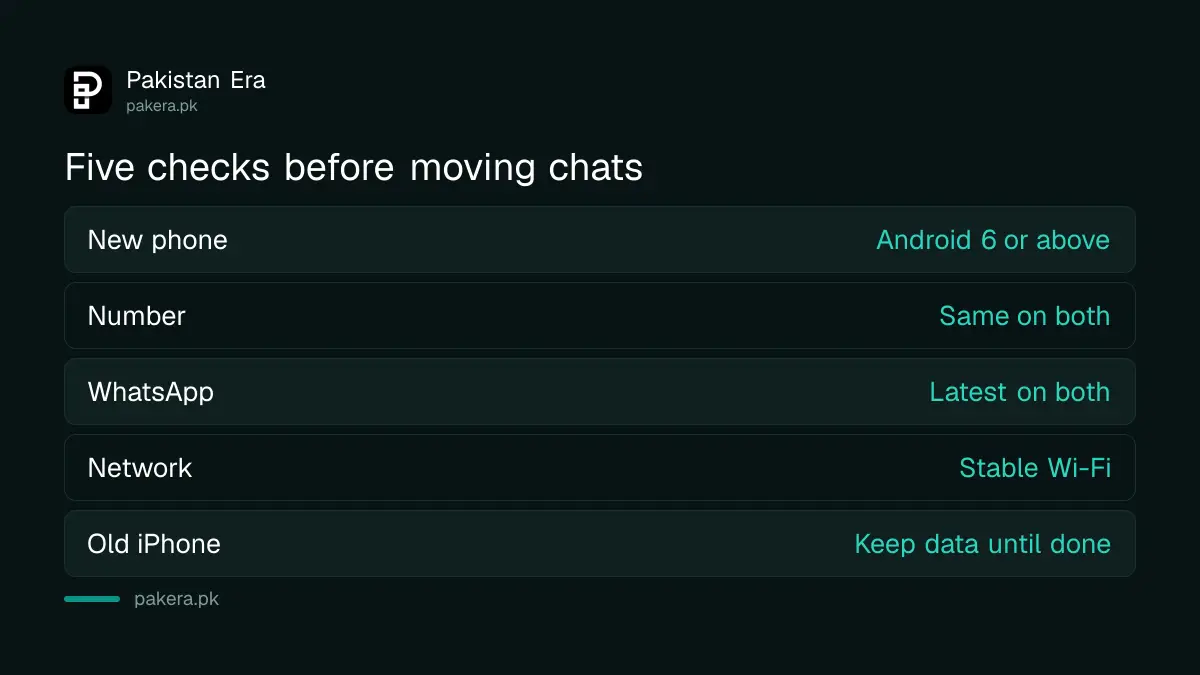
WhatsApp lists the requirements: an Android phone with Android 6 or above, the same phone number on both phones, the latest WhatsApp on both, stable Wi-Fi, and no deleting of data from the old iPhone until the transfer ends.
| Requirement | What WhatsApp says |
|---|---|
| New phone | Android 6 or above |
| Phone number | Same number on both phones |
| App version | Latest WhatsApp on iPhone and Android |
| Connection | Stable Wi-Fi |
| Old iPhone | Do not delete WhatsApp data until done |
Keep both phones charged and close together. A big history takes longer, and WhatsApp gives no fixed time.
The transfer takes nine steps in a set order
The order matters most on the Android phone. WhatsApp says you can only transfer chats before you activate WhatsApp on the new device. If you already signed in there, you must uninstall WhatsApp on the Android phone and start again.
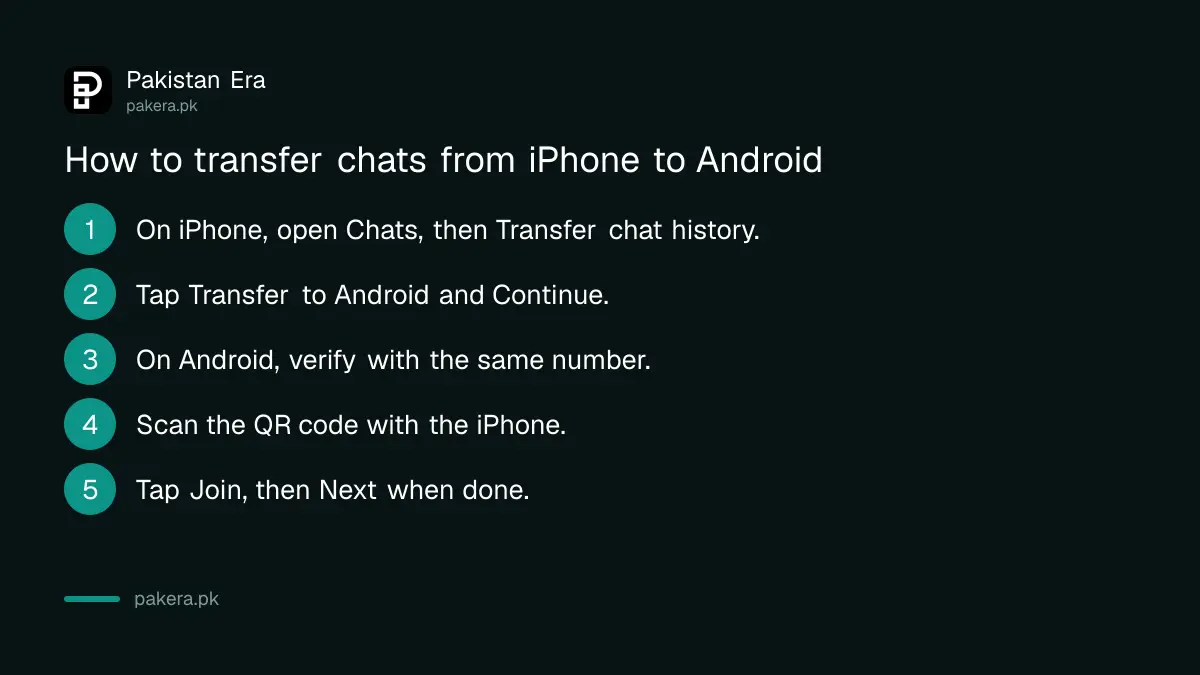
- On the iPhone, open WhatsApp and go to Chats, then Transfer chat history, then Transfer to Android.
- When the chats are prepared, tap Continue.
- If asked, tap Allow for camera access.
- Keep the iPhone unlocked during the transfer.
- On the Android phone, open WhatsApp and verify with the same number.
- Tap Allow so the phones can connect. A QR code appears.
- Scan the QR code with the iPhone camera.
- Tap Join to connect to the Wi-Fi network and start.
- When it finishes, tap Next on the Android phone to see your chats.
Some things do not move across
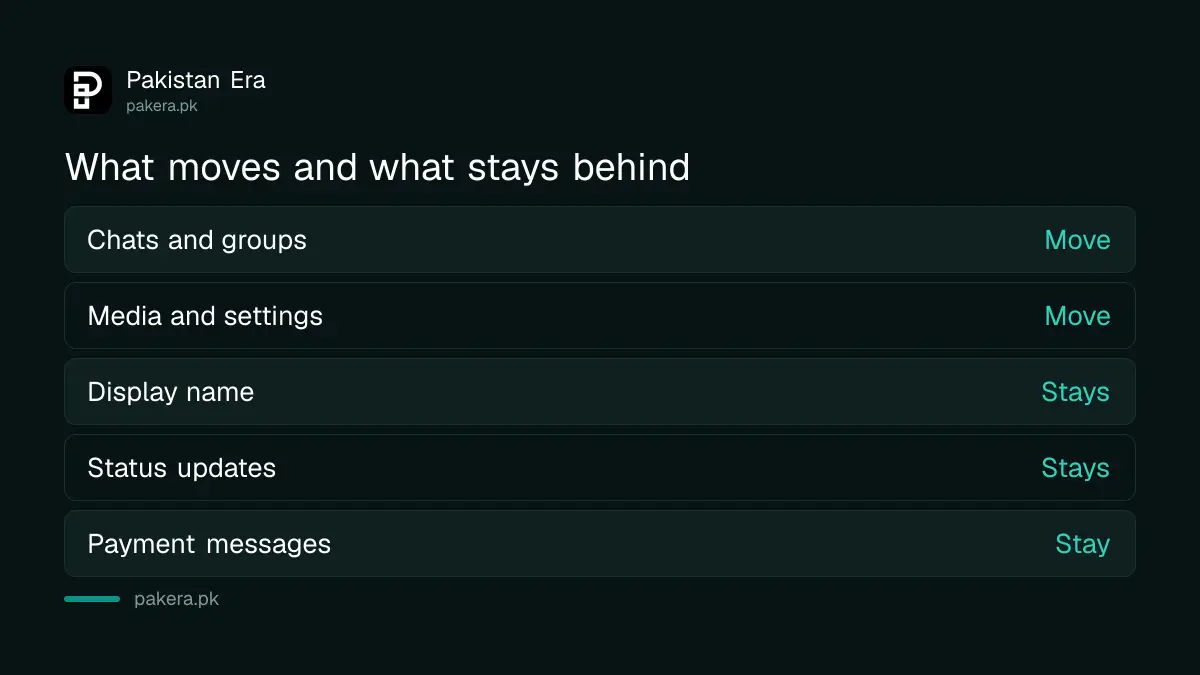
WhatsApp says you can transfer account information, chats, groups, communities, Channels updates, call history, media and settings. You cannot transfer your display name, status updates, media received over Channels, or peer to peer payment messages.
The WhatsApp Business app is not supported for this transfer. Transfer to a new phone number is also not possible. To change your number, follow changing your WhatsApp number and keeping chats first.
You also cannot merge new chats on the Android phone with old chats from the iPhone. It is all or nothing.
Back up and clear space before the move
A transfer copies everything, so a full phone slows it. Clear big files first with the steps in freeing up WhatsApp storage. WhatsApp says its March update lets you find and delete large files inside a chat through Manage Storage.
The transfer uses a local Wi-Fi link, so it does not go through cloud storage. WhatsApp notes you may still have sent data to iCloud through a separate backup. Your old iPhone keeps its data unless you wipe it or delete WhatsApp.
If the transfer fails or the option is missing
Check the basics first: both apps updated, the same number, Wi-Fi on, the iPhone unlocked. If the Android phone already finished sign in, reinstall WhatsApp there. After the move, check your account is safe with reviewing linked devices on WhatsApp.
Do not use third party apps that promise to transfer chats. A fake app can steal your account. WhatsApp's own transfer needs no extra software.
What moves and what stays behind
Chats, groups, communities, call history, media and settings move across. Your display name, status updates, Channels media and payment messages stay behind. The Business app and a new phone number are not supported. Check this list before you sell or wipe the old iPhone.
Do not sell or reset the old iPhone on the same day. WhatsApp says the old device keeps your data unless you wipe it or delete WhatsApp, so use that time to open a few old chats on the new phone and confirm photos, voice notes and group history look right.
Set up your display name and status again on the Android phone, since neither moves. Then turn on two step verification so the new phone is protected from day one.
Common questions about moving WhatsApp from iPhone to Android
Can I move WhatsApp chats from iPhone to Android for free?
Yes. WhatsApp's own feature does it over Wi-Fi with no fee. We saw no charge on WhatsApp's page.
Do I need the same phone number?
Yes. WhatsApp says it is not possible to transfer chats to a new number.
Can I transfer after I already set up the Android phone?
Only if you uninstall WhatsApp on the Android phone first. WhatsApp says transfer works before activation.
Will my Status updates move?
No. WhatsApp says status updates cannot be transferred from iPhone to Android.
Does WhatsApp Business support this?
No. WhatsApp says transfer from iPhone to Android is not possible on the WhatsApp Business app.
Does WhatsApp see my chats during the transfer?
WhatsApp says it cannot see the data you transfer. The chats stay end to end encrypted.
How we verified this
What we checked, where we read it, and what we could not confirm.
Last checked 21 October 2026. We read WhatsApp's Help Center page How to move chats from an iPhone to an Android device and the 26 March 2026 WhatsApp feature roundup. We did not run a transfer ourselves, and we could not confirm the rollout date for every Pakistani account. Transfer time depends on your data size.
About the author

Technology Journalist & Multimedia Producer
Ahmad Ali is a technology journalist and multimedia producer at Pakistan Era, joining the team in October 2026. He covers consumer technology and digital life for Pakistani readers, combining research with hands-on product testing.