Change Your WhatsApp Number in Pakistan Without Losing Chats
Got a new SIM? Change your WhatsApp number in Pakistan in 6 steps and keep chats and groups. Porting needs nothing. Make a new backup after, here is why.
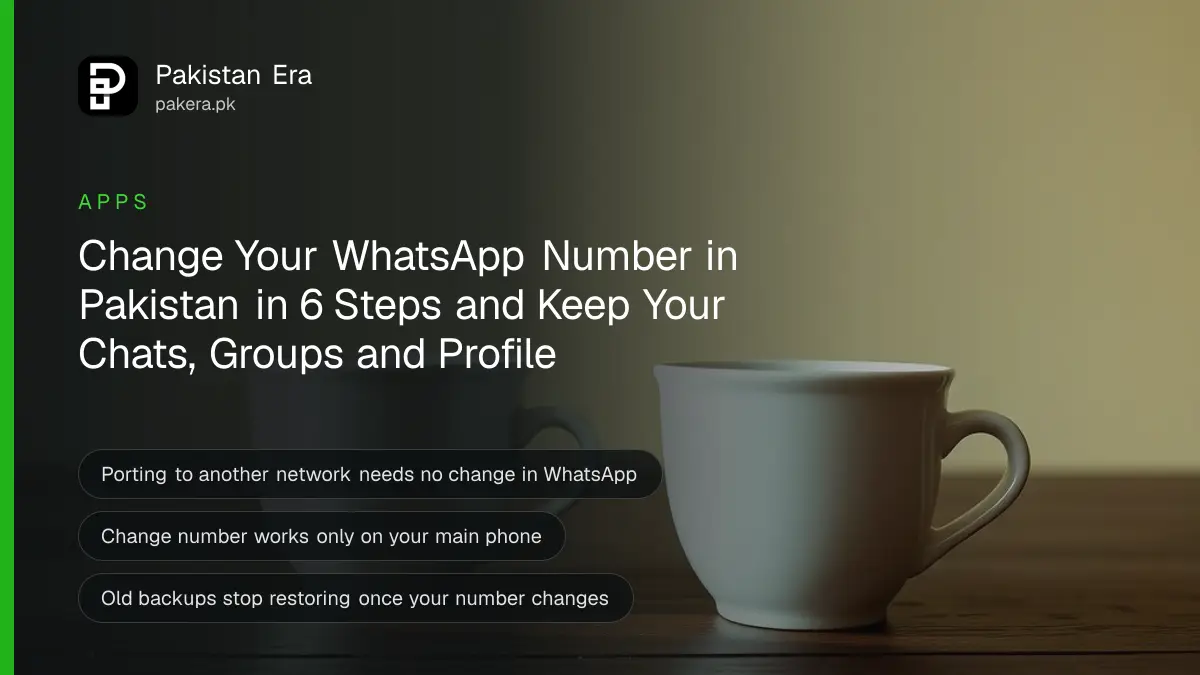
To move WhatsApp to a new SIM in Pakistan without losing chats, put the new SIM in your main phone, open WhatsApp Settings, then Account, then Change number, and enter your old and new numbers. Your chats, groups and profile move across. If you only ported your number to another network, you do not need to change anything.
Pakistanis change numbers all the time. A new job gives a company SIM. A family member hands over a Zong number. Someone moves abroad and switches to a UAE or Saudi line. The common mistake is to just log in with the new number. That creates a fresh, empty account and leaves the old one behind.
We read WhatsApp's own Help Center articles on changing numbers and porting on 10 October 2026. Here is the right route for each situation, and the backup trap that catches most people.
Porting your number and changing your number are not the same
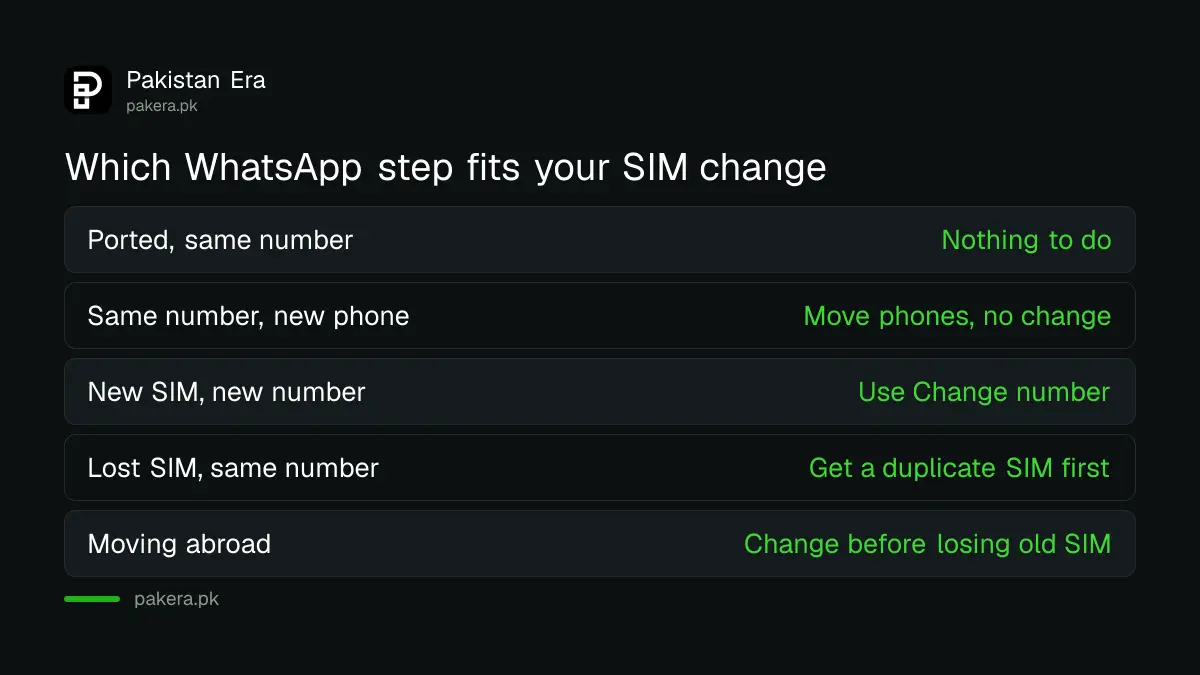
If you keep the same number and only move it to another network through MNP, WhatsApp needs nothing from you. WhatsApp says it is linked to your number, not your carrier. Only a genuinely new number needs the Change number feature, which moves your account across.
| Your situation | What to do in WhatsApp |
|---|---|
| Ported Jazz to Zong, same number | Nothing. Chats stay. |
| Same number, new phone | Move to the new phone, no Change number |
| New SIM with a new number | Use Change number on your main phone |
| Lost SIM, want the same number | Get a duplicate SIM from your operator first |
| Moving abroad to a foreign number | Use Change number before you lose the Pakistani SIM |
Porting in Pakistan is a separate process handled by the mobile operators, and it keeps your number. The steps for porting your number to another network are a different job from anything in WhatsApp.
Change your WhatsApp number in six steps
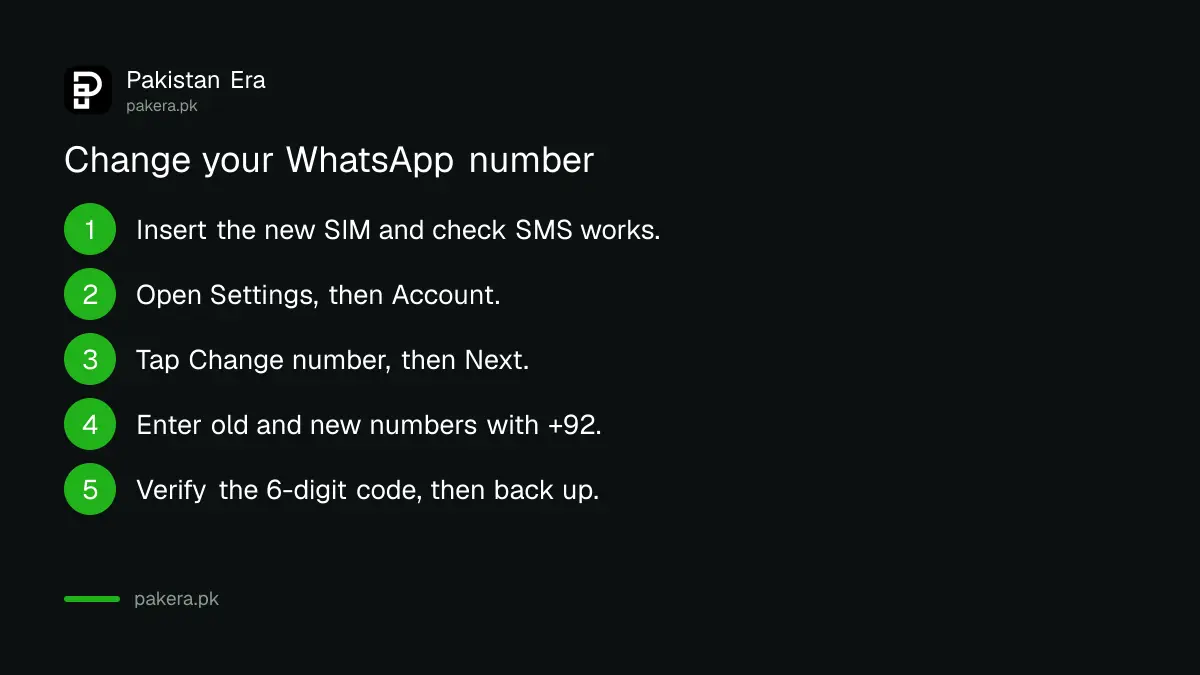
Use your main phone, not WhatsApp Web or the desktop app, because WhatsApp blocks Change number on linked devices. Put the new SIM in, make sure it can receive an SMS, and run Change number from Settings. WhatsApp moves your profile, contacts, individual chats and groups to the new number.
- Insert the new SIM and check that it can receive SMS and calls.
- Open WhatsApp on your main phone and go to Settings, then Account.
- Tap Change number, then Next.
- Enter your old number and your new number, both with the +92 country code for Pakistani numbers.
- Choose whether to notify your contacts, then tap Done.
- Enter the 6-digit code sent to the new number. If you use two-step verification, enter your PIN when asked.
WhatsApp then deletes the account on the old number, so contacts stop seeing the old one in their WhatsApp lists. Blocked contacts stay blocked and are not told your new number.
Make a fresh backup straight after, or lose it later
WhatsApp links each cloud backup to the number that made it. After a change, backups made under the old number can no longer restore your chats. So run a new Google Drive or iCloud backup the same day. Skip it, and a lost phone next month means lost chats.
This is the trap. Your chats are still on the phone after the change, so everything looks fine. The problem shows up only when you move to a new handset and the old backup will not restore. Open Settings, then Chats, then Chat backup, and tap Back up. The full steps are in backing up and restoring WhatsApp chats.
Also tell people. WhatsApp says only contacts who saved your new number get your broadcast messages. If you send prices or updates to customers through a broadcast list, message them first and ask them to save the new number.
When Change number does not work
The usual causes are a banned account, an unsupported number type, a weak signal or a full phone. WhatsApp's help page lists them. A recycled number that someone used before can also show as already registered. And there is no undo: a change made by mistake cannot be reversed.
- Old number not registered. Check which number WhatsApp shows by tapping your profile photo in Settings.
- Account banned. You will see "This phone number can't use WhatsApp". Tap Request review; WhatsApp says most reviews finish within 24 hours. If GB WhatsApp or another clone caused it, fixing a ban from an unofficial app comes first.
- Unsupported number. VoIP, toll-free, premium, UAN and personal numbers cannot register. Landlines work only on WhatsApp Business.
- Recycled number. If your new number shows as already on WhatsApp, WhatsApp says the earlier owner of that number may have used it.
- Code not arriving. Wait for the timer, then choose Call me. Asking again too soon makes the wait longer.
Lost the old SIM before you changed numbers? WhatsApp warns that you can then lose the account for good. Get a duplicate SIM on the same number from your mobile operator, then log in and change numbers properly.
Common questions
Will I lose my WhatsApp chats if I change my number?
No, if you use the Change number feature on your main phone. Your chats, groups and settings move to the new number. Make a fresh backup afterwards.
Do I need to change WhatsApp after porting from Jazz to Zong?
No. WhatsApp is linked to your number, not your network. After porting, the same number keeps working with the same chats.
Can I change my WhatsApp number on WhatsApp Web?
No. WhatsApp says the Change number option works only on your main phone. It is greyed out on linked devices like Web and desktop.
Will my contacts know my new number?
Tell them yourself. WhatsApp recommends telling your contacts before you change and asking them to save the new number. Blocked contacts are not told.
Can I undo a WhatsApp number change?
No. WhatsApp says a change cannot be reversed. If you go back to the old number, group admins must re-invite you.
How we verified this
What we checked, where we read it, and what we could not confirm.
We last checked these WhatsApp Help Center articles on faq.whatsapp.com on 10 October 2026:
- "About changing phone numbers", for what moves, deletion of the old account, backups tied to the number, broadcast lists, blocked contacts and the no-undo rule.
- "How to change your phone number", for the primary device rule.
- "Can't change phone number", for bans, the 24-hour review, unsupported numbers, recycled numbers and lost SIMs.
- "About logging in after porting your phone number", for porting, the 6-digit code and code wait times.
Menu names can differ a little between Android and iPhone. On both, Change number sits under Account in WhatsApp Settings.
About the author

Technology Journalist & Multimedia Producer
Ahmad Ali is a technology journalist and multimedia producer at Pakistan Era, joining the team in October 2026. He covers consumer technology and digital life for Pakistani readers, combining research with hands-on product testing.