MUST CMS Login Mirpur AJK: Student Portal, Results and Fee Challan
MUST Mirpur CMS login, step by step: the student console at cms.must.edu.pk, password reset, GPA and results, fee challan and semester registration in AJK.
MUST students sign in to the CMS at cms.must.edu.pk by clicking "Student Console". That opens the Student Login page at cms.must.edu.pk:8082, where you pick your session and programme, type your 3 digit roll number, and enter your password.
Most sign-in trouble at Mirpur University of Science and Technology (MUST) comes from one thing: the login does not use a normal username box. It builds your registration number from three menus. We opened every student system linked from must.edu.pk on 29 September 2026 and noted exactly how each one works.
There are three separate systems, and mixing them up wastes time. The CMS student console is for your record. The Online Challan system at challan.must.edu.pk is for fee vouchers. The admission portal is only for applicants.
MUST CMS portals and what each one does
MUST runs its campus management system on one address, cms.must.edu.pk. The front page is a staff login with a row of buttons. Students need the "Student Console" button. Fee vouchers sit on a different site, challan.must.edu.pk, linked from the university homepage.
| System | Address | Who uses it | How you sign in |
|---|---|---|---|
| Student Console (CMS) | cms.must.edu.pk:8082 | Enrolled students | Session, programme, roll number, password |
| CMS front page | cms.must.edu.pk | Faculty, HoD, Director | Username and password |
| Online Challan | challan.must.edu.pk | Anyone paying a MUST fee | Email or username, mobile number, captcha |
| Students Fee Management System | cms.must.edu.pk/sfms | Fee office staff | Campus, login name, password |
| Admissions | admission.must.edu.pk | New applicants | Applicant account |
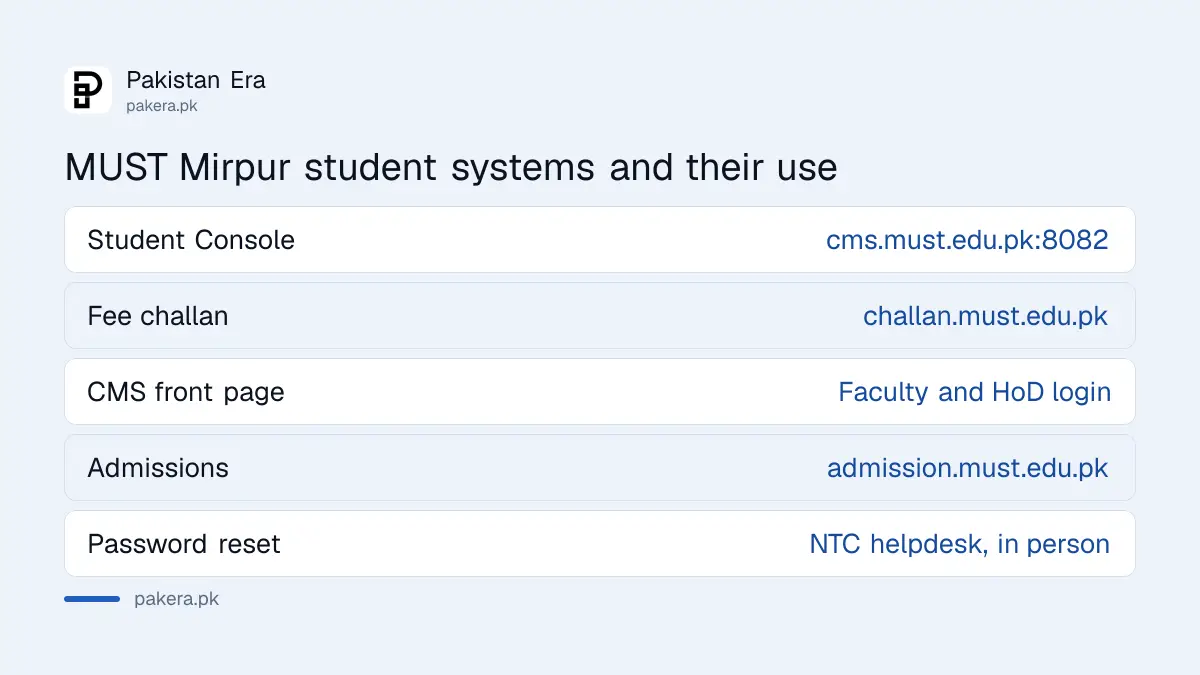
The front page at cms.must.edu.pk shows the message "Faculty/HoD/Director Login Here". Students who type their details into that box get nowhere. Scroll to the button row under the login table and click Student Console.
The same row has buttons for Parent Console, Registration and Exams, Coordinator, Fee, Library and HRMS. The Parent Console button sends you to the same student login page and shows the alert "Only for students".
How to log in to the MUST student CMS
Open cms.must.edu.pk, click Student Console, then choose your session and programme from the two menus, type your 3 digit roll number, enter your password and press Sign In. The page builds your full registration number as you type.
- Open cms.must.edu.pk in a browser and click the Student Console button.
- In the first menu, pick your session, for example FA24 for Fall 2024 or SP25 for Spring 2025.
- In the second menu, pick your programme code, for example BCS.
- Type your roll number. The box takes only 3 digits, so roll 7 is 007.
- Enter your password and press Sign In.
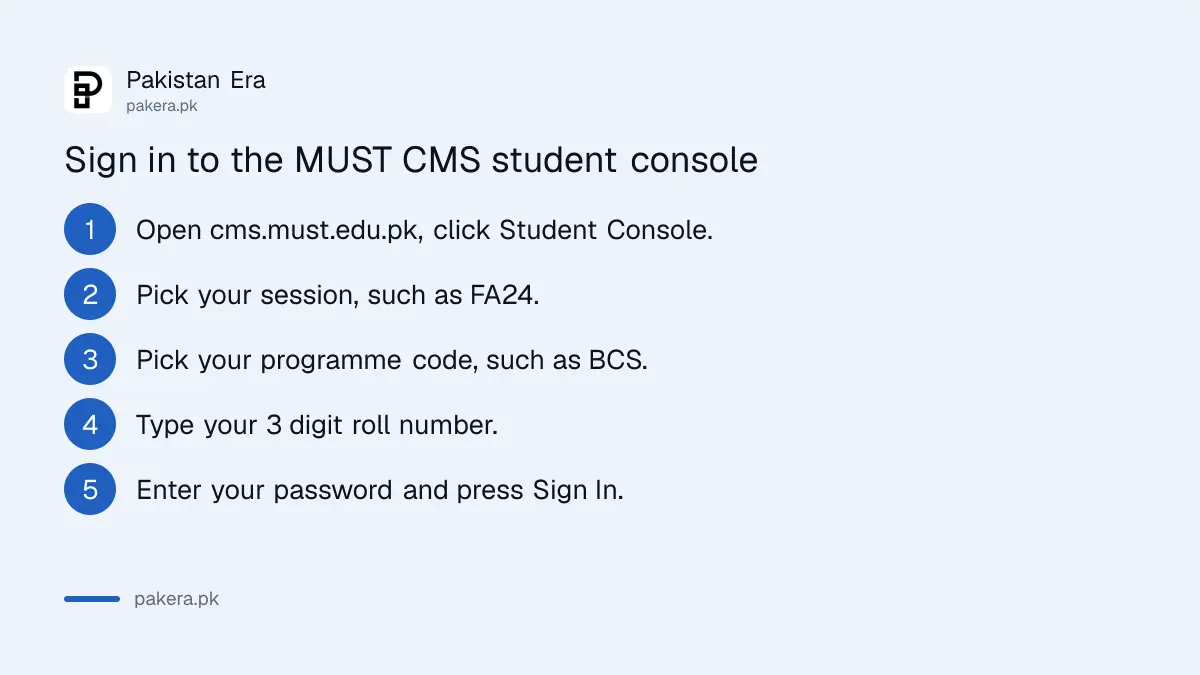
As you fill the boxes, the page shows your registration number in the form MUST/FA24-BCS-007/AJK. Check it against your admission letter or student card. If it shows in red, one of the parts is wrong.
The session menu lists four kinds of term: FA for Fall, SP for Spring, SU for Summer, plus SE and IN codes. On 29 September 2026 the latest Fall entry was FA25 and the latest Spring entry was SP26. There was no FA26 yet. New Fall 2026 students will need to wait until the university adds their session.
The console address uses port 8082, which is the ":8082" part. Some office and hostel networks block unusual ports. If the page does not open on campus Wi-Fi, try your mobile data before assuming the CMS is down.
Reset a forgotten MUST CMS password
The MUST student login page has no "forgot password" link. We found no self-service reset on must.edu.pk. Password resets go through the university's Network and Telecommunication Centre (NTC) helpdesk or your department office.
The NTC helpdesk page on must.edu.pk lists "Windows Installation and Password Reset" and "Login Provided" among the services it gives staff and students. The helpdesk sits in the Sciences Building at the City Campus, and at the NTC office in the Admin Block at the Jarikas Campus.
The university's contact page gives the NTC numbers as +92-5827-961005 and +92-5827-960096. Take your student card when you go in person. Nobody should ask for your password over the phone, and you should never send it to a WhatsApp number that claims to be "CMS support".
Once you are back in, change the password to something only you know. Your record holds your results and fee history, so a shared password is a real risk.
See MUST results and your GPA
MUST declares semester results through your department and issues a computerised result card in the first week of the semester break, under its semester rules. Your CMS student console holds your record after sign-in. The grading table explains how marks turn into a GPA.
We could not see inside the student console, because that needs a student's own login. So we cannot list its menu items. What is written on must.edu.pk is the grading system, and it answers most result questions.
| Rule | What MUST's grading page says |
|---|---|
| Pass mark | 50 per cent in each theory course |
| Lab courses | Theory and lab passed separately, 50 per cent each |
| Marks split | Quiz 10, assignment 10, mid term 30, final 50 |
| Grade points | 50 is 2.00 (C-), 70 is 3.00 (B), 90 and above is 4.00 (A+) |
| Credit weight | One credit hour equals 50 marks |
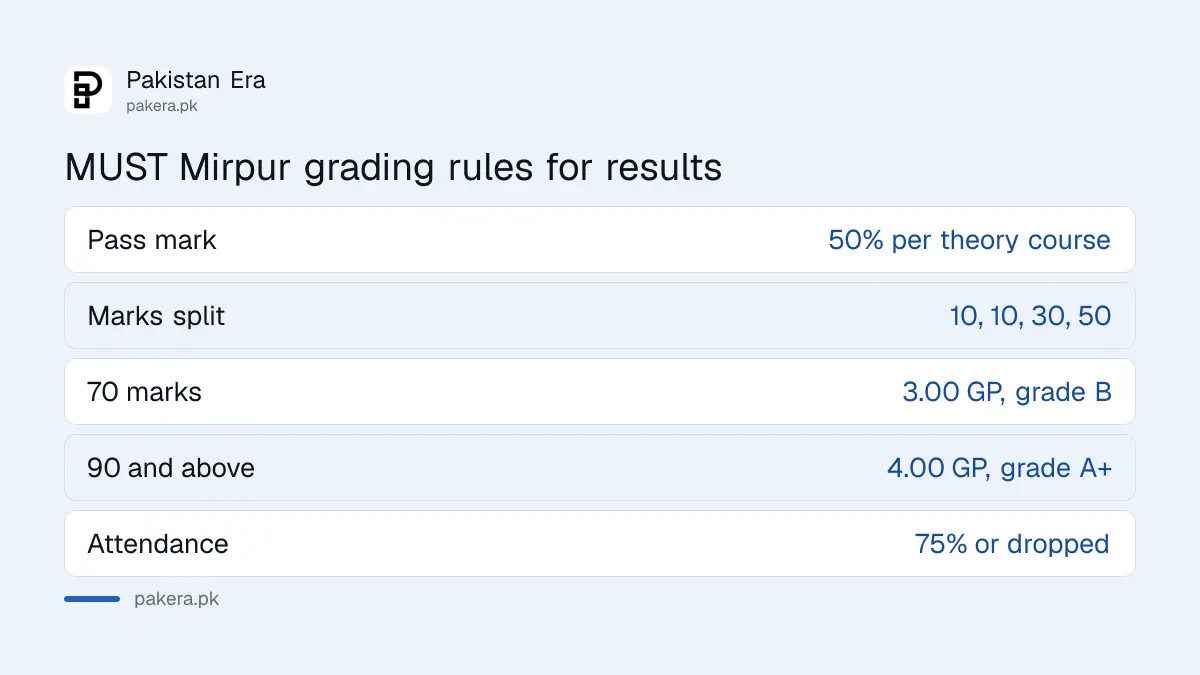
A fraction of half a mark or more rounds up, so 64.5 shows as 65. The weighted average percentage is not rounded before it becomes a GPA. The worked example on the page gives 63.92 per cent, which is a GPA of 2.65.
If you need a paper copy, the 2024 miscellaneous fee list prices a semester DMC at Rs 945 and a final DMC within two weeks at Rs 1,575. Those are the figures on the university's own PDF dated 2 September 2024. Check with the Controller of Examinations, +92-5827-961038, in case they have changed. Degree papers for abroad later go through apostille and attestation.
Get a MUST fee challan and register for the semester
Fee vouchers come from the MUST Challan Management System at challan.must.edu.pk. It asks for your email or username, a mobile number written as 923 followed by nine digits, and a captcha. Semester registration then needs your dues cleared first.
The mobile number format matters. The page says: "Enter Number like 923333333333". So 0300 1234567 becomes 923001234567, with no zero, spaces or plus sign. Students with two SIMs often forget which number they gave the university, and you can check your own mobile number with a short code before you start. The page footer says the system is run by NTC (MUST).
Registration follows the semester rules. Pre-registration is two days before the next semester starts, and only if your previous results are declared and "the dues for the next semester" are paid. Late registration is allowed within one week of the start, with a late fee.
Two more rules catch students every year. Attendance below 75 per cent in lectures or practicals drops you from that course. And the Fall semester runs from the first week of October to the first week of February, so Fall registration is due now.
Money is tight for many families in Mirpur and beyond. If fees are the problem, check first whether the BISP undergraduate scholarship run through HEC is taking applications, because its portal has been closed.
Common questions
What is the MUST CMS student login link?
Open cms.must.edu.pk and click Student Console. It takes you to the Student Login page at cms.must.edu.pk:8082.
What is my MUST registration number format?
MUST/session-programme-roll/AJK, for example MUST/FA24-BCS-007/AJK. The login page builds it from your menu choices and 3 digit roll number.
How do I reset my MUST CMS password?
There is no online reset link. Visit the NTC helpdesk in the Sciences Building at City Campus, or call +92-5827-961005, with your student card.
Why is my Fall 2026 session missing from the menu?
On 29 September 2026 the session menu stopped at FA25 for Fall. New students must wait until the university adds FA26.
Where do I get my MUST fee challan?
At challan.must.edu.pk. Sign in with your email or username and your mobile number in the 923 format, then fill in the captcha.
What is the pass mark at MUST?
50 per cent in each theory course. Where a course has a lab, theory and lab must each be passed separately.
How we verified this
What we checked, where we read it, and what we could not confirm.
Last checked on 29 September 2026. We opened cms.must.edu.pk (staff login and button row), the Student Login page at cms.must.edu.pk:8082 (session menu, programme menu, 3 digit roll number, registration format), cms.must.edu.pk/sfms, challan.must.edu.pk and admission.must.edu.pk ourselves. The password reset service and helpdesk locations are read on the MUST NTC Helpdesk page. Phone numbers are from the must.edu.pk contact page. The grading table, result card timing, registration, late fee and 75 per cent attendance rules are read on the MUST grading system page and its Semester Rules and Regulations page. DMC fees are from the MUST Miscellaneous Fee Structure PDF dated 2 September 2024. We did not log in to a student account, so the inside of the console is not described.
About the author

Tax, Bills and Technology Writer
Ali Akhtar is a young and curious voice here at Pakistan Era. He is currently pursuing his A-Levels and has a growing interest in Pakistan’s changing industrial landscape and educational trends. Ali likes to write in a way that helps him explain and explore the world around him. His writing reflects the perspective of the new generation navigating the evolving trends of Pakistan where technology, youth innovation, and shifting opportunities are reshaping the country’s future.