PSID Payment in Pakistan: Pay FBR, Punjab, Sindh, KP and Islamabad Fees in Any Bank App or Wallet (Every Biller ID)
Pay a PSID for FBR, Punjab, Sindh, KP or Islamabad fees in any bank app, JazzCash or Easypaisa. Where to create it, five steps, and 1LINK's biller ID for each.
A PSID is a payment slip ID that a government portal creates for one fee. You pay it in any bank app, JazzCash or Easypaisa by choosing 1Bill or the named government biller and typing the PSID. FBR's biller ID on 1Bill is PRAL0001 and the Government of the Punjab's is GOP00001. The full list for every province is below.
PSID payments cover income tax, provincial vehicle tax, job test fees, traffic fines, licence fees and customs duty. We read 1LINK's 1Bill biller list dated September 2026 and the FBR's pay income tax page on 1 November 2026. 1LINK runs the network that carries these payments between banks and government accounts.
A PSID is created by the office you owe, never by your bank
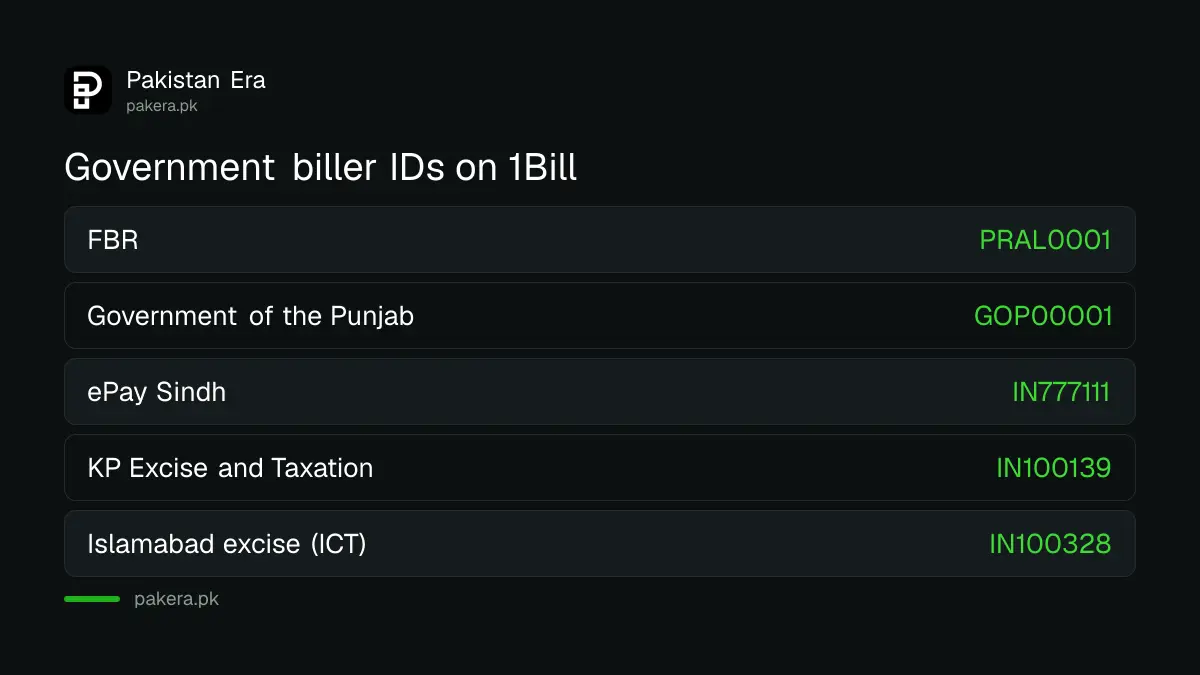
You get the PSID from the portal of the office that charges the fee. FBR creates it in IRIS, the Punjab government through its e-pay system, and the passport office through its fee portal. Your bank only collects the money against that number.
So the first step is always on the government side. The FBR page says you log in with your IRIS details, open the e-Payments tab, and create a payment for the tax and year you owe. The PPSC payment manual says each PSID is 17 digits long and tied to one case.
| What you are paying | Where the PSID comes from |
|---|---|
| Income tax, FBR | IRIS, e-Payments tab |
| PPSC and other Punjab fees | Punjab government e-pay (GoPb) |
| Passport fee | Passport Fee Asaan (now also Raast QR) |
| Phone duty or customs on a parcel | PTA DIRBS or Pakistan Single Window |
| Balochistan vehicle token tax | Balochistan excise portal (BETO) |
Each of these has its own steps. The income tax PSID steps, the PPSC fee PSID through GoPb and the PSID for a phone held at customs walk through them one by one.
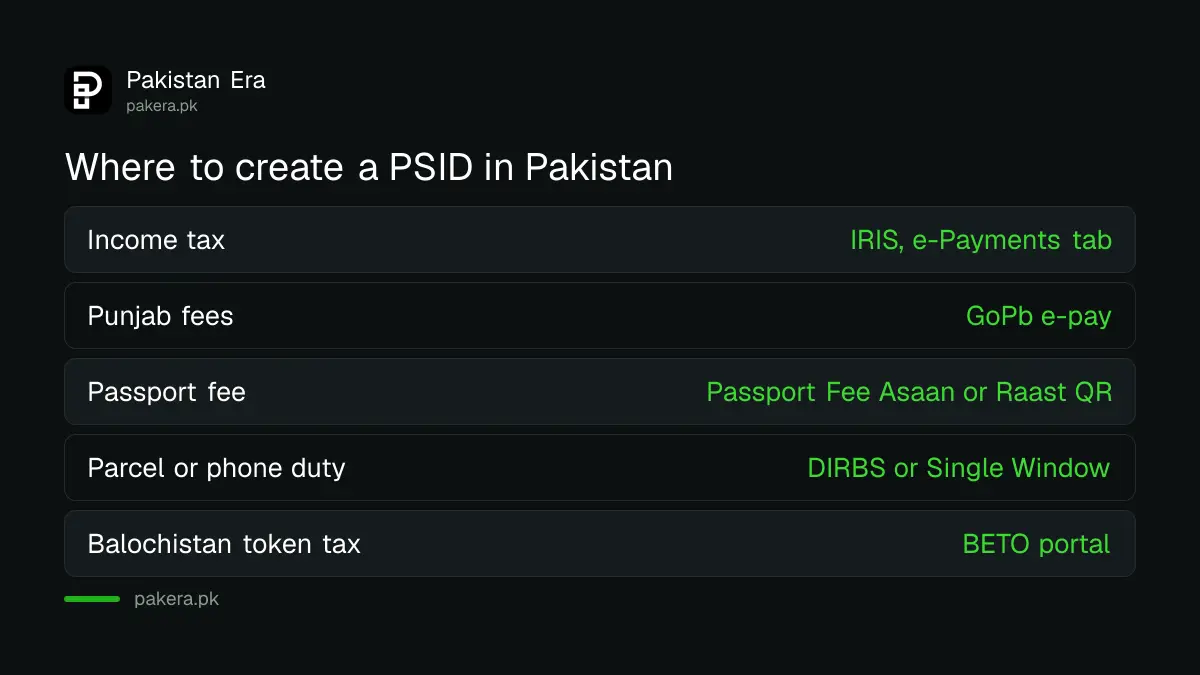
Pay any PSID in five steps in a bank app or wallet
Paying is the same for every office. Open Bill Payments, pick the government biller or 1Bill, enter the PSID, check the name and amount, and confirm. The amount is fixed inside the PSID, so you cannot pay more or less.
- Create the PSID on the office's portal and note all 17 digits.
- Open your bank app, JazzCash or Easypaisa and go to Bill Payments.
- Choose the named government biller, or 1Bill or Invoice if your app has one box.
- Type the PSID, then check that the office name and amount are right.
- Confirm with your PIN or OTP and save the receipt with its transaction ID.
Menu names vary by app. Some show "Government Payments", others "Taxes" or "1Bill Invoice". If you cannot find the office by name, use the 1Bill box with the full PSID.
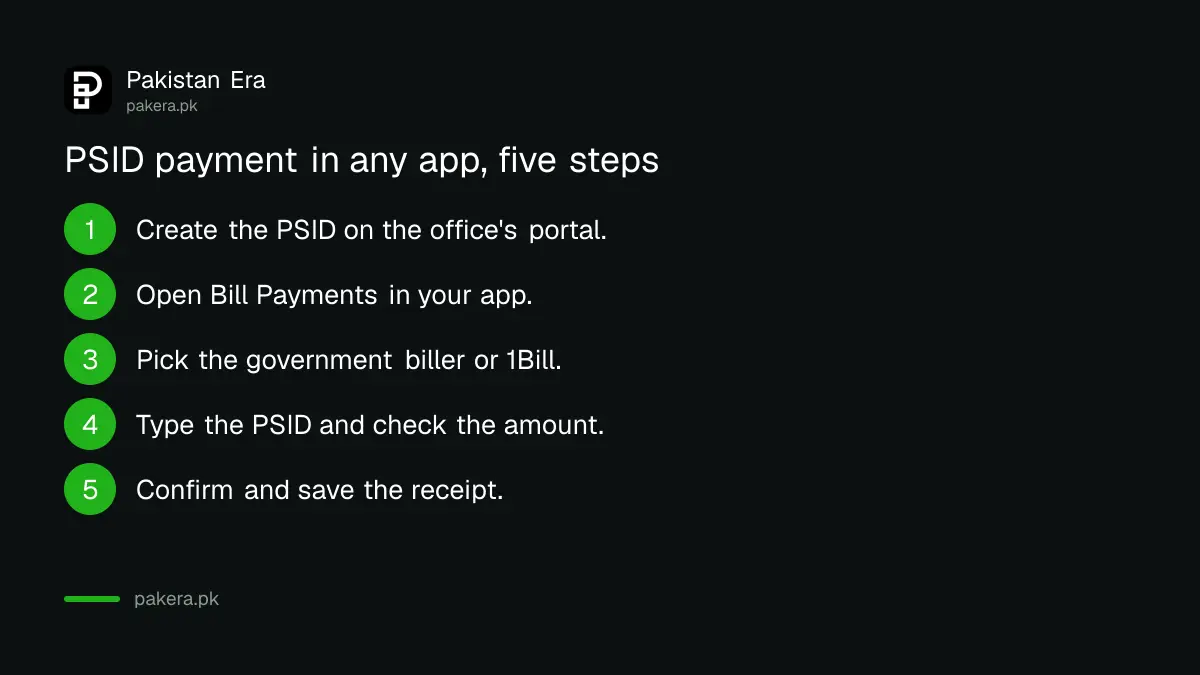
Every main government biller ID on 1Bill
1LINK's September 2026 list gives each government collector its own biller ID. The federal ones are FBR (PRAL0001), Pakistan Single Window (IN100074) and SECP (SECP0001). Each province has its own, from Punjab's GOP00001 to Sindh's IN777111 and KP excise's IN100139.
| Government biller | 1Bill biller ID |
|---|---|
| Federal Board of Revenue (FBR) | PRAL0001 |
| Pakistan Single Window, government payments | IN100074 |
| Pakistan Single Window, commercial payments | IN100779 |
| SECP | SECP0001 |
| Passport fee (passport tax) | IN999999 |
| Government of the Punjab (GoPb) | GOP00001 |
| PITB Payzen, Punjab | IN100700 |
| ePay Sindh, Government of Sindh | IN777111 |
| Sindh driving licence | IN111121 |
| Sindh Revenue Board, point of sale | IN101090 |
| Excise and Taxation, Khyber Pakhtunkhwa | IN100139 |
| KP Revenue Authority (KPRA) | KPRA0001 |
| Islamabad excise and vehicle (ICT) | IN100328 |
| CDA revenue, water and treasury | IN122001, IN122002, IN122003 |
| Balochistan Traffic Police | IN111071 |
| Gilgit-Baltistan government | IN101530 |
The Punjab ID covers a long list of fees, including traffic challans, driving licences and excise payments, all under GOP00001. In Islamabad, the CDA has three separate IDs, one each for revenue, water charges and treasury services, which matters when you pay CDA property tax and water bills from an app with a single 1Bill box.
The passport prefix 999999 shows how a PSID number is built
The passport office's own FAQ tells payers to type 999999 in front of the 17-digit PSID when paying through 1Bill. 1LINK's list writes the same biller as IN999999. So the six digits are the biller code and the "IN" only marks an invoice in 1LINK's list.
The passport office has since asked people to pay by Raast QR, so read the current method before you pay. If you have already paid and the token has not come, follow the steps for a passport fee paid but no token.
After paying, keep the receipt until the office shows it
A paid PSID does not always show at once on the office's side. The FBR says the computerised payment receipt, or CPR, is created after payment and shows in IRIS once the deposit is recorded. Keep your app receipt until then.
If the office still shows the fee as unpaid after a few working days, complain to your own bank or wallet first with the transaction ID. It can trace the payment through 1LINK. If money left your account and nothing reached the office, the bank has set deadlines to answer, explained under money deducted but payment failed.
Common questions
What is a PSID number in Pakistan?
PSID means payment slip ID. It is a number a government portal creates for one fee, with the amount fixed inside it, which you then pay at a bank or in an app.
How do I generate a PSID?
On the portal of the office you are paying. For income tax, log in to IRIS and use the e-Payments tab. For Punjab fees, use the GoPb e-pay system.
Can I pay a PSID with JazzCash or Easypaisa?
Yes, most PSIDs can be paid in wallets through 1Bill or the named government biller. The PPSC advertisements and the passport FAQ both list JazzCash and Easypaisa as channels.
What is FBR's 1Bill prefix?
1LINK's September 2026 list shows the FBR biller as PRAL0001. In most apps you choose FBR by name and type the PSID.
Can I change the amount on a PSID?
No. The amount is set when the PSID is created. To pay a different amount, create a new PSID on the portal.
My PSID payment is not showing. What should I do?
Wait for the office to record it, then complain to your bank or wallet with the receipt. For income tax, check whether the CPR appears in IRIS.
How we verified this
What we checked, where we read it, and what we could not confirm.
We read 1LINK's "1BILL Biller List LTD Sept 2026" PDF and FBR's pay income tax page on 1 November 2026. The PDF tables do not copy cleanly, so we checked every biller ID in two different text extractions. The passport prefix, the PPSC manual and the PSID portals come from official pages our team read in September and October 2026: the passport office FAQ, the PPSC e-pay user manual, the PTA DIRBS FAQ and the FBR e-payment pages. We did not create or pay a PSID ourselves, so app menu names and how quickly each office records a payment are not verified.
About the author

Technology Journalist & Multimedia Producer
Ahmad Ali is a technology journalist and multimedia producer at Pakistan Era, joining the team in October 2026. He covers consumer technology and digital life for Pakistani readers, combining research with hands-on product testing.