PTA Complaint App Upgraded: OTP Login and Fraud Number Reports
PTA's upgraded CMS app asks for an OTP at sign-in, takes document uploads and adds a fraud number report. How to file, track and escalate.
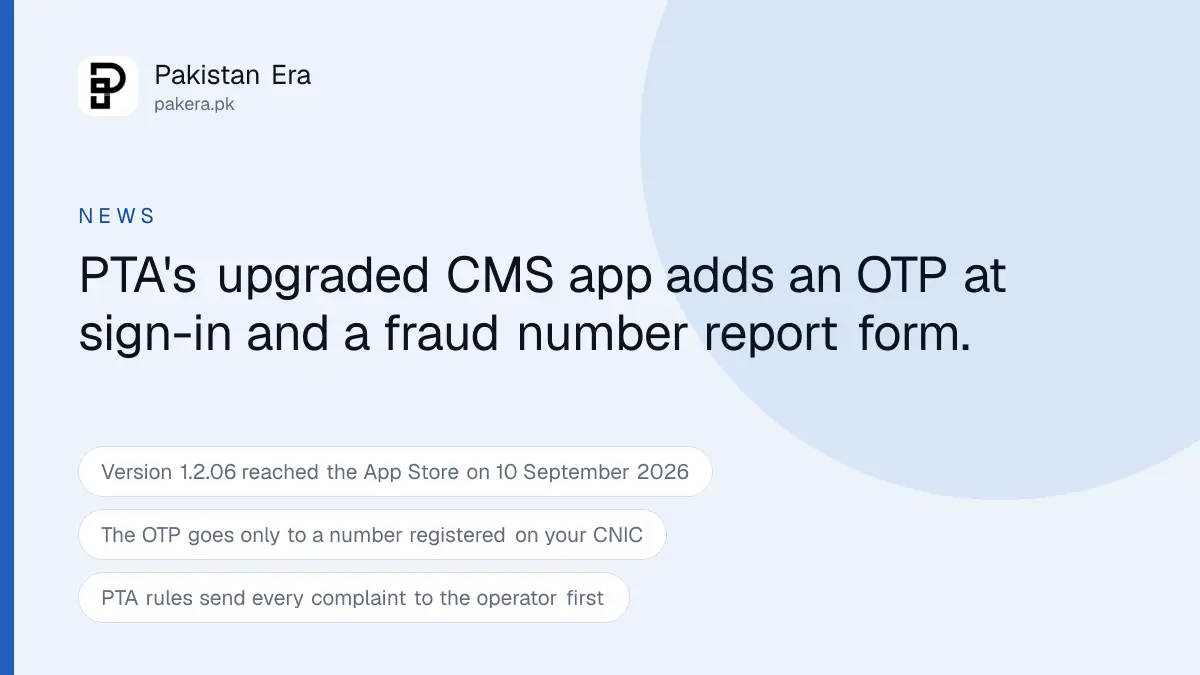
PTA released an upgraded PTA CMS complaint app for Android and iOS on 11 September 2026. Sign-in now asks for a one time password after your password, documents upload from inside the complaint form, and a new form lets you report a mobile number used in fraud. The rule that you complain to your operator first has not changed.
Three reviews on the Play Store in July and August 2026 describe the old app in the same words: white screen after sign-in, OTP that never arrived, complaint errors with no explanation. The release notes for the new version answer those three complaints almost line by line. Whether it works better is a question the next month of reviews will answer, but the changes are real and we read them at source.
We read PTA's press release of 11 September 2026, the App Store and Play Store listings, and the code of the complaint portal at complaint.pta.gov.pk that the PTA complaint app talks to. The press release is short, so most of the useful detail below comes from the listings and the portal.
What changed in the PTA complaint app?
Five things, and they are all about the sign-in and the form rather than about how PTA handles the complaint afterwards. The app now sends a 6 digit OTP at sign-in, takes attachments, names the field you got wrong, ends idle sessions, and adds a fraud number report.
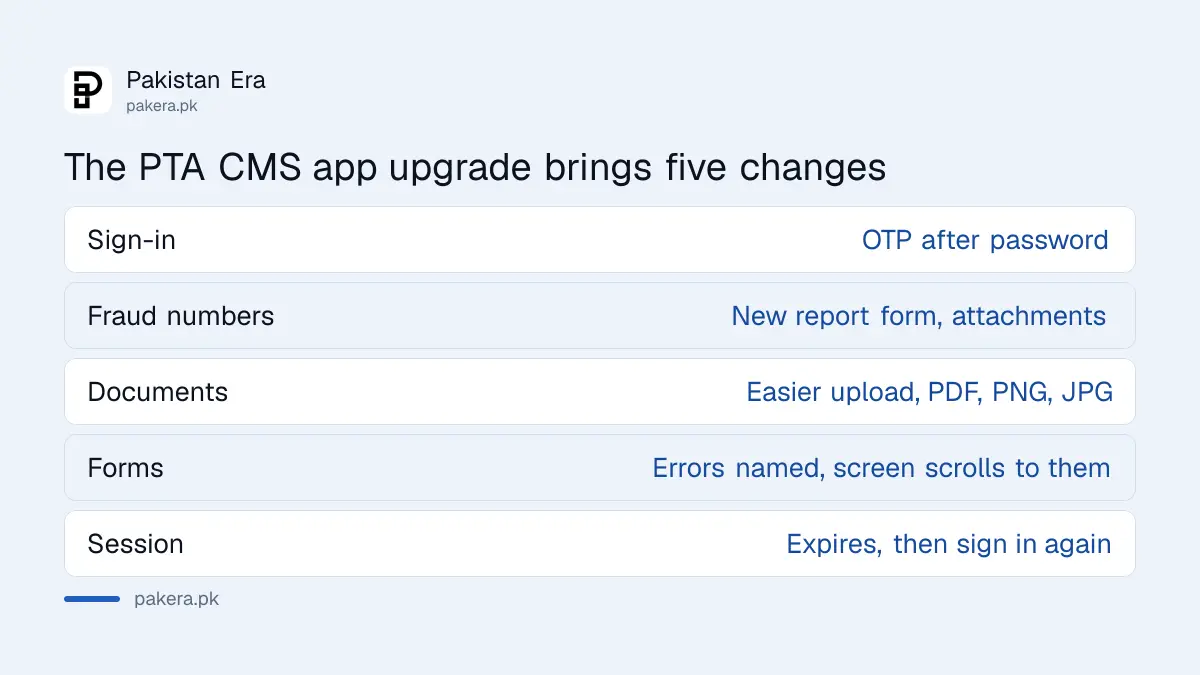
The App Store shows version 1.2.06 released on 10 September 2026, one day before the press release. Its release notes list a new "Report Mobile Number Fraudulent Activity" form with attachment support, OTP verification at sign-in, clearer error messages with automatic scrolling to the field that needs attention, a fix for OTP on the Forgot Password screen, and improved session handling, form validation and stability. The Play Store carries the same notes and shows the Android build updated on 27 August 2026, so Android users got it two weeks earlier.
| Change | What it means when you use the app |
|---|---|
| OTP at sign-in | Password first, then a 6 digit code by SMS to the number on your profile |
| Fraud number report | A separate complaint type for a number used in a scam, with screenshots |
| Document upload | PDF, PNG or JPG, up to 5 MB per file, from inside the complaint form |
| Form errors | The app names the missing field and scrolls to it |
| Session management | An idle session expires and you sign in again with an OTP |
The app first appeared on 30 September 2021 according to the App Store, and PTA announced it on 28 October 2021. The Play Store shows over a million downloads and a rating of 3.2 from 5,280 reviews. The App Store rating is 3.1 from 111 ratings. Those are the stores' own figures on 17 September 2026, before the new version has had time to move them.
How do you file a complaint in the new app?
Create a profile with a mobile number that is registered on your own CNIC, confirm it with the OTP, then pick a complaint type and fill one form. The portal says plainly that a profile needs "a mobile number registered against your name and CNIC", so start with the SIM check if you are not sure.
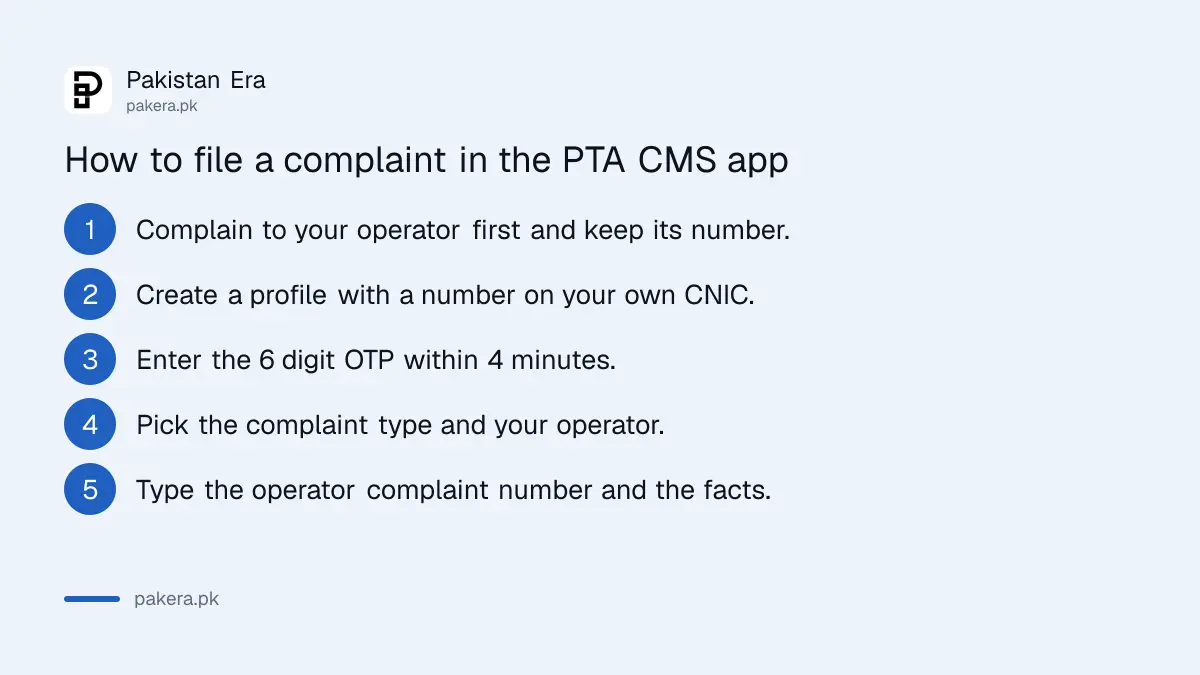
- Complain to your operator first, through its helpline or app, and write down the complaint number it gives you. The complaint form has a field for that number.
- Install PTA CMS from the Play Store or the App Store. The developer name on both listings is Pakistan Telecommunication Authority.
- Create a profile: full name as on your CNIC, the 13 digit CNIC, a mobile number registered on that CNIC, your city, and a password of at least 8 characters with one capital letter and one symbol.
- Enter the 6 digit OTP. It expires in 4 minutes, and the app offers a resend.
- Choose the complaint type. Against Service Provider is the one for balance deductions, packages and coverage. The others are fraud numbers, DIRBS, a stolen device, unblocking a recovered device, and unlawful online content.
- Select your city, the operator, the service type and the nature of the complaint, then type the number or device the complaint is about and describe what happened.
- Attach screenshots or a PDF, tick the four declarations, and submit. The app shows a complaint number and says you will get updates by SMS and email.
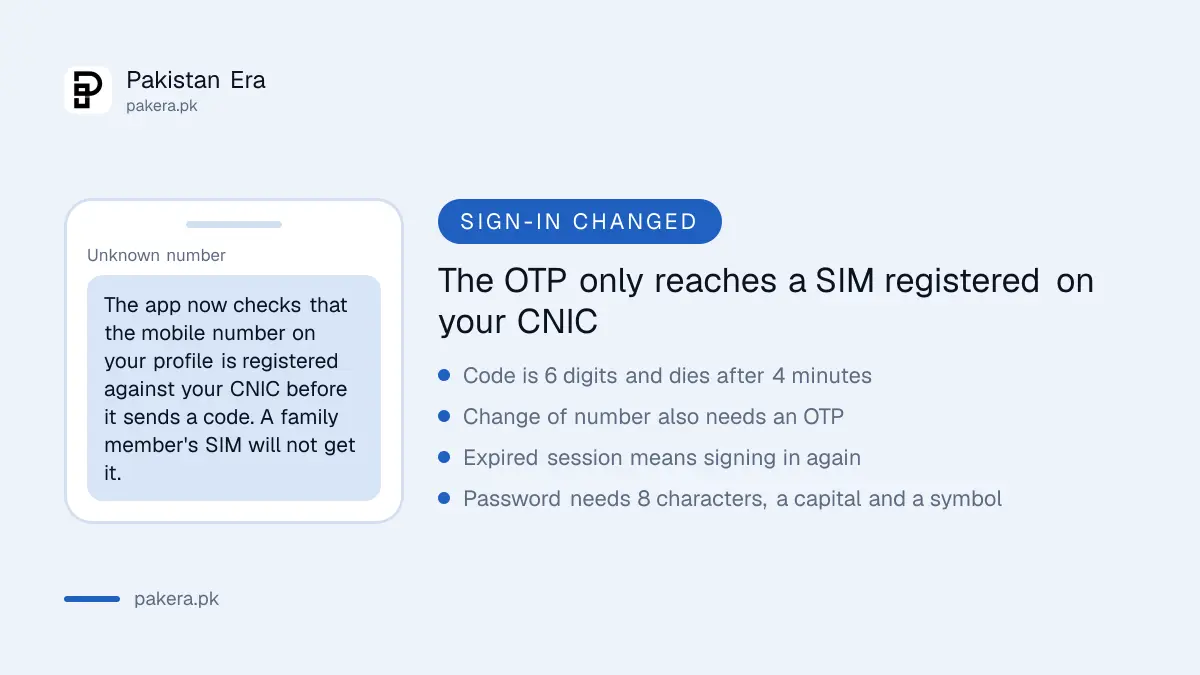
Your mobile number is checked against your CNIC before any OTP goes out. The portal text is blunt about it: if the number is not registered on your CNIC, the OTP will not be sent and you cannot go further. Checking which SIMs are registered on your CNIC takes one SMS and saves a failed sign-up.
What does a complaint need before PTA will take it?
An operator complaint number, the affected mobile number, a clear description and, for some complaint types, a copy of your CNIC. The form also asks you to declare four things, and a complaint that fails any of them can be dropped.
The four declarations on the submit screen are that the facts are true, that the matter is not before any court in Pakistan, that it is not under investigation by a law enforcement agency, and that you have not already approached PTA about the same subject. That last one matters. Filing twice about the same deduction does not speed anything up, it gets the second one closed.
Evidence rules are the same as before the upgrade, only the upload is easier. Screenshots of the balance before and after a deduction, the SMS alert for the charge, the date you rang the operator and what you were told. A balance that vanished when the operator's own validity clock ran out is a different matter, and the 180 day prepaid balance validity rule now sets what that clock can be. The habits that make a complaint to PTA about your mobile network stick, one issue per complaint and a stated remedy, apply in the app exactly as on the web portal.
Attachments are optional for a service provider complaint and required for a few types. The portal names the CNIC document as compulsory for some complaint types and caps each file at 5 MB in PDF, PNG or JPG.
How long does PTA give the operator and itself?
Three working days for the operator, three working days for PTA to acknowledge, and a portal promise of a reply within 48 business hours. Those are the published clocks. None of them is a promise that the problem will be fixed in that time.
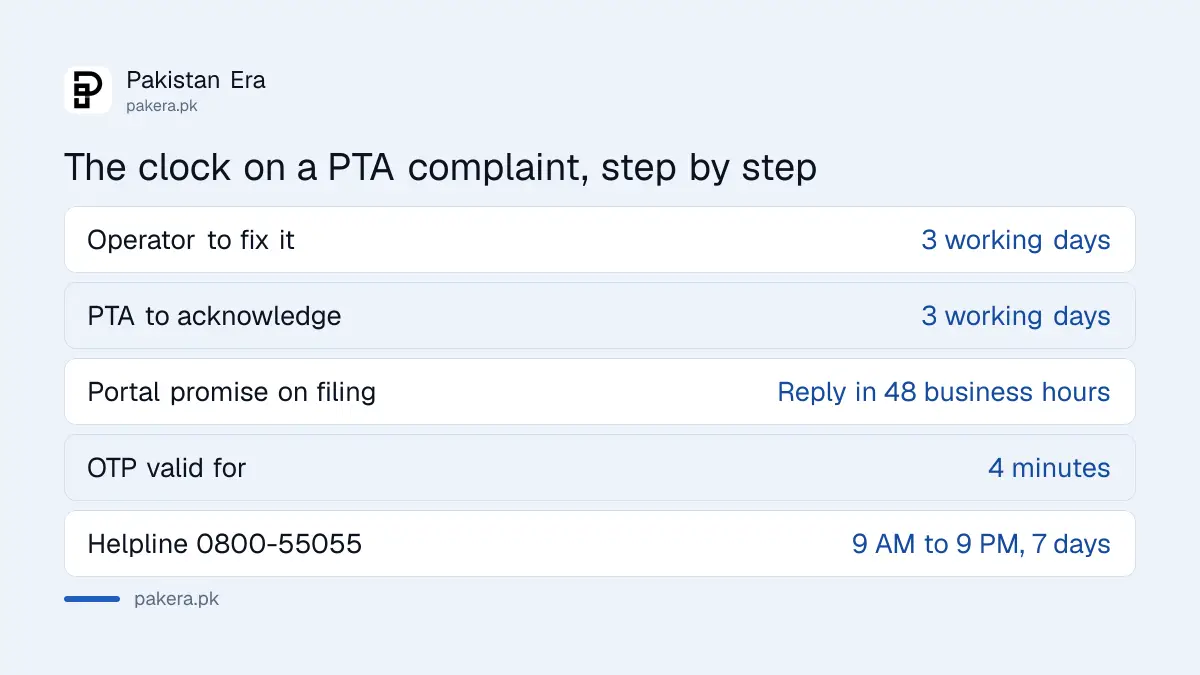
The Telecom Consumers Protection Regulations 2009, as reproduced on a legal reference site because PTA's own legislation page would not load for us, say every complaint goes to the operator first. The operator must give a unique complaint number and put right the grievance within three working days. If it does not, PTA's Consumer Protection Directorate acknowledges your complaint within three working days and forwards it to the operator for a reply. If no reply comes in time, the directorate can call both sides to a hearing and issue an order.
The app adds its own line on the success screen: "Our team will respond within 48 business hours." Read that as a first response, not a resolution. A response is often the acknowledgement plus the forwarding to the operator.
The status labels in the app tell you where the complaint sits. Open means received. Assigned or forwarded to operator means PTA has sent it on. Pending with operator means PTA is waiting for the operator's reply. Resolved, closed and disposed all mean PTA has finished with it, and a closed complaint you disagree with is the point to escalate.
How do you track a complaint you filed?
Open the app, sign in with your CNIC and password, enter the OTP and open your complaints list. The list shows every complaint on your profile with its status, and a search box takes any part of the complaint number or a word from the summary.
The track screen also works for a single complaint number without scrolling through the list. Type the full complaint number and the app returns the current status, or a "no complaint found" message if the number is wrong. Keep the number from the success screen and the SMS, because a complaint filed through the helpline or the web portal shows under the same profile as long as the CNIC matches.
Signing in on a new phone or after the session expires means another OTP. That is the price of the security change, and it lands on people who use a SIM that is not their own. Change the number on the profile first, which itself needs an OTP on the new number, and the new number must also be on your CNIC.
When should you escalate past the app?
Escalate when the app shows a complaint closed or disposed and the problem is still there, or when three working days pass with no acknowledgement. The next step inside PTA is the helpline; the step outside PTA is the federal ombudsman.
- 0800-55055 is PTA's Consumer Support Centre, open 9 AM to 9 PM, 7 days a week, per the press release that launched it. An agent can look up a complaint number and add to it.
- 03150055055 on WhatsApp is the PTA digital assistant launched on 25 February 2026. It is a menu, not a person, and it gives procedure rather than case updates.
- A complaint about how PTA itself handled the matter goes to the Wafaqi Mohtasib, which is free.
Ring only the numbers PTA and the operators publish. Fake helplines are a live scam, and the numbers that check out are listed among the telecom helpline numbers we verified. If a caller asks for the OTP the app just sent you, hang up. The OTP is for your sign-in and nobody at PTA needs it.
The fraud number form is new and worth a word. It is for reporting a number that called or messaged you in a scam. It is not the route for a SIM issued on your CNIC that you never took, which is a service provider complaint, or for a bank fraud, where the bank fraud complaint deadlines are tight and the bank comes first.
Common questions about the PTA complaint app
Is the PTA complaint app free?
Yes. The app is free on both stores and filing a complaint costs nothing. Only the OTP SMS from your operator may carry a normal message charge.
Why does the app ask for an OTP every time?
Version 1.2.06 added OTP verification at sign-in and expires idle sessions. Each fresh sign-in or expired session means a new 6 digit code, valid for 4 minutes.
Can I use a family member's number for my profile?
No. The portal checks that the mobile number is registered on your own CNIC before it sends the OTP. A number on somebody else's CNIC gets no code.
Do I still have to complain to the operator first?
Yes. The regulations send every complaint to the operator in the first instance, and the app form has a field for the operator's complaint number.
What files can I attach?
PDF, PNG or JPG, up to 5 MB each. Attachments are optional for a service provider complaint and compulsory for some types, including where a CNIC copy is required.
What does "pending with operator" mean?
PTA has forwarded your complaint and is waiting for the operator's reply. Nothing is needed from you unless PTA asks for more evidence.
Where do I report a scam call number?
In the new "Mobile Numbers in Fraudulent Activity" form inside the app, with screenshots of the call or message attached.
How we verified this
What we checked, where we read it, and what we could not confirm.
Last checked 17 September 2026. We read PTA's press release "PTA Launches Upgraded PTA CMS Mobile App", dated Islamabad 11 September 2026 and signed by Zaib Un Nisa, Director (Communications), on pta.gov.pk, which is the source for the OTP based multi factor authentication, improved complaint validation and document uploads, better session management and the new module for reporting suspected fraudulent activities involving mobile numbers. We read the Apple App Store listing for PTA CMS on the Pakistan storefront through Apple's lookup service, which gives version 1.2.06, a current version date of 10 September 2026, a first release date of 30 September 2021, a size of 36.6 MB, iOS 15.6 or later, and a rating of 3.1 from 111 ratings, and the release notes quoted above. We read the Google Play listing for pk.gov.pta.cms, which shows the app updated on 27 August 2026, over one million downloads, a rating of 3.2 from 5,280 reviews, the same release notes, and three user reviews from July and August 2026 describing OTP and blank screen problems in the earlier version; those are user reports, not our test. We read the code of the PTA complaint portal at complaint.pta.gov.pk/CMS/ on 17 September 2026, because the page renders in the browser and could not be read as text, and it is the source for the profile rule that the mobile number must be registered against your name and CNIC, the 6 digit OTP that expires in 4 minutes, the password rules, the six complaint types, the form fields including the operator complaint number and the 5 MB limit on PDF, PNG and JPG attachments, the four declarations, the "48 business hours" response line, the status labels, and the rule that a change of number needs a number on your CNIC and a fresh OTP. We read PTA's press releases of 28 October 2021 launching the CMS app, of 18 February 2020 launching the Consumer Support Centre on 0800-55055 from 9 AM to 9 PM seven days a week, and of 25 February 2026 launching the WhatsApp digital assistant on 03150055055. The three working day limits for the operator and for PTA's acknowledgement come from the Telecom Consumers Protection Regulations 2009 as reproduced on the legal text site nasirlawsite.com, because PTA's own legislation page did not render for us and we could not find the PDF; treat them as reported until you read them on pta.gov.pk. We could not read the body of the portal's "Important Note for lodging of Complaint against Mobile Operators", which loads from PTA's server, and we could not confirm whether the operator complaint number field is compulsory. Coverage by ProPakistani, Radio Pakistan, PhoneWorld and Daily Times on 11 and 12 September 2026 restates the press release and was not relied on.
About the author

Public Services and Education Journalist
Fajr Riaz is a journalist and content writer at Pakistan Era, based in Lahore. She covers the questions people meet in everyday life in Pakistan: how a public service works, what a change in the rules means, and where to find a reliable answer.