How to Reply to a Federal Constitutional Court Notice Online With the e-Notice Form
Use the Federal Constitutional Court's e-Notice page to reply to a notice online. See the fields, the PDF upload, the Rules on email service and time to appear.
Short answer: Open fccp.gov.pk/e-notice, fill in your name, email, subject, case number and mobile number, write your message, attach a PDF and press Reply Notice. This is the Federal Constitutional Court's own page for notice responses. Do it inside the time your notice gives you, and keep proof.
A court notice has a clock on it. A respondent who hears about a notice late, or who cannot travel to Islamabad, needs a way to answer that does not depend on a courier. The Federal Constitutional Court has put a notice response page on its website for exactly this.
We opened the e-Notice page of the Federal Constitutional Court's website and read its form fields, its upload control and the rules that govern notices. We did not submit a reply, because that would send a message to the Court under a real case number. So we cannot describe the confirmation screen.
The Court has a notice response page on its website
The page is titled Notice Responses and says "Upload the response to the notice over here". It is reached from the e-Services links on the Court's home page. The Court's header also shows an email address for notices, enotices@fccp.gov.pk, and its helpline +92 51 111 322 322.
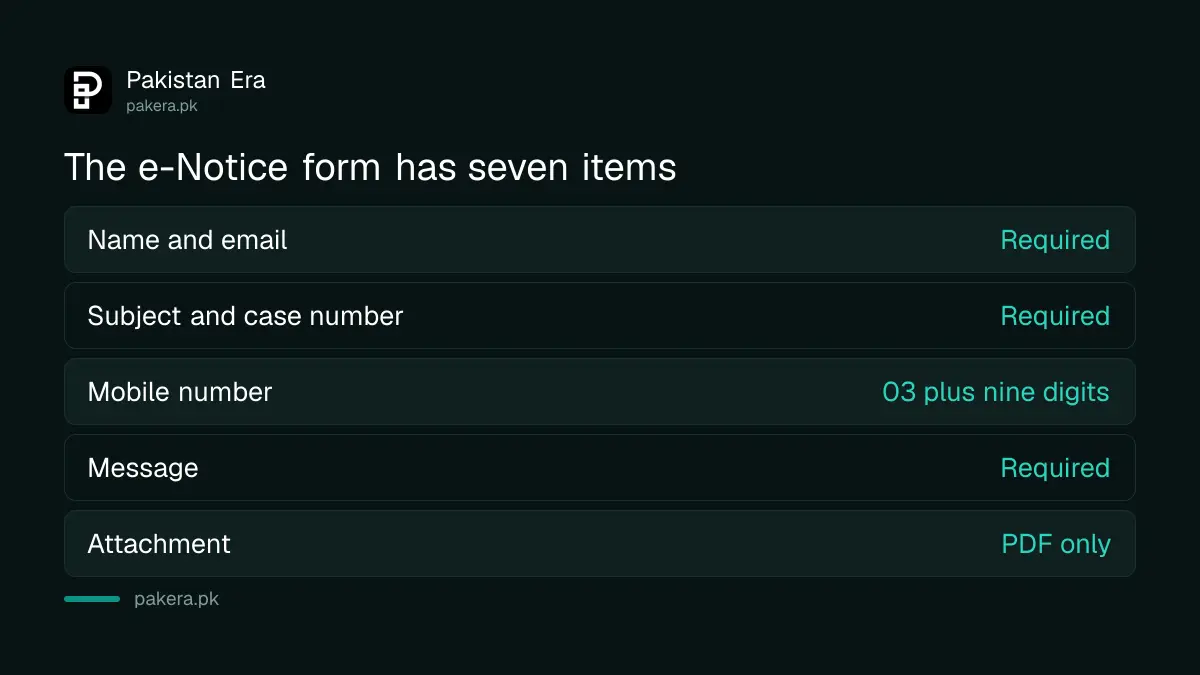
| Field on the e-Notice form | What to enter |
|---|---|
| Your Name | The name of the person replying |
| Email Address | An email you check, in the form your.email@example.com |
| Subject | A short line, for example the case type and number |
| Case No | The case number exactly as on your notice |
| Mobile No. | A Pakistani mobile number, 11 digits starting 03 |
| Message | Your reply in writing |
| Attachment | One PDF file, if you have supporting papers |
The form takes a PDF and a Pakistani mobile number
In the page's code, the mobile field accepts the pattern 03 followed by nine digits, eleven digits in all. The attachment control is set to accept PDF files only. Name, email, subject, case number, mobile number and message are marked as required.
The page states no file size limit and does not say how many files you can attach. If your papers come to a large file, scan them as the Court asks. Our page on preparing scanned copies for the Federal Constitutional Court gives the colour, 200 DPI and OCR specifications from the Court's circular.
How to send your reply, step by step
Read the notice, note the case number and the time it gives you, write your reply, make it a PDF, and then send it through the page. Keep a copy and a screenshot of whatever the page shows after you press the button.
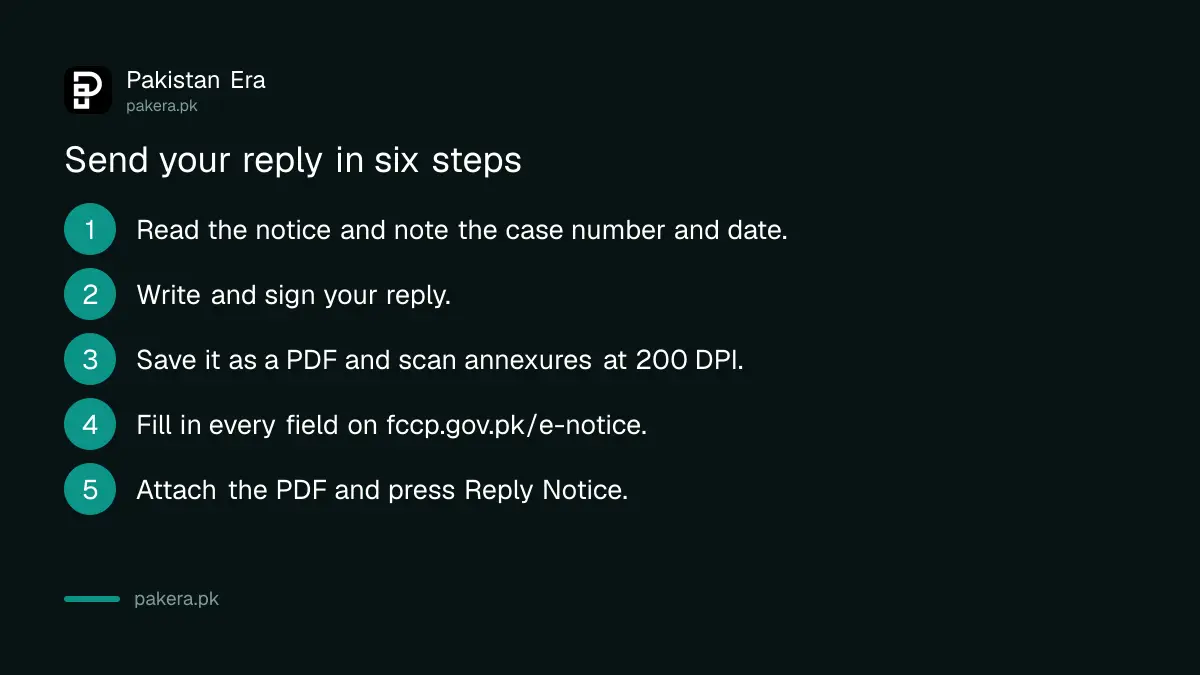
- Read the notice and find the case number and the last date to reply.
- Write your reply on plain paper or in a document, and sign it.
- Save it as a PDF, with any annexures scanned in colour at 200 DPI with OCR.
- Open fccp.gov.pk/e-notice and fill in every field.
- Attach the PDF and press Reply Notice.
- Take a screenshot of the result and save the PDF you sent.
The Rules accept electronic service and give the time
The Practice and Procedure Rules, 2026 say that notices may be issued by ordinary or digital means. A respondent must enter appearance within 30 days of receipt of the notice about the grant of leave to appeal, though the Court may allow it later on terms before the hearing.
| Point | What the Rules say |
|---|---|
| How notices are sent | Ordinary or digital means, by the Registrar (Order III) |
| Electronic service | Email or an approved digital application, and it is deemed valid service (Order XIX rule 13) |
| Time to enter appearance | 30 days from receipt of the notice on grant of leave (Order XVIII rule 1) |
| Late appearance | Allowed at any time before the hearing, on terms the Court thinks fit |
Because service by email counts, a notice sent to the email on your file is a real notice. The Rules also require an Advocate-on-Record to tell the Registrar of any change of email and mobile number. Keep those details current.
Notices often follow a hearing date, so check the list too. Our page on the Federal Constitutional Court cause list shows how to find your case, and the guide to the adjournment form covers what happens if you cannot attend on the date.
What this page does not do
The page is a message form. It is not described on the site as a filing portal, and it does not replace filing a petition, an appeal or a reply that the Rules require in a particular form. If your notice says to file a reply through your Advocate-on-Record, follow the notice.
Do not treat a message sent here as proof that the Court has recorded your reply. Ask the Registry to confirm, and keep the email trail.
Common questions
Where do I reply to a Federal Constitutional Court notice online?
Use the Notice Responses page at fccp.gov.pk/e-notice. It takes your details, case number, a message and a PDF.
What file type can I attach?
The attachment field is set to accept PDF files. The page names no size limit.
How long do I have to respond?
Follow the date in your notice. The Rules give a respondent 30 days from receipt of the notice about the grant of leave to appeal to enter appearance, and the Court may allow later appearance before the hearing.
Is an email notice valid?
Yes. The Rules say service by email or an approved digital application is deemed valid service.
Who do I call if the page does not work?
The Court's website shows +92 51 111 322 322 and the email enotices@fccp.gov.pk.
How we verified this
What we checked, where we read it, and what we could not confirm.
Last checked on Sunday 11 October 2026. We read the Notice Responses page and the home page of the Federal Constitutional Court, and the Federal Constitutional Court (Practice and Procedure) Rules, 2026 from its Notifications page. We did not submit the form.
About the author

Public Services and Education Journalist
Fajr Riaz is a journalist and content writer at Pakistan Era, based in Lahore. She covers the questions people meet in everyday life in Pakistan: how a public service works, what a change in the rules means, and where to find a reliable answer.