How to Reply to Google Reviews on Your Business Profile in Pakistan
Reply to Google reviews on your Business Profile in 6 steps, report a fake or abusive one, and see why paying for reviews breaks Google policy. Plain templates.
To reply to a Google review, sign in to your verified Business Profile, select Read reviews, click the Reply icon next to the review, type your answer and select Reply. Google checks the reply first, and it then shows under the customer's review for everyone to see.
Update, 11 October 2026: Fake or paid reviews can cost a business its Google stars.
A customer in Lahore leaves two stars and one line: "Waited 40 minutes, nobody apologised." Three days later it still has no answer, and every new shopper who searches your shop name reads it first. A short, calm reply costs you two minutes and changes how that review looks.
On 7 October 2026 we opened Google's Business Profile help pages on replying to reviews and on reporting reviews, and Google's Maps review policy. The steps and rules below come from those pages. We did not post replies from a live profile for this article, so we make no claim about results.
You can only reply once your profile is verified
Google's help page says your business must be verified before you can respond to any review. If your shop is not on the map yet, do that first. The steps for a new listing are in putting your shop on Google Maps in Pakistan.
Replies appear publicly under the review and do not show your personal name. The customer gets a notification that you answered. So write as the business, not as yourself.
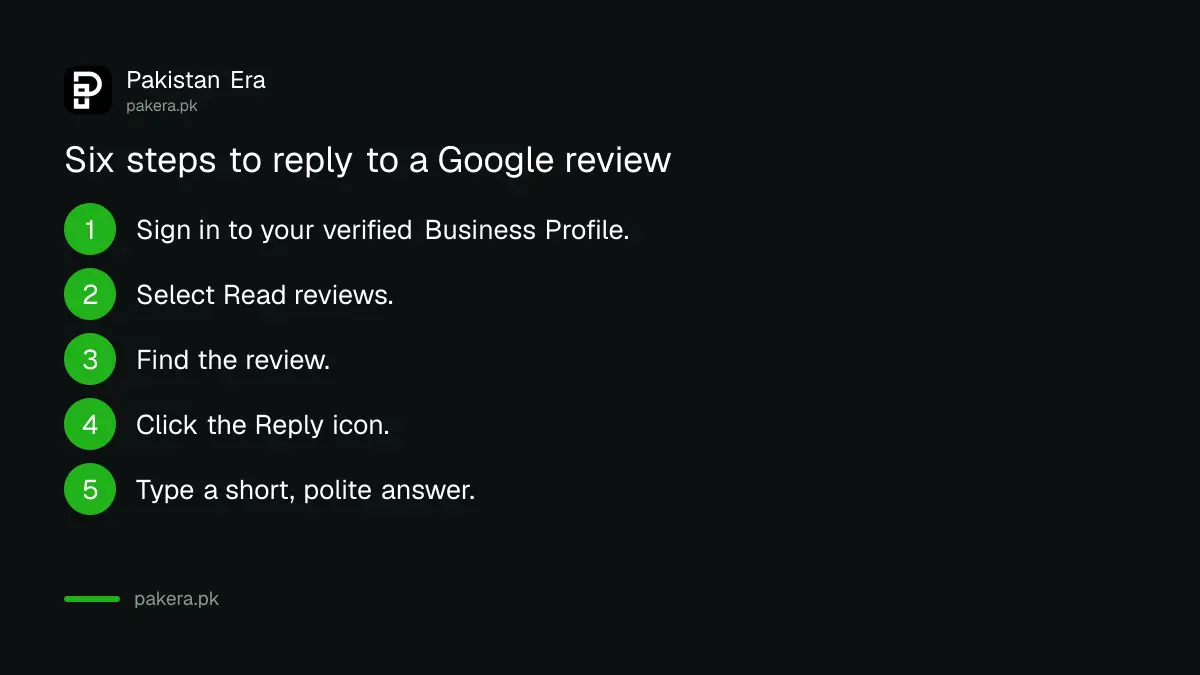
Replying to a review takes six steps
Open your Business Profile, choose Read reviews, find the review, click the Reply icon, type your message and select Reply. Google then reviews the reply against its content policies. That check usually finishes within 10 minutes, though Google says some replies take up to 30 days.
- Go to your Business Profile at business.google.com and sign in with the account that manages the shop.
- Select Read reviews.
- Find the review you want to answer.
- Click the Reply icon next to it.
- Write your answer in the box that opens.
- Select Reply to send it for checking.
Google's help page also asks for helpful and positive replies. That is a fair rule for the business too. An angry reply is read by every future customer, not only the one who wrote the review.
A polite reply has four short parts
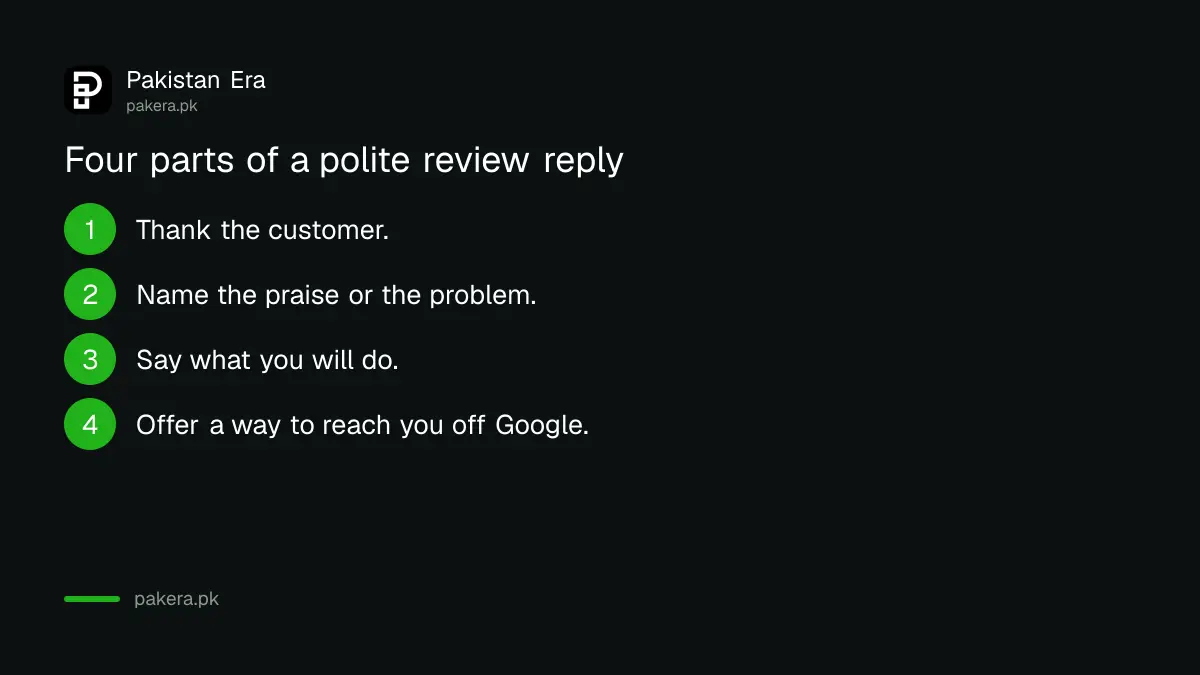
Thank the person, name the problem or the praise, say what you will do, and give a way to reach you off Google. Keep it under five sentences. Never argue about facts in public, and never put a phone number or private details of the customer in the reply.
| Review type | Plain reply you can adapt |
|---|---|
| Happy customer | Thank you for coming in. We are glad the order reached you on time. We hope to see you again. |
| Slow service | Thank you for telling us. You waited too long, and we are sorry. We have changed how we handle busy hours. Please message us so we can make it right. |
| Wrong item or price | We are sorry about the mix up. Please send your order details to our shop number so we can check and fix it quickly. |
| Review with no text | Thank you for the rating. If anything could be better, please tell us and we will look into it. |
Change the wording so it sounds like your shop. If every reply is word for word the same, readers notice, and the replies look pasted. Mention one real detail from the review so the person knows a human read it.
You can report a review only if it breaks Google's policy
Click the Report icon next to the review, pick a reason such as Spam or Profanity, and select Send report. Google says a review must break its policies to be removed. Its own warning is clear: do not report a review just because you disagree with it.
There is a second route through the Reviews Management Tool. You confirm your email, select your business, choose Report a new review for removal, click Report next to the review, pick the violation and submit.
Google says evaluation typically takes several days. The tool shows the status. Decision pending means it has not been looked at yet. Report reviewed, no policy violation means Google found nothing wrong, and you may appeal once. Escalated means the appeal is with Google, and the final answer comes by email.
Google's policy says reviews must be based on a real experience. Content that does not represent the place accurately, and content from someone with a conflict of interest, such as a current or former employee or a business tied to you, can be removed. A rival's fake one star is a reportable case. A real customer who had a bad day is not, even when it hurts.
Do not pay or reward customers for reviews
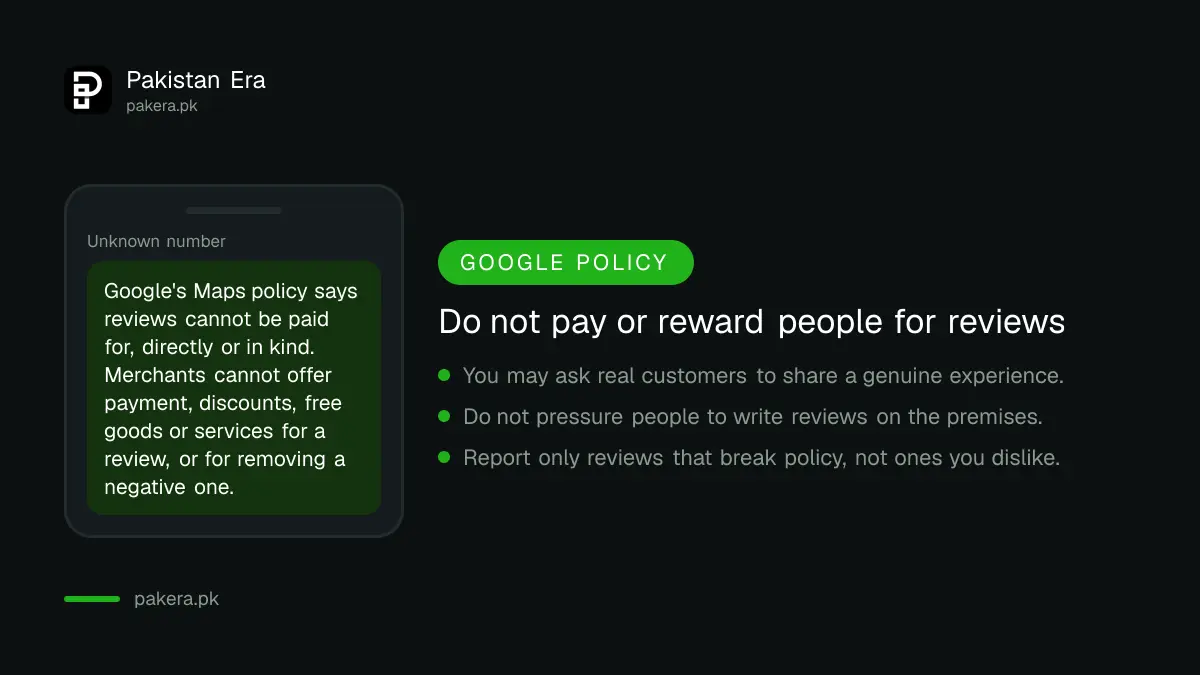
Google's policy says reviews cannot be paid for, directly or in kind. Merchants cannot offer payment, discounts or free goods or services in exchange for a review, or for changing or removing a negative one. Breaking this can get reviews removed.
You may ask real customers to share a genuine experience. Google allows merchants to "solicit or encourage" such content, as long as there is no incentive and no attempt to shape the rating or the text. The same policy also bars pressuring people to write reviews while they are on the premises.
So a card at the till that says "Tell us how we did on Google" is fine. "Five stars and get 10 per cent off" is not. A WhatsApp message that links to your listing, sent to a customer who chatted with you, is a normal way to ask. The setup for that chat tool is in setting up the free WhatsApp Business app.
Common questions
Can I reply to a Google review without verifying my business?
No. Google's help page says the business must be verified before you can respond to reviews.
Can I delete a bad Google review myself?
No. You can report it, and Google removes it only if it breaks policy. Disagreeing with the review is not a reason Google accepts.
How long does a reply take to appear?
Google says it usually checks replies within 10 minutes, though some take up to 30 days.
Can I give a discount to customers who leave a review?
No. Google's policy bars offering payment, discounts, free goods or services in exchange for a review.
Can I appeal if Google says a reported review is fine?
Yes, once. Google's status list says that when it finds no policy violation, you may appeal one time.
Does the reply show my name?
No. Google says the response appears publicly without your personal name.
How we verified this
What we checked, where we read it, and what we could not confirm.
Last checked 7 October 2026 against Google's Business Profile Help pages on replying to reviews and reporting reviews, and Google's Maps user contributions policy. Menu names can change, so follow the labels on your own screen if they differ. The sample replies are our own wording.
About the author

Founder and Editor
Umer Kureshi founded Pakistan Era in July 2024 and runs it as administrator, SEO lead and writer, overseeing website operations, search growth, content strategy and coverage of technology and current affairs.