How to Set Up SPF, DKIM and DMARC So Business Email Reaches Gmail in Pakistan
Add SPF, DKIM and DMARC records so your Pakistan business email reaches Gmail inboxes. Get the exact SPF value, DKIM steps and a safe DMARC start. Set up now.
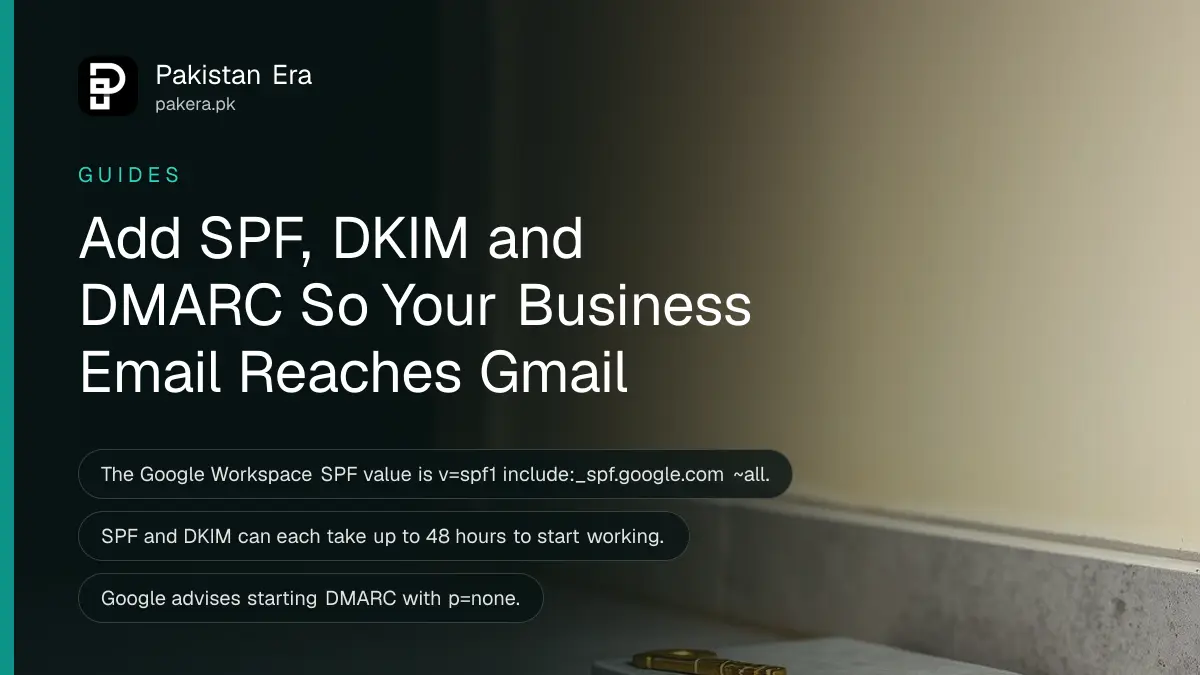
To stop your business email landing in spam at Gmail, add SPF, DKIM and DMARC records to your domain. SPF is a TXT record with the value v=spf1 include:_spf.google.com ~all. DKIM and DMARC follow, and each can take up to 48 hours to work.
Imagine a tailor in Faisalabad who sends a quote to a buyer in Dubai. The buyer never sees it, because the mail sat in spam. The sender's domain gave no proof that it owns the message. Gmail asks every sender for that proof, and the rules grow stricter for senders who mail in bulk. We read Google's sender requirements and its three setup pages on 15 October 2026. This guide gives the records and the order.
Gmail requires SPF or DKIM from every sender
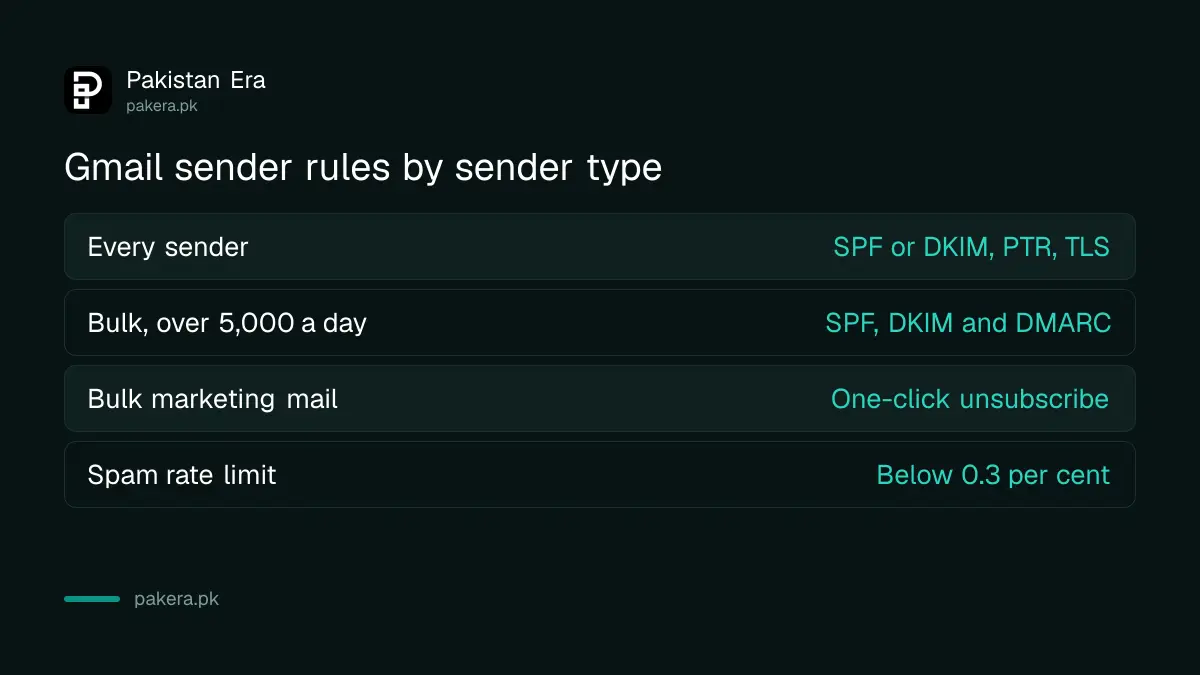
Google says all senders to personal Gmail accounts need SPF or DKIM, a valid forward and reverse DNS record (PTR), and a TLS connection. Spam complaints must stay below 0.3 per cent in Postmaster Tools. Google advises staying below 0.10 per cent.
SPF lists the servers allowed to send mail for your domain. DKIM adds a digital signature to each message so the receiver can check it was not changed. DMARC tells receivers what to do when a message fails both checks. Think of them as a guest list, a seal and a house rule.
| Sender type | What Google requires |
|---|---|
| Every sender | SPF or DKIM, PTR records, TLS, spam rate below 0.3% |
| Bulk sender, over 5,000 messages a day | SPF and DKIM, plus DMARC |
| Bulk sender marketing mail | One-click unsubscribe and a visible unsubscribe link |
| DKIM key to personal Gmail | 1024 bits or longer |
Most small Pakistani businesses send far fewer than 5,000 messages a day. You still gain by setting all three. Buyers abroad, banks and large companies filter strictly, and a signed domain looks more trustworthy than an unsigned one.
Add one SPF record at your domain host
For Google Workspace, add a TXT record at the place you bought your domain. Use @ as the host for the main domain and the value v=spf1 include:_spf.google.com ~all. Google says it can take up to 48 hours to work.
You do nothing in the Google Admin console for SPF. Google also says each domain needs its own SPF record, and each subdomain you send from needs one too. An SPF record can hold up to 10 include tags, so a shop that uses many mail tools can run out of room.
Some hosts want the value inside quotation marks. If your first record does not pass, check that detail first. A domain you registered through a Google partner may already have SPF, so look before you add a second one. If you are still choosing a name, the steps to register a .pk domain come before any of this.
Turn on DKIM from the Admin console, then add its key
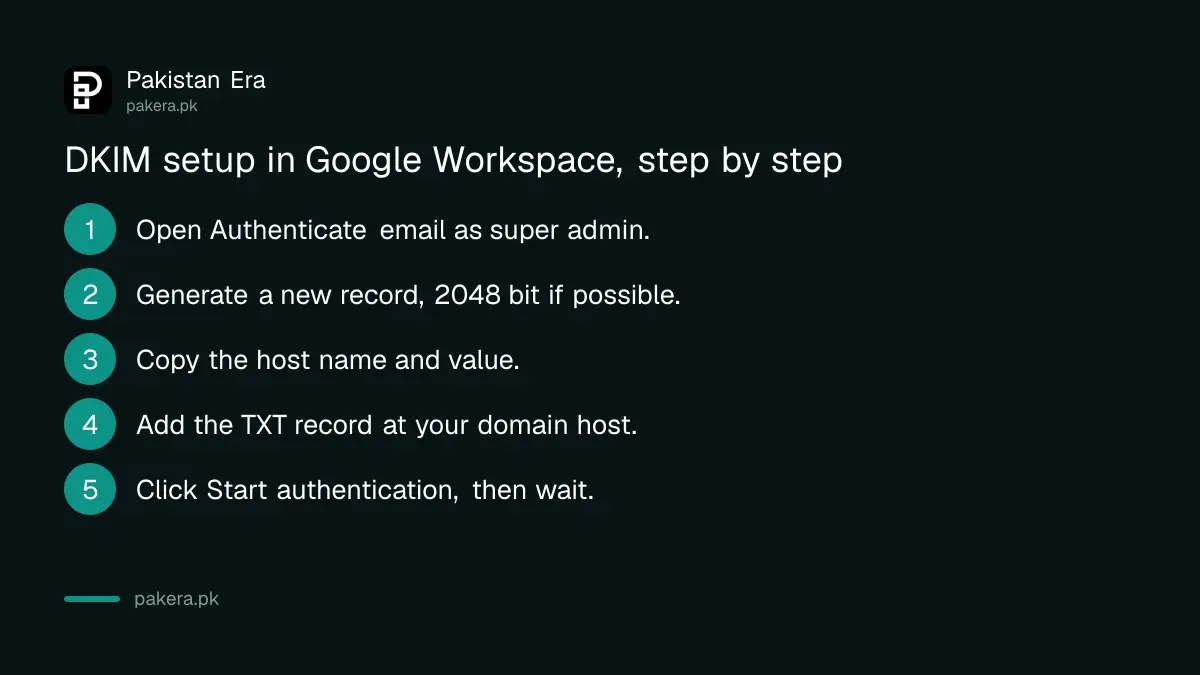
In Google Admin, open Apps, Google Workspace, Gmail, Authenticate email, pick your domain and generate a new record. Choose a 2048 bit key if your host allows it. Add the TXT record at your host, then press Start authentication.
The order matters. Google says not to click Start authentication until the record is in place at your domain host. The host name is the selector plus ._domainkey, which is google._domainkey with the default selector. The value begins with v=DKIM1; k=rsa; p= and then the key.
- Sign in as a super administrator and open Authenticate email.
- Select your domain and click Generate New Record.
- Choose a 2048 bit key, or 1024 if your host does not support 2048.
- Keep the default prefix selector, google.
- Copy the host name and the value into a new TXT record at your domain host.
- Return to Google Admin and click Start authentication.
- Wait up to 48 hours for it to work.
One more wait: after you turn on Gmail for a new domain, Google says to wait 24 to 72 hours before you generate the DKIM key. If you generate it too early, you may see an error that the record was not created. That is normal, and it passes.
Start DMARC with p=none and move up slowly
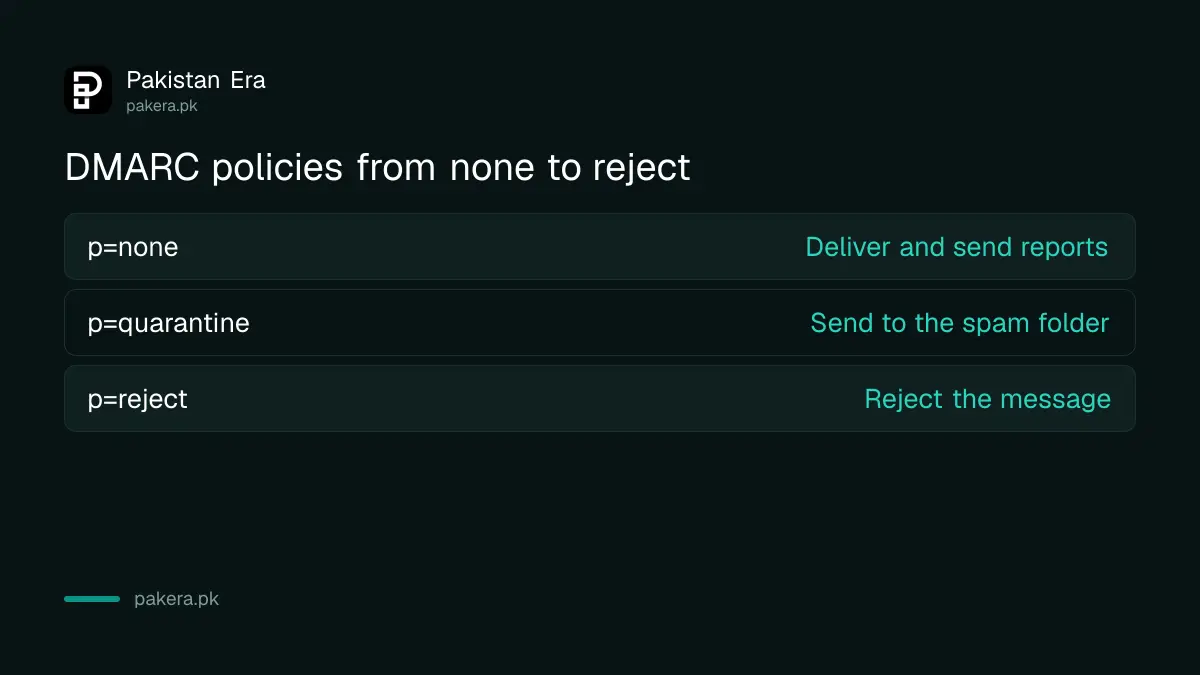
DMARC is a TXT record with the host _dmarc. Google recommends starting with p=none, which takes no action on failing mail but sends you reports. Wait 48 hours after SPF or DKIM before you add it.
Google's example value is v=DMARC1; p=none; rua=mailto:postmaster@example.com, with your own domain and report mailbox in place of the example. The rua part is where reports go, and Google suggests a dedicated mailbox or group for them. Some domain hosts add the domain name on their own, so open the record afterwards and check it reads _dmarc.yourdomain.
| DMARC policy | What receivers do with failing mail |
|---|---|
| p=none | Deliver it as normal and send you reports |
| p=quarantine | Mark it as spam and send it to the spam folder |
| p=reject | Reject the message |
Read the reports for a few weeks. You may find that a billing tool or newsletter service sends as your domain without being listed. Fix that first. Then Google suggests moving to quarantine or reject over time, and the pct tag lets you phase the policy in, raising it until it reaches 100.
Check that everything is working after 48 hours
After 48 hours, send a test mail to a personal Gmail account and open Show original. Gmail shows SPF, DKIM and DMARC with a PASS or FAIL beside each. If any says FAIL, recheck the host name and value you pasted.
Typos cause most failures. A missing character in the long DKIM value breaks it, and so does adding the domain twice to the host name. Your website, your Google Business Profile and your WhatsApp Business catalog should all show the same business email, so buyers who write to you reach a working inbox.
Common questions about SPF, DKIM and DMARC
Do I need all three records?
Google requires SPF or DKIM for every sender. Bulk senders of over 5,000 messages a day need SPF, DKIM and DMARC.
What is the SPF value for Google Workspace?
It is v=spf1 include:_spf.google.com ~all, in a TXT record with the host @ for the main domain.
How long does it take to work?
Google says up to 48 hours for SPF and for DKIM. Wait 48 hours after those before you add DMARC.
Can I start DMARC with p=none?
Yes. Google recommends it. The policy for bulk senders can be set to none, and you move to quarantine or reject over time.
What spam rate is safe?
Keep it below 0.3 per cent in Postmaster Tools. Google advises staying below 0.10 per cent.
Do I need to change anything in Google Admin for SPF?
No. Google says SPF is set only at your domain host. DKIM is the one that starts in the Admin console.
How we verified this
What we checked, where we read it, and what we could not confirm.
Last checked 15 October 2026. We read Google's email sender guidelines at support.google.com, and Google Workspace's setup pages for SPF, DKIM and DMARC on 15 October 2026. We did not change a live domain. Menu names can change, so follow the page in your Admin console if it differs.
About the author

Founder and Editor
Umer Kureshi founded Pakistan Era in July 2024 and runs it as administrator, SEO lead and writer, overseeing website operations, search growth, content strategy and coverage of technology and current affairs.