How to Share Mobile Data From Your Phone as a Hotspot in Pakistan (Android and iPhone)
Turn your phone into a Wi-Fi hotspot on Android or iPhone in Pakistan. See the exact steps, the password setting, data checks and fixes if it will not connect.
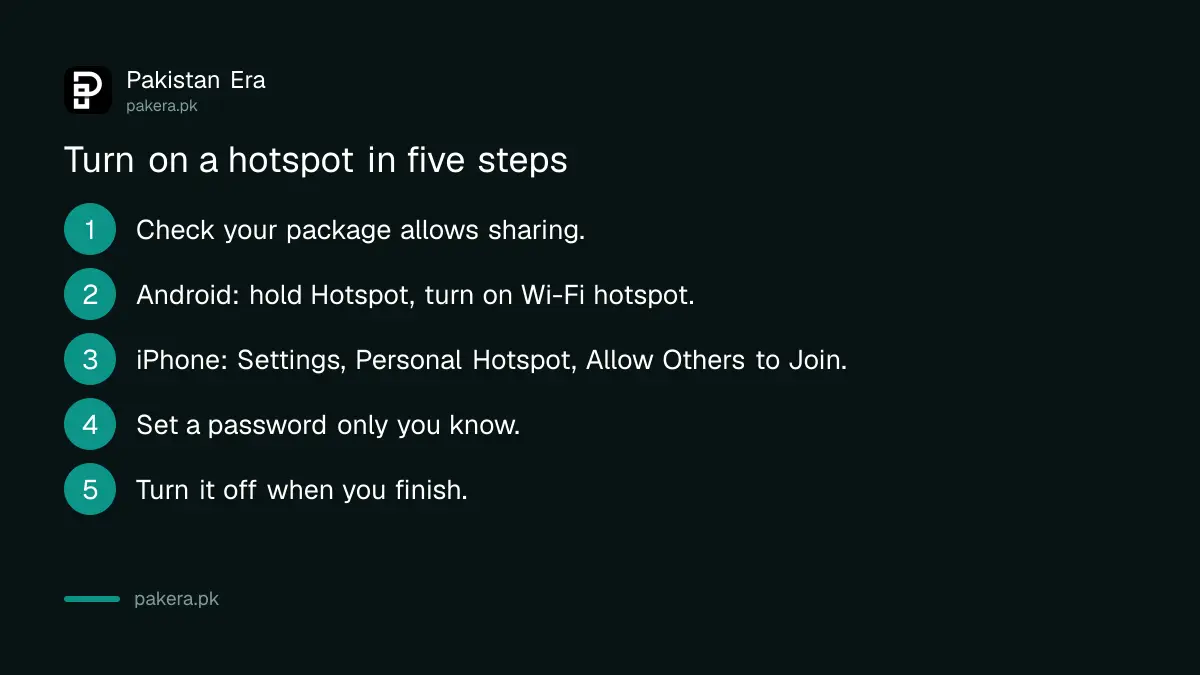
To share your mobile data, turn on the hotspot. On Android, swipe down, touch and hold Hotspot, then turn on Wi-Fi hotspot. On an iPhone, open Settings, tap Personal Hotspot and turn on Allow Others to Join. Set a strong password before anyone connects.
A hotspot turns your phone into a small Wi-Fi router. It helps when home broadband is down or a laptop needs a connection on the road. It also uses your mobile data fast, so a few steps up front keep your bundle and your phone safe.
Turn on the hotspot on Android in four taps
Google's Android help page gives the quick route: swipe down from the top of the screen, touch and hold Hotspot, and turn on Wi-Fi hotspot. Tap the hotspot name to see or change the network name and password.
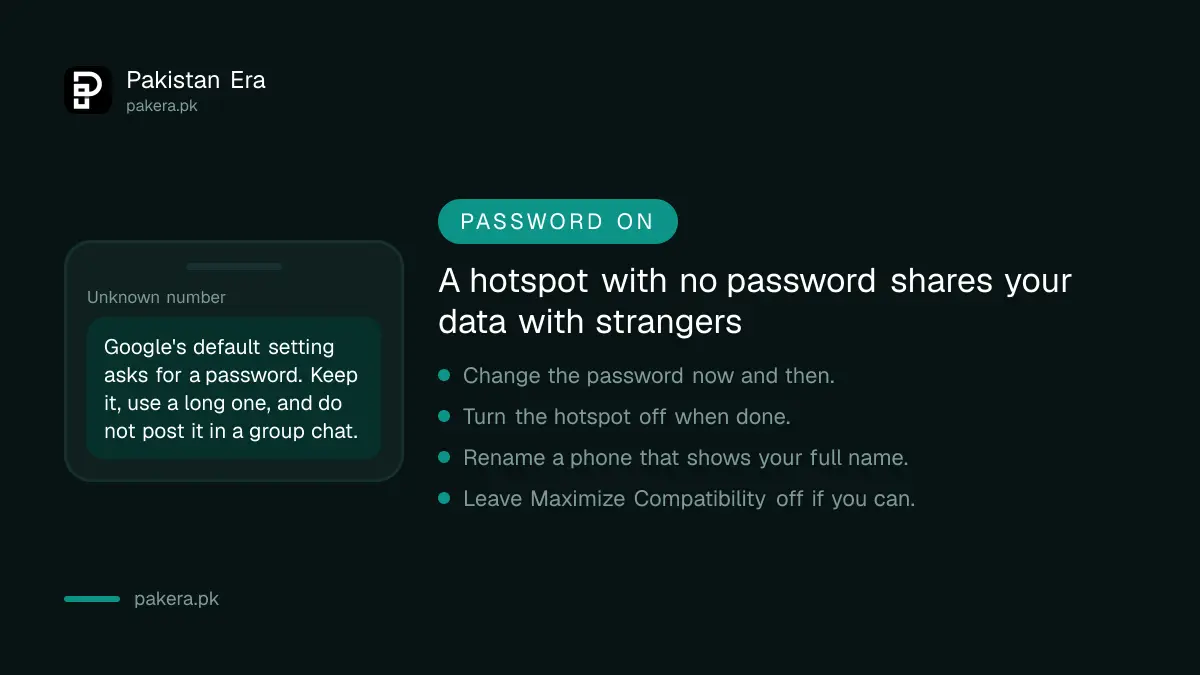
Under Security, the default setting needs a password. Google lets you pick None, but do not, because anyone nearby could join and use your data. Google says you can connect up to 10 other devices to a Wi-Fi hotspot.
Google also points to a setting that turns the hotspot off for you when no device is connected. If your phone has it, switch it on. It stops the hotspot running in your pocket all night.
Turn on Personal Hotspot on an iPhone
Apple's support page says to open Settings, tap Personal Hotspot and turn on Allow Others to Join. The Wi-Fi name and password appear on the same screen. The network name matches your device name, so rename the phone if it shows your full name.
Apple also tells you to check that your carrier has enabled the feature and that your plan supports it. Personal Hotspot is not available with every carrier, and extra fees can apply, so look at your package terms before you rely on it.
Newer models have a setting called Maximize Compatibility. Apple says it is for iPhone 12 or later, and that internet performance and Wi-Fi security might be reduced when it is on. Leave it off unless an older device cannot see your hotspot.
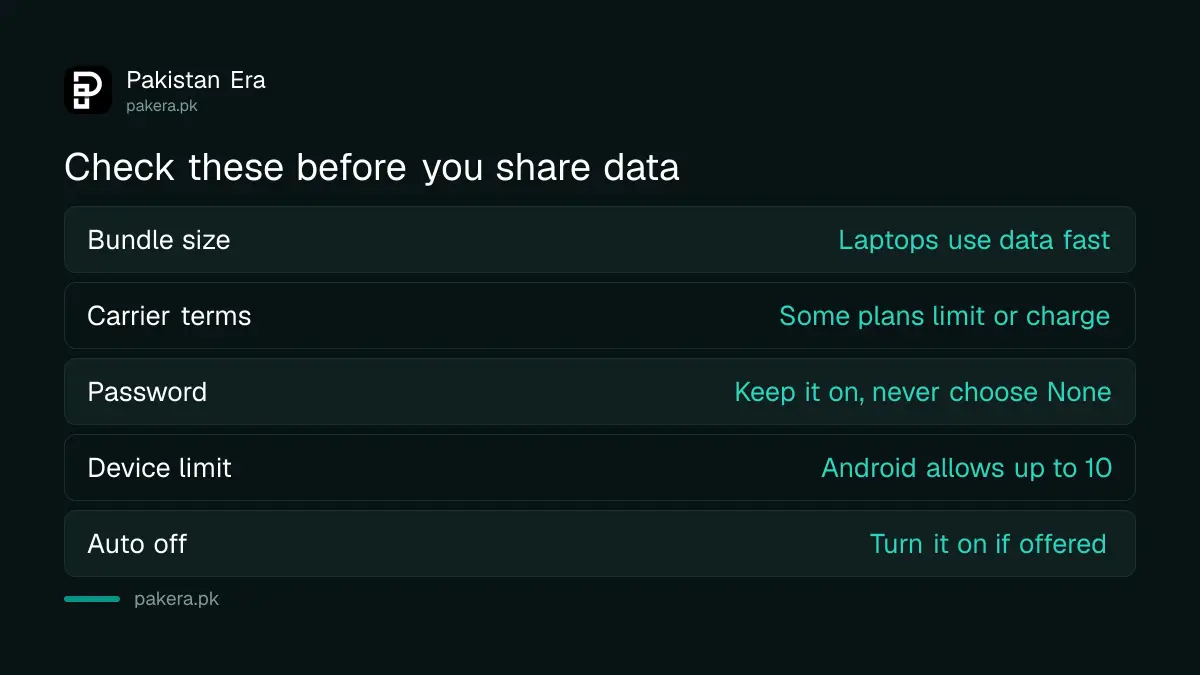
Check your package before you share data
Google warns that some mobile carriers limit or charge extra for tethering, which is the technical word for sharing your connection. A laptop can use more data than a phone, so a small daily bundle can vanish in minutes.
| Check | Why it matters |
|---|---|
| Your bundle size | Laptops download updates in the background |
| Carrier hotspot terms | Some plans limit or charge for sharing |
| Password on the hotspot | Stops strangers from using your data |
| Auto turn off | Ends sharing when no device is connected |
Dial your network's balance code or open its app to see what is left before you start. Our guide to saving mobile data on Android and iPhone shows how to stop background use, and the guide to 4G internet device packages compares a separate device if you share data often.
Fix a hotspot that will not connect or keeps dropping
Start with the basics. Apple's troubleshooting list says to restart both the hotspot phone and the connecting device, update the software, and toggle Wi-Fi off and back on on the device that is joining.
- Restart the phone that shares data and the device that joins.
- Check the password on the joining device.
- Turn the hotspot off and on again.
- Update your phone's software.
- On iPhone, reset network settings if nothing else works.
- Check that your plan allows hotspot use.
On an iPhone, Apple lists Settings, General, Transfer or Reset, Reset Network Settings as a later step. It clears saved Wi-Fi networks, so use it last. If the hotspot works but is slow, the problem is often the mobile signal. Our guide to placing a router for the best signal covers the Wi-Fi side, and the slow internet complaint guide covers the network side.
Turn the hotspot off when you are done
Switch the hotspot off as soon as the job ends. A hotspot left on drains the battery and keeps your data open to anyone who guesses the password. Change the password now and then, and never share it in a public group.
If you use public Wi-Fi often, a hotspot is usually safer than an open network. For more on safe browsing, see the guide to choosing a VPN in Pakistan.
Common questions about mobile hotspots
How many devices can join an Android hotspot?
Google says up to 10 other devices can connect to a Wi-Fi hotspot. Each one shares the same mobile data, so fewer devices means a faster connection.
Will a hotspot use a lot of data?
It can. A laptop may run updates and backups in the background. Check your balance before you start and stop the hotspot when you finish.
Do I need a password on my hotspot?
Yes. Google's default setting needs a password, and choosing None lets anyone nearby join and use your data. Pick a long password you do not use elsewhere.
Why is Personal Hotspot missing on my iPhone?
Apple says to check that your carrier enabled it and that your plan supports it. Personal Hotspot is not available with all carriers, so ask your network.
What is Maximize Compatibility on iPhone?
It is a setting on iPhone 12 and later that helps older devices see your hotspot. Apple says it might reduce internet performance and Wi-Fi security, so use it only if needed.
How we verified this
What we checked, where we read it, and what we could not confirm.
Last checked 8 October 2026. The Android steps come from Google's Android help page on using your phone as a Wi-Fi hotspot. The iPhone steps come from Apple's support page on Personal Hotspot troubleshooting. We did not test hotspot terms on Jazz, Zong, Telenor or Ufone packages, so check yours with your network. Menu names can differ on some Android brands.
About the author

Public Services and Education Journalist
Fajr Riaz is a journalist and content writer at Pakistan Era, based in Lahore. She covers the questions people meet in everyday life in Pakistan: how a public service works, what a change in the rules means, and where to find a reliable answer.