How to Place Your Wi-Fi Router for the Best Signal at Home in Pakistan
Where to put a Wi-Fi router for the best signal at home in Pakistan: rules from TP-Link, NETGEAR and Google, antenna angles and when to add an extender.
Put the router in a central, open spot on a shelf or table, off the floor and away from walls, metal, and a microwave. If your fibre box sits by the front door, ask the installer about a better spot before you blame your plan.
Most homes have a room where the Wi-Fi dies. It is usually the one at the far end of the house, behind two brick walls. People call the internet provider, or upgrade the plan from 40 to 100 Mbps. Often the speed was never the problem. The box was in the wrong place.
We read the router placement guidance of TP-Link, NETGEAR and Google on 7 October 2026. We did not run speed tests in a home, so this guide does not promise a number. It gives the placement rules the makers agree on, and says where they differ.
A central spot beats a corner
All three makers say the same first thing. Place the router in the middle of the area you want covered. TP-Link explains that Wi-Fi signal goes out in all directions, so a router left in a corner wastes much of it outside your home or in your neighbour's.
NETGEAR puts it as "central location to evenly distribute the signal" and tells you not to put the router in a corner or against a wall. Google prefers a central location at eye level. In a flat that often means the living room, not the bedroom near the front door.
Height matters more than most people think
Put the router on a shelf or table, not on the floor. TP-Link says the usual antennas "radiate horizontally all around but are weaker vertically", so lifting the router helps them reach more of the room.
Google makes the same point. It says to place the router "off the ground and in plain view, like on a shelf or TV stand", and that a spot off the ground can greatly improve coverage. A router under the sofa, inside a cabinet or behind the TV does the opposite.
NETGEAR names closets, cabinets and cupboards directly. It says hiding the router there reduces signal strength.
Walls, metal and appliances block the signal
Keep the router away from large metal objects, thick walls and kitchen equipment. TP-Link says a steel table or a refrigerator can reflect and absorb Wi-Fi signals and create a dead zone. It also warns about microwave ovens, which give off a strong signal in the 2.4 GHz band.
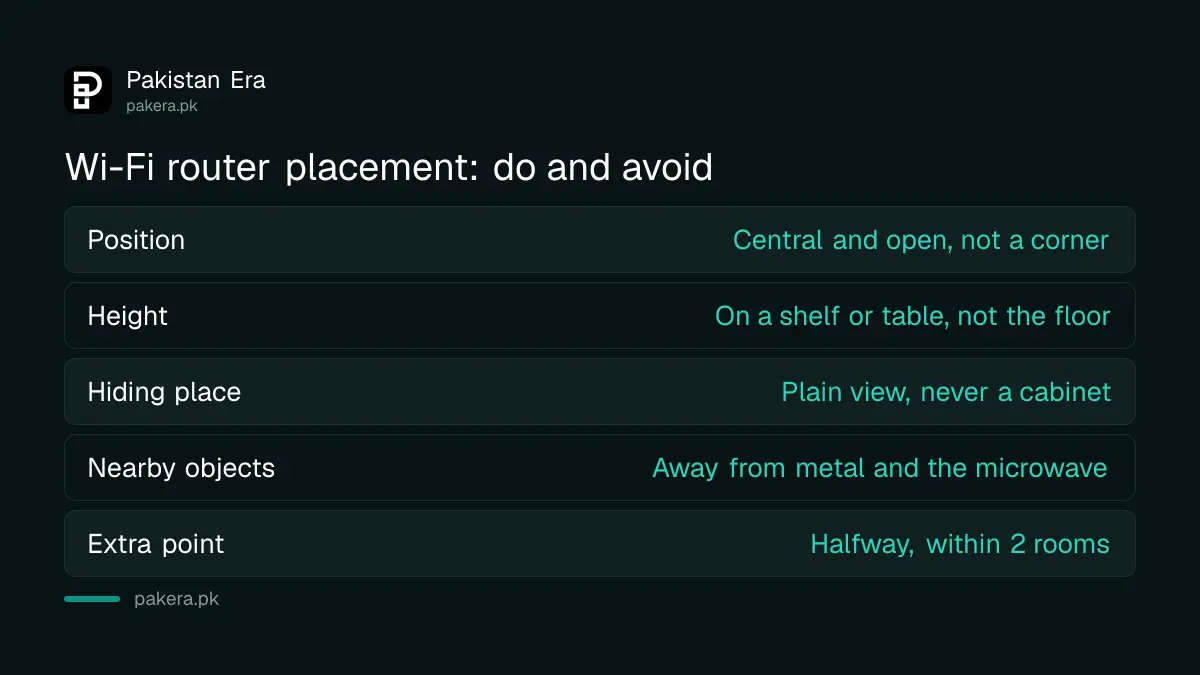
| Placement | Do | Avoid |
|---|---|---|
| Position in the home | Central, open, at eye level | Corner or against a wall |
| Height | On a shelf or table | On the floor |
| Hiding place | In plain view | Cabinet, cupboard or closet |
| Nearby objects | Clear line of sight | Metal, fridge, microwave |
| Other electronics | Some distance away | Cordless phones, baby monitors, TVs |
NETGEAR adds cordless phones, TVs, baby monitors and wireless cameras to the list of things to keep away from. Google warns that walls, doors and even an aquarium can block a signal.
How to move your router, step by step
Pick the room where most devices are used, then move the router there on a shelf. If the fibre box cannot move, add a second device halfway instead. Test one change at a time so you know which one helped.
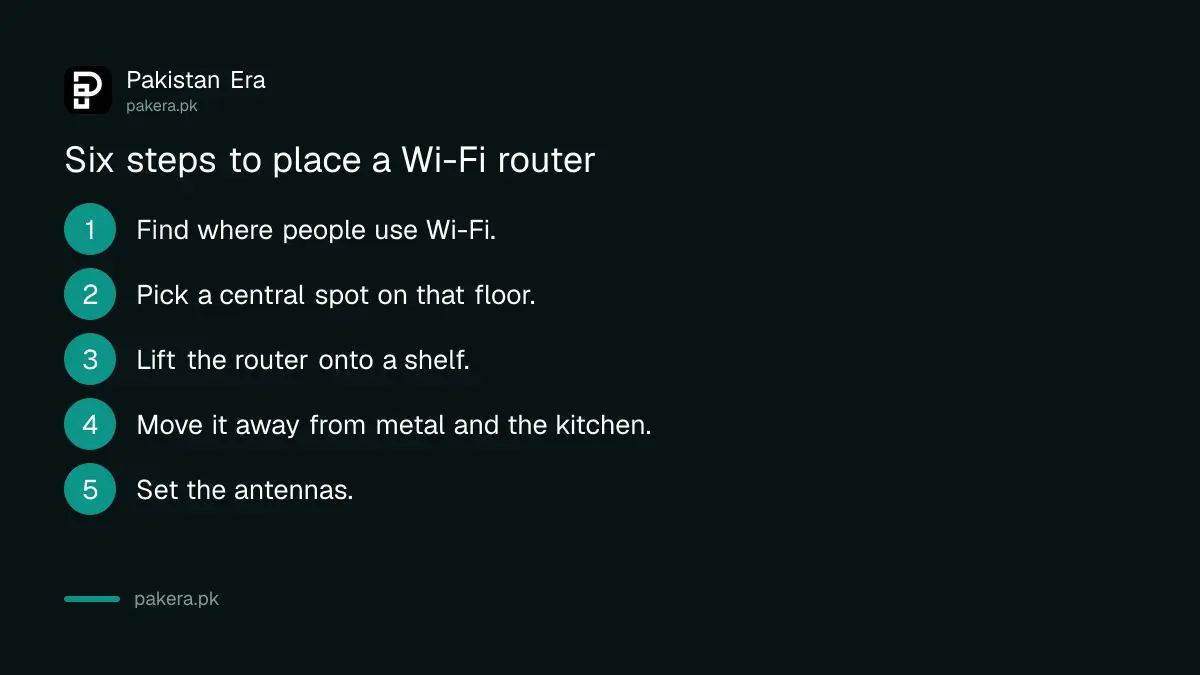
- Find where people actually use Wi-Fi. Note the rooms with the TV, the laptop desk and the phones that charge overnight.
- Pick a central spot on that floor. It should be open, at about eye level, and away from corners.
- Lift the router onto a shelf or table. Take it off the floor and out of any cabinet.
- Move it away from metal and kitchen equipment. Keep a fridge, a steel cupboard and the microwave out of the direct path.
- Set the antennas. See the next section, because the makers differ.
- Check each room on your phone. Walk through the house and note where the signal still drops.
If your router came with your fibre connection, ask the installer to run the cable to a central spot. Ask whether extra cable costs anything before you agree. Our price lists for PTCL Flash Fiber packages and Nayatel packages show what each plan includes.
Antenna angles and the two Wi-Fi bands
TP-Link's advice varies by page. One page says to angle antennas at 45 to 60 degrees. Another says vertical for one floor, and about 30 degrees for several floors. NETGEAR gives no angle. So there is no single right angle, and you can test both.
The band matters too. TP-Link says 5 GHz is faster but has a shorter range and is more sensitive to obstacles than 2.4 GHz. So sit near the router for 5 GHz, and use 2.4 GHz in the far room.
TP-Link also suggests non-overlapping channels, 1, 6 or 11 on 2.4 GHz, if neighbours crowd the same channel. Most routers choose automatically, so only change this if the signal keeps dropping.
When one router is not enough
For a big house or two floors, add a range extender or a mesh system. Google says to place an extra point about halfway toward the weak area, and no more than 2 rooms away from the router or another point. TP-Link says the same halfway rule for extenders.
NETGEAR warns that extenders placed too far away get a weak signal, and extenders placed too close cause interference. For a single bad spot, TP-Link also lists powerline adapters as a stable option where cabling is hard.
A good setup also needs a good password. Our guides on how to change your Wi-Fi password and changing a PTCL Wi-Fi password cover that. If your speed stays poor on a wired connection too, the fault is on the line, and you can complain to PTA about slow internet.
Common questions
Where is the best place for a Wi-Fi router in a house?
A central, open spot on a shelf or table, off the floor, away from walls, metal and appliances. TP-Link, NETGEAR and Google all agree on this.
Does a router work better when placed high?
Yes, up to a point. TP-Link says router antennas radiate more horizontally than vertically, so placing it on a shelf or table helps. Google says the same about a spot off the ground.
Can a microwave oven slow down Wi-Fi?
It can. TP-Link says microwaves give off a very strong signal in the 2.4 GHz band, which many Wi-Fi networks use. Keep the router away from the kitchen.
Should the antennas point straight up?
TP-Link says vertical antennas suit coverage on one floor, and about 30 degrees suits several floors. Another TP-Link page says 45 to 60 degrees. Try both and check each room.
How far should a Wi-Fi extender be from the router?
About halfway to the weak area. Google says no more than 2 rooms from the router or another point.
Will moving the router fix slow internet?
It fixes weak signal in far rooms, not a slow line. If a device next to the router is also slow, the fault is the plan or the line, not the placement.
How we verified this
What we checked, where we read it, and what we could not confirm.
Last checked on 7 October 2026. The central location, height, metal, microwave and antenna advice was read on TP-Link's router placement blog and its Wi-Fi range support page. The do and avoid list, the closet warning and the extender warning were read on NETGEAR's best Wi-Fi router location page. The eye level, off the ground and two room guidance was read on Google's Wifi placement help page. We did not run speed tests, and no source gives a figure for speed gain, so we do not either.
About the author

Technology Journalist & Multimedia Producer
Ahmad Ali is a technology journalist and multimedia producer at Pakistan Era, joining the team in October 2026. He covers consumer technology and digital life for Pakistani readers, combining research with hands-on product testing.