Snapchat Account Locked in Pakistan: Unlock, Appeal and Every Error Code (SS06, SS07, SS18)
Snapchat account locked? Unlock a temporary lock at accounts.snapchat.com or wait 48 hours, appeal a permanent lock in the app, and decode SS06, SS07 and SS18.
A temporarily locked Snapchat account can be unlocked by signing in at accounts.snapchat.com and selecting Unlock, or by waiting 48 hours. A permanently locked account can only be appealed with the Appeal Decision button in the Snapchat app, and Snapchat says a review can take up to 30 days. Below is every lock type, what the SS06, SS07 and SS18 error codes mean, how to save your Memories from a locked account, and why "unlock services" in Pakistan are a scam.
Snapchat is popular with Pakistani students and young people, and a lock usually lands without a clear reason. We read Snapchat's Support pages "My Snapchat account is locked" and "I can't access my account" on 24 October 2026. Everything below follows those pages.
Snapchat has four kinds of lock, and only some can be undone
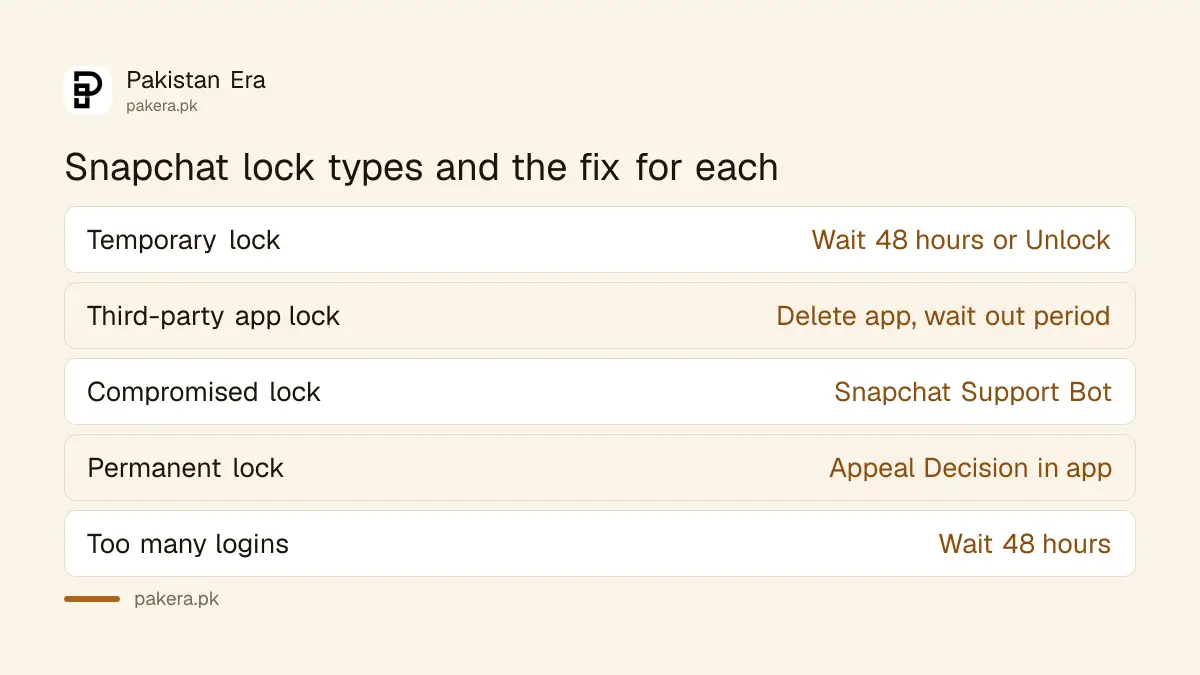
Snapchat separates temporary locks, locks for third-party apps, locks for a compromised account, and permanent locks for breaking its rules. Temporary locks end on their own or through Unlock. Permanent locks can be appealed only if the app shows an Appeal Decision button.
| Message you see | Type | What to do |
|---|---|---|
| Temporarily locked for another reason | Temporary | Wait 48 hours, or Unlock at accounts.snapchat.com |
| Locked for unauthorized third-party app or plugin | Temporary, fixed period | Check the lock length, delete the app, update Snapchat |
| Looks compromised, locked just to be safe | Security lock | Use Snapchat Support Bot |
| Permanently locked for violating Community Guidelines | Permanent | Appeal Decision in the app, if shown |
| Temporarily disabled after too many logins | Temporary | Wait 48 hours with correct details |
Read the message word for word. Snapchat says a permanent lock cannot be undone by the Unlock button, so trying it again and again only wastes time.
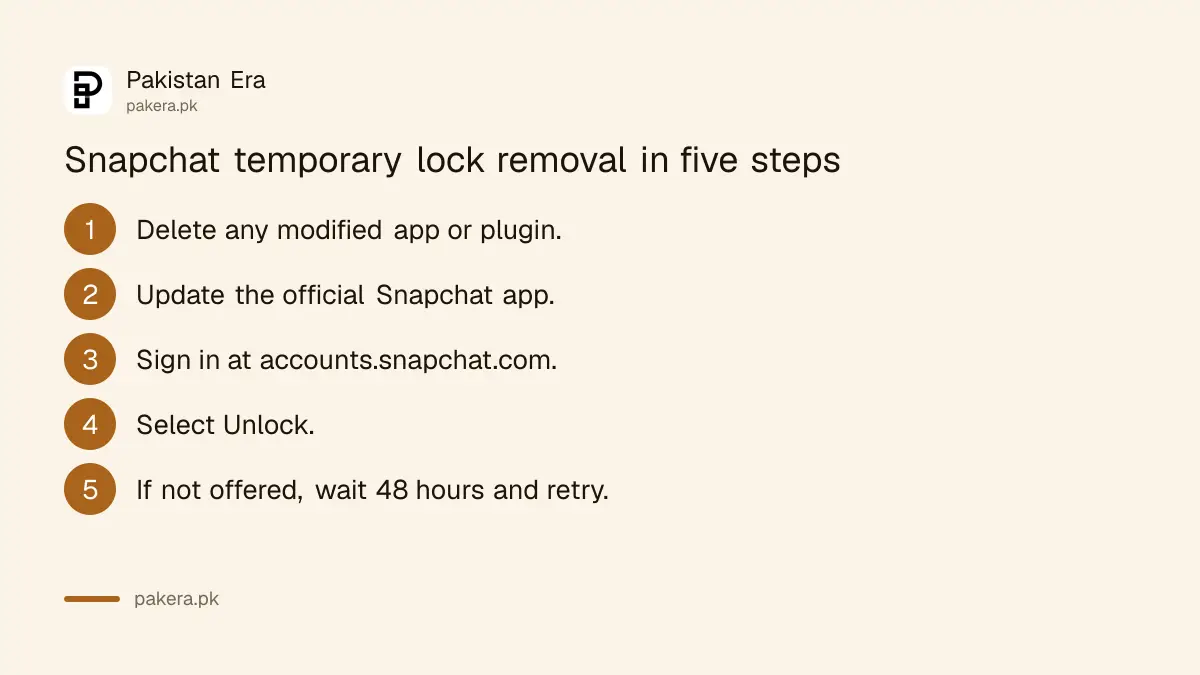
Unlock a temporarily locked Snapchat in 5 steps
Snapchat says you can try to unlock a temporary lock yourself. Sign in to the Snapchat Accounts Portal at accounts.snapchat.com on a browser and select Unlock. You can also try logging in again in the app after the wait.
- Uninstall any modified Snapchat, tweak or plugin from your phone first.
- Update the official Snapchat app from Google Play or the App Store.
- Open accounts.snapchat.com in a browser and sign in with your username and password.
- Select Unlock.
- If Unlock is not offered, wait 48 hours and log in through the app again.
Step one matters more than people think. Snapchat names apps such as Wicked and IOTA as unauthorized third-party tools, and says the account can be locked again if you keep using them. Many "Snapchat plus" APK files shared in WhatsApp groups fall into the same category. Delete them before you unlock, not after.
A permanent lock is appealed only through the app
Open Snapchat, try to log in and tap Appeal Decision on the pop-up. If there is no Appeal Decision button, Snapchat says the lock is not eligible for appeal. The review can take up to 30 days, and the answer comes by email or in the app.
Snapchat repeats one point three times on the same page: the in-app appeal is the only legitimate route. Opening support tickets elsewhere will not speed it up or change the result. It also says that when an account is locked for breaking its rules, it may ban the device and remove content, and people whose accounts are terminated may not create new ones.
Write the appeal plainly. Say what you use the account for, whether you used any third-party app, and that you have removed it. If someone else used your account, say so. Keep it short; nobody reads a long, emotional appeal more kindly.
SS06, SS07 and SS18 mean the device is banned
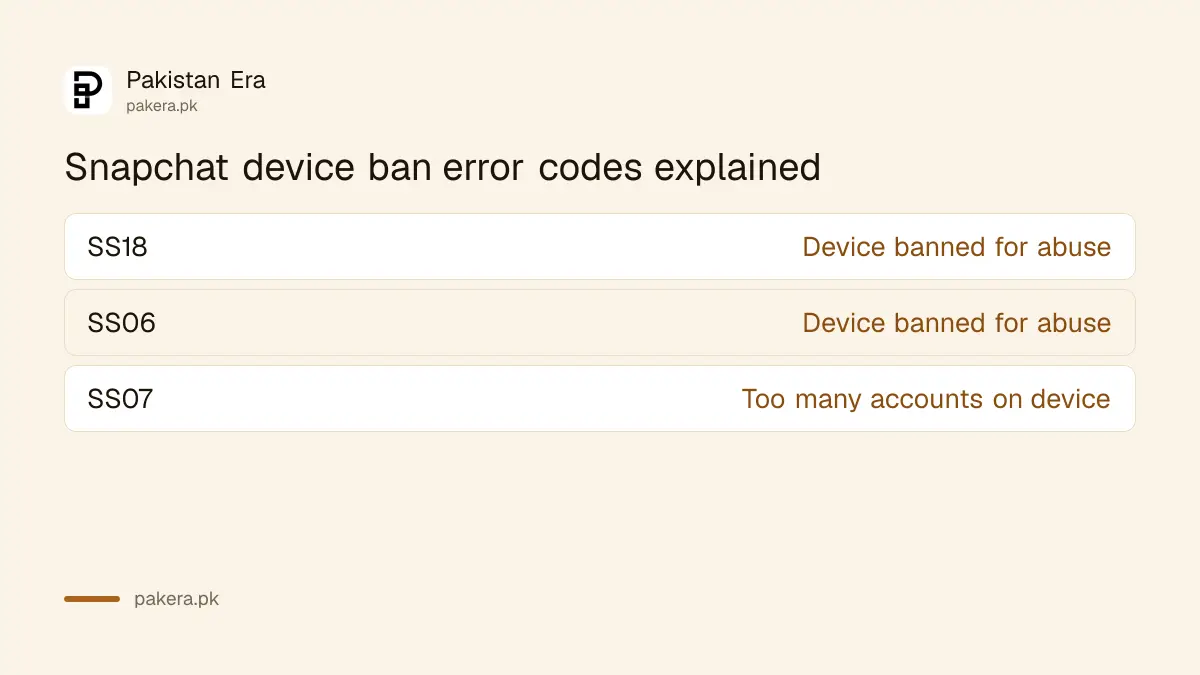
An SS18 or SS06 error means Snapchat banned the phone because of abuse or repeated violations. SS07 means too many accounts were used on that phone. A banned phone cannot create new accounts, and the in-app appeal is again the only route.
| Error code | Meaning |
|---|---|
| SS18 | Device banned for abuse or repeated violations |
| SS06 | Device banned for abuse or repeated violations |
| SS07 | Device banned because too many accounts used it |
SS07 is the one that catches shared family phones in Pakistan. If three siblings log in and out of their own accounts on one handset, Snapchat may see too many accounts on that device. Snapchat's access page also warns that using more than one account, especially one that broke the rules, can block Snapchat on the device for an extended time.
Save your Memories even if the account stays locked
Snapchat lets you request your data from accounts.snapchat.com even while locked. Sign in, open My Data, choose what to include and a date range, confirm your email and submit. Snapchat emails a download link when the file is ready.
Snapchat warns that data may not be available for some locked account types. So request it early, before you spend a month waiting on an appeal. Once the email arrives, select See exports and then Download. Photos you saved in Memories are often the only copy of family moments, and losing them hurts more than losing the streaks.
To avoid the next lock, Snapchat suggests verifying your email and phone number, avoiding spam and mass friend requests, and dropping third-party apps. Parents setting up a teen's account can add Snapchat Family Center and review Snap Map location settings at the same time. If the lock says your account looks compromised, treat it as a hack: change your password at accounts.snapchat.com and use Snapchat Support Bot.
Never pay anyone to unlock it. Snapchat states the only ways to unlock are doing it yourself or appealing in the app. Sellers on Instagram or WhatsApp asking for your password or an Easypaisa payment cannot do anything you cannot do for free. If one of them has already taken money from you, report the fraud to the NCCIA.
Common questions
How long is a temporary Snapchat lock?
For most temporary locks Snapchat says to wait 48 hours. Locks for third-party apps have a set period shown in the app or in Snapchat's email.
How long does a Snapchat appeal take?
Up to 30 days, according to Snapchat. You will hear by email or in the app once a decision is made.
Why is there no Appeal Decision button?
Snapchat says that means the lock is not eligible for appeal, and the decision is final.
Can I make a new Snapchat account after a permanent lock?
No. Snapchat says people whose accounts were terminated are prohibited from creating new accounts, and it may ban the device too.
Can I get my Memories from a locked account?
Usually, yes. Request your data at accounts.snapchat.com under My Data, though Snapchat says some locked accounts may not have data available.
How we verified this
What we checked, where we read it, and what we could not confirm.
We read Snapchat Support's My Snapchat account is locked and I can't access my account pages on 24 October 2026. We did not test a locked account, so we could not confirm what the Unlock page shows in Pakistan or how long appeals take in practice.
About the author

Technology Journalist & Multimedia Producer
Ahmad Ali is a technology journalist and multimedia producer at Pakistan Era, joining the team in October 2026. He covers consumer technology and digital life for Pakistani readers, combining research with hands-on product testing.