How to Summarise a YouTube Video in Urdu Free With AI in Pakistan: Ask Button or Gemini
Summarise a YouTube video free in Pakistan with YouTube's Ask button or Gemini: steps, Urdu prompts that work, why Ask is missing, and how to check the summary.
To summarise a YouTube video for free in Pakistan, tap the Ask button under the video in the YouTube app and type "Is video ka khulasa Urdu mein do", or open Gemini, ask it to find the video, then ask for a summary. Both are free. YouTube's Ask works in Pakistan and in Urdu, but only on some videos. Gemini needs you signed in with Keep Activity turned on.
A two-hour lecture, a long cricket analysis or a 40-minute product review can shrink to ten bullet points in a few seconds. That is useful for students before an exam, and for anyone deciding whether a video is worth the data.
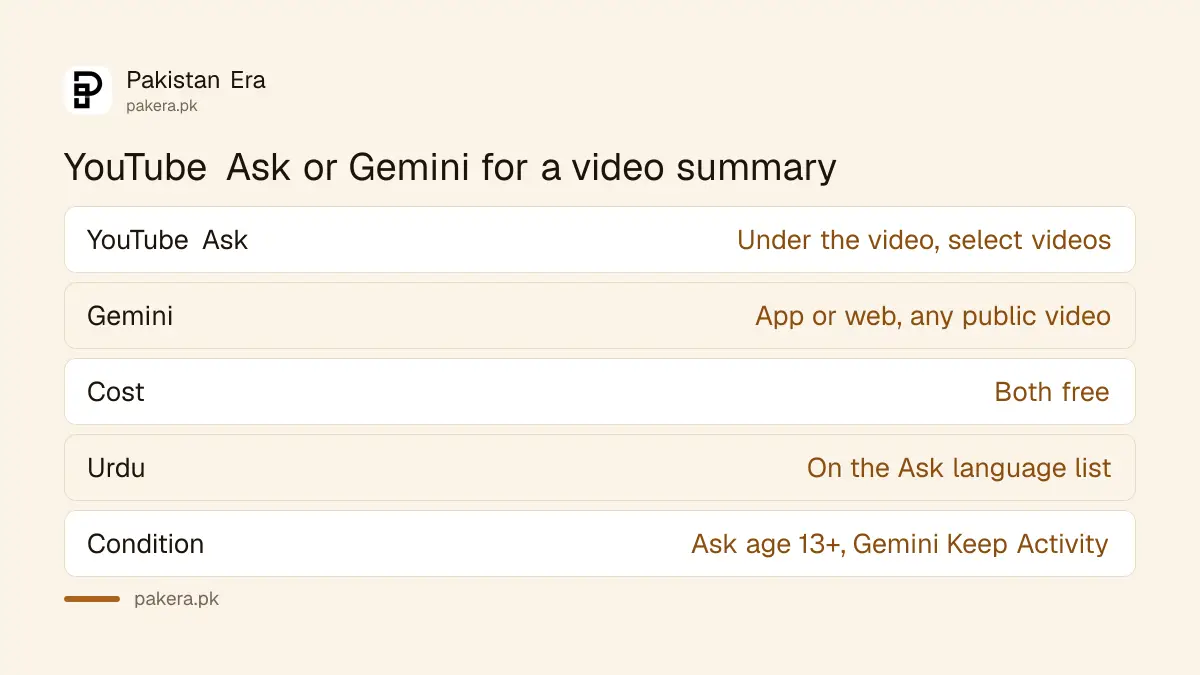
Two free ways to summarise a YouTube video
The YouTube app's own Ask button answers questions about the video you are watching, in Urdu among dozens of languages. Gemini, Google's AI assistant, can find a video and summarise it from the app or website. Neither needs a paid plan.
| Point | YouTube Ask button | Gemini |
|---|---|---|
| Where | Under the video in the YouTube app | Gemini app or gemini.google.com |
| Cost | Free | Free |
| Works in Pakistan | Yes, Pakistan is on the country list | Yes |
| Urdu answers | Urdu is on the language list | Ask in Urdu and check the reply |
| Main condition | Signed in, age 13 or over, select videos only | Signed in, Keep Activity on |
How to use the YouTube Ask button
Open the video in the YouTube app, tap the Ask icon below it, then pick a suggested question or type your own, such as "Summarise this in 5 points". The answer appears under the video while it keeps playing.
- Sign in to the YouTube app with your Google account.
- Open the video you want to summarise.
- Look below the video for the Ask icon. Tap it.
- Tap a suggested prompt, or type your question in Urdu or English.
- Ask follow-up questions, such as "What did he say about the exam date?"
On a smart TV, press the up or down arrow on the remote to show video details, select Ask, then pick a prompt or speak if your remote has a microphone.
Why the Ask button may be missing
YouTube shows Ask only on select videos. It is not available on supervised children's accounts or in YouTube Kids, and you must be signed in and at least 13. If the button is missing on one video but present on another, that is normal. Use Gemini instead.
How to summarise a YouTube video with Gemini
Open Gemini, ask it to find the video by topic or title, then ask it to summarise the result. Google's help page gives this exact flow. Keep Activity must be on, or the YouTube feature will not work at all.
- Open the Gemini app, or go to gemini.google.com and sign in.
- Ask Gemini to find the video, for example "Find the video on Matric chemistry chapter 3 by [channel name]".
- When Gemini lists results, type "Summarise the first video in Urdu in 8 points".
- Ask follow-ups: "List the formulas he used" or "What are the three main arguments?"
You can also paste a video link into Gemini and ask about it. If Gemini says it cannot use YouTube, the cause is almost always Keep Activity. The steps to check that setting, and what it saves, are in Gemini activity settings.
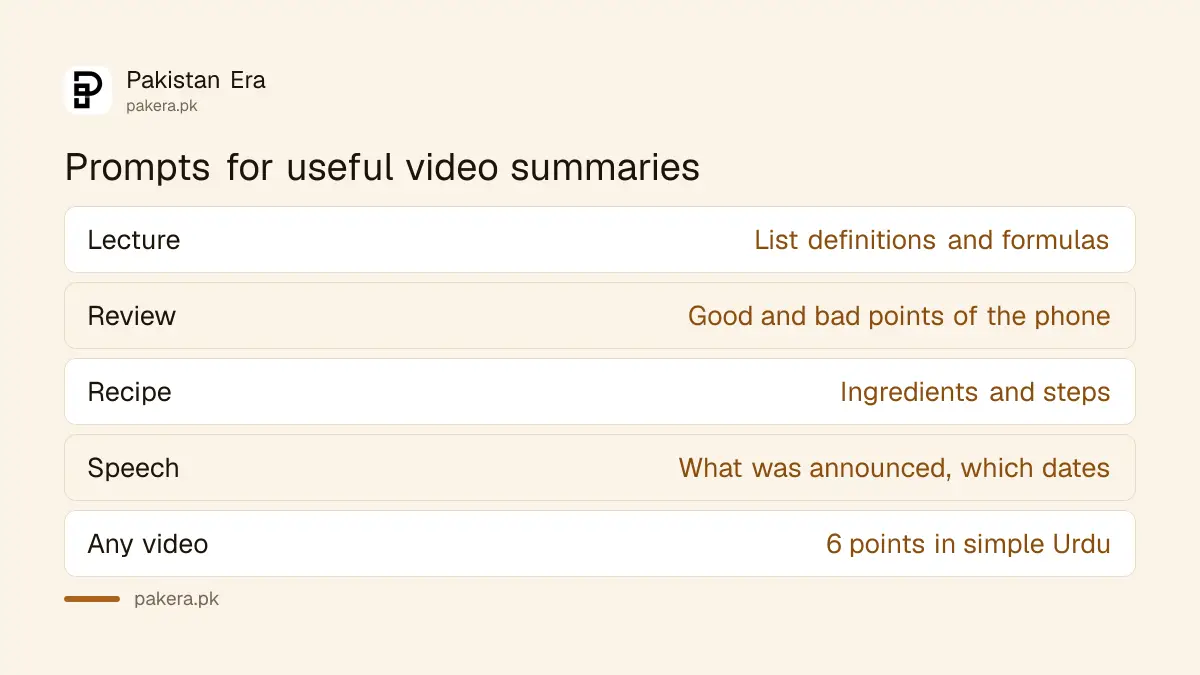
Prompts that give useful summaries
Ask for a fixed number of points, a language and a purpose. "Summarise in 6 points in Urdu for a Matric student" works far better than "summary". Follow up with a question about one part rather than asking for everything at once.
| What you want | Prompt to type |
|---|---|
| Short summary | Summarise this video in 6 points in simple Urdu |
| Exam notes | List the definitions and formulas from this lecture |
| Product review | What are the good and bad points of this phone in the review? |
| Recipe | List the ingredients and steps from this recipe video |
| News or speech | What did the speaker announce, and what dates did he give? |
For practice after the summary, turn the points into a quiz with the method in making flashcards and quizzes from notes.
Check the summary before you rely on it
AI summaries can miss points or get a number wrong. YouTube itself says Ask may give inaccurate answers and is not professional advice. Check exam dates, fees, medical advice and anything you will repeat to others against the video or the official source.
- Jump to the part of the video the summary refers to and listen yourself.
- For board or university dates, check the board's own website, not a video summary.
- Do not submit an AI summary as your own assignment. Universities treat that under plagiarism rules, set out in HEC's plagiarism policy and AI detectors.
- YouTube deletes Ask conversations linked to your account after 45 days, but conversations reviewed by people can be kept for up to 3 years, so do not type private details.
Common questions
Can AI summarise a YouTube video in Urdu?
Yes. Urdu is on the YouTube Ask language list, and you can ask Gemini for a summary in Urdu. Check the Urdu wording, because AI Urdu can sound stiff.
Is the YouTube Ask button available in Pakistan?
Yes. Pakistan is on YouTube's list of countries for Ask on the watch page. It appears only on select videos.
Do I need YouTube Premium for Ask?
No. YouTube's help page lists only sign-in and age 13 or over as conditions, plus a supported language and country.
Why does Gemini say it cannot access YouTube?
Keep Activity is probably off. Google says the YouTube feature is not available when that setting is off. Turn it on and try again.
Can Gemini summarise a YouTube video in Gemini Live?
No, not for now. Google's help page says YouTube content is not available in Live chats or in Gemini inside Google Messages.
Can it summarise a private video?
Gemini uses public YouTube information, so private videos are out of reach. Ask works only on the videos where YouTube shows the button.
How we verified this
What we checked and where we read it.
Last checked 25 November 2026. The Gemini method, the Keep Activity condition and the Live and Messages limits come from Gemini Apps Help, Find and ask about YouTube content in Gemini Apps. The Ask button steps, the age rule, the 45-day and 3-year retention, and the language and country lists, which include Urdu and Pakistan, come from YouTube Help, Ask YouTube on the watch page.
Free on WhatsApp
Get last dates and rule changes on WhatsApp
We post new last dates, fee changes and fixes for common problems, a few short posts a day.
Follow Pakera on WhatsAppOther followers cannot see your number.
Pakera Solves It
Which online process wasted your time this week?
A portal that will not load, a form nobody explains, a complaint that went nowhere. Tell us. Every week we pick one, solve it step by step and publish the answer.
About the author

Technology Journalist & Multimedia Producer
Ahmad Ali is a technology journalist and multimedia producer at Pakistan Era, joining the team in October 2026. He covers consumer technology and digital life for Pakistani readers, combining research with hands-on product testing.