How to Talk to Arabic, Turkish or Chinese Speakers in Urdu With Google Translate, for Pakistanis Abroad
Use Google Translate live translate to talk in Urdu with Arabic, Turkish or Chinese speakers: Conversation mode steps, language list and fixes for Pakistanis.
To talk with someone in Arabic, Chinese or Turkish while you speak Urdu, open the free Google Translate app, tap Live translate at the bottom, choose Conversation, set Urdu and the other language, and take turns speaking. The app hears who is talking, translates, and reads the answer aloud through the phone speaker or your earphones. Urdu and Arabic are both on Google's live translate list.
This helps on Umrah when a taxi driver in Makkah speaks only Arabic, at a hotel desk in Istanbul, or with a Chinese supplier on a video call from Lahore. It needs only the app and a data connection.
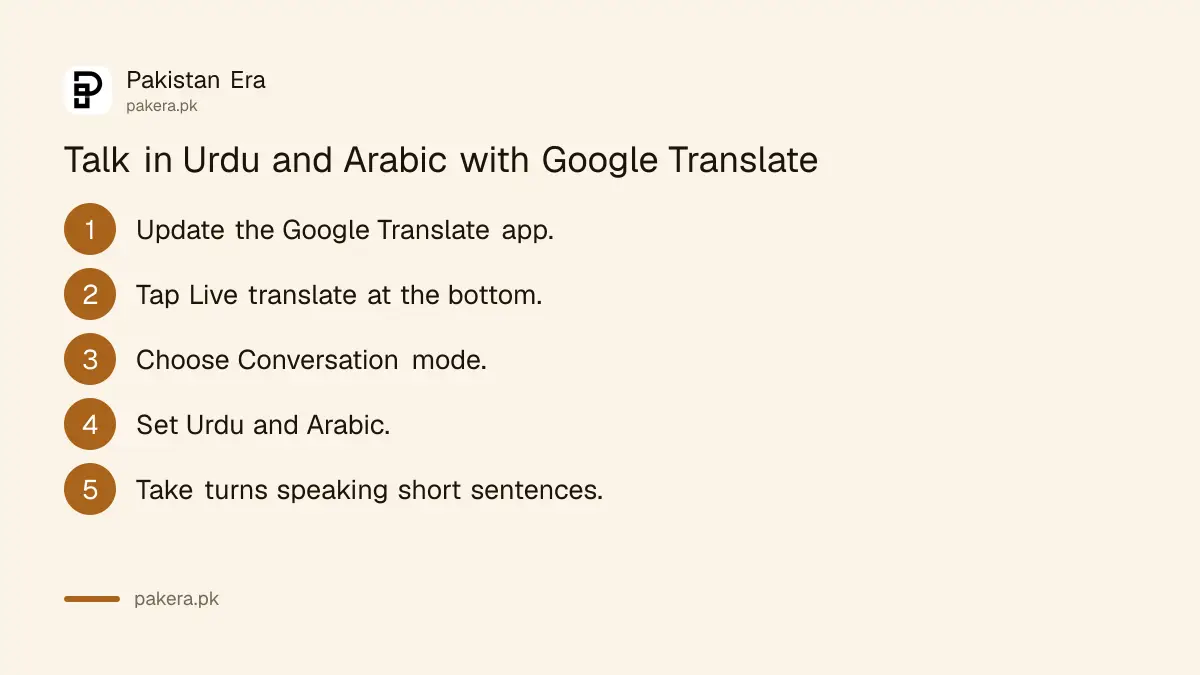
Live translate in Google Translate handles Urdu to Arabic speech
Google Translate's live translate button turns your phone into a two-way interpreter. In Conversation mode you and the other person take turns speaking, and the phone plays each translation out loud. Urdu, Arabic, Turkish, Malay and Chinese are on the supported list.
| Mode | What happens | Best for |
|---|---|---|
| Conversation | Translations play aloud, you take turns speaking | Taxi, shop, hotel desk, clinic |
| Listening | Real-time translation in your earphones only | A talk, a guided tour, an announcement |
| Text only | Translations appear on screen, no audio | A quiet place, or a noisy one |
Listening mode is greyed out until you connect earphones or hold the phone to your ear. Conversation and Text only work through the phone speaker and screen.
How to start a conversation in Urdu and Arabic
Update Google Translate, tap Live translate, choose Conversation, pick Urdu and Arabic, and start speaking. The microphone switches between the two languages by itself, so neither of you has to press a button for each turn.
- Update Google Translate from the Play Store or App Store. Live translate needs the latest version.
- If you want to use earphones, connect them first.
- Open the app and tap Live translate at the bottom of the screen.
- Choose Conversation.
- Set your two languages, for example Urdu and Arabic. In the language list, look for the "Live and Text" label.
- Speak a short sentence in Urdu and wait for the Arabic to play. Then let the other person answer in Arabic.
- Tap Speak to pause or resume, and Back at the top to finish.
The translation keeps running if you switch apps, minimise Google Translate or lock the screen. That is useful when you need to open a map or a booking during the same chat.
Speak so the app gets it right
Short, plain sentences work best. Say "Haram ka darwaza number 79 kahan hai?" rather than a long story. Avoid mixing English and Urdu in one sentence, because the app has to guess which language it heard. Hold the phone between the two of you, and move away from loud traffic or a fan.
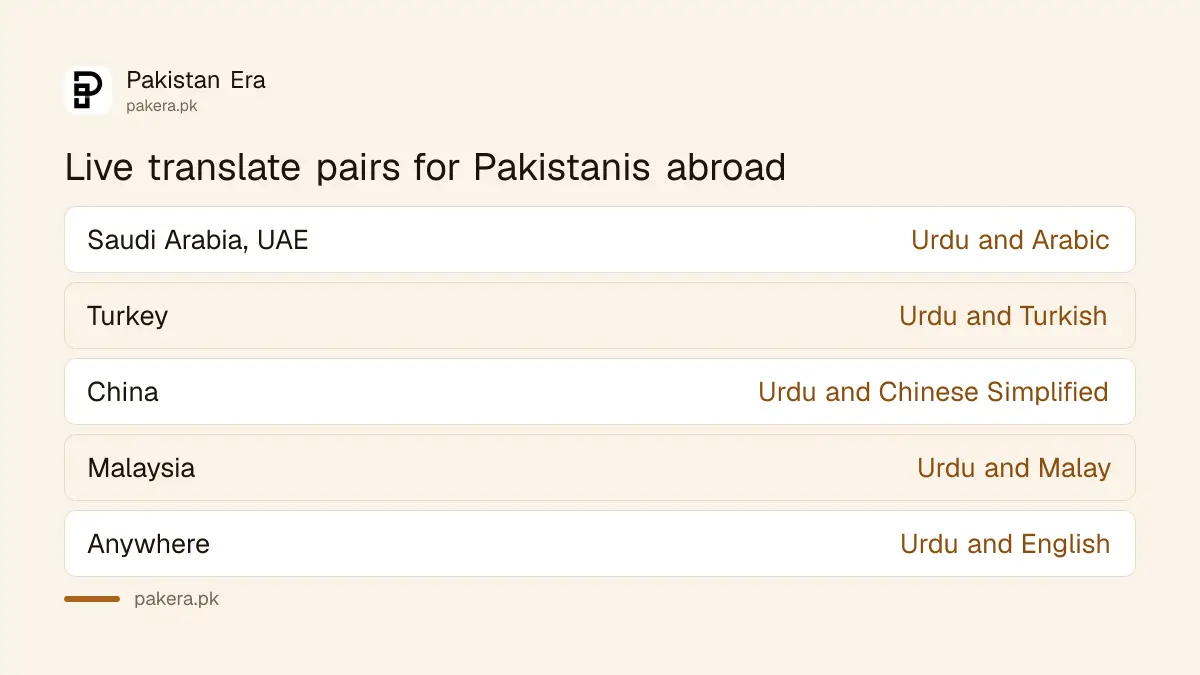
Languages Pakistanis use most with live translate
Arabic for Saudi Arabia and the Gulf, Turkish for Turkey, Chinese for trade and study, and Malay for Malaysia are all on Google's live translate list alongside Urdu. Chinese appears as Simplified and Traditional, so pick Simplified for mainland China.
| Where you are | Pair to choose | On live translate list |
|---|---|---|
| Saudi Arabia, UAE, Qatar | Urdu and Arabic | Yes |
| Turkey | Urdu and Turkish | Yes |
| China | Urdu and Chinese (Simplified) | Yes |
| Malaysia | Urdu and Malay | Yes |
| Anywhere, as a backup | Urdu and English | Yes |
Gulf Arabic and Egyptian Arabic sound different from the Arabic taught in Pakistani schools. If a reply comes out odd, ask the person to speak slowly and in simple words. For a longer study plan, the free language courses in NAVTTC's Arabic and Chinese courses help more than any app.
Live translate needs data, so plan for weak signal
Google says offline live translation works only on Pixel 9, 10 and 11 phones, and only for a few languages paired with English. Urdu and Arabic are not among them. On other phones, keep mobile data or Wi-Fi on while you use Conversation mode.
- Buy a roaming bundle or a local SIM before you travel. The options for Saudi Arabia are in Saudi roaming bundles for Umrah.
- Download Urdu and Arabic for offline text and camera translation, as shown in downloading Google Translate languages offline. Offline packs help you read a sign or menu, even when live speech needs data.
- Write the key sentences down in advance: your hotel name, your group leader's number, and "I need a doctor".
If you want to point your camera at a sign and ask a question about it in Urdu, Gemini Live with the camera does that, while Google Translate is faster for a plain back-and-forth.
Fixes when live translate does not work
Most problems come from an old app version, a language pair that lacks the live label, missing microphone permission, or no data. Check each in turn before you give up on the app.
- No Live translate button: update Google Translate and restart the phone.
- Language greyed out: pick a language with the "Live and Text" label.
- Nothing heard: allow microphone access in phone Settings, Apps, Translate, Permissions.
- Listening mode greyed out: connect earphones first.
- Translation stops: check mobile data or Wi-Fi.
Never rely on the app alone for medicine, police or legal matters. Ask your hotel, your Umrah group leader or the Pakistani mission for a human interpreter.
Common questions
Does Google Translate live translate work in Urdu?
Yes. Urdu is on Google's list of live translate languages, along with Arabic, Turkish, Malay and Chinese.
Can I use Google Translate conversation mode without internet?
Not for Urdu or Arabic speech on most phones. Google offers offline live translation only on Pixel 9, 10 and 11, for a few languages paired with English.
Is Google Translate free?
Yes. The app and live translate are free. You pay only for the mobile data it uses.
Does it work on iPhone?
Yes. Open Google Translate on iPhone, tap Live translate, choose Conversation and your languages, then take turns speaking.
Do I need earphones?
No for Conversation and Text only. Listening mode needs earphones or the phone held to your ear.
Which Chinese should I pick for China?
Pick Chinese (Simplified) for mainland China. Traditional is used in Taiwan and Hong Kong.
How we verified this
What we checked and where we read it.
Last checked 25 November 2026. Steps, modes, background use, offline limits and the language list come from Google Translate Help, Translate spoken words (Android) and the iPhone version of the same page. The page names the button "live translate"; older app versions called the same feature Conversation.
Free on WhatsApp
Get last dates and rule changes on WhatsApp
We post new last dates, fee changes and fixes for common problems, a few short posts a day.
Follow Pakera on WhatsAppOther followers cannot see your number.
Pakera Solves It
Which online process wasted your time this week?
A portal that will not load, a form nobody explains, a complaint that went nowhere. Tell us. Every week we pick one, solve it step by step and publish the answer.
About the author

Technology Journalist & Multimedia Producer
Ahmad Ali is a technology journalist and multimedia producer at Pakistan Era, joining the team in October 2026. He covers consumer technology and digital life for Pakistani readers, combining research with hands-on product testing.