Gemini Live in Pakistan: How to Use Voice, Camera and Screen Share (Android, iPhone)
Gemini Live works in Pakistan on Android and iPhone. See how to start it, use the camera and screen share, what you need, and what Google says about Urdu.
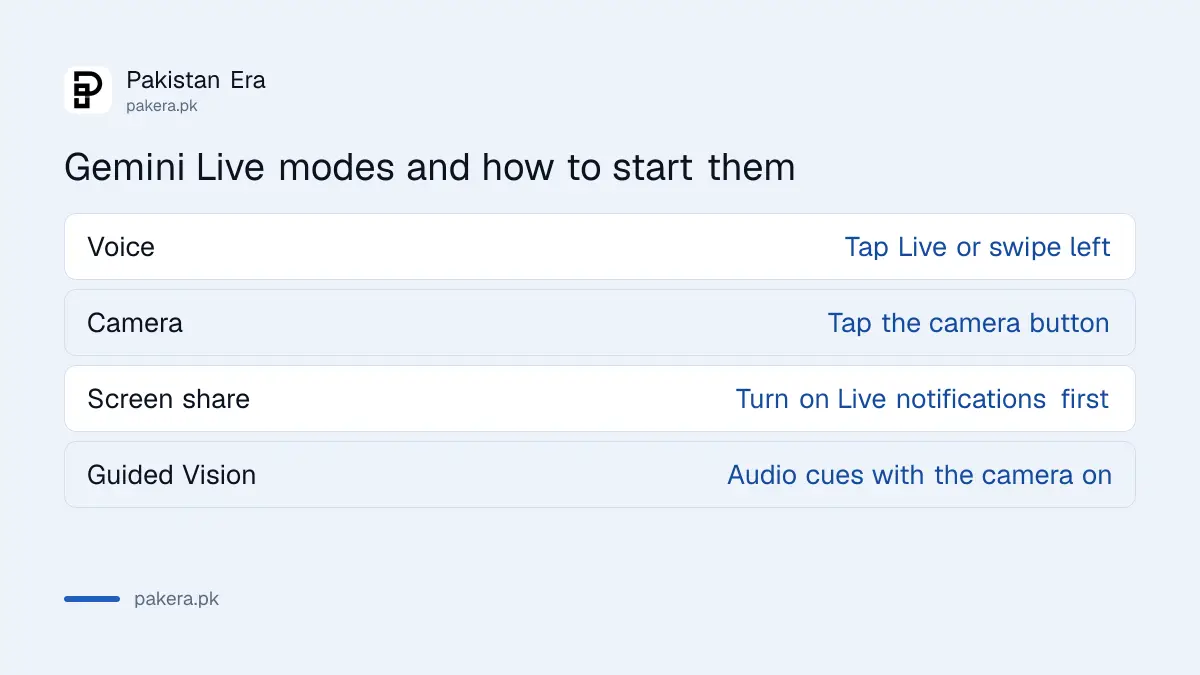
To use Gemini Live in Pakistan, open the Gemini app on your phone, tap Live at the bottom of the screen (or swipe left), and start talking; tap the camera button to show it what you see, or share your screen for help with an app. It works on Android and iPhone, needs a signed-in Google account, and is not available on the Gemini website.
Gemini Live is Google's voice mode: you speak, Gemini answers out loud, and you can cut in mid-sentence to change the topic. We read Google's Gemini Live help page and its app availability pages on 1 November 2026. Here is how to start it, what you need, and what it can and cannot do yet, including the Urdu question.
Gemini Live needs the Gemini app and a signed-in Google account
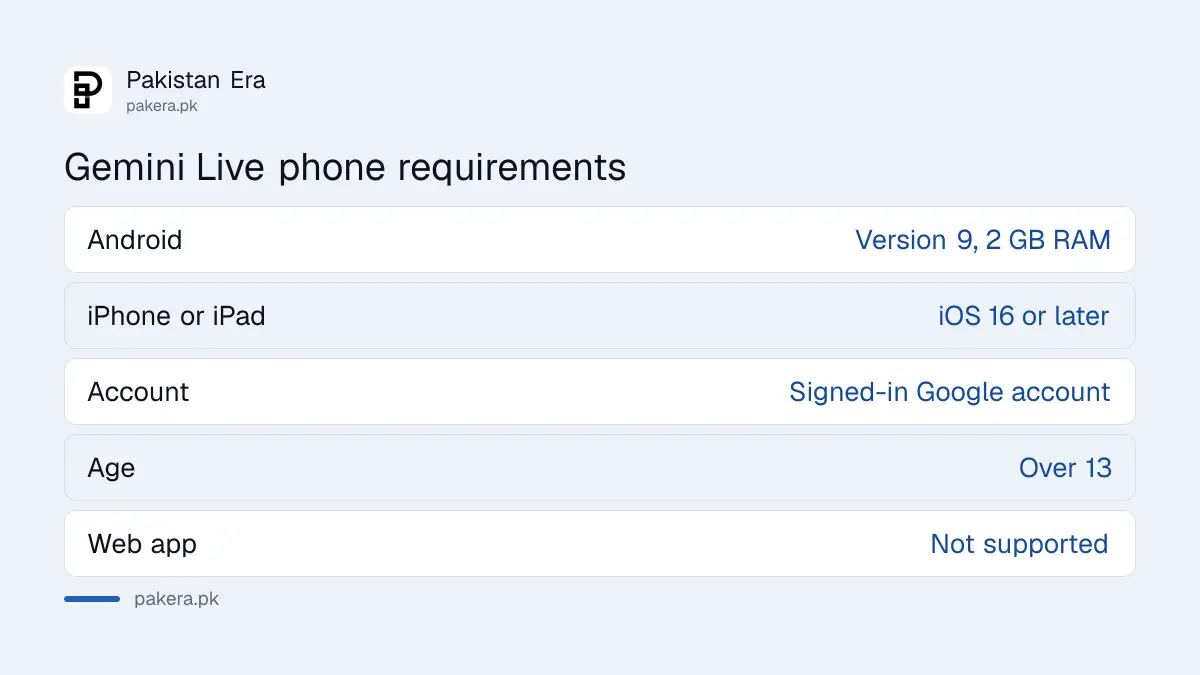
You need the Gemini mobile app on Android or iPhone, a personal Google account (or a work or school account with Gemini switched on), the latest Google app on Android, and you must be over 13. Live does not run in the browser or in Google Messages.
| Requirement | What Google's pages say |
|---|---|
| Android phone | Android 9 or later, 2 GB RAM or more, not Android Go |
| iPhone or iPad | iOS 16 or later |
| Account | Personal Google account, or a work or school account with access |
| Age | Over 13, or the minimum age in your country |
| Where it runs | Gemini mobile app only, not the web app |
| Pakistan | Listed for the Gemini app on Google Play |
Pakistan is on Google's list of countries where the Gemini app can be downloaded. If the app will not install, the cause is usually the phone, not the country: an old Android version, less than 2 GB of RAM, or an Android Go handset.
Four steps start a Gemini Live conversation
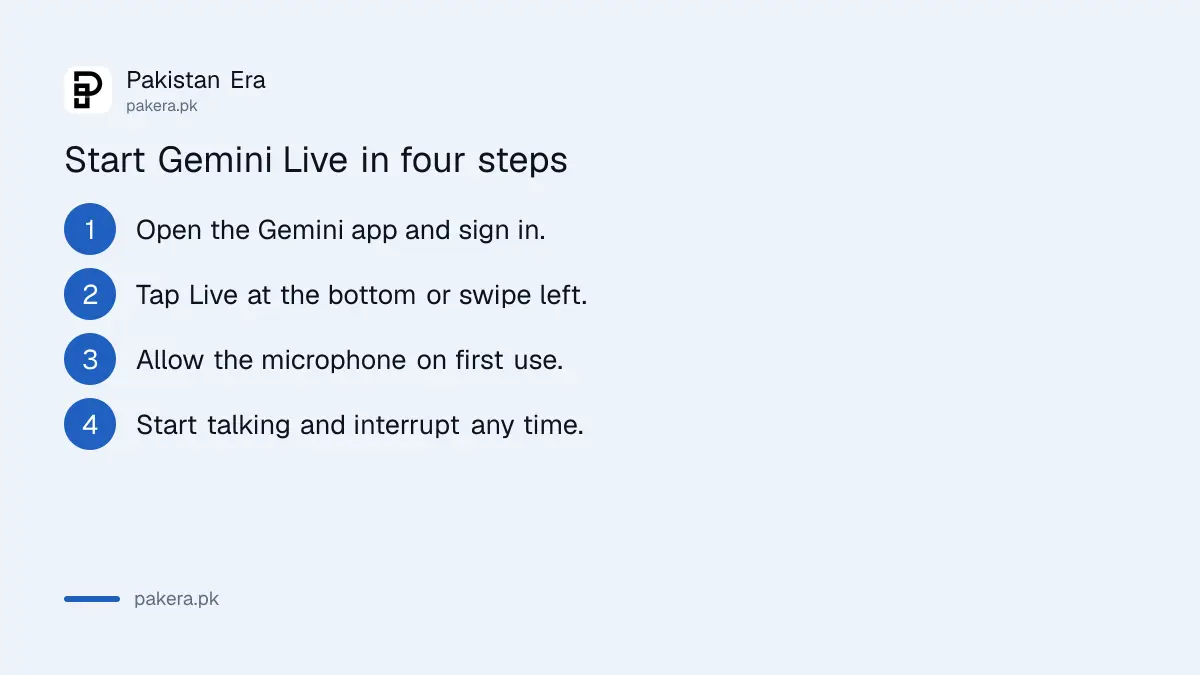
Open the Gemini app, tap Live at the bottom or swipe left, follow the first-time instructions, and start speaking. You can also say "Hey Google, let's talk Live" on Android if Gemini is your phone's assistant.
- Open the Gemini app and make sure you are signed in.
- Tap Live at the bottom of the screen, or swipe left.
- Allow the microphone and follow the on-screen setup the first time.
- Start talking. Interrupt any time to add detail or change the subject.
Live is good for things you would rather say than type: practising a job interview, talking through a budget, or asking follow-up questions while cooking. Google lists brainstorming, exploring topics and practising for important moments as its main uses.
One practical tip from reading the rules: Google asks you to get permission before recording anyone else or including them in a Live chat. In a shared room or office, tell people first.
The camera button lets Gemini see what you see
Tap the camera button during a Live chat and Gemini can see through your phone's front or rear camera. Point it at a meter reading, a medicine box or a broken appliance and ask your question out loud. The camera switches off when you leave the app.
Google's page says the camera turns off on its own when Live is put on hold, when you leave the Gemini app, or when the screen locks. It does not turn back on when you return, so tap it again.
For people with weak eyesight, the camera mode has audio cues that help read small labels and describe surroundings. Google calls this Guided Vision, and we explain it separately under Gemini Guided Vision for blind and low-vision users.
Screen sharing helps with apps, forms and settings
Screen sharing sends your whole phone screen to Gemini, so it can talk you through an app, a form or a settings page. Turn on Gemini Live notifications first, then tap share screen from the Live screen or say "Hey Google" and choose Share screen with Live.
Because the whole screen is shared, close banking apps, wallet apps and private chats before you start. Sharing stops when Live is put on hold or the screen locks, and it does not restart by itself.
Live can also keep running in the background, or on a locked screen, if Live notifications are on and Gemini on lock screen is allowed. You cannot start a new Live chat from a locked screen, though.
Urdu is a Gemini app language, but Google does not list Live languages
Urdu is on Google's list of supported Gemini app languages, without the mark that blocks "Hey Google" voice commands. But the Gemini Live help page gives no language list at all, so Google has not stated in writing that Live speaks Urdu.
The only language notes on the Live page are that Farsi is not supported in the mobile app and that changing Gemini's voice is not offered in some languages. Memory and personalisation inside Live are English only and US only.
Our advice: set your phone's Gemini language to Urdu and try a short Live chat. If it replies in English, ask it in Urdu to answer in Urdu. For writing tasks in Urdu, our comparison of the best AI for Urdu is a better guide to which assistant handles the script well.
Free accounts can use Live, but Google sets no published number
Google's Live page does not mention a price, and its limits page does not list Live separately. Accounts without a paid plan get standard limits; AI Plus gets two times that and AI Pro four times. Google says limits depend on compute and can change.
| Plan | Gemini app limit |
|---|---|
| No plan (free) | Standard limits |
| Google AI Plus | 2 times standard |
| Google AI Pro | 4 times standard |
| Google AI Ultra | 5 or 20 times AI Pro |
Gems, your saved custom Gemini helpers, cannot be used inside Live for now. With a work or school account, only Calendar, Keep and Tasks connect to Live. If you run out of quota mid-conversation, the pattern for Gemini limits and reset times applies.
Common questions
Is Gemini Live free in Pakistan?
The Gemini app is free to download in Pakistan, and Google's Live page names no price. Free accounts get standard limits, with no published daily number.
Can I use Gemini Live on a laptop?
No. Google's page says Live is not available in the Gemini web app. It runs on the Android and iPhone apps.
Does Gemini Live understand Urdu?
Urdu is a supported Gemini app language, but Google's Live page does not list Live languages, so it has not confirmed Urdu for Live in writing.
Why did my camera stop during Gemini Live?
The camera turns off when Live is put on hold, when you leave the app or when the screen locks. Tap the camera button again.
Can Gemini Live see my banking app when I share my screen?
Yes. Screen sharing sends your full screen, so close banking, wallet and private chat apps before you share.
How we verified this
What we checked, where we read it, and what we could not confirm.
We read Google's Gemini Live help page on 1 November 2026 for the requirements, steps, camera, screen sharing and English-only features, and the Gemini mobile app availability page for the Android 9, 2 GB RAM and iOS 16 rules, the Pakistan listing and the Urdu language entry. We also read the Gemini Apps limits page for the plan multipliers. We did not run a Live chat ourselves, so we cannot say how well it handles spoken Urdu, and Google publishes no fixed Live time limit for free users.
About the author

Technology Journalist & Multimedia Producer
Ahmad Ali is a technology journalist and multimedia producer at Pakistan Era, joining the team in October 2026. He covers consumer technology and digital life for Pakistani readers, combining research with hands-on product testing.