Gemini Guided Vision in Pakistan: Free Camera Help for Blind and Low-Vision Users
Gemini's Guided Vision reads labels and finds objects aloud for blind and low-vision users. Turn it on in Pakistan, set a shortcut, and know what it cannot do.
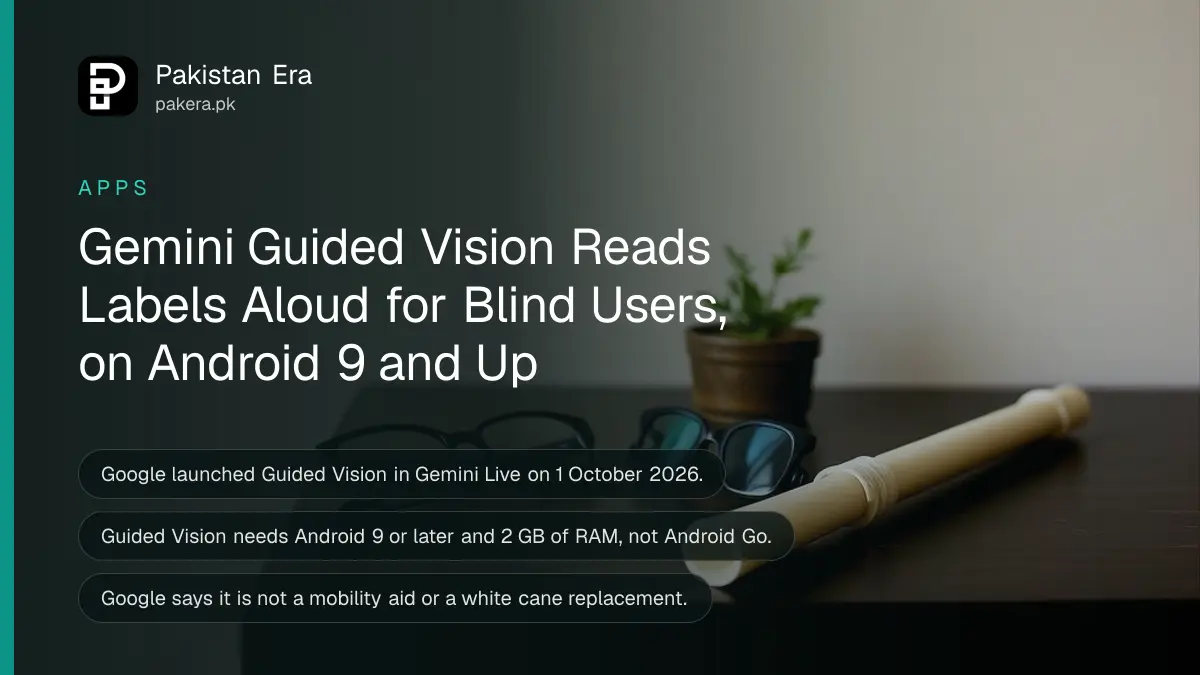
Guided Vision lets a blind or low-vision person point an Android phone at something and hear Gemini describe it. Turn it on in the Gemini app under your profile settings with "Use Guided Vision in Live", then start Gemini Live and share your camera. Google lists Pakistan as a Gemini app country.
Google launched Guided Vision on 1 October 2026 for Android phones running Android 9 or later. It was built with blind and low-vision testers, and it does one thing well: it talks you through what the camera sees, and tells you to tilt, pan or step back when the picture is not right.
That last part is what sets it apart. Ordinary camera apps assume you can see the screen. Guided Vision assumes you cannot. For a family in Pakistan helping a parent whose eyesight is failing, that can mean reading a food label or a printed bill without waiting for someone to come over.
We read Google's launch post and its accessibility help page. We have not used the feature on a phone ourselves, and Google says it is rolling out slowly.
Guided Vision reads text and finds objects by voice
Google says Guided Vision can read small print, find objects, describe colours and patterns, and describe a room. You speak a question, and Gemini answers aloud while the camera stays on, so you can ask a follow-up straight away.
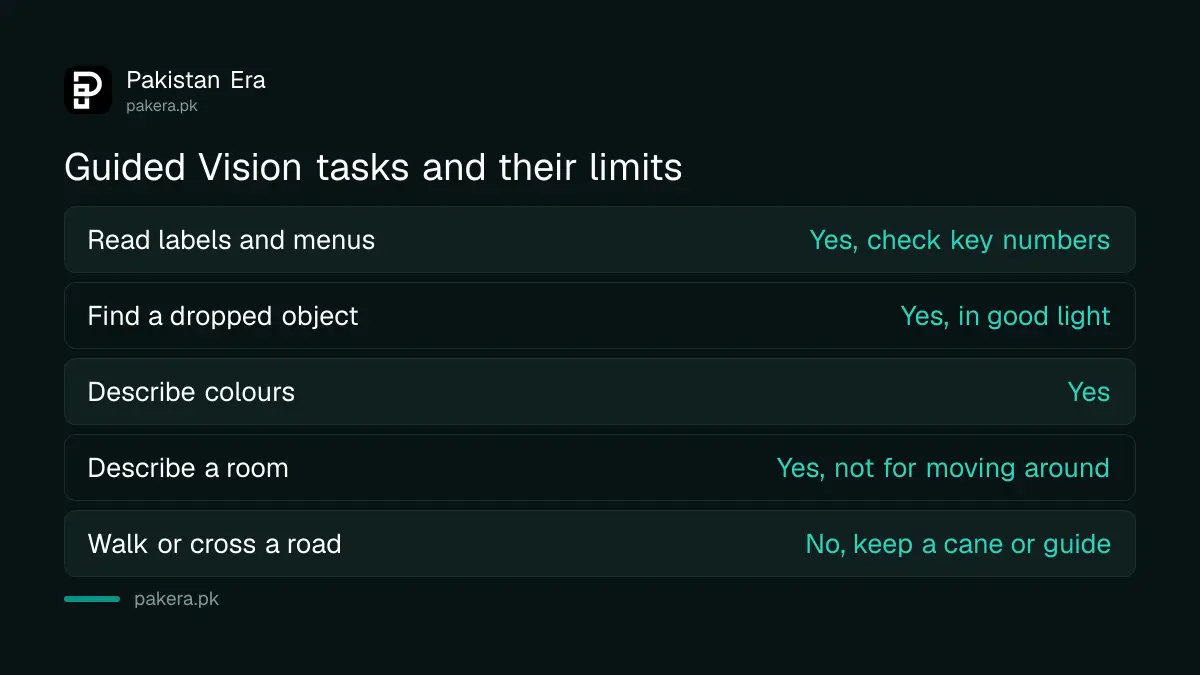
| Task | Example from Google | Use with care |
|---|---|---|
| Read fine print | Food labels, printed menus, appliance dials | Check any number that matters with a person |
| Find objects | A dropped earbud, pepper in a spice cabinet | Works best in good light |
| Describe things | Colour and pattern of a shirt | Useful for matching clothes |
| Describe a room | Layout of an unfamiliar space | Not for moving around safely |
| Walking outside | Not supported | Keep using a white cane or a guide |
Google is blunt about the limits. Guided Vision "is not a medical device, mobility aid, or white cane replacement", and it is not meant for navigation or obstacle detection. Google also says it "can make mistakes".
So use it to read and find, never to cross a road. And for medicine, read the dose with it if you like, but confirm it with a pharmacist or a family member before you take anything. A misread 5 and 8 on a strip of tablets is not a risk worth taking.
How to turn on Guided Vision in the Gemini app
Update the Gemini app and Android first. Then switch on "Use Guided Vision in Live" from your profile settings in the Gemini app, start Gemini Live, and tap to share your camera. Google says you may not see the option yet while it rolls out.
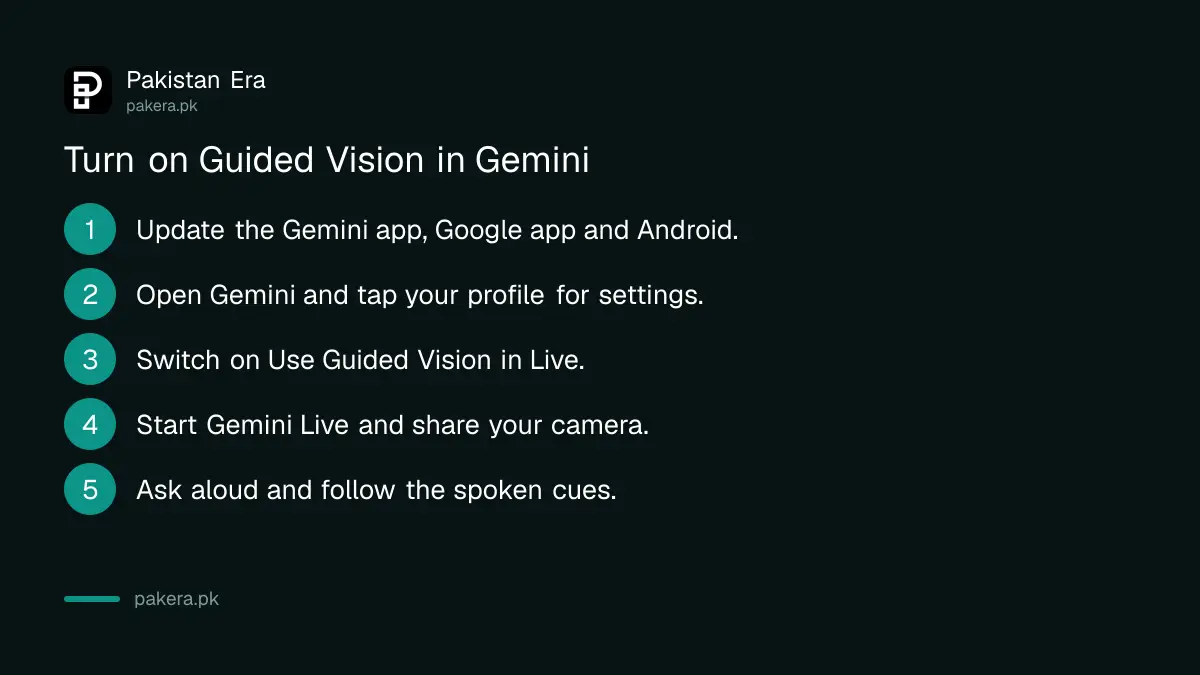
- Update the Gemini app and the Google app from the Play Store, and install any pending Android update.
- Open the Gemini app and tap your profile picture to open settings.
- Switch on Use Guided Vision in Live. Google says a notification then offers Start Live.
- In Gemini Live, tap the camera button to share your camera.
- Ask your question aloud, for example "What does this label say?", and follow Gemini's spoken cues to move the phone.
If your phone is behind on updates, the steps to check your Android security patch also show where the system update button is.
Start it faster with a shortcut
Opening an app and finding a toggle is hard without sight. Google offers three faster ways in. Go to Android Settings, then Accessibility, then under Vision assistance tap Guided Vision and set a shortcut.
- Accessibility button: a floating button on screen that starts Guided Vision.
- Accessibility gesture: swipe up from the bottom of the screen with two fingers.
- Volume keys: press and hold both volume keys.
TalkBack users, meaning people using Android's built-in screen reader, have a fourth route. Tap the screen with three fingers to open the TalkBack menu, then choose Guided Vision. Google says to update TalkBack from the Play Store first.
Which phones and accounts can use it in Pakistan
You need an Android phone or tablet on Android 9 or later, with at least 2 GB of RAM and the Gemini app. Phones on Android Go, the light version of Android on many cheaper models, cannot run the Gemini app at all. It is not available on iPhone.
| Requirement | What Google's help pages say |
|---|---|
| Phone | Android 9 or later, 2 GB RAM or more |
| Android Go phones | Not supported by the Gemini app |
| Age | 13 or over, or with a parent's approval |
| Country | Pakistan is on the Gemini app country list |
| Language | Urdu is on the Gemini app language list |
| Account | A personal Google account signed in to Gemini |
Google's pages do not list Guided Vision as a paid feature, and the launch post mentions no subscription. You do not need the free Gemini storage offer or any paid plan to try it.
Some budget phones sold in Pakistan run Android Go. Check under Settings, About phone before you count on it for a relative.
Speaking to it in Urdu may not work the same as English
Google says Guided Vision supports "multiple languages" and was tested with users in India, Brazil, Singapore, Indonesia and Japan. Pakistan is not named. Urdu is on the Gemini app's language list, but Google does not say which languages Guided Vision speaks.
Our earlier look at the best AI for Urdu found the same gap for Gemini voice. A language being on the list does not prove spoken Urdu works well. Try English and Urdu both, and use whichever gives clearer answers.
Mind other people's privacy
Gemini Live streams what the camera sees. Google asks users to respect other people's privacy and get permission before including them. Point the camera at the object, not at a crowd or at someone's documents.
For a family member who is blind, Guided Vision is a helper, not a replacement for official support. A disability certificate and special CNIC opens quotas, fee waivers and other help that no app can give.
Common questions
Is Gemini Guided Vision free in Pakistan?
Google's pages show no fee or subscription for it. You need the free Gemini app on a supported Android phone.
Does Guided Vision work on iPhone?
No. Google launched it on compatible Android devices only.
Why can't I find Guided Vision in my Gemini app?
Google says it is rolling out slowly. Update the Gemini and Google apps, then check again in a few days.
Can Guided Vision read Urdu text?
Google has not said. We have not tested it, so try it on a label you already know before relying on it.
Can a blind person use Guided Vision to walk outside?
No. Google says it is not for navigation or obstacle detection. Keep using a white cane or a guide.
Does it work on Android Go phones?
No. The Gemini app does not support Android Go, so Guided Vision will not run on those phones.
How we verified this
What we checked, where we read it, and what we could not confirm.
Last checked on 9 October 2026. Launch date, uses and limits are from Google's post Guided Vision in Gemini Live of 1 October 2026 and its help page Get audio descriptions with Guided Vision. Phone, age, country and language requirements are from Google's Gemini mobile app availability page. We did not test Guided Vision on a phone.
About the author

Technology Journalist & Multimedia Producer
Ahmad Ali is a technology journalist and multimedia producer at Pakistan Era, joining the team in October 2026. He covers consumer technology and digital life for Pakistani readers, combining research with hands-on product testing.