Telenor eSIM in Pakistan: How to Get It, Supported Phones (Full List) and the Price
Get a Telenor eSIM in Pakistan: biometric check at a franchise, scan the QR, the email password is your last 4 CNIC digits. Full phone list and the price cap.
You get a Telenor eSIM at a Telenor franchise or retailer: you give your fingerprint for biometric verification, share an email address, and scan a QR code that activates the eSIM on your phone. Telenor also emails the QR code in a password-protected file, and the password is the last four digits of your CNIC. Below are the three activation routes Telenor lists, its full list of supported phones by brand, and what we could and could not find about the price.
An eSIM is a SIM built into the phone, so there is no plastic card to insert. It suits people who want two numbers on one phone, or who keep losing SIM trays. We read Telenor's eSIM page on telenor.com.pk on 24 October 2026.
Telenor activates an eSIM after biometric verification at a shop
Telenor lists one in-shop route and two email routes, one for iPhone and one for Android. All three start with a visit to a Telenor franchise or retailer and biometric verification, the fingerprint check every Pakistani SIM needs.
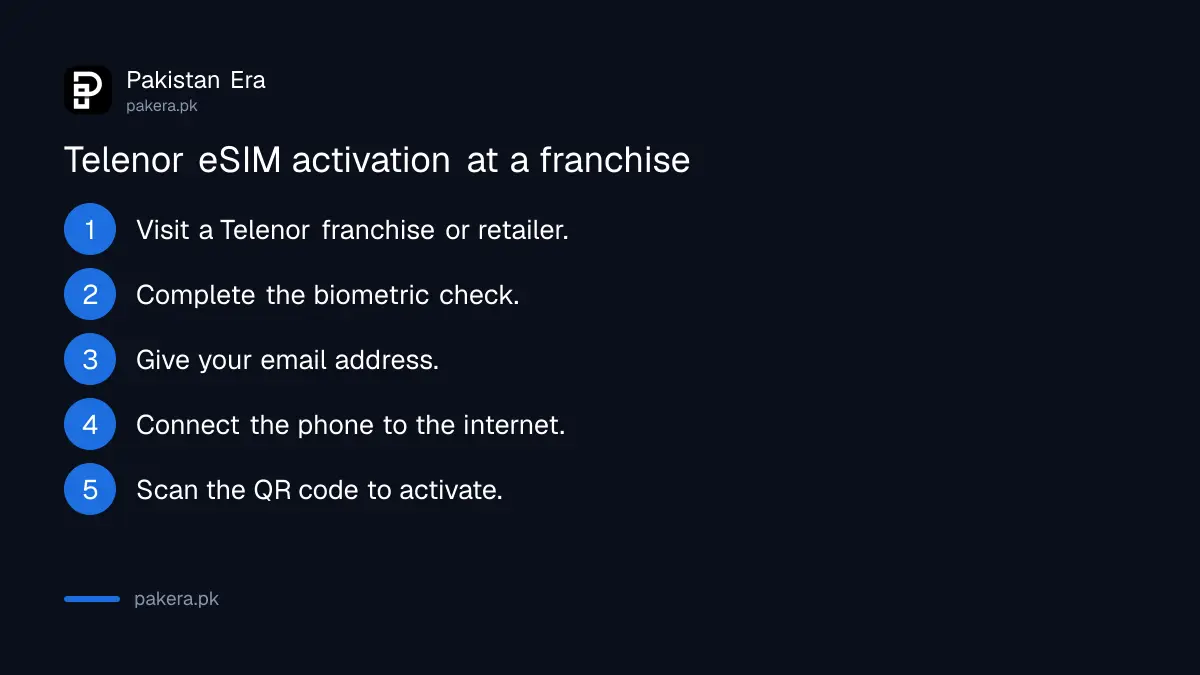
The in-shop route, which Telenor calls activation via BVS, works like this:
- Visit the nearest Telenor franchise or retailer with your original CNIC.
- Complete the biometric verification.
- Give your email address.
- Connect your phone to the internet, for example on shop Wi-Fi.
- Scan the QR code shown to you. The eSIM activates.
- Keep the password-protected email with the QR code for later use.
The email copy matters. If you reset the phone or move the eSIM later, that QR code is the thing you will need. Open it with the last four digits of your CNIC, as Telenor's page says, and save it somewhere safe that is not the same phone.
The email route on iPhone and Android uses an activation code
On the email routes, Telenor sends a password-protected email with the QR code and an activation code after the biometric check. On iPhone you type in the SM-DP+ address and code; on Android you paste the whole code.
| Step | iPhone | Android |
|---|---|---|
| 1 | Biometric check at a franchise or retailer | Biometric check at a franchise or retailer |
| 2 | Connect to the internet | Connect to the internet |
| 3 | Open the email with the last 4 CNIC digits | Open the email with the last 4 CNIC digits |
| 4 | Enter the SM-DP+ address and activation code, press Done | Copy the full activation code, paste it, press OK or Done |
| 5 | eSIM active | eSIM active |
SM-DP+ is the address of the server that holds your eSIM profile. You do not need to understand it, only to copy it exactly. On most iPhones the entry screen sits under Settings, then Mobile Service or Cellular, then Add eSIM. The general phone steps for every network are in our page on how to activate an eSIM in Pakistan.
Telenor lists supported phones from five brands
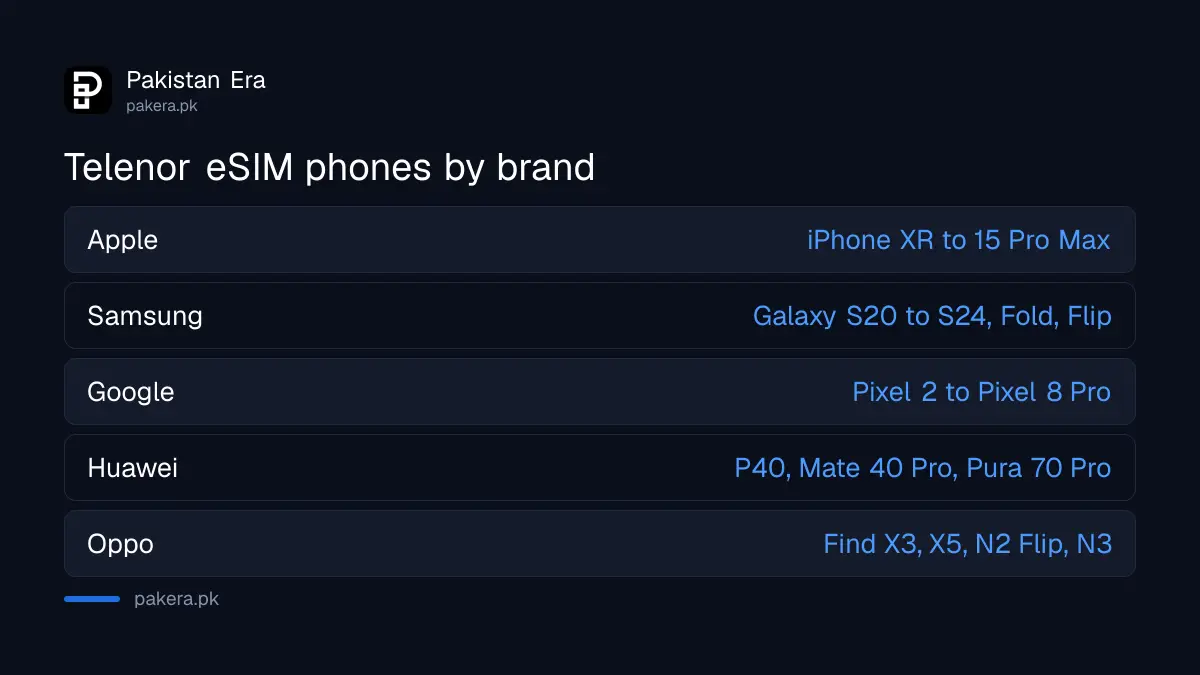
Telenor's supported handset list covers Apple, Samsung, Google, Huawei and Oppo. It runs from the iPhone XR to the iPhone 15 Pro Max, and from the Galaxy S20 to the S24 series. Newer phones are missing.
| Brand | Models on Telenor's list | Exceptions Telenor notes |
|---|---|---|
| Apple | iPhone XR, XS, XS Max, 11 to 15 series, SE 2 and SE 3; iPad Pro, Air, Mini and iPad models from 2019 and 2020, iPad 10th generation | None listed |
| Samsung | Galaxy S20 to S24 series, S23 FE, Note 20 and Note 20 Ultra, Fold to Z Fold6, Z Flip to Z Flip6, A54, A55 5G | S23 FE models from China or Hong Kong do not support eSIM |
| Pixel 2 to Pixel 8 Pro, Pixel 6a, 7a, 8a, Pixel Fold | Pixel 3 from Australia, Japan or Taiwan, and Pixel 3a from Southeast Asia, not compatible | |
| Huawei | P40, P40 Pro, Mate 40 Pro, Pura 70 Pro | P40 Pro+ and P50 Pro not compatible |
| Oppo | Find X3, X3 Pro, X5, X5 Pro, Find N2 Flip, N3, N3 Flip, Reno 5A, 6 Pro 5G, 9A, A55s 5G | Oppo Lite line does not support eSIM |
The list has not kept up. It stops at the iPhone 15 and Galaxy S24, although later iPhones and Galaxies also support eSIM. If your phone is newer than the list, check it yourself: on iPhone, look for Add eSIM in the mobile settings; on Android, look for an eSIM or Add mobile plan option under SIM settings. Ask the shop to confirm before the biometric check, so you do not pay for something your phone cannot use.
Telenor's eSIM page prints no price
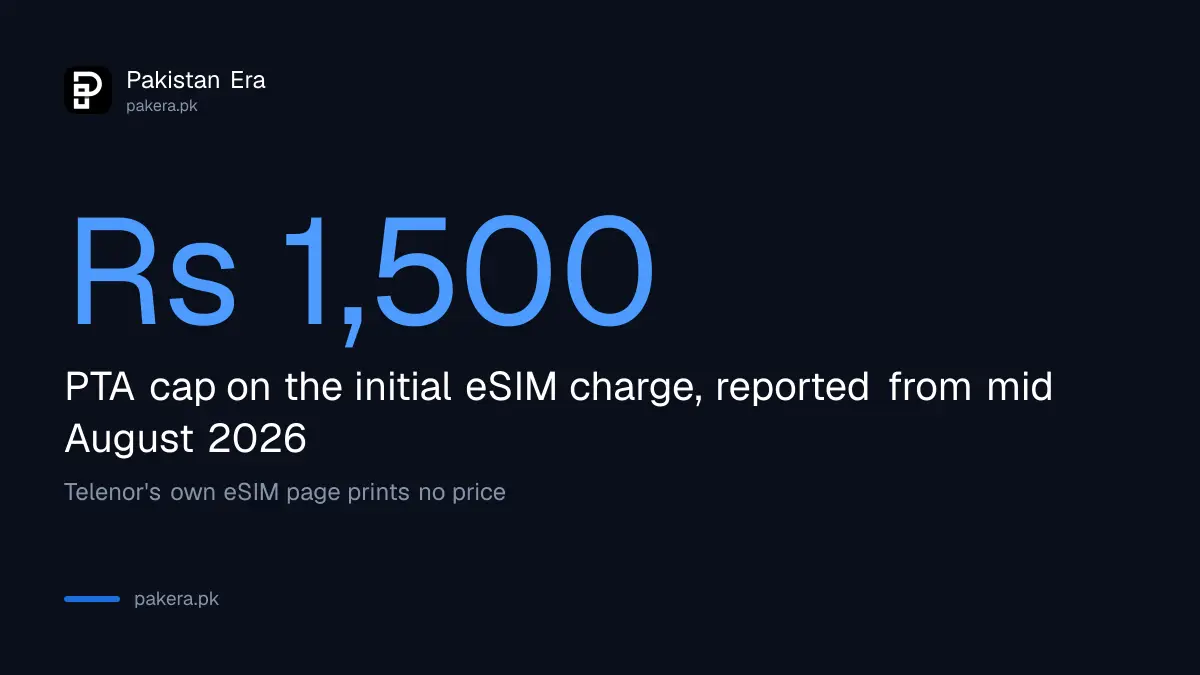
Telenor's eSIM page gives no fee for a new eSIM or for converting a physical SIM. PTA capped the initial eSIM charge at Rs 1,500 from mid August 2026, with free moves between phones, as reported at the time.
That cap was reported rather than read on PTA's own notice, which we could not open, and the details are in our report on the eSIM fee cap of Rs 1,500 with 10 free transfers. Other networks print their own prices; the side-by-side figures for Jazz, Zong and Ufone are in eSIM price in Pakistan. Ask the Telenor shop for the exact fee before the biometric check, and ask for a receipt.
Check your phone's PTA status before you switch
An eSIM works only on a phone that PTA allows on Pakistani networks. Many dual-SIM phones have a second IMEI, the 15 digit identity number, for the eSIM slot, and that number must be allowed too.
Dial *#06# to see your phone's IMEI numbers. Then check each one with PTA, which our page on how to check a phone's PTA status walks through. A phone bought abroad and never registered may show the eSIM but block calls after the grace period.
Two more practical points. Delete the eSIM from the phone only if you have the QR code saved, because a deleted profile needs that code or a shop visit. And if the phone is lost, block the number with Telenor on 345 first, the same as for a physical SIM.
Common questions
How do I get a Telenor eSIM?
Visit a Telenor franchise or retailer, complete biometric verification, give an email address, connect to the internet and scan the QR code.
What is the password for the Telenor eSIM email?
The last four digits of your CNIC, according to Telenor's eSIM page.
How much does a Telenor eSIM cost?
Telenor's page does not say. PTA's cap on the initial eSIM charge was reported as Rs 1,500 from mid August 2026.
Does my phone support Telenor eSIM?
Telenor lists iPhone XR to iPhone 15, Galaxy S20 to S24 and selected Pixel, Huawei and Oppo phones. Newer models may work but are not on the list.
Can I get a Telenor eSIM online without visiting a shop?
Not on the routes Telenor lists. All three start with biometric verification at a franchise or retailer.
How we verified this
What we checked, where we read it, and what we could not confirm.
Last checked 24 October 2026. We read Telenor's eSIM page on telenor.com.pk on 24 October 2026, including the three activation routes and the supported handset tabs for Apple, Samsung, Google, Huawei and Oppo, and Telenor's contact page. Telenor's eSIM page gives no price. The Rs 1,500 cap is PTA's as reported in August 2026; we could not open PTA's own notice. We did not activate an eSIM, so the exact menu names on each phone may differ from what we describe.
About the author

Public Services and Education Journalist
Fajr Riaz is a journalist and content writer at Pakistan Era, based in Lahore. She covers the questions people meet in everyday life in Pakistan: how a public service works, what a change in the rules means, and where to find a reliable answer.