Check a Phone's PTA Status With the Free DVS App in Pakistan
PTA's free DVS app checks a phone's IMEI and returns Compliant, Non-compliant or Blocked. See how to install it, scan the IMEI and read the result first.
Short answer: PTA's free DVS app (Device Verification System) checks a phone's IMEI and answers Compliant, Non-compliant or Blocked. Install "PTA DVS" from the App Store or "DVS" from Google Play, scan the IMEI barcode or type the 15 digits, and read the result before you pay for a used phone.
Most people check a phone's PTA status by sending the IMEI to 8484 and waiting for an SMS. That works, but you need credit, and the reply can be slow when you are standing in a shop with a seller waiting. PTA has an app for the same check, and it has been sitting in the store quietly.
We read the App Store listing of "PTA DVS" on 12 October 2026, the Google Play listing, and PTA's own site map, which links to both. PTA's Lost and Stolen Device FAQ also names the DVS app as one of three ways to check an IMEI. We did not install the app ourselves, so what we say about how it behaves comes from the listings.
The DVS app gives one of three answers
The App Store listing says the app checks the compliance status of a device by IMEI and returns Compliant, Non-compliant or Blocked. Compliant means the phone is registered and will work on Pakistani networks. The other two mean you should stop and ask questions.
| Result | What it means | What to do |
|---|---|---|
| Compliant | The phone is registered with PTA | Safe to use with a Pakistani SIM |
| Non-compliant | The phone is not registered, or has a problem with its registration | Do not buy it until the seller shows registration or you pay the tax yourself |
| Blocked | PTA has blocked the IMEI, for example as lost, stolen or cloned | Do not buy it. Only the person who blocked it can lift the block |
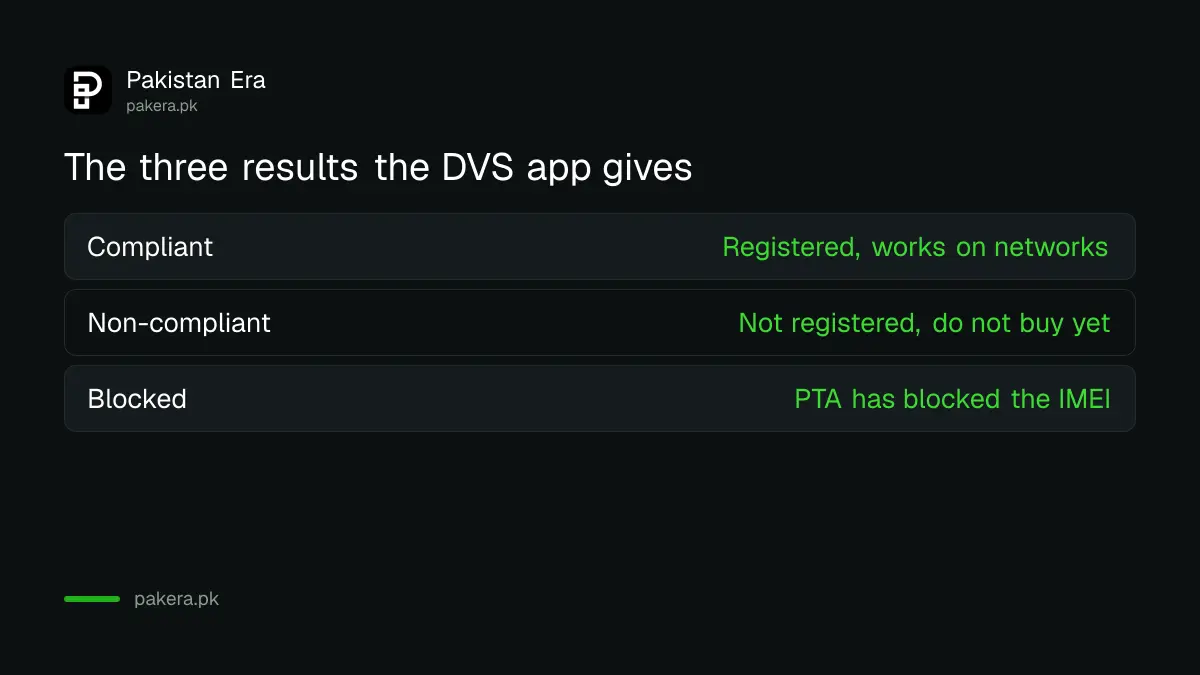
The meaning of the first column is the app's wording. The right-hand column is our plain reading of it. For a longer list of replies and what each one means, see the five 8484 replies, which PTA's system also uses.
Install the app from PTA's own link
The iPhone app is named "PTA DVS", published by the Pakistan Telecommunication Authority, free, and needs iOS 12 or later. The Android app is listed as "DVS" under the package name pk.gov.dirbs.dvs_public_pta. PTA's site links to both listings from its site map.
Check the publisher name before you install. A search for "PTA" in a store can bring up copies. The iPhone listing names the Pakistan Telecommunication Authority as the developer and says the app collects no data. The Android listing describes the app as one that verifies a device's IMEI status by entry or barcode scanning.
One warning from the iPhone listing. Reviewers there rate the app 2.5 out of 5 from 146 ratings, and several say the app crashes after they submit the IMEI. We cannot confirm that on your phone. If it crashes, use the SMS or web route below.
Check a phone in five steps
Get the IMEI first. Dial *#06# on the phone you are checking, or look at the box or the label under the battery. If the phone has two slots, it shows two IMEIs. Check both.
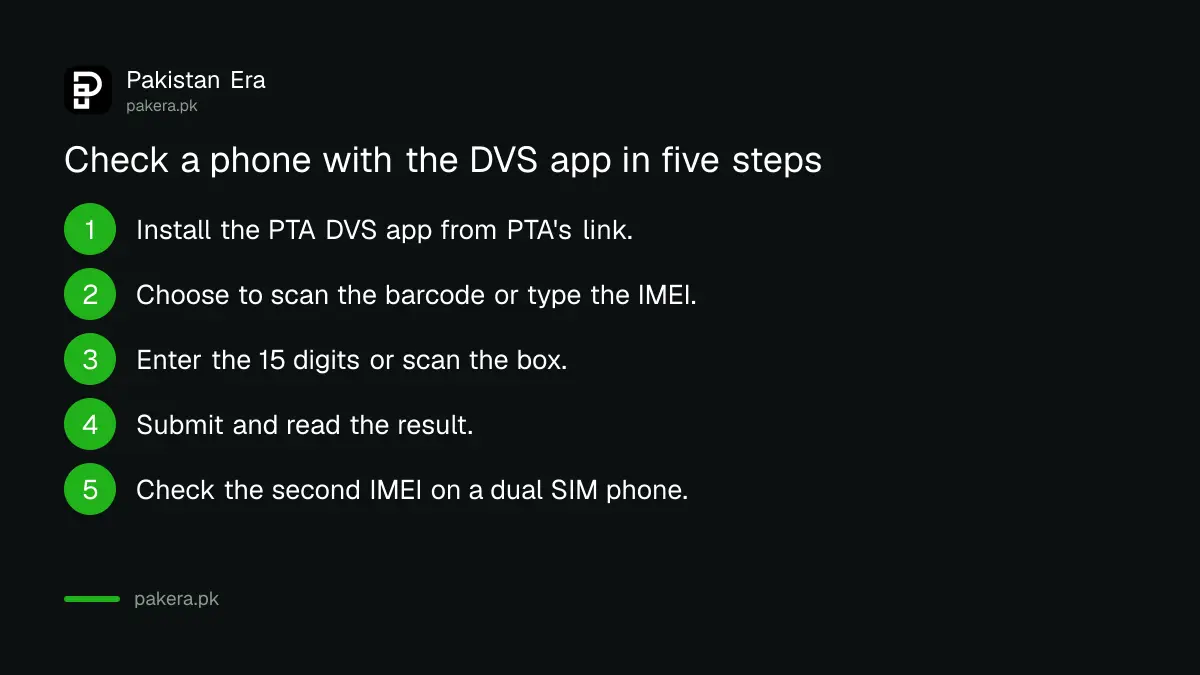
- Install the PTA DVS app from the link on PTA's site or from the store.
- Open it and choose to scan the barcode or enter the IMEI.
- Type the 15 digits carefully, or scan the barcode on the box.
- Submit and read the result: Compliant, Non-compliant or Blocked.
- Repeat for the second IMEI if the phone has two slots.
If you are buying online, do this before the money moves. Our note on checking a phone bought online explains why the seller's word does not count.
Three other ways to check the same IMEI
PTA's FAQ lists three official checks: an SMS of the IMEI to 8484, the DIRBS website, and the DVS app. They all draw on the same PTA records, so use whichever one works on the day. Do not rely on a third party app that asks for payment.
Our guide to checking an IMEI number covers the codes and the SMS route. If the result tells you the phone has a duplicate IMEI, see how to fix a phone blocked for a duplicate or cloned IMEI.
Common questions
Is the PTA DVS app free?
Yes. The App Store listing shows it as free, and it is published by PTA itself.
Does the app need an internet connection?
Yes, in practice. The listing says the app searches PTA's database, so it needs a data or Wi-Fi connection to return a result.
Can I check someone else's phone?
Yes, the check is by IMEI, not by owner. That is why it works for a used phone you are about to buy.
What if the app crashes?
Reviewers on the App Store report crashes after submitting the IMEI. Use the SMS to 8484 or the DIRBS website instead. All three read the same PTA records.
Does a Compliant result mean the phone is not stolen?
It means PTA has not blocked the IMEI. A phone stolen yesterday may not yet be blocked. A fair price, an invoice and a seller you can trace matter too.
Does the app show who owns the phone?
No. The listing describes a compliance status check. It does not describe owner details.
How we verified this
What we checked, where we read it, and what we could not confirm.
We read the App Store listing of PTA DVS, the Google Play listing of DVS, and PTA's Lost and Stolen Device FAQ on 12 October 2026. Store ratings and versions change. PTA's IMEI portal is dirbs.pta.gov.pk.
About the author

Technology Journalist & Multimedia Producer
Ahmad Ali is a technology journalist and multimedia producer at Pakistan Era, joining the team in October 2026. He covers consumer technology and digital life for Pakistani readers, combining research with hands-on product testing.