How to Turn Off Copilot in Word, Excel and PowerPoint in Pakistan: Microsoft 365 Steps
Turn off Copilot in Word, Excel, PowerPoint and Outlook on Microsoft 365 Personal or Family: Windows and Mac steps, phone limits and what it means for the bill.
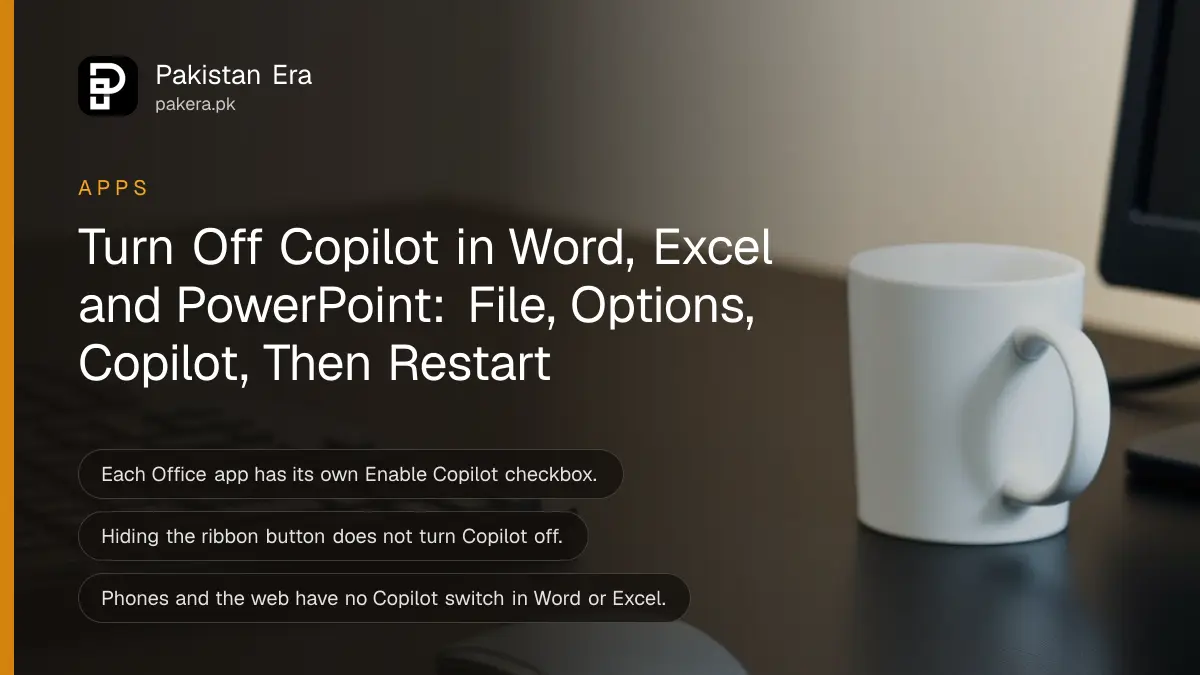
To turn off Copilot in Word, Excel or PowerPoint on a Windows PC, open the app, go to File, Options, Copilot, clear the Enable Copilot box, click OK and restart the app. On a Mac, go to the app menu, Preferences, Authoring and Proofing Tools, Copilot. Repeat it in each app and on each computer. It works only on Microsoft 365 Personal, Family and other home plans signed in with a personal Microsoft account.
Microsoft now puts Copilot inside Microsoft 365 Personal, Family and Premium. Some people in Pakistan do not want an AI assistant reading their office files, and some just want the pop-up gone while they type. Here is how to switch it off in each app, and what to do where the switch does not exist.
Each Office app has its own Enable Copilot box
Word, Excel, PowerPoint and OneNote each have a separate Enable Copilot setting. Clearing it in Word does not turn it off in Excel. The setting also stays on one computer only, and it affects everyone who uses that computer.
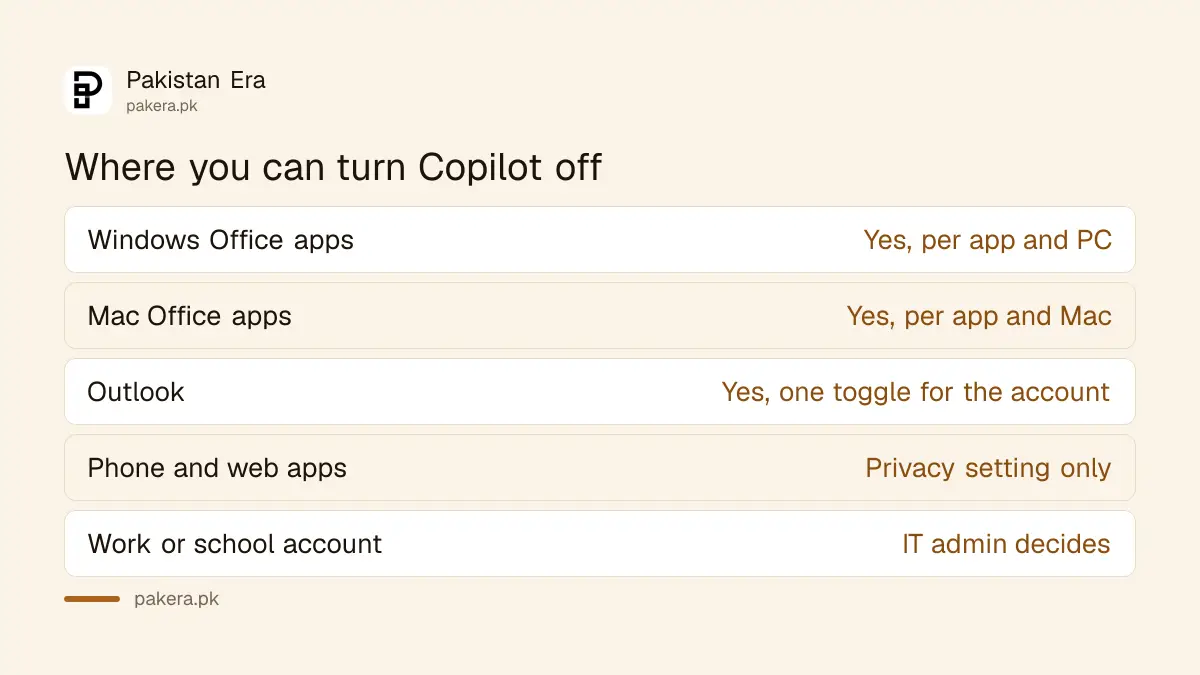
| Where | Path to the setting | Can you turn it off? |
|---|---|---|
| Word, Excel, PowerPoint, OneNote on Windows | File, Options, Copilot, Enable Copilot | Yes, per app and per PC |
| Word, Excel, PowerPoint on Mac | App menu, Preferences, Authoring and Proofing Tools, Copilot | Yes, per app and per Mac |
| Outlook | Turn on Copilot toggle in Settings or Quick Settings | Yes, for the whole account |
| Word, Excel, PowerPoint on Android, iPhone or web | No Copilot switch | Only through privacy settings |
| Work or school account | Not in your hands | Your IT admin decides |
How to turn off Copilot on Windows
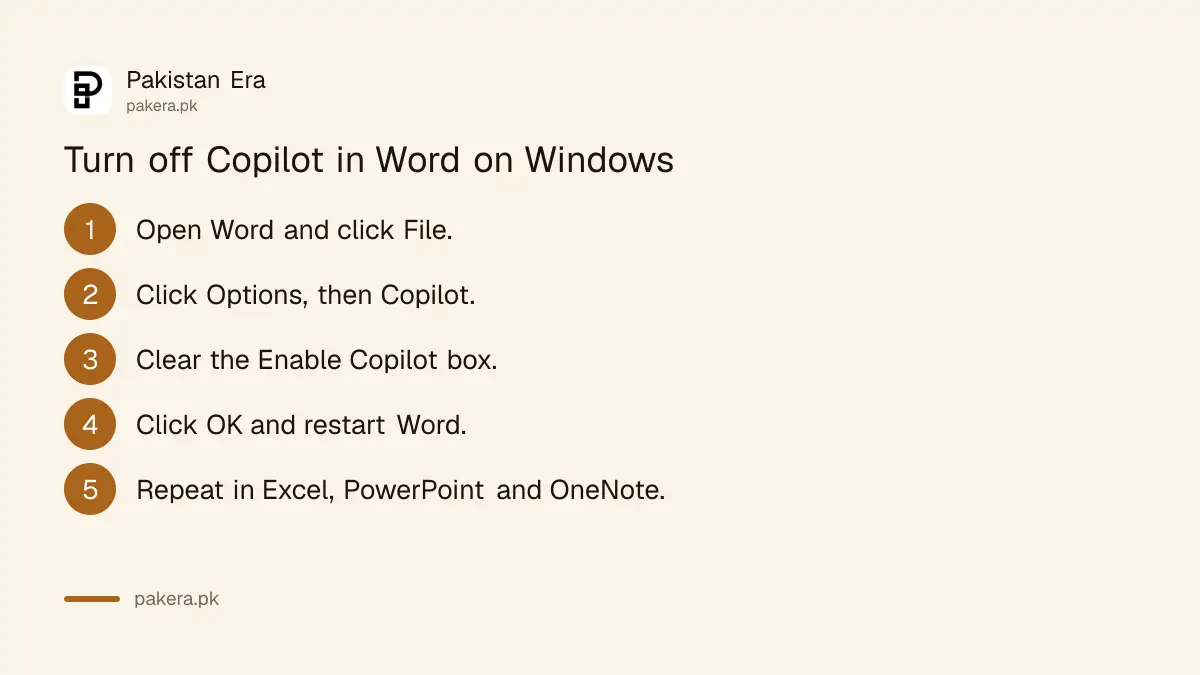
Open Word, click File, then Options, then Copilot. Clear the Enable Copilot box, click OK, close Word and open it again. Do the same in Excel, PowerPoint and OneNote. If there is no Copilot entry, update Office first.
- Open Word (or Excel, PowerPoint or OneNote).
- Click File, then Options at the bottom left.
- Choose Copilot in the list.
- Clear the Enable Copilot checkbox and click OK.
- Close the app completely and open it again.
- Repeat in each of the other apps, and on every PC you use.
Microsoft lists the minimum versions that carry the checkbox: Word 2412, Excel 2501, PowerPoint 2501 and OneNote 2502 on Windows. To update, go to File, Account, Update Options, Update Now.
On a Mac
Open Word, click the Word menu at the top, then Preferences, Authoring and Proofing Tools, Copilot. Clear Enable Copilot and restart Word. Do the same in Excel and PowerPoint. Microsoft names Word 16.93 and Excel and PowerPoint 16.93.2 as the first Mac versions with this box.
Hiding the Copilot button does not turn it off
Removing the Copilot icon from the ribbon only hides the button. Copilot stays switched on and can still open from the right-click menu and other places. Clear the Enable Copilot box if you want it fully off.
Outlook works differently. It has a "Turn on Copilot" toggle, found in Settings on the web and the new Outlook for Windows, and in Quick Settings on phones and Mac. That one setting applies on every device signed in to the same account.
Phones and the web need the privacy setting instead
There is no Copilot switch in Word, Excel or PowerPoint on Android, iPhone or the web. Microsoft's alternative is to turn off "experiences that analyze your content", which also switches off several other smart features.
- Windows: File, Account, Account Privacy, Manage Settings, then clear "Turn on experiences that analyze your content".
- Mac: Preferences, Personal Settings, Privacy, Connected Experiences, Manage Connected Experiences.
Turning this off also stops suggested replies in Outlook, text predictions in Word, PowerPoint Designer, and automatic alt text for images. If you rely on Designer for slides, keep this setting on and use the per-app checkbox on your computer instead.
Copilot in Office is separate from the Copilot app built into Windows 11. To remove that one, follow removing the Copilot app from Windows 11.
Turning Copilot off does not change your Microsoft 365 price
Clearing the checkbox hides Copilot but does not lower your bill. Microsoft says Copilot is part of Personal, Family and Premium, and that only the subscription owner gets the AI features. Family members on a shared plan do not.
If you want a cheaper plan with fewer features, Microsoft says you must cancel the current subscription from account.microsoft.com, in the Subscriptions tab under Manage, then pick the new plan. You keep the old plan until it expires. Prices in dollars and the plan list are in Microsoft 365 price in Pakistan, which also covers the free web versions of Word and Excel.
For office files with client or company data, the bigger risk is pasting them into any public AI tool. The rules in PKCERT's advice on AI chatbots at work apply to Copilot as well.
Common questions
How do I turn off Copilot in Word?
On Windows, go to File, Options, Copilot, clear Enable Copilot, click OK and restart Word. On a Mac, use Word, Preferences, Authoring and Proofing Tools, Copilot.
Why don't I see the Enable Copilot option?
Your Office is older than the first versions with the box, or you are signed in with a work or school account. Update Office, and check the account under File, Account.
Does turning off Copilot in Word also turn it off in Excel?
No. Each app has its own checkbox. Turn it off in Word, Excel, PowerPoint and OneNote one by one.
Can I turn off Copilot on the Word app on my phone?
No. Microsoft gives no Copilot switch on Android, iPhone or the web. Turning off content-analysing experiences in privacy settings is the only option.
Will my Microsoft 365 bill go down if I turn off Copilot?
No. The checkbox does not change the price. Only switching to another plan changes what you pay.
Can my family members use Copilot on my Family plan?
No. Microsoft says the AI features in Family and Premium plans are only for the subscription owner and cannot be shared.
How we verified this
What we checked and where we read it.
Last checked 25 November 2026. Steps, app versions, the ribbon note, Outlook's toggle, the mobile and web limits and the privacy alternative come from Microsoft Support, Turn off Copilot in Microsoft 365 apps. Plans with Copilot and the owner-only rule come from Frequently asked questions about Copilot in Microsoft 365 subscriptions. The plan switching steps come from Microsoft's Switch between Microsoft 365 subscriptions page. Microsoft's Excel FAQ describes Copilot in Excel as part of Copilot Chat, but still points home users to the same checkbox.
Free on WhatsApp
Get last dates and rule changes on WhatsApp
We post new last dates, fee changes and fixes for common problems, a few short posts a day.
Follow Pakera on WhatsAppOther followers cannot see your number.
Pakera Solves It
Which online process wasted your time this week?
A portal that will not load, a form nobody explains, a complaint that went nowhere. Tell us. Every week we pick one, solve it step by step and publish the answer.
About the author

Technology Journalist & Multimedia Producer
Ahmad Ali is a technology journalist and multimedia producer at Pakistan Era, joining the team in October 2026. He covers consumer technology and digital life for Pakistani readers, combining research with hands-on product testing.