Microsoft 365 Price in Pakistan: Personal $99.99, Family $129.99
Microsoft 365 Personal costs $99.99 a year and Family $129.99 in Pakistan, billed in dollars. Free Office on the web, free Office for students, how to cancel.
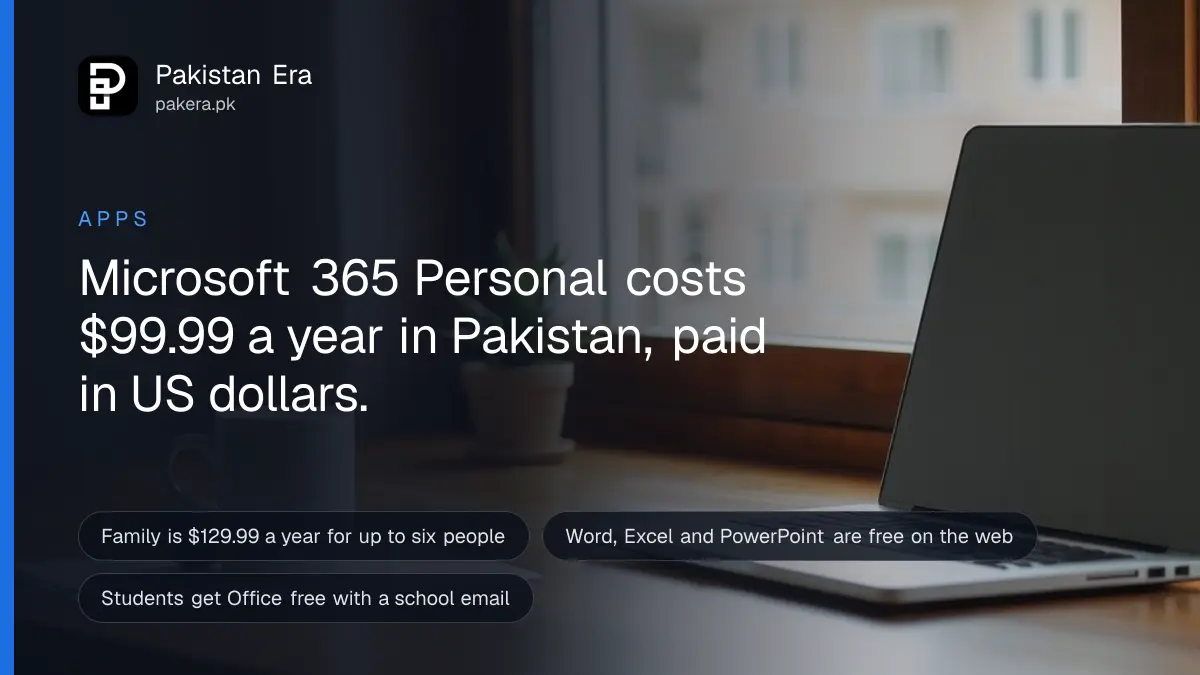
Microsoft 365 Personal costs $99.99 a year and Microsoft 365 Family costs $129.99 a year for buyers in Pakistan. Microsoft has no rupee price page for Pakistan, so you pay in US dollars by card. Word, Excel and PowerPoint on the web are free, and students can get Office free through their school or university email.
We checked Microsoft's pricing on 29 September 2026. The Pakistani address, microsoft.com/en-pk, returned "page not found" for Microsoft 365. Pakistan appears instead in the country menu of Microsoft's international English page, which shows US dollar prices.
So the rupee amount you pay depends on your bank's exchange rate on the day. Before you pay anything, check the free options below. For many people, Microsoft 365 for the web is enough.
Microsoft 365 Personal costs $99.99 a year in Pakistan
Microsoft's international page lists three home plans. Personal is $99.99 a year or $9.99 a month for one person. Family is $129.99 a year or $12.99 a month for up to six people. Premium is $199.99 a year or $19.99 a month.
| Plan | Yearly price | Monthly price | People | Cloud storage |
|---|---|---|---|---|
| Microsoft 365 Personal | $99.99 | $9.99 | 1 | 1TB |
| Microsoft 365 Family | $129.99 | $12.99 | 1 to 6 | Up to 6TB, 1TB each |
| Microsoft 365 Premium | $199.99 | $19.99 | 1 to 6 | Up to 6TB, 1TB each |
| Office Home 2024 (one-time) | $179.99 once | None | 1 PC or Mac | None |
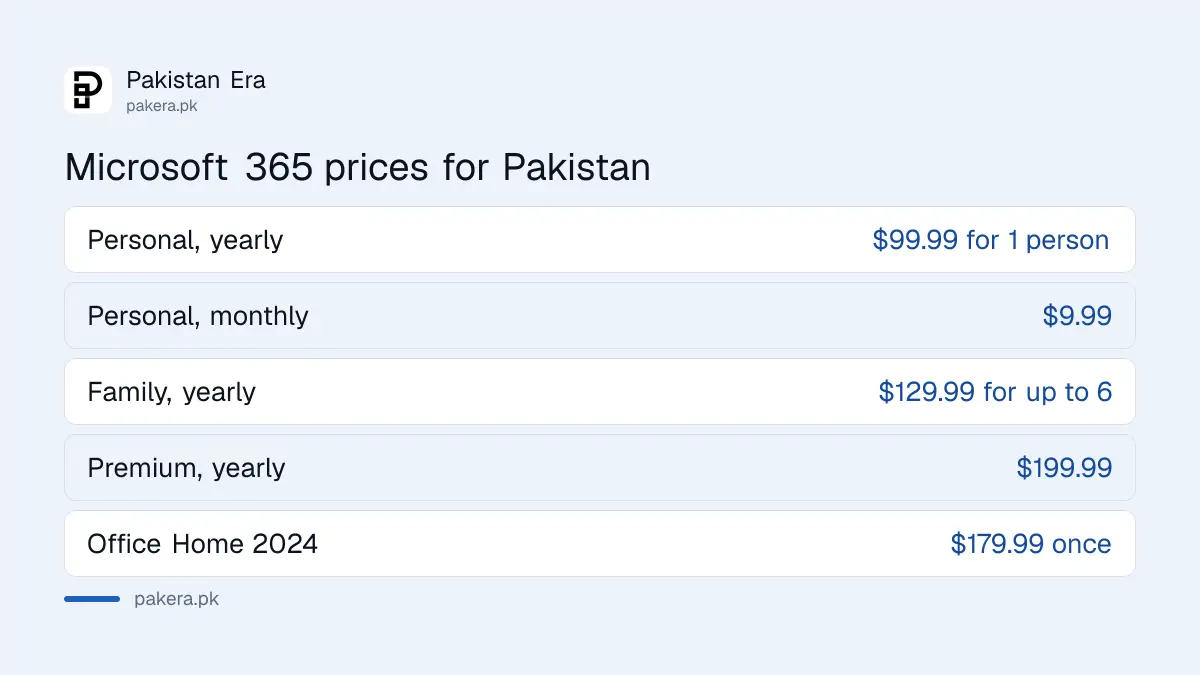
Paying monthly costs more. Twelve months of Personal at $9.99 comes to $119.88, about $20 more than the yearly plan. Family works out cheapest per head if you actually share it. Six people pay about $21.67 each a year.
Each person on Personal or Family can sign in on up to five devices at once. Microsoft also offers a one month free trial of each plan.
What Personal, Family and Premium include
All three plans give desktop Word, Excel, PowerPoint, Outlook and OneNote, 1TB of OneDrive storage per person, and Copilot AI inside the apps. Family adds up to five more people. Premium adds much higher Copilot limits and Microsoft's agentic AI features.
- Personal: one person, five devices at once, 1TB storage, Copilot with higher use than free, security tools.
- Family: everything in Personal for up to six people, each with 1TB. Microsoft says the AI features are for the subscription owner only.
- Premium: everything in Family, plus extensive Copilot use and AI research tools.
- Office Home 2024: a one-time purchase of the classic apps for one PC or Mac, with no monthly fee.
The Family AI rule catches people out. If you buy Family for the household, only your own account gets the Copilot features. The other five people get the apps and the storage.
Word, Excel and PowerPoint are free on the web
Microsoft 365 for the web is free with any Microsoft account. It gives Word, Excel, PowerPoint, OneDrive and Outlook in a browser, plus 5GB of cloud storage. Files must be saved in OneDrive to work together online.
- Go to microsoft365.com in any browser.
- Sign in with a Microsoft account, or create one for free with any email address.
- Open Word, Excel or PowerPoint from the app list.
- Save files to OneDrive, which gives you 5GB free.
- Install the free Microsoft 365 Copilot mobile app to use the same files on a phone.
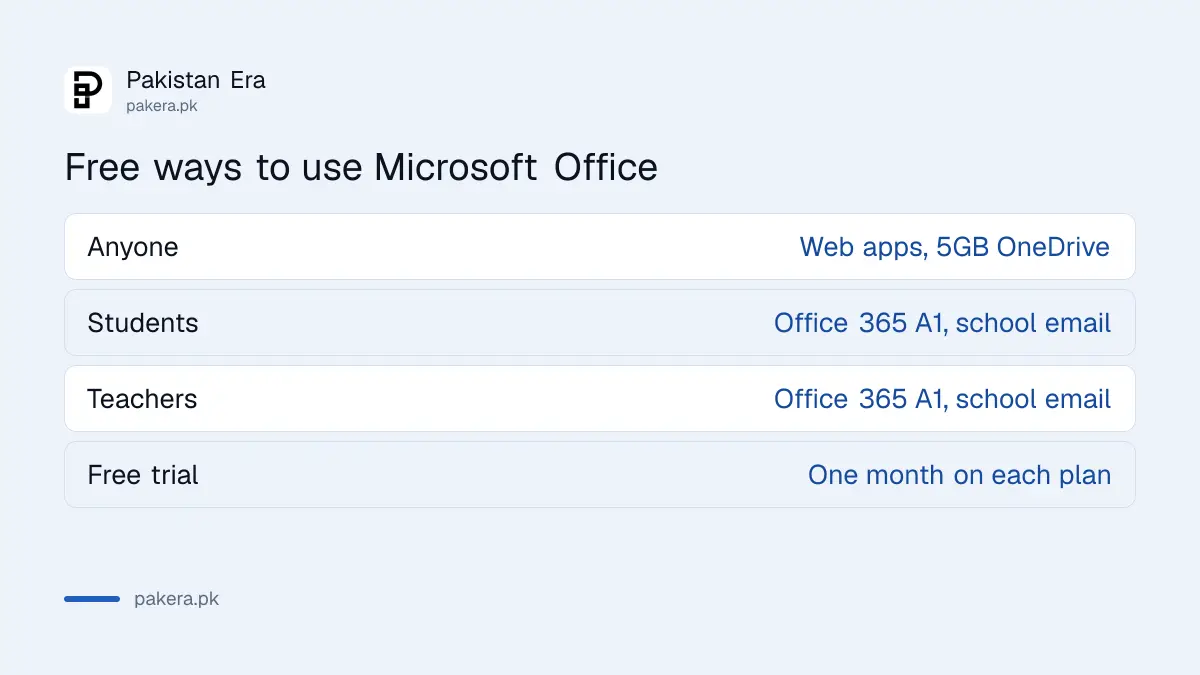
The web apps cover letters, CVs, assignments and simple spreadsheets well. They lack some desktop features, such as advanced Excel tools and macros. If you do heavy spreadsheet work, the desktop apps are worth paying for.
Students and teachers can get Office free with a school email
Microsoft gives Office 365 A1, which includes Word, Excel, PowerPoint, Outlook and OneNote on the web, free to students and teachers with an eligible school email address. It lasts while you study or work at a qualifying institution.
| Who | What you get | What you need |
|---|---|---|
| Students | Office 365 A1, web apps | An eligible school or university email |
| Teachers and staff | Office 365 A1, web apps | An eligible institution email |
| Anyone else | Microsoft 365 for the web | Any free Microsoft account |
Verification is often instant, Microsoft says, but it can take up to a month if your institution must be checked first. When you leave, the apps go into a view-only mode and OneDrive on the institution email stops working. So copy your files to a personal account before your final semester ends.
Microsoft's education page also advertises 12 months of Microsoft 365 Premium free for college students with a college email, "for a limited time" and with "terms apply". We could not confirm that this offer covers Pakistan. The quickest check is your university's IT office. Ask whether your university email already includes Office.
How to pay for Microsoft 365 from Pakistan
Pay with a Visa or Mastercard debit or credit card that allows international online payments. Microsoft charges in US dollars, and your bank converts the amount to rupees. You can also subscribe inside the Microsoft 365 app through Google Play or the App Store.
Microsoft closed its Pakistan operations in 2025, so there is no local office to call about billing. Online support is the only route. Keep your receipt email.
For in-app purchases, to pay on Google Play you still need a Visa or Mastercard, and Apple ID payment in Pakistan is card only too. A subscription bought through a store has to be cancelled and refunded through that store.
A card payment to Microsoft is money paid abroad. Your bank may deduct FBR advance tax under section 236Y: 0.5% if you are on the Active Taxpayers List and 1% if not. Add the bank's currency charge, and $99.99 costs a little more in rupees than a straight conversion.
How to cancel Microsoft 365
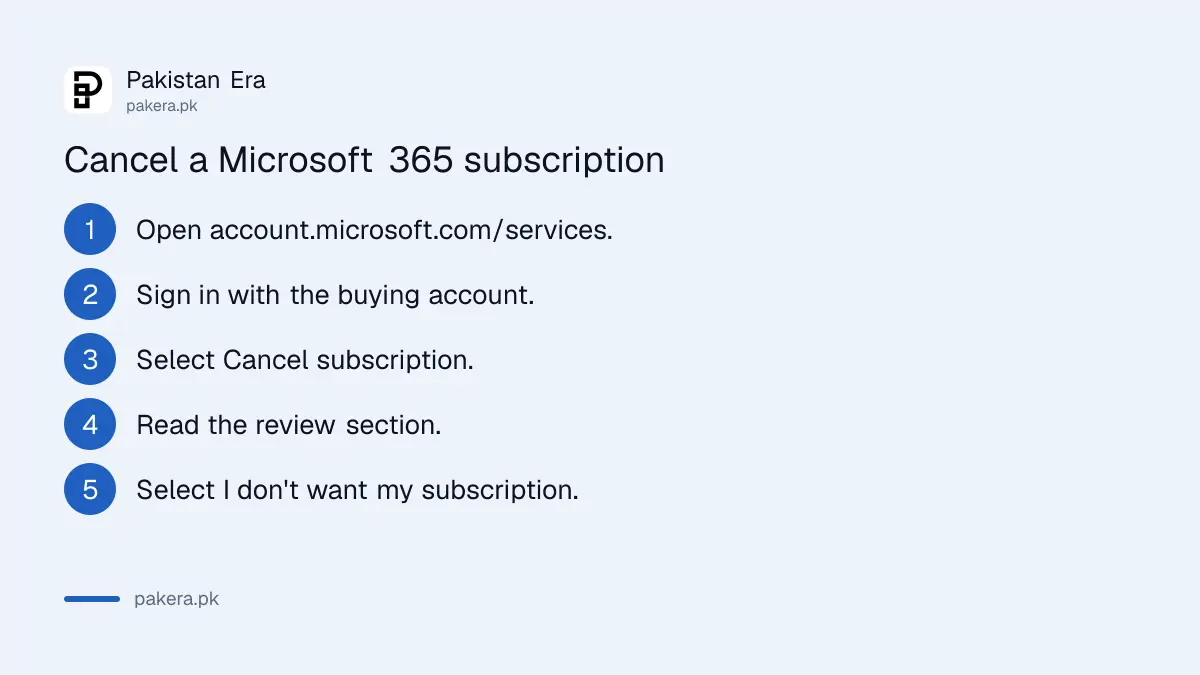
Go to account.microsoft.com/services/microsoft365, sign in with the account that bought the plan, and select Cancel subscription. Microsoft then asks you to confirm by selecting "I don't want my subscription". Store purchases are cancelled in Google Play or the App Store instead.
- Open account.microsoft.com/services/microsoft365 and sign in.
- Select Cancel subscription. It may say Upgrade or Cancel.
- Read the review section, which may offer a cheaper plan.
- Select "I don't want my subscription" to finish.
If you see "Turn on recurring billing" instead of a cancel button, your plan is already set to end. You will not be charged again.
Watch your storage before you cancel. Your OneDrive drops back to 5GB. If you are over that, you cannot upload or sync new files, Outlook.com email stops sending and receiving, and Microsoft says it may delete your OneDrive files after six months. On Family, everyone you shared with loses storage too.
Common questions
What is the Microsoft 365 price in Pakistan?
Personal is $99.99 a year and Family is $129.99 a year on Microsoft's international page, which lists Pakistan. There is no official rupee price.
Is Microsoft Office free for students in Pakistan?
Office 365 A1 is free for students with an eligible school or university email. Ask your university IT office whether your email is set up for it.
Can I use Word and Excel free without buying Microsoft 365?
Yes. Microsoft 365 for the web gives Word, Excel and PowerPoint free in a browser with any Microsoft account, plus 5GB of OneDrive.
Can I pay for Microsoft 365 with JazzCash or Easypaisa?
Not as a wallet on the pages we read. A wallet's own Visa or Mastercard debit card may work as a card if it allows international payments.
Will I lose my files if I cancel Microsoft 365?
Not straight away. Storage drops to 5GB, and if you stay over it, Microsoft says it may delete your OneDrive files after six months.
How we verified this
What we checked, where we read it, and what we could not confirm.
Last checked on 29 September 2026. Prices and plan contents are from Microsoft's international Microsoft 365 plans page, whose country menu includes Pakistan. The free web apps are from Microsoft's Microsoft 365 for the web page. Student eligibility is from Microsoft Education's Office 365 page. Cancellation steps are from Microsoft Support's Cancel a Microsoft 365 subscription. We did not buy a plan, so we did not see the checkout payment list or the in-app store prices for Pakistan.
About the author

Tax, Bills and Technology Writer
Ali Akhtar is a young and curious voice here at Pakistan Era. He is currently pursuing his A-Levels and has a growing interest in Pakistan’s changing industrial landscape and educational trends. Ali likes to write in a way that helps him explain and explore the world around him. His writing reflects the perspective of the new generation navigating the evolving trends of Pakistan where technology, youth innovation, and shifting opportunities are reshaping the country’s future.