How to Turn On Spam Protection in Google Messages to Filter Scam Texts in Pakistan
Check that spam protection is on in Google Messages and learn what a spam report sends to Google, so scam links and fake bank texts are caught on your phone.
Short answer: In Google Messages, tap your profile picture, then Messages settings, Protection and Safety, Spam protection, and switch on Enable spam protection. Google says it is on by default and tells you when it turns it on. The option appears only if your phone supports it.
A text arrives that says your parcel is held or your wallet will be closed, with a short link. It looks like it came from a bank. Millions of Pakistanis get messages like this, and the one that fools you only has to work once.
Google Messages has a built in filter for this. We read Google's help pages on spam detection and on reporting spam on 12 October 2026. This guide turns them into steps. We did not test the menus on a handset for this update.
Spam protection scans messages on your phone and checks links
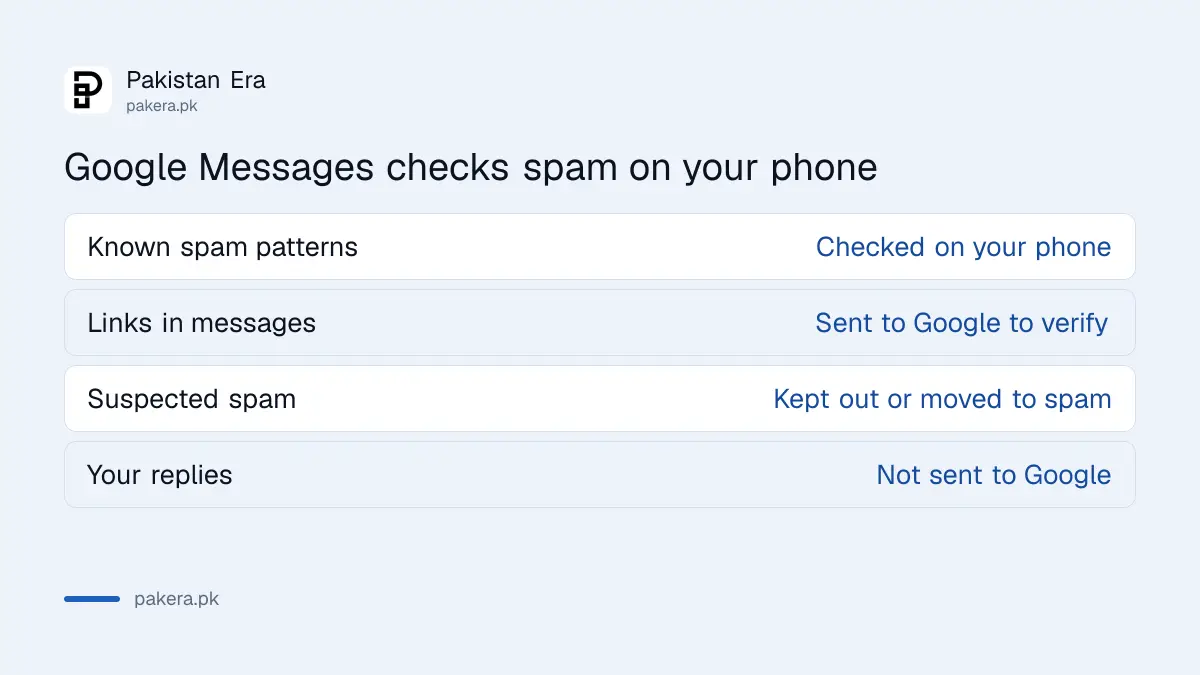
Google says that when spam protection is on, Google Messages filters spam in two ways. It uses machine learning models that run on your device to spot known spam patterns. And if a message has a URL, it uploads that link to Google to check that it is not malicious.
Because the first part runs on the phone, Google says detection can work even without a data connection. Suspected spam can be kept from being delivered or hidden in the spam folder, and some are shown with a warning that you can mark as spam or not spam.
Google also says it may process the contents of unencrypted messages for a short time to detect spam, and that chats between Google Messages users are end to end encrypted when RCS is on. RCS is the newer chat standard that replaces plain SMS between supported phones.
| What happens | Where it happens |
|---|---|
| Pattern check for known spam | On your phone |
| Link check for harmful sites | Link is sent to Google to verify |
| Suspected spam kept out or sent to spam folder | In the app |
| Warning you can mark spam or not spam | In the chat |
Check that spam protection is switched on
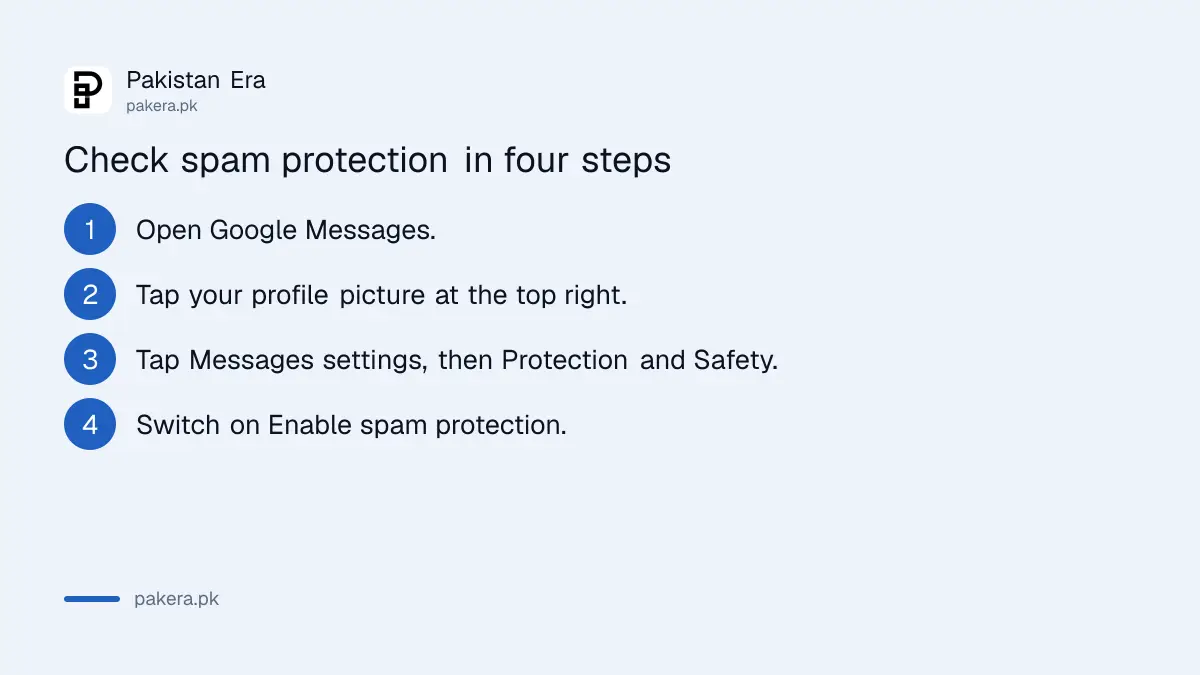
Spam protection is on by default and you should have been told when that happened. It takes four taps to check.
- Open Google Messages.
- At the top right, tap your profile picture or initials.
- Tap Messages settings, then Protection and Safety, then Spam protection.
- Check that Enable spam protection is on. Switch it on if it is off.
Google adds that you will only find Spam protection if it is available on your device. If you do not see it, your phone may use a different messages app, or the feature may not be offered on that phone yet. Check that Google Messages is installed from the Play Store and updated.
Report a scam message so it is blocked and flagged
When you report a conversation as spam, Google says you also block the sender and the conversation moves to the Spam and blocked folder. You can report a conversation that Google marked as safe, too.
The report sends some data to Google. Google lists what is shared:
- The spammer's phone number.
- The last 10 incoming messages from that sender.
- Your country code, based on your SIM card and IP address.
- For RCS chats, a message ID and a group ID if it was a group.
Google says your own past replies are not sent, your name and phone number are not linked to the spammer's messages, and the spammer cannot see your report. Your report may also create a "Spam reporting" conversation that sends the number and the latest text to your mobile carrier. That conversation may go straight to the spam folder.
Employees and contractors at Google may review a report, and reported chats are used to train its spam models. If you do not want that, do not report a chat that has private content.
Spam protection helps, but it does not make a link safe
No filter catches everything. A scam text that gets through is still a scam. Treat the filter as a second pair of eyes.
The habits that protect you do not change. A bank will not ask for your PIN or one time code by text or call. Do not tap a link in a message about a challan, a parcel, a prize or an account that will be closed. Our note on the fake e-challan SMS scam shows what such a message looks like and where the real portals are.
If a message claims you received a wallet payment, do not hand over goods until you see it in your own app. The steps to verify a JazzCash, Easypaisa or bank payment cover that.
Pair it with the Pakistani routes for spam texts
Google's report goes to Google and your carrier. In Pakistan there are also PTA routes, which are separate. PTA runs a service to stop marketing messages, described in our guide to stopping spam SMS and marketing calls with 3627.
For a scam that tried to take your money, the other routes in the page on how to report a fake call or SMS scam apply. Google reporting does not replace a report to the NCCIA, which handles online fraud complaints.
If a call is the problem and not a text, see how to silence unknown callers and spam calls.
Common questions
Does Google read all my messages?
Google says detection uses on device models and may briefly process the contents of unencrypted messages for spam signals. It also says it does not store your name or phone number with that data and that RCS chats between Google Messages users are end to end encrypted.
Why can I not find Spam protection in my settings?
Google says you only see it if it is available on your device. Update Google Messages from the Play Store, and check that it is your default messages app.
Will it block messages from my bank?
It can wrongly flag a real message. If so, mark it as not spam. That information goes back to Google to improve its filter.
Does this work on iPhone?
No. Google Messages is an Android app. iPhone has its own filters for unknown senders.
What should I do if I already tapped a link?
Do not enter any details. Close the page. If you entered a password or code, change it from another device and call your bank or wallet provider.
How we verified this
What we checked, where we read it, and what we could not confirm.
We read Google's help pages How Google protects your privacy with spam detection and Report spam in Google Messages on 12 October 2026. Menus can differ by phone brand and app version.
About the author

Technology Journalist & Multimedia Producer
Ahmad Ali is a technology journalist and multimedia producer at Pakistan Era, joining the team in October 2026. He covers consumer technology and digital life for Pakistani readers, combining research with hands-on product testing.