Ufone iPhone Packages: 3 GB on *7667# and 5 GB on *7117#, Prices, Rules and iPhone Settings
Ufone iPhone packages give 3 GB for Rs 1,000 on *7667# or 5 GB for Rs 1,800 on *7117# for 30 days at 3 Mbps. Rules, which is better value, eSIM and VoLTE.
Ufone has two iPhone-only data packages: 3 GB for Rs 1,000 on *7667# and 5 GB for Rs 1,800 on *7117#, both valid for 30 days at speeds up to 3 Mbps. You must dial the code from an iPhone. Check what is left on *706#. Once subscribed, the data also works if you move the SIM to another phone.
These are small, slow bundles next to Ufone's ordinary monthly offers, so they suit only some iPhone users. Below are the two packages, the sums on which one is better value, and the Ufone settings an iPhone owner needs: eSIM, VoLTE and Wi-Fi calling.
Ufone iPhone packages: prices and codes
Ufone's iPhone buckets are 3 GB for Rs 1,000 and 5 GB for Rs 1,800. Both last 30 days and run at up to 3 Mbps. Dial *7667# for the 3 GB bucket or *7117# for 5 GB, from an iPhone.
| Bucket | Code | Price | Validity | Speed | Cost per GB |
|---|---|---|---|---|---|
| 3 GB | *7667# | Rs 1,000 | 30 days | 3 Mbps | About Rs 333 |
| 5 GB | *7117# | Rs 1,800 | 30 days | 3 Mbps | Rs 360 |
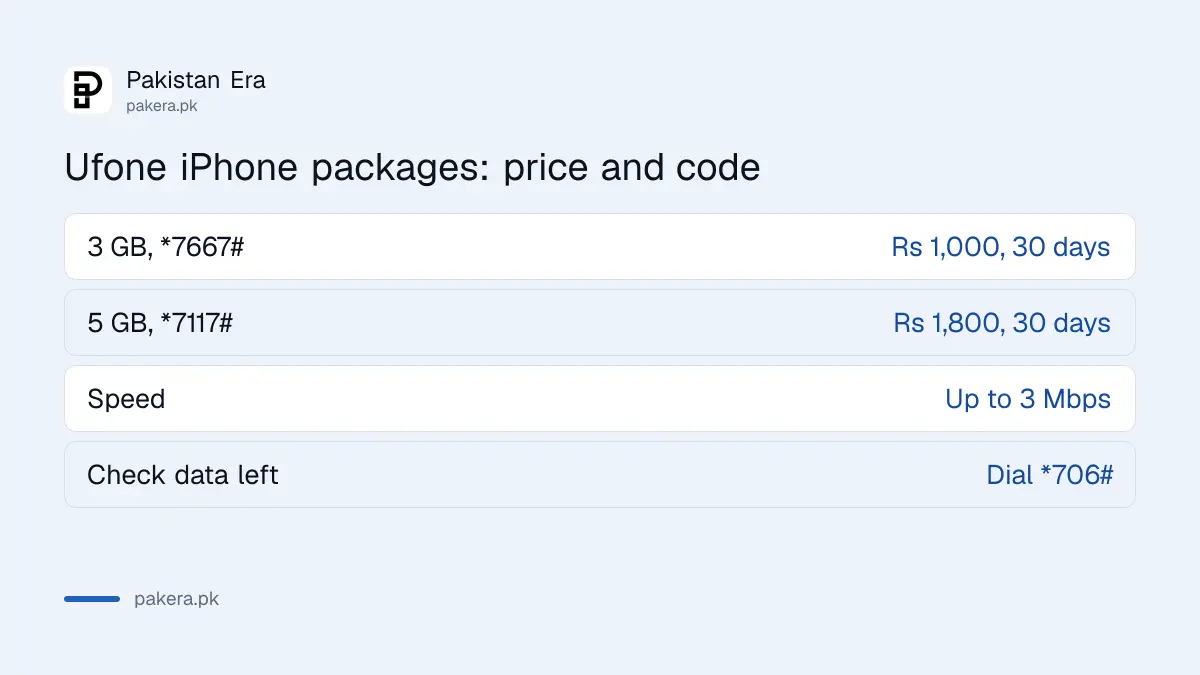
The cost per GB column is our own sum. It shows something odd: the larger 5 GB bucket costs more per GB than the 3 GB one. If 3 GB is enough for your month, the smaller bucket is the better deal.
Rules of the Ufone iPhone buckets
You must subscribe from an iPhone, but the data then works in any phone with that SIM. You cannot hold both buckets at once. When the bucket runs out, Ufone charges its normal data rate, which drains balance fast.
- Subscribe only from an iPhone. The code will not work from an Android phone.
- After subscribing, the bucket works on any handset you put the SIM in.
- The 3 GB and 5 GB buckets cannot run at the same time.
- Once the data is used up, Ufone's default data tariff applies.
- Dial *706# to see how much data is left.
The 3 Mbps speed is enough for WhatsApp, browsing and standard video, but slow for large app updates or iCloud backups. Do those on Wi-Fi so the bucket lasts.
iPhone bucket or a normal Ufone monthly offer
Ufone's monthly all-in-one offers add minutes and SMS to the data, and many give more GB than these buckets. The iPhone buckets suit someone who needs only a little data and no minutes at all. Compare before you dial; the main monthly offers are side by side in Ufone monthly bundles compared.
How to subscribe to a Ufone iPhone package
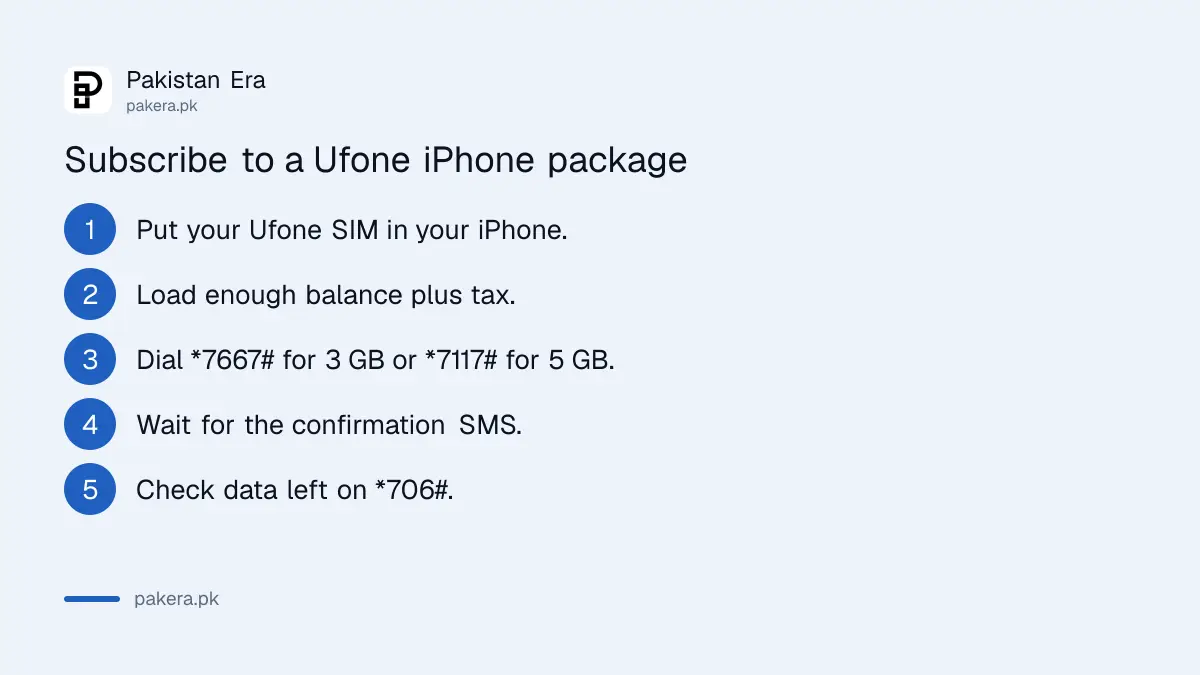
Put your Ufone SIM in your iPhone, keep enough balance for the price, and dial *7667# for 3 GB or *7117# for 5 GB. Wait for the confirmation SMS, then turn on mobile data. Check the remaining data on *706#.
- Insert your Ufone SIM in the iPhone, or use your Ufone eSIM.
- Load at least Rs 1,000 for 3 GB or Rs 1,800 for 5 GB, plus tax.
- Open the Phone app and dial *7667# or *7117#.
- Wait for Ufone's confirmation SMS.
- Go to Settings, then Mobile Data, and switch it on for the Ufone line.
- Dial *706# any time to check the data left.
Every recharge carries advance income tax, so load a little more than the bucket price. For more Ufone dial codes, see the Ufone codes list.
Ufone eSIM, VoLTE and Wi-Fi calling on an iPhone
A Ufone eSIM costs Rs 1,500 for a new number or a swap. Ufone lists iPhones from the XR and XS onward for VoLTE, up to the iPhone 16 series, and for Wi-Fi calling, up to the iPhone 17 series. These make calls clearer and keep you reachable indoors.
| Feature | iPhones on Ufone's list | How to get it |
|---|---|---|
| eSIM, Rs 1,500 | iPhone XR, XS and later, list runs to iPhone 14 | Ufone service centre, franchise or self-service booth |
| VoLTE (HD calls on 4G) | iPhone XR to iPhone 16 series, plus SE models | Turn on in Settings once your SIM supports it |
| Wi-Fi calling | iPhone XR to iPhone 17 series, including 17 Air | Settings, Phone, Wi-Fi Calling |
To activate a Ufone eSIM on an iPhone, Ufone gives these steps after biometric verification at the counter: scan the QR code you are given, go to Settings, then Cellular, tap "Add Cellular Plan" and, if asked, type the default PIN 0000. A lost phone means a visit to a Ufone centre for a new QR code. Ufone's 24-hour booths are listed in Ufone self-service booth locations.
Wi-Fi calling routes calls over your home or office Wi-Fi when the signal is weak, using the normal dialer and your Ufone number. The code and settings are in Ufone Wi-Fi calling. Ufone's iPhone sale prices are in the Ufone iPhone price list.
Common questions
What is the Ufone iPhone package code?
Dial *7667# for 3 GB at Rs 1,000, or *7117# for 5 GB at Rs 1,800. Both are valid for 30 days.
Can I subscribe to the Ufone iPhone bucket from an Android phone?
No. Ufone says the bucket can be subscribed only from an iPhone. After that, it works in any phone.
How do I check remaining data on the Ufone iPhone bucket?
Dial *706# from your Ufone number.
Can I have both Ufone iPhone buckets at once?
No. Ufone does not allow the 3 GB and 5 GB buckets at the same time.
What speed does the Ufone iPhone package give?
Up to 3 Mbps on both buckets.
How much is a Ufone eSIM for an iPhone?
Rs 1,500, for a new number or to switch your existing Ufone SIM to eSIM.
How we verified this
What we checked and where we read it.
Last checked 15 November 2026. Bucket sizes, codes, prices, speed and rules come from Ufone's iPhone Buckets page. The eSIM price, steps and handset list come from Ufone's eSIM page, whose list stops at the iPhone 14 series. The VoLTE and Wi-Fi calling iPhone lists come from Ufone's VoLTE page and VoWiFi page. Cost per GB is our own arithmetic.
About the author

Technology Journalist & Multimedia Producer
Ahmad Ali is a technology journalist and multimedia producer at Pakistan Era, joining the team in October 2026. He covers consumer technology and digital life for Pakistani readers, combining research with hands-on product testing.