How to Use IndexNow to Tell Bing About New Pages on Your Pakistani Website
IndexNow pings Bing, Yandex, Naver and others the moment a page changes. Set it up on a Pakistani website with one key file, plus the codes and limits to know.

IndexNow is a free ping that tells Bing, Yandex, Naver, Seznam.cz, Yep and Amazon the moment a page on your website is added, changed or deleted. You set it up by uploading one text file holding a key of 8 to 128 characters to your site's root, then sending each changed URL to an endpoint such as api.indexnow.org. Google does not take part, so keep your Search Console sitemap too.
Pakistani site owners usually think about Google only, and for good reason. But Bing and the other engines are free traffic you are already eligible for. Without a ping, the IndexNow site says, search engines can take days or weeks to notice a change. We read the IndexNow documentation and its official FAQ on 20 October 2026.
IndexNow sends one ping that every participating engine shares
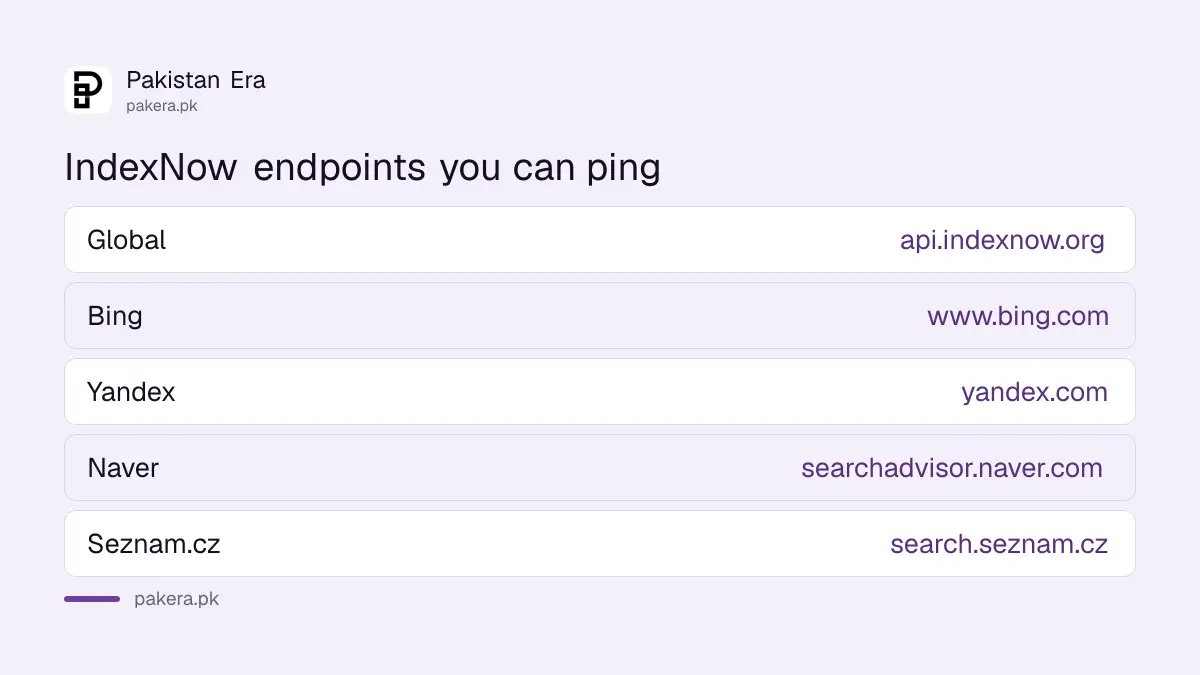
IndexNow is an open protocol. You notify one participating engine, and it shares the URL with all the others. The IndexNow site lists support from Microsoft Bing, Naver, Seznam.cz, Yandex and Yep, and its FAQ adds an Amazon endpoint. Google is not on the list.
That shared model is the main saving. You do not need an account at each search engine. One request to the global endpoint reaches every member.
| Endpoint | Address |
|---|---|
| IndexNow global | api.indexnow.org/indexnow |
| Bing | www.bing.com/indexnow |
| Yandex | yandex.com/indexnow |
| Naver | searchadvisor.naver.com/indexnow |
| Seznam.cz | search.seznam.cz/indexnow |
Google crawls on its own schedule and reads your sitemap. For Google, the right tools are still a sitemap submitted in Search Console and, only for job and livestream pages, the Indexing API.
Your website platform may already do it for you
Check your platform first. The IndexNow FAQ lists WordPress, Shopify, Wix, GoDaddy, Joomla, Drupal, PrestaShop, OpenCart and others as supporting it natively or through SEO plugins. Cloudflare also offers built-in IndexNow. If yours does, you can switch it on and skip the key file.
If your site runs on WordPress or Shopify, start with your SEO plugin's settings or your store's app list. Turning on a built-in option is safer than writing your own script, because the platform handles the key and the timing.
Five steps set up IndexNow by hand
Create a key, save it in a text file named after the key, upload that file to your site's root, open it in a browser to check, then send your first URL. The first answer may be 202, meaning the key is still being checked.
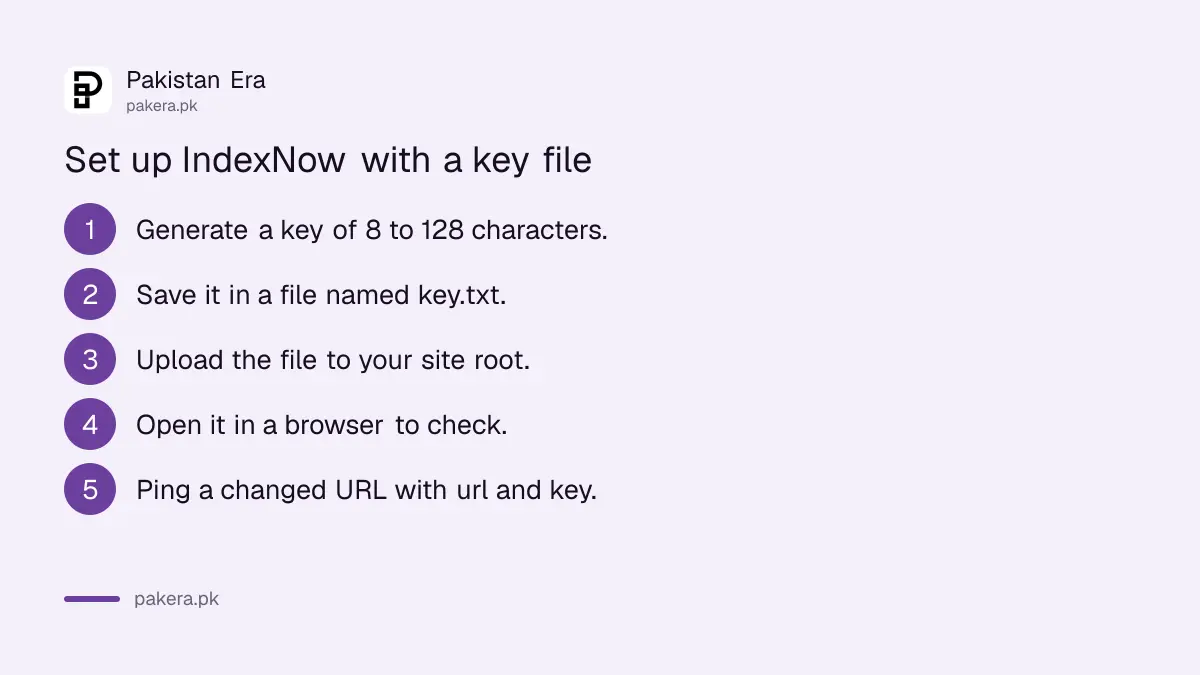
- Generate a key of 8 to 128 characters using letters, numbers and hyphens. A UUID generator works.
- Save the key in a UTF-8 text file whose name is the key followed by .txt. The file holds only the key.
- Upload it to your site's root, so it opens at yourdomain.pk/yourkey.txt with no login.
- Open that address in a browser. You should see only the key.
- Send a changed page to api.indexnow.org/indexnow with url= and key= in the address.
The page address must be URL-encoded, so a colon becomes %3A and a slash becomes %2F. You can send the request from a browser, curl or any script.
If you cannot reach the root, IndexNow lets you place the key file in another public folder and name its location with keyLocation. But that file then only covers URLs inside that folder. The protocol strongly recommends the root.
The response code tells you what went wrong
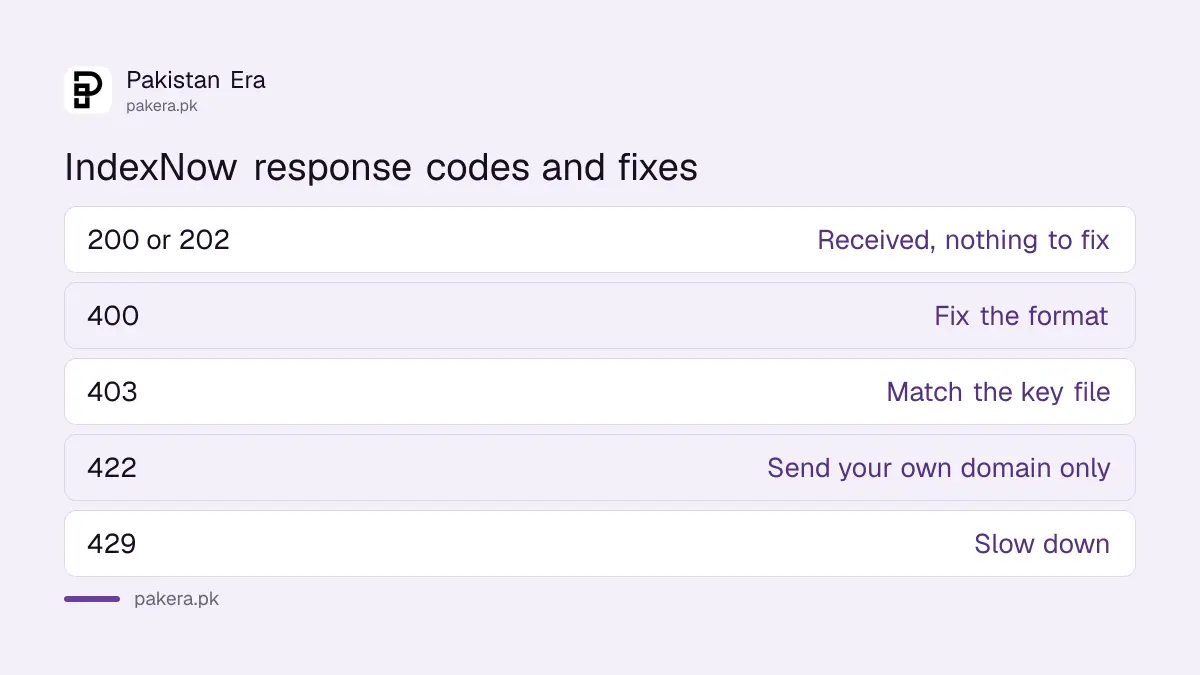
A 200 means the URL was received, and 202 means it was received while the key is checked. A 403 means the key file was not found or did not match. A 422 means a URL does not belong to your site, and 429 means too many requests.
| Code | Meaning | What to do |
|---|---|---|
| 200 | Received | Nothing, it worked |
| 202 | Received, key check pending | Normal on the first request |
| 400 | Bad request, wrong format | Check the address and encoding |
| 403 | Key not valid | Open the key file and match it exactly |
| 422 | URL not on your host, or key in the wrong format | Send only your own domain's pages |
| 429 | Too many requests, possible spam | Slow down and send real changes only |
A 200 is not a promise of indexing. The documentation says it only shows the engine has received your URL. Whether the page is indexed still depends on its quality and on robots rules, so check that robots.txt or a noindex tag is not blocking the page.
Send only real changes, up to 10,000 URLs a batch
Ping when a page is added, updated or deleted, not every hour for the same page. A single POST request can carry up to 10,000 URLs from one host. For reviews or comments, the FAQ suggests sending in steps rather than one ping per comment.
Good moments to ping on a Pakistani site: a new product, a price change in a sale, a sold-out item, a new job post, a corrected guide, or a deleted page. Deleted pages count too, so engines stop showing a page that no longer exists.
The FAQ's example for user content is to ping each review from 1 to 20, then every 5th up to 100, then every 10th up to 1,000. Bulk pings of unchanged pages are what earn a 429.
Common questions
Does IndexNow work for Google?
No. Google is not on the IndexNow list of participating search engines. Use a sitemap in Search Console for Google.
Is IndexNow free?
Yes. The protocol is open and offered under a Creative Commons licence, and sending a ping costs nothing.
Do I need a Bing Webmaster Tools account?
Not for IndexNow itself. The key file proves you own the site.
How long can the key be?
Between 8 and 128 characters, using letters, numbers and hyphens only.
Why did my first request return 202?
The engine received the URL and is still checking your key file. Later requests should return 200.
How many URLs can I send at once?
Up to 10,000 URLs in one POST request, all from the same host.
How we verified this
What we checked, where we read it, and what we could not confirm.
Last checked 20 October 2026. We read the IndexNow home page, documentation page and FAQ at indexnow.org on 20 October 2026. The key length, file rules, endpoints, response codes, the 10,000 URL limit and the list of supporting engines and platforms come from those pages. We could not read Bing's own Webmaster Tools help pages, which did not load for us, so this guide does not cover Bing's dashboard. We did not set up IndexNow on a test site.
About the author

Founder and Editor
Umer Kureshi founded Pakistan Era in July 2024 and runs it as administrator, SEO lead and writer, overseeing website operations, search growth, content strategy and coverage of technology and current affairs.