AdSense Site Status Check in Pakistan: Getting Ready, Needs Attention and 4 Fixes
Check your AdSense site status: what Requires review, Getting ready and Needs attention mean, the 4 causes Google lists and how to request review again.
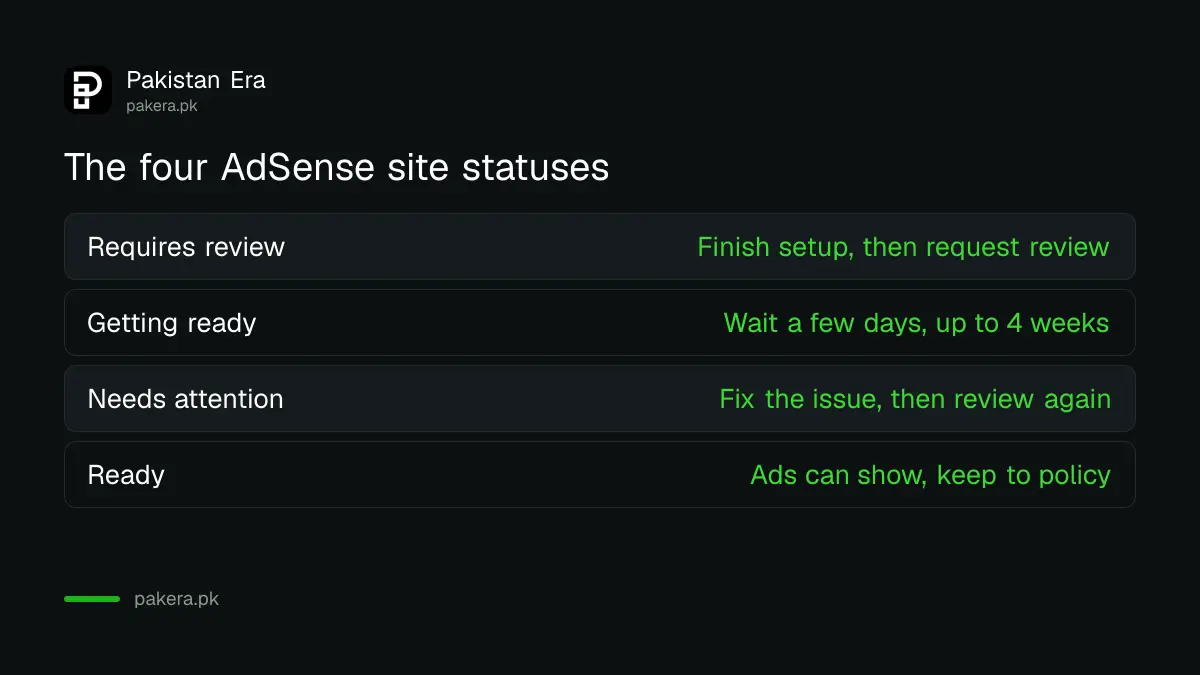
Check your AdSense site status under Sites in your AdSense account. Google uses four statuses: Requires review, Getting ready, Needs attention and Ready. A review usually takes a few days and can take 2 to 4 weeks, and Google warns that removing and adding the site again can slow it down. If your site says Needs attention, one of four problems is the cause, and each has a fix.
We read Google's AdSense Help pages on site status and on sites that are not ready to show ads on 6 November 2026. The statuses, causes and steps below come from those pages. We did not submit a new site for this article, so we make no claim about how long a review took for us.
Four AdSense site statuses tell you where your site stands
Sign in to AdSense, click Sites, and find your site in the list. The approval status column shows one of four values. Click the site for more detail. The same list shows your ads.txt status.
| Status | What Google says it means | What you do |
|---|---|---|
| Requires review | Not checked yet, or inactive and needs another review | Finish setup tasks, then click Request review |
| Getting ready | AdSense is running its checks | Wait, usually a few days, up to 2 to 4 weeks |
| Needs attention | Issues must be fixed before ads can show | Fix the issue shown, then request review again |
| Ready | The site can show ads | Keep following the Program policies |
Ready is not the end of the checks. Google says you must keep following the AdSense Program policies and watch the Policy center for any problems after approval.
Getting ready usually takes days, sometimes 2 to 4 weeks
Google says the review "usually takes a few days, but in some cases can take 2 to 4 weeks". It notifies you when the site is ready to show ads.
Two mistakes keep sites stuck. The first is asking for review before the account setup tasks on the AdSense home page are done, such as setting up payments. Google says a site whose owner requested review without finishing those tasks stays in Getting ready. The second is removing the site and adding it again to "restart" the check. Google says this can delay the process.
If you see "Something went wrong. Please try again later" when you click Request review, Google says to check that you typed the right URL. If the message keeps coming back, your site or subdomain may not be eligible yet, and you should try again later.
Needs attention has four causes, and each has a fix
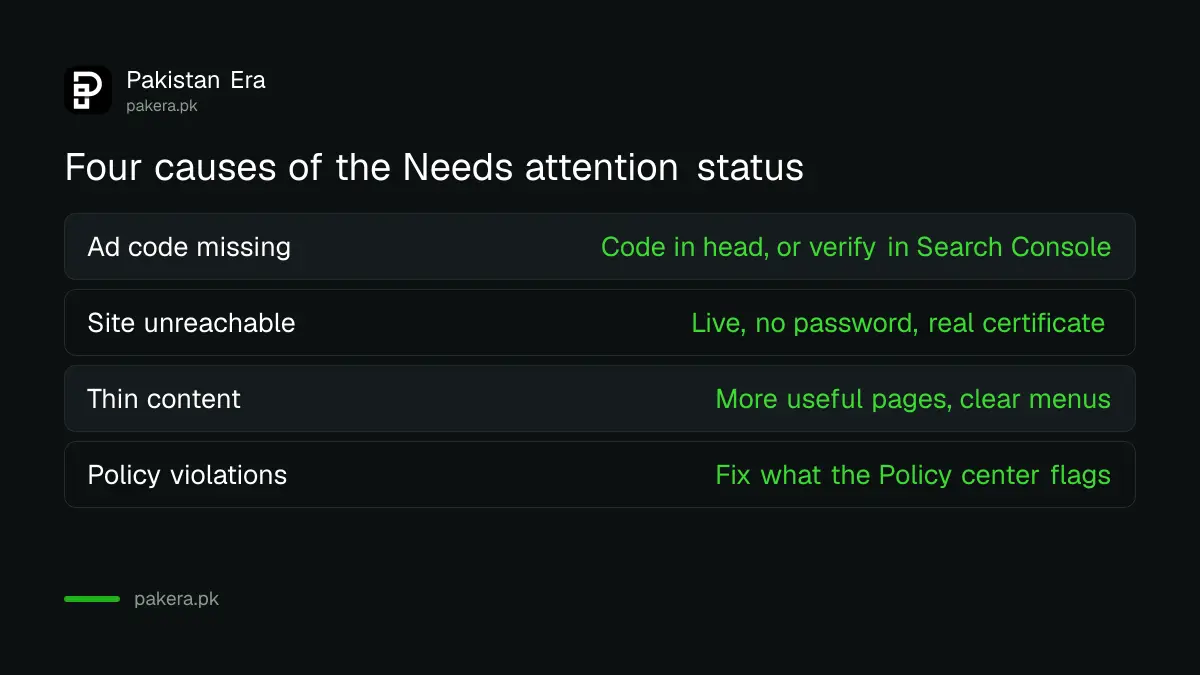
Google's page on sites that are not ready to show ads lists four problems. Read the detail AdSense shows for your site, then match it to the right row below.
| Cause | What Google asks you to check |
|---|---|
| Ad code missing or incomplete | The AdSense code sits in the head section of the site you registered, or the site is verified in Search Console |
| Site unreachable | The URL is right, the site is live, no password blocks it, robots.txt does not block the AdSense crawler, and HTTPS uses a real certificate |
| Not enough unique content or poor user experience | Enough valuable content and clear navigation |
| Policy violations | Issues flagged in the Policy center are fixed |
The site unreachable row catches many small Pakistani sites. A site still on a "coming soon" page, a password protected staging site, or a shared hosting plan with a self signed certificate can all fail it. Google says to use a certificate from a recognised authority and to redirect HTTP to HTTPS. If you think robots.txt is the problem, test it with our robots.txt and noindex check.
Search Console can replace the ad code check
Google gives a second way past the ad code check. If you verify that you own the site in Google Search Console, Google says it will keep checking your site's readiness without needing the code in the head tag or an ads.txt file.
This helps on site builders where editing the head section is awkward. Our guide to verifying a website in Search Console covers the DNS record and HTML tag methods. You still need ads.txt for earnings later, and our ads.txt guide shows the line to add.
Low value content is the one cause with no quick switch. Google's page asks for enough valuable content and a good user experience with clear navigation. A site with a handful of short posts, copied text, or menus that lead nowhere will keep failing until that changes.
Seven steps to ask for review again
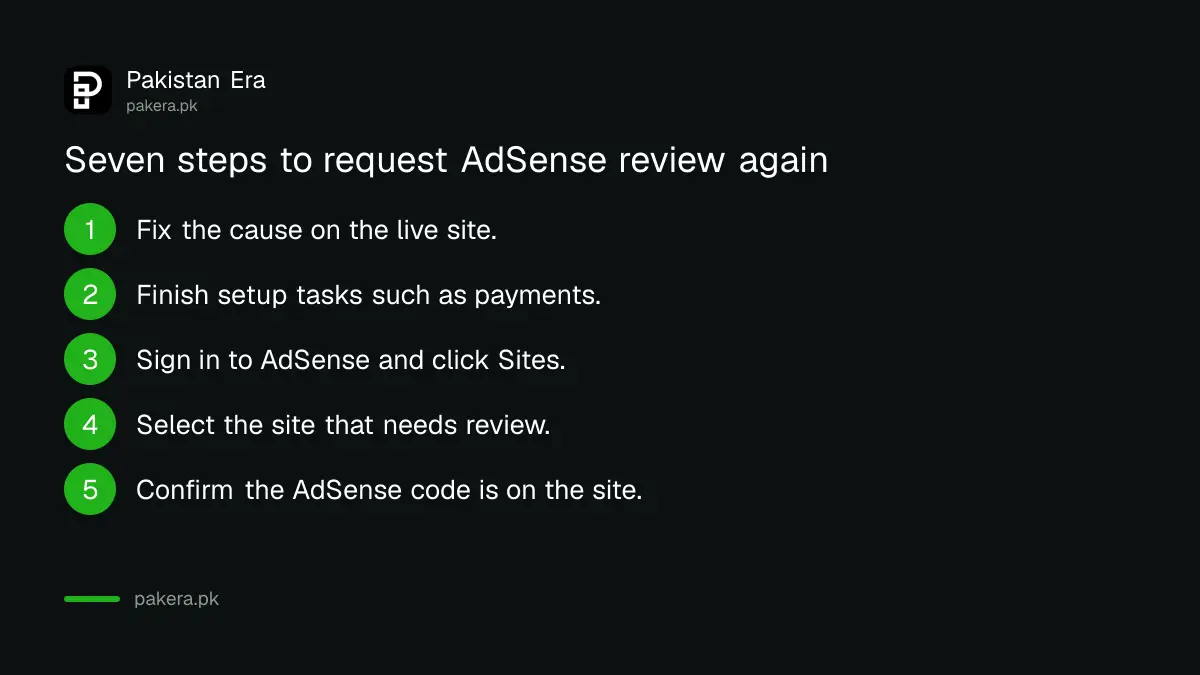
Once the fix is live on the real site, send the site back for review. Google's own steps are five; we add the two checks that stop the most common repeat failures.
- Fix the cause AdSense showed, on the live site, not a test copy.
- Finish any setup task still listed on your AdSense home page, such as payments.
- Sign in to AdSense and click Sites.
- Select the site that needs review.
- Confirm the AdSense code is on your site.
- Click Next, then Request review.
- Leave the site in the list while it says Getting ready. Do not remove and add it again.
Google says review usually takes a few days and can take 2 to 4 weeks, and that it will notify you when the checks finish. Before a first application, run through our AdSense eligibility checklist so the first review is the only one.
Common questions
How long does AdSense Getting ready take?
Google says the checks usually take a few days, and in some cases 2 to 4 weeks. It sends a notice when the site is ready.
Why is my AdSense site stuck on Getting ready?
Google says a site stays in Getting ready if review was requested before the account setup tasks were done. Finish the tasks on your AdSense home page, such as payments.
What does Needs attention mean in AdSense?
It means there are issues to fix before the site can show ads. Google lists four causes: missing ad code, an unreachable site, not enough unique content or poor experience, and policy violations.
Should I remove my site and add it again in AdSense?
No, unless the URL itself was typed wrong. Google says removing and resubmitting a site can delay the process.
Can I get approved without putting the AdSense code in my head tag?
Yes. Google says that if you verify the site in Search Console, it keeps checking readiness without the head tag code or an ads.txt file.
What does the error Something went wrong mean when I request review?
Google says to check you entered the correct URL and try again. If the error continues, the site or subdomain may not be eligible yet, so try later.
How we verified this
What we checked, where we read it, and what we could not confirm.
Last checked 6 November 2026 against Google's AdSense Help pages on checking the status of your AdSense sites, what to do when your site is not ready to show ads and AdSense eligibility requirements. Steps 1, 2 and 7 in our list are our own additions built from Google's notes; steps 3 to 6 are Google's. Menu names can change, so follow the labels on your own screen if they differ.
About the author

Founder and Editor
Umer Kureshi founded Pakistan Era in July 2024 and runs it as administrator, SEO lead and writer, overseeing website operations, search growth, content strategy and coverage of technology and current affairs.