AL Habib Digital Registration: Bank AL Habib App Sign Up in 7 Steps, Forgot Password and the 2 Hour Wait
Register on the AL Habib Digital app with your CNIC, OTP and NADRA fingerprint check, reset a forgotten password, and fix the 2 hour wait and 5 device limit.
To register on AL Habib Digital, open the app, tap Sign Up, enter your CNIC, match your details to the bank's records, enter the OTP, create a username and password, then pass NADRA fingerprint verification in the app. You can log in 2 hours later. Signing up and using the app is free, Bank AL Habib says. Any active account holder with a valid CNIC can do it from home, without calling the bank.
AL Habib Digital is Bank AL Habib's new mobile app. It replaces the older AL Habib Mobile app with a new design, Urdu and English screens, and self sign up. Below are the sign up steps, the username and password rules, the forgot password route and the fixes for the most common blocks.
Who can sign up for AL Habib Digital
Any active Bank AL Habib account holder with a valid CNIC, NICOP or passport can use AL Habib Digital. Individual, sole proprietor and joint "either or survivor" accounts are covered. You need the mobile number and email that the bank has on record, because both get an OTP.
- An active Bank AL Habib account.
- Your CNIC or NICOP. Passport holders and Roshan Digital Account (RDA) holders finish sign up through the bank, as shown below.
- The mobile number and email address registered with your branch.
- A phone with the latest version of the app and location access turned on. The bank asks for location for security.
Already use the old AL Habib Mobile app? You do not need to sign up again. Your existing username and password work on AL Habib Digital, and your saved payees and billers move across too.
How to register on AL Habib Digital in 7 steps
Sign up takes about ten minutes in the app. You enter your CNIC, confirm your details, set a username and password, and verify your fingerprints with NADRA on the phone camera. The phone then becomes a trusted device, and the app opens after a 2 hour wait.
- Download AL Habib Digital from Google Play, the App Store or Huawei AppGallery, and tap Sign Up on the opening screen.
- Enter your CNIC or NICOP number.
- Read and accept the Terms and Conditions.
- Fill in your details exactly as they appear in the bank's records.
- Enter the OTP sent to your registered mobile number and email.
- Create a username, then a password, following the rules in the table below.
- Choose your hand gesture and complete NADRA biometric verification on screen. Your device is then registered as a trusted device.
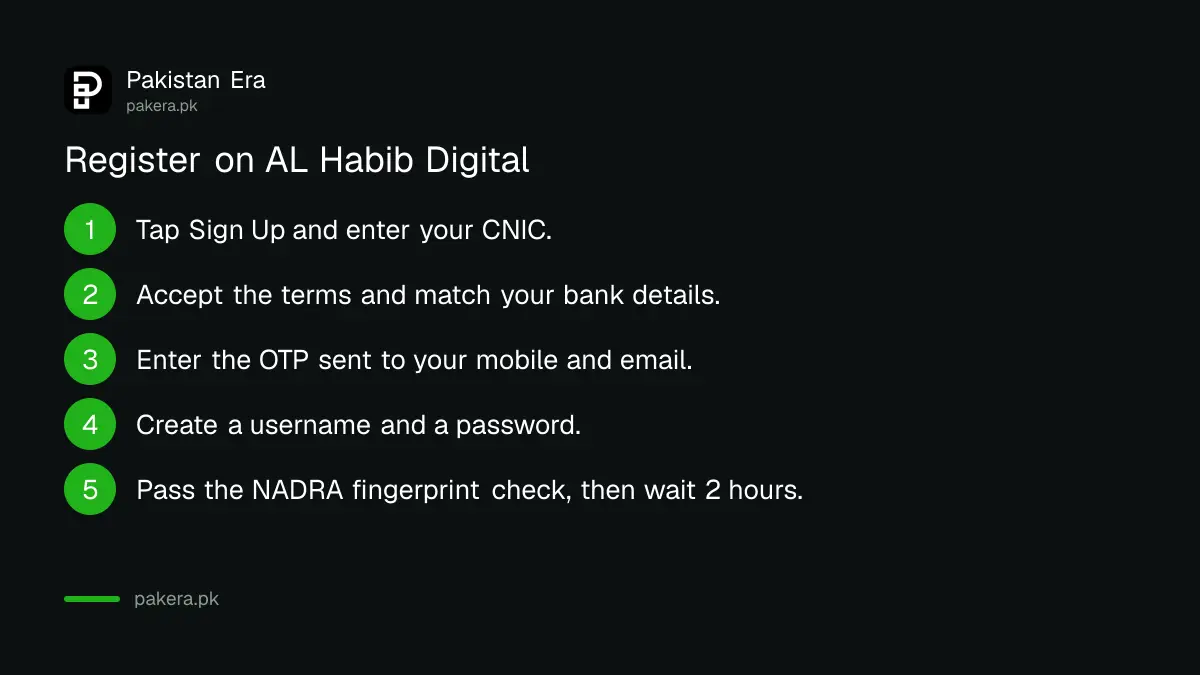
After a successful biometric check you get an SMS and an email saying your device is now trusted. Then the 2 hour cooling off period starts. Trying to log in before it ends only shows a message that the cooling off period is active.
Passport, RDA and customers abroad
Passport holders must call the helpline or visit the nearest branch to finish sign up. RDA customers go through their Relationship Manager. If your account was opened at a branch in Pakistan and you are abroad, so you cannot do the fingerprint check, contact your relationship branch directly.
Username and password rules on AL Habib Digital
The username must be 6 to 25 characters with at least one letter and no special characters. The password must be 8 to 20 characters with at least one letter, one number and one special character. The two cannot match. Most failed sign ups come from these rules.
| Item | Rule |
|---|---|
| Username length | 6 to 25 characters |
| Username content | At least 1 letter, numbers allowed, no @, #, & or other special characters |
| Password length | 8 to 20 characters |
| Password content | At least 1 letter, 1 number and 1 special character such as ! @ # $ |
| Username vs password | Must be different |
| Trusted devices | Up to 5 |
| Cooling off period | 2 hours |
| App charges | Free for now |
Every payment also needs your FPIN, a separate financial PIN. Keep it different from your ATM card PIN.
Forgot your AL Habib Digital password or username
Tap Forgot Login on the login screen. For a password, enter your CNIC, username and the OTP, then set a new password; it works after 2 hours. For a username, enter your CNIC, mobile number and OTP, and the username arrives by email.
Reset the password
- On the login screen, tap Forgot Login, then Forgot Password.
- Enter your CNIC, NICOP or passport number.
- Enter your username.
- Enter the OTP sent to your registered mobile number.
- Create the new password. It becomes active after the 2 hour cooling off period.
Get your username back
- Tap Forgot Login, then Forgot Username.
- Enter your CNIC, NICOP or passport number and your registered mobile number.
- Enter the OTP. The username is sent to your registered email address.
Typed the wrong password too many times? The app locks for your safety. The fix is the same Forgot Password route. A blocked username is different: the app cannot recover it, so call the 24/7 helpline on (021) 111-014-014 to have it unblocked first.
The 2 hour cooling off period and other common blocks
The 2 hour wait starts after sign up, a new device, a password or username change, and a limit increase. It is a safety window in case someone else made the change. Other common blocks are a full device list, an old mobile number and Raast ID errors.
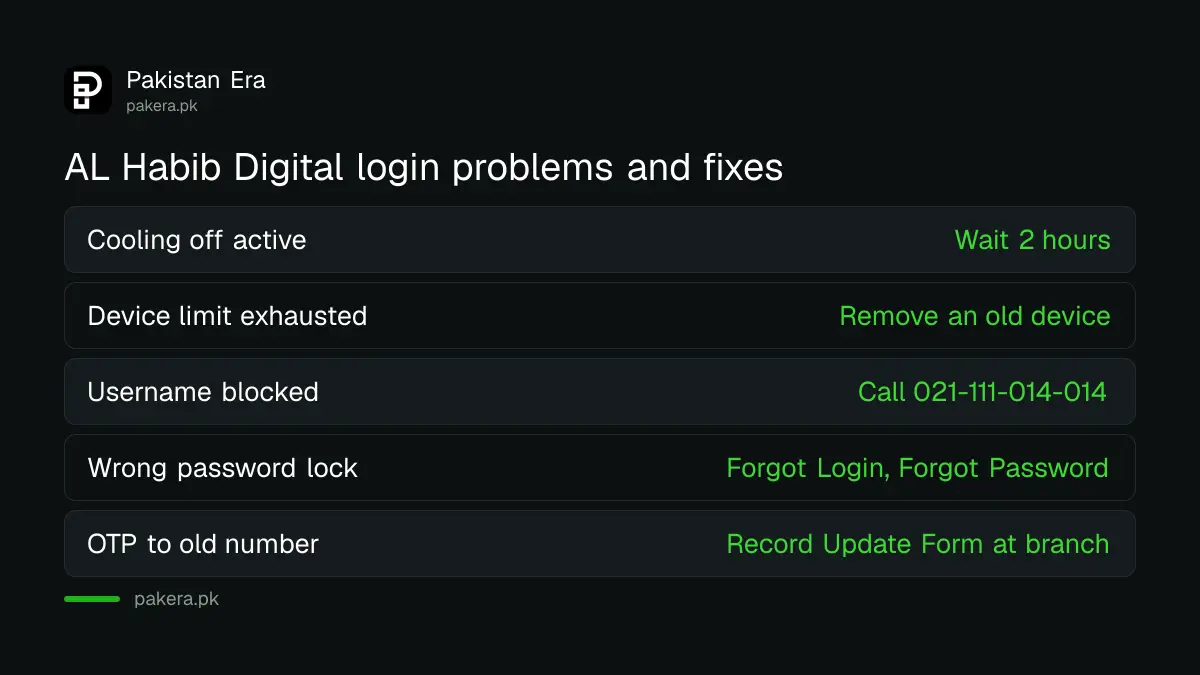
- "Device limit exhausted." You can keep up to 5 trusted devices. Log in on one of them, open Settings and remove an old device, then register the new phone.
- OTP goes to an old number. The app cannot change your mobile number or email. Submit a Record Update Form at your branch. The bank says it updates within 3 working days.
- Raast ID linked to another bank. The app shows an error. De-link it from the other bank first. Only numbers in the 03XXXXXXXXX format can be a Raast ID.
- Changed your password on AL Habib Digital, but the old app still wants the old one. Changes do not carry back to AL Habib Mobile. Manage each app's login separately.
Moving your mobile number's Raast ID from another bank follows the steps in how to move your Raast ID to another bank.
Send money by Raast and manage your card in the app
Raast transfers in AL Habib Digital are free, and the daily limit across the app and Netbanking is Rs 2,500,000. Pick Send Money, choose Raast ID, enter the mobile number, check the account title, and confirm with your FPIN. Card controls sit in the same app.
- Open Send Money and select RAAST ID.
- Enter the payee's mobile number as 03XXXXXXXXX, or pick from contacts, and tap Next.
- Check the account title the app shows. A wrong ID gives an error.
- Choose the purpose, and save the payee with a nickname if you like.
- Enter the amount, tap Send Money and enter your FPIN.
The app also lets you block your debit card for a while, change its PIN, set limits and switch international, online and domestic use on or off. For card fees, see Bank AL Habib debit card charges and limits. You can also view 6 months of statements in the app, or request up to 3 years by email. Transfers abroad are not available. Bank transfers that do not go through Raast are charged at the rates in the Bank AL Habib schedule of charges.
Keep your AL Habib Digital account safe
Your login is tied to your trusted devices, and every new device sends you an SMS and email. If you see one you do not recognise, call (021) 111-014-014 at once. The call centre can block your AL Habib Digital access after checking who you are.
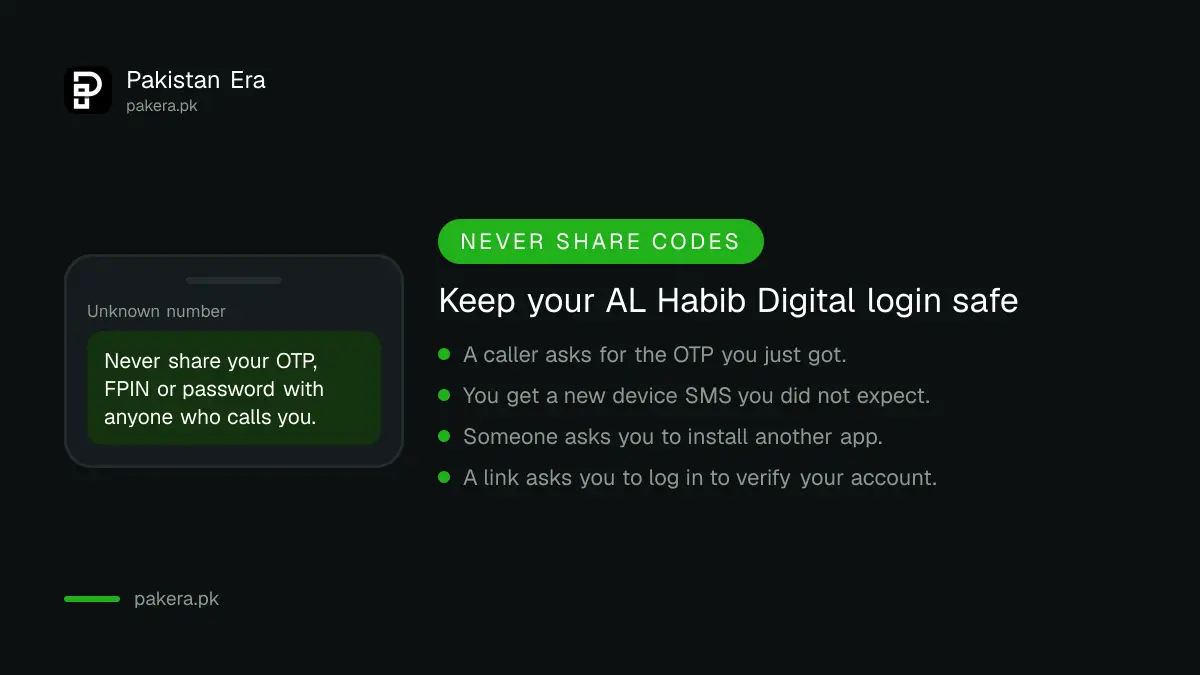
- Never share your OTP, FPIN or password with a caller, even one who says they are from the bank. The common tricks are in the OTP scam list for Pakistan.
- To unblock later, call the same number from your registered mobile.
- Lost your card? Block it in the app or follow the one minute call centre rule.
Common questions about AL Habib Digital registration
Is AL Habib Digital free?
Yes. Bank AL Habib says there are no charges to sign up or use the app for now. Any future charge would be announced in its Schedule of Charges first.
Why can't I log in right after registering?
A 2 hour cooling off period starts after sign up. The app shows a message during this time. Try again once 2 hours have passed.
Do I need a debit card to register on AL Habib Digital?
The sign up steps ask for your CNIC, your details as per bank records, an OTP and NADRA fingerprint verification. They do not ask for card details.
Can I use my old AL Habib Mobile login?
Yes. Existing AL Habib Mobile users log in to AL Habib Digital with the same username and password, and their payees and billers are already there.
How many phones can I use AL Habib Digital on?
Up to 5 trusted devices. To add another, remove one from Settings while logged in on an existing trusted device.
How do I change my mobile number on AL Habib Digital?
You cannot do it in the app. Visit your branch and fill in a Record Update Form. The change takes up to 3 working days.
How we verified this
What we checked and where we read it.
Last checked 14 November 2026. We read the full question and answer section on Bank AL Habib's AL Habib Digital page for sign up, password, device and Raast rules, and the bank's Raast page for the Rs 2,500,000 daily limit and the free Raast transfers. The helpline number (021) 111-014-014 appears on both pages. The bank's site still carries an older pop up about AL Habib Mobile and the 2022 switch from iBanking; the steps here follow the current AL Habib Digital page.
About the author

Technology Journalist & Multimedia Producer
Ahmad Ali is a technology journalist and multimedia producer at Pakistan Era, joining the team in October 2026. He covers consumer technology and digital life for Pakistani readers, combining research with hands-on product testing.