Snapchat Forgot Password in Pakistan: Reset It by Email or SMS in 5 Steps, and When Snapchat Cannot Help
Reset a forgotten Snapchat password in Pakistan by email, SMS or accounts.snapchat.com, plus what to do with a lost SIM, a forgotten username or a 2FA lockout.
Forgot your Snapchat password? On the login screen tap "Forgot your password?", choose email or SMS, and follow the link or code Snapchat sends. In a browser, go to accounts.snapchat.com, enter your phone number or email, and click Forgot Password. It is free and takes a few minutes, but only if you still have the email or mobile number on the account.
That last point matters. Snapchat says it cannot reset a password when you have no access to the linked email or number, even if you know the username. So the table below starts with what you still have.
How to reset your Snapchat password in the app
The app offers two routes from the login screen: a reset link by email, or a code by SMS. The email route lets you set a new password straight away. The SMS route logs you in first, and you then change the password in Settings.
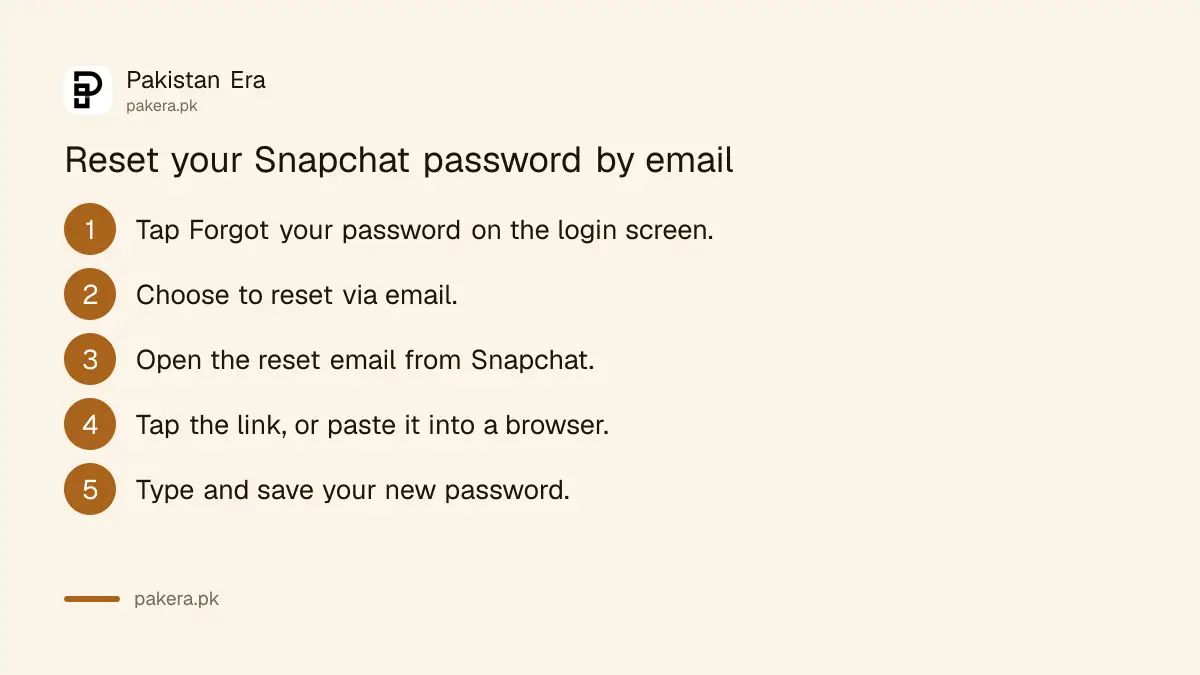
Reset by email
- On the Snapchat login screen, tap Forgot your password?
- Choose to reset via email.
- Open the reset email sent to the address on your account.
- Tap the link. If it does not open, copy and paste it into your browser.
- Type your new password and save it.
Reset by SMS
- Tap Forgot your password? and choose via SMS.
- Enter the verification code sent to your mobile number and tap Continue.
- Once you are logged in, go to Settings and set a new password.
Pick a password of at least 8 characters with numbers, symbols and capital letters. Snapchat asks you not to use your name, username, phone number or birthday in it.
Reset in a browser at accounts.snapchat.com
The Snapchat Accounts Portal works on any browser, which helps if the app keeps failing. Enter your phone number or email, click Forgot Password, and Snapchat sends a one-time login code to your phone or email.
- Go to accounts.snapchat.com.
- Enter the phone number or email linked to your Snapchat account. For a Pakistani number, use +92 and drop the first zero.
- Click Forgot Password.
- Choose to get a one-time login code by phone or email.
- Follow the steps in the SMS or email.
The same portal has an Unlock option for a temporarily locked account. A lock is different from a forgotten password, and our Snapchat locked account guide covers it.
When Snapchat cannot reset your password
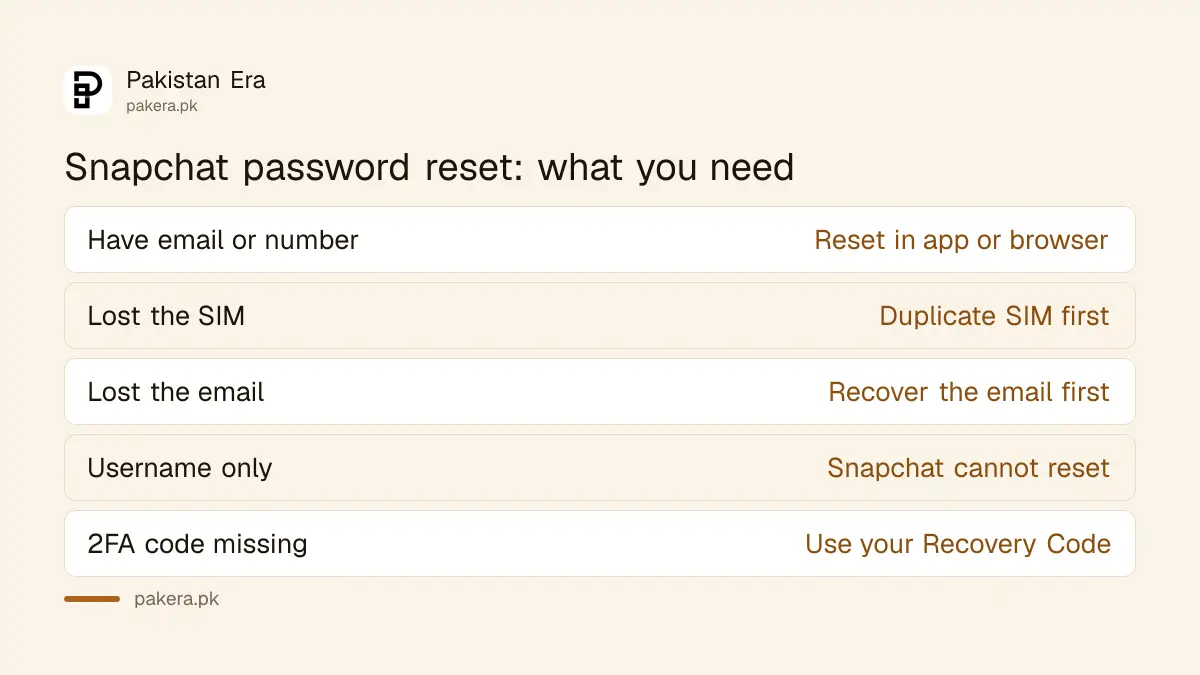
Snapchat does not reset a password if the account has no email or number, if you do not know them, or if you no longer have access to them. Knowing only your username is not enough. Get back the email or SIM first.
| Your situation | What to do |
|---|---|
| Have the email or number | Forgot your password? in the app or on accounts.snapchat.com |
| Lost the SIM on the account | Get a duplicate SIM on the same number, then reset by SMS |
| Lost access to the email | Recover the email first, then reset by email |
| Forgot the username | Log in with your number or email instead |
| Two-factor code not arriving | Use your Recovery Code, made in advance |
In Pakistan a duplicate SIM on the same number needs the owner's CNIC and biometric verification at the operator's franchise. Once the SIM works, the SMS route works again. For a lost Gmail, see our Gmail recovery guide.
Forgot your username too? Log in with the phone number or email instead, check whether your phone saved your login, or ask a friend to open your Friendship Profile and read the username to you. Snapchat says it cannot look up a username for you.
Locked out by two-factor login
With two-factor authentication on, a new phone asks for a login code. If you cannot get that code by SMS or authenticator app, only a Recovery Code made in advance gets you in. Snapchat does not help with lost Recovery Codes.
- Enter your username and password and tap Log In.
- When asked, enter your Recovery Code.
- Logging in this way turns two-factor off, so turn it on again in Settings.
Still logged in somewhere? Make a Recovery Code now: Profile, Settings, My Account, Two-Factor Authentication, Recovery Code, Generate Code. Store it safely, not in your email.
Stay safe while you reset
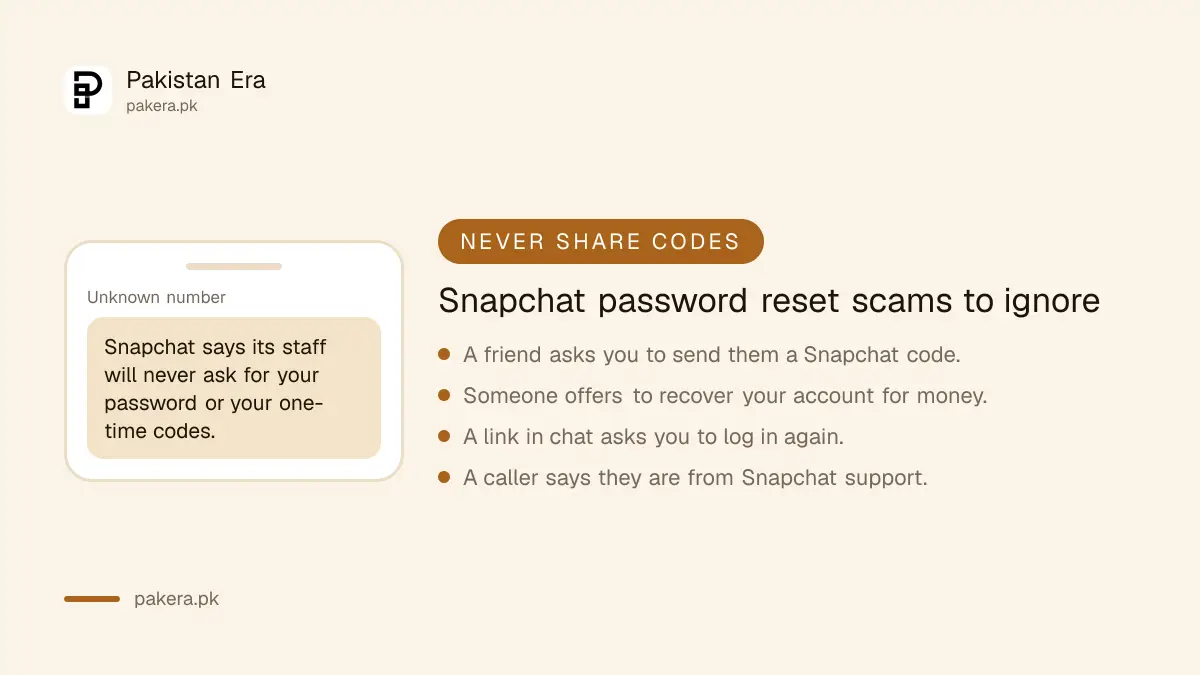
Snapchat says its staff will never ask for your password, and you should never share one-time codes or login links with anyone. Ignore paid "recovery" offers on other apps. The reset is free, and only Snapchat can do it.
- Never send a Snapchat code to a friend who asks for it. Their account may be hacked.
- Do not add a phone number or email you do not control to your account.
- After the reset, check Session Management in settings and end any session you do not recognise.
- If someone else changed your password, follow our hacked Snapchat recovery guide.
Tried to log in too many times? Snapchat may disable access for a while. It advises waiting 48 hours before trying again with the correct details.
Common questions about Snapchat password reset in Pakistan
Can I reset my Snapchat password with my username only?
No. Snapchat says it cannot reset a password if you have no access to the email or mobile number on the account, even when you know the username.
Why is my Snapchat reset link not opening?
Copy the link from the email and paste it into your browser's address bar. Snapchat suggests this when the link does not open on a tap.
How do I reset my Snapchat password on a computer?
Go to accounts.snapchat.com, enter your phone number or email, click Forgot Password and follow the one-time code sent to you.
Why can't I log in to Snapchat after many tries?
Too many attempts can disable login for a time. Snapchat advises waiting 48 hours before trying again with the correct details.
Can I reset the password of a deactivated Snapchat account?
No. Log in with your username first to reactivate it, within 30 days of deactivation. Then change the password in Settings.
How we verified this
What we checked and where we read it.
Last checked 14 November 2026. Steps and rules come from Snapchat Support: I forgot my password. How do I reset it?, I can't access my account and How do I use a Recovery Code for Snapchat?
About the author

Technology Journalist & Multimedia Producer
Ahmad Ali is a technology journalist and multimedia producer at Pakistan Era, joining the team in October 2026. He covers consumer technology and digital life for Pakistani readers, combining research with hands-on product testing.