Canva Pro Price in Pakistan: Rs 9,200 a Year, and Who Gets It Free
Canva Pro costs Rs 9,200 a year in Pakistan, or Rs 1,150 a month. Who gets Canva premium free, how to pay with a Pakistani card and how to cancel Canva Pro.
Canva Pro costs Rs 9,200 a year in Pakistan, for one person, on canva.com's pricing page. Canva Business costs Rs 16,000 a year per person. Canva Free costs nothing. Registered nonprofits and school teachers can get premium features free, but university students cannot.
We opened canva.com/pricing from a Pakistani connection on 29 September 2026. The page showed prices in rupees with the yearly toggle on. The monthly prices below come from the price data on the same page.
Canva is a design tool for social posts, flyers, CVs and slides. Before you pay, check whether you qualify for free premium access as a teacher or a registered charity.
Canva Pro costs Rs 9,200 a year in Pakistan
Canva shows Pakistani users rupee prices. Pro is Rs 9,200 a year for one person. Paid monthly, it is Rs 1,150, which adds up to Rs 13,800 over a year. So the yearly plan saves you Rs 4,600, about a third.
| Plan | Yearly price | Monthly price | Who it is for |
|---|---|---|---|
| Canva Free | Rs 0 | Rs 0 | One person |
| Canva Pro | Rs 9,200 | Rs 1,150 | One person |
| Canva Business | Rs 16,000 per person | Rs 1,600 per person | Individuals and teams |
| Canva Enterprise | On request | On request | Organisations |
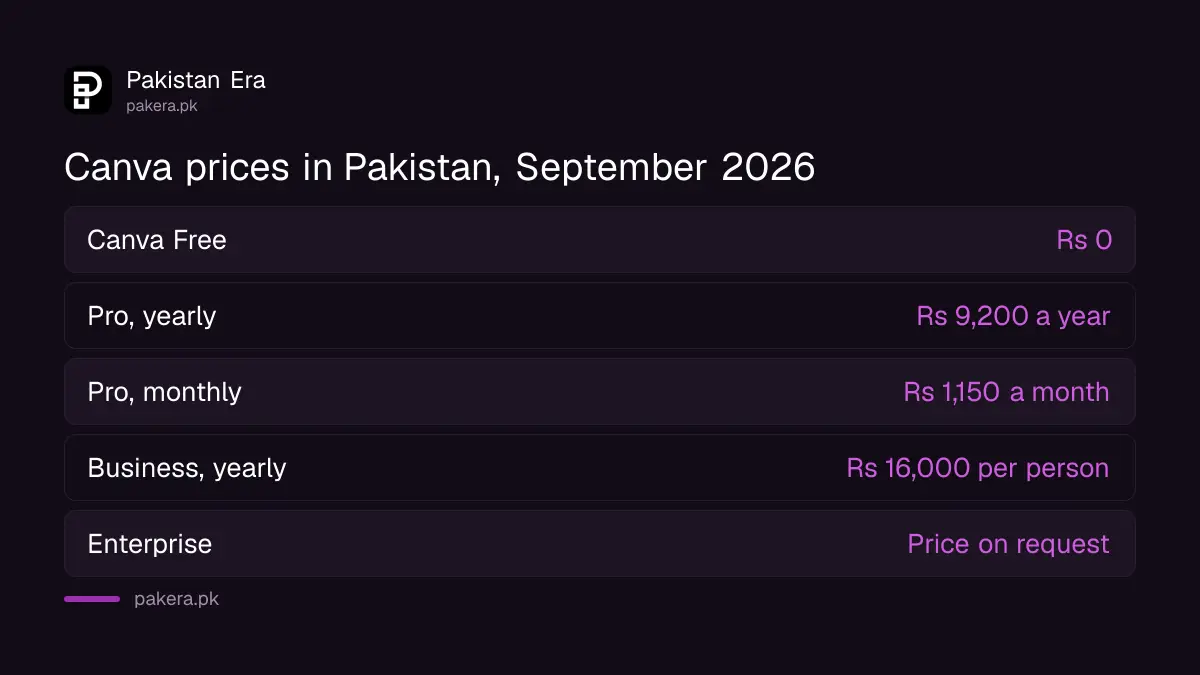
These are Canva's own prices. Your bank may add a small tax and a currency charge on top, covered below. Canva also offers a free trial of Pro and Business from the same page.
What Canva Pro gives you over the free plan
Pro unlocks premium templates and stock media, more storage and more AI use. The free plan has 1.6 million templates and 5GB of storage. Pro raises that to 3.6 million templates, 141 million premium photos, videos and graphics, and 100GB of storage.
- Templates: 1.6 million on Free, 3.6 million including premium on Pro.
- Brand Kits: one with three colours on Free, five on Pro.
- AI: up to 20 AI uses on Free, 10 times more on Pro.
- Tools: Pro adds AI tools like resize, translate and background remover, plus social post scheduling.
- Storage: 5GB on Free, 100GB on Pro.
If you make one CV a year, Free is enough. For making a CV in Pakistan, the free templates do the job. Pro earns its price if you design every week, remove backgrounds often or run a client's social pages.
Business adds team tools, 100 Brand Kits, approvals and 500GB of storage. A single freelancer rarely needs it.
Teachers, schools and nonprofits can get Canva premium free
Canva Education is 100% free for K-12, meaning primary and secondary, teachers, their students and qualifying schools. Canva Nonprofits gives registered charities all Pro features free, for up to 50 users. University students do not qualify for Canva Education.
| Programme | Who qualifies | How to join |
|---|---|---|
| Canva for Education (teachers) | Primary and secondary school teachers | Sign up with an education email or upload proof of employment |
| Canva for Education (students) | Primary and secondary students | The teacher invites them from a Canva Education account |
| Canva Nonprofits | Registered charities and NGOs, independent from government | Apply on Canva's nonprofit page |
| Not eligible for Nonprofits | Government bodies, political groups, schools, companies, grant-making foundations | Use a paid plan |
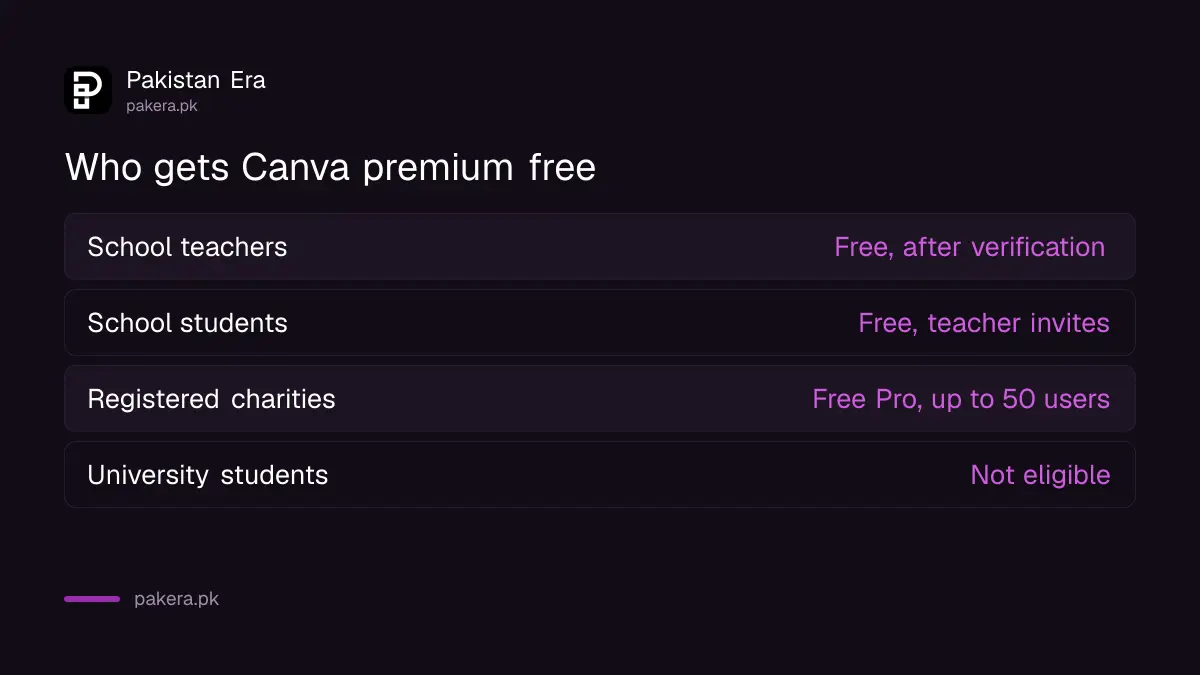
Canva says it verifies teachers "within a few days". A school email helps. Teachers without one can upload a proof of employment, such as a letter from the school.
For nonprofits, Canva says the organisation must be officially registered as a charity with a clear charitable mission. It points to country-specific rules in its eligibility guidelines, so keep your registration certificate ready. A college or university is treated as an educational institution, not a nonprofit.
How to pay for Canva Pro from Pakistan
Canva's global payment methods are a credit or debit card and PayPal. Its Asia list names wallets like GCash, UPI and TrueMoney, but no Pakistani wallet. So on the website you pay with a Visa or Mastercard that allows international online payments.
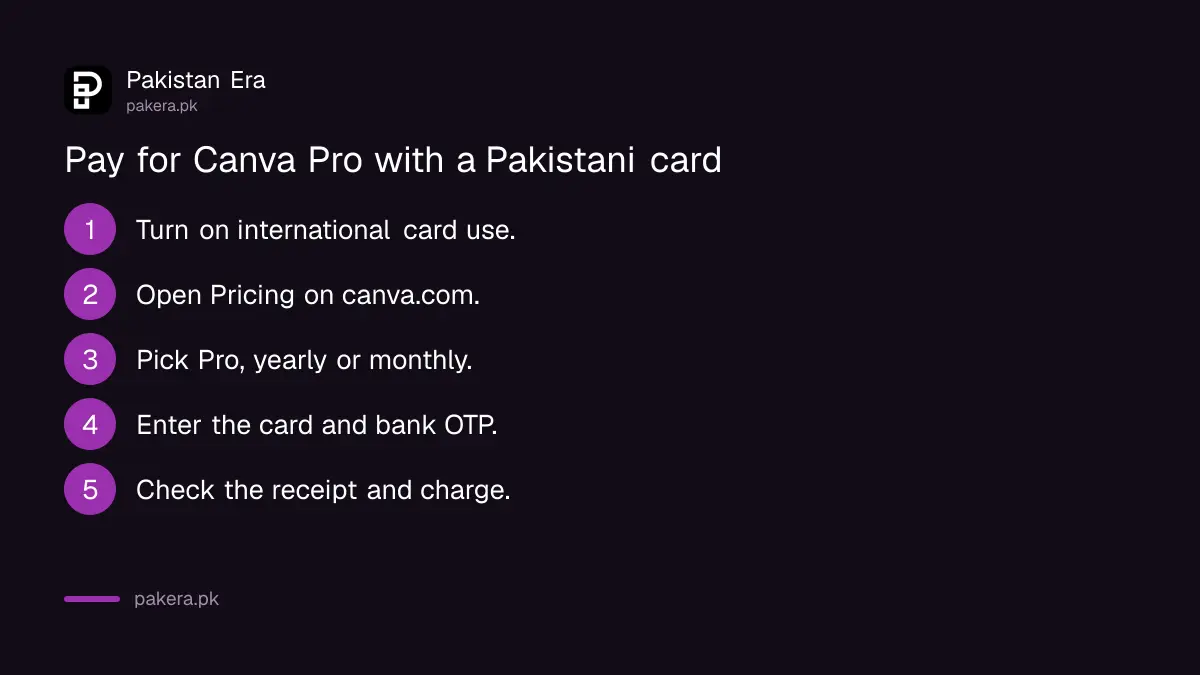
- Ask your bank to turn on international and online use for your debit or credit card.
- Log in at canva.com and open the Pricing page.
- Pick Pro and choose yearly or monthly billing.
- Enter the card and confirm with the one-time code from your bank.
- Check your email for Canva's receipt and your bank app for the rupee charge.
You can also subscribe inside the Canva app on a phone, through Google Play or the App Store. Then the store bills you, not Canva. To pay on Google Play you need a Visa or Mastercard as well, and Apple ID payment in Pakistan is card only too. The in-app price may differ from the website price, so compare before you tap.
A card payment to Canva is a payment abroad. Your bank may deduct FBR advance tax under section 236Y, 0.5% if you are on the Active Taxpayers List and 1% if not.
How to cancel Canva Pro
How you cancel depends on where you subscribed. On the website, go to Settings, then Billing, and select Cancel plan. For Google Play or App Store subscriptions, cancel in that store. Deleting the app does not cancel anything.
- Log in to the right Canva account and open your profile menu.
- Select Settings, then Billing.
- On your plan, select Cancel plan, then Continue cancellation.
- Choose a reason, then select Continue cancellation again.
- Select Cancel subscription and wait for the confirmation email.
On Android, open the Play Store, tap your profile, then Payments and subscriptions, then Subscriptions, and cancel Canva. On an iPhone, go to Settings, your name, Subscriptions, Canva, then Cancel Subscription.
After you cancel, Pro stays active until the end of the period you paid for. Your designs stay on your account under Canva Free. Canva also lets you pause Pro for up to three months instead, with no charges during the pause.
One warning from Canva's own help page: some banks keep recurring payments running even after a card is cancelled or expires. So cancel inside Canva. Do not rely on blocking the card.
Common questions
How much is Canva Pro in Pakistan?
Rs 9,200 a year for one person, or Rs 1,150 a month, on canva.com's pricing page for Pakistan as checked on 29 September 2026.
Is Canva Pro free for university students in Pakistan?
No. Canva Education covers primary and secondary school teachers and their students. University students have to use Free or pay for Pro.
Can I pay for Canva with JazzCash or Easypaisa?
Not as a wallet. Canva's payment lists name cards and PayPal globally, and no Pakistani wallet. A wallet's own Visa or Mastercard debit card may work as a card.
Can I share Canva Pro with my family?
Pro is priced for one person. For several people working together, Canva's team plan is Business, at Rs 16,000 a year per person.
Will I lose my designs if I cancel Canva Pro?
No. Your designs stay on Canva Free. You lose premium features at the end of your paid period.
How we verified this
What we checked, where we read it, and what we could not confirm.
Last checked on 29 September 2026. Prices and plan features are from canva.com/pricing, opened from a Pakistani connection. Eligibility is from Canva's Education and Nonprofits pages. Payment methods and cancellation steps are from Canva's help centre, including Cancel a Canva plan. The 236Y rate is from FBR's withholding tax rate card. We did not buy Pro, so we did not see the checkout or the in-app store price.
About the author

Tax, Bills and Technology Writer
Ali Akhtar is a young and curious voice here at Pakistan Era. He is currently pursuing his A-Levels and has a growing interest in Pakistan’s changing industrial landscape and educational trends. Ali likes to write in a way that helps him explain and explore the world around him. His writing reflects the perspective of the new generation navigating the evolving trends of Pakistan where technology, youth innovation, and shifting opportunities are reshaping the country’s future.