How to Check a Competitor's Ads in the Meta Ad Library in Pakistan
Use Meta's Ad Library to see which ads a Pakistani rival or seller is running, when they started and where, with five steps and what the tool does not show.
Short answer: Meta's Ad Library is a public tool that lists the ads running on Facebook, Instagram and Meta's other apps. You can search it by advertiser name, by keyword and by country. You do not need a Meta Ads account to look, and it works for checking a rival shop or a suspicious seller.
A clothing seller in Faisalabad sees a rival's ad on her feed three times in one day. She wants to know what the ad says, how long it has run and where it appears. She does not need to guess. Meta publishes this for ads, and the lookup takes a few minutes.
We read Meta's Business Help Center page on the Ad Library on 13 October 2026. This guide sticks to what that page says the tool shows. Menu names on Meta's site change from time to time, so follow the labels you see on screen.
The Ad Library shows what a business is advertising right now
Meta describes the Ad Library as a transparency tool. Its help page says it shows active ads, the ad start date, the platforms where each ad runs, and ads about social issues. It lets people see who is running ads on Meta's services.
That makes it useful for three jobs. You can study a competitor's offers. You can check whether a page you are about to pay is really advertising. And you can see how often a business changes its message, which tells you what it is testing.
An ad being listed does not mean the ad is good or the seller is honest. It only means the ad is running. Treat it as a clue, then check the business itself.
You can search by advertiser, keyword and country
Meta's help page says you can search the library by advertiser, by keyword and by country. For a Pakistani market, set the country to Pakistan first. Then type the business name or a product word such as "lawn" or "solar".
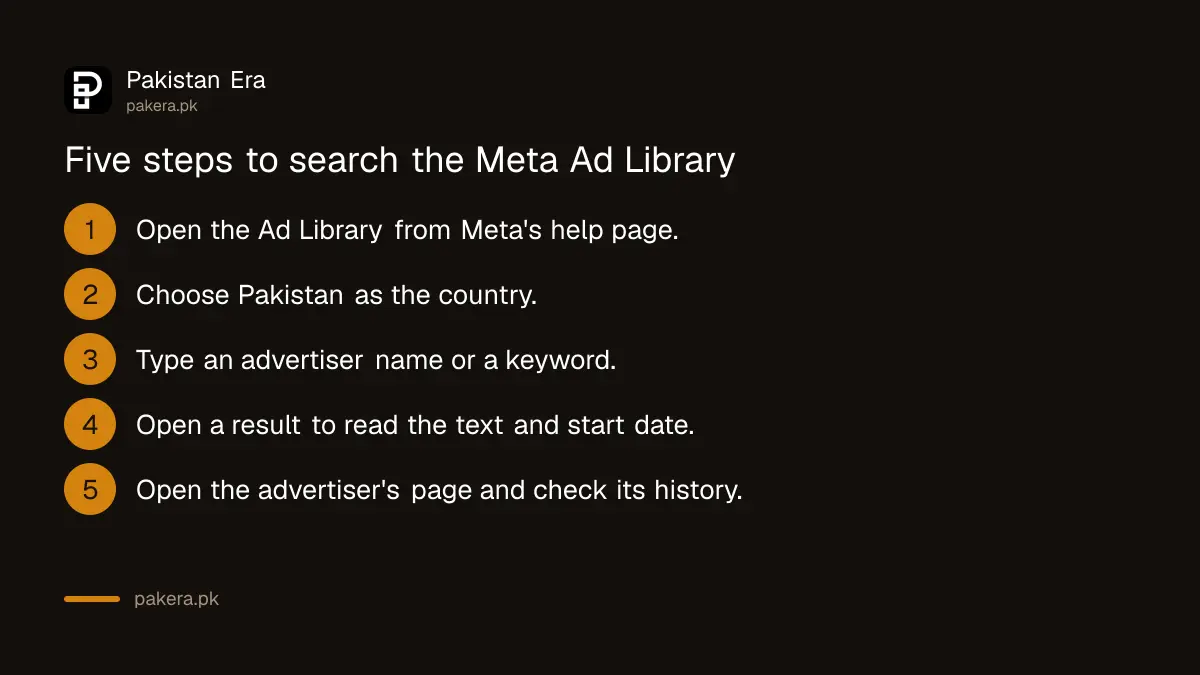
- Open the Ad Library from Meta's Business Help Center page or by searching for it on Facebook.
- Choose Pakistan as the country.
- Type an advertiser name or a keyword in the search box.
- Open one result to read the ad text, the start date and the platforms.
- Note the page name, and open that page to see its followers, posts and reviews.
A keyword search can return ads from other countries that use the same word. Always check the country setting before you trust a result.
What you can learn from one ad listing
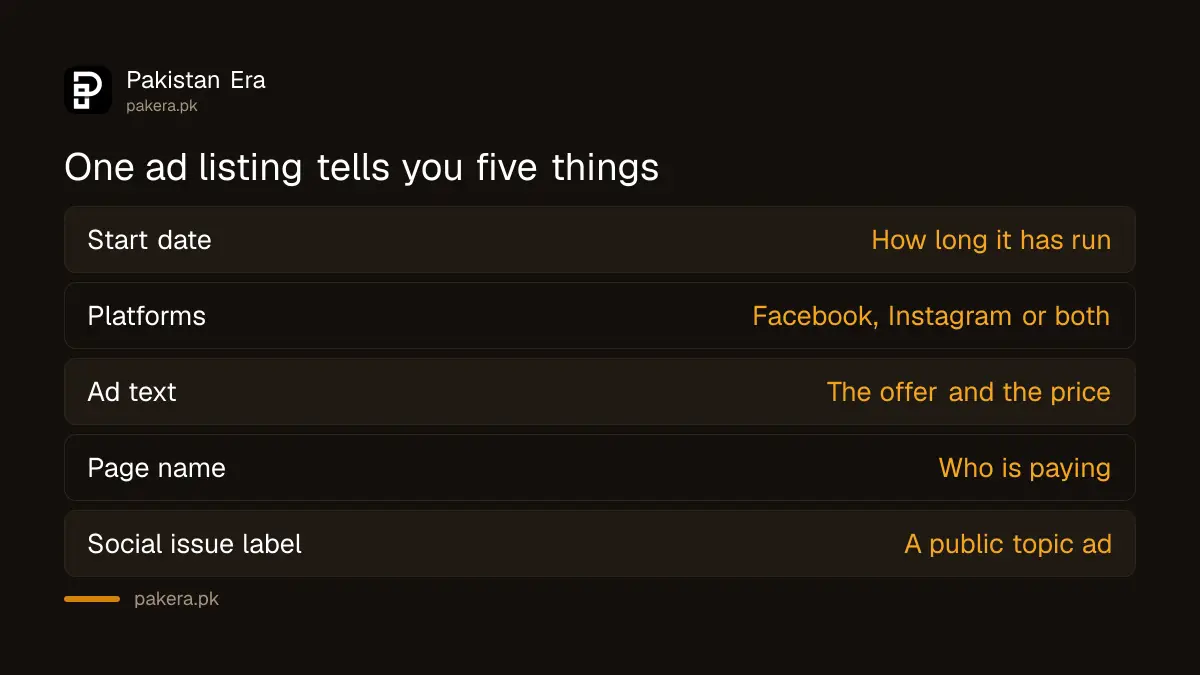
Each listing gives you several facts. Read the start date to learn how long the ad has run. Read the platform list to see where it shows. Read the text to see the offer, the price and the call to action.
| What you see | What it tells you |
|---|---|
| Ad start date | How long the offer has been running |
| Platforms | Whether it runs on Facebook, Instagram or both |
| Ad text and image | The offer, price and message the business uses |
| Page name | Who is paying, and whether they have a real page |
| Social issue label | That the ad is about a public topic, not a product |
An ad that has run for many weeks has probably paid for itself. An ad that disappears after two days probably did not. That is a guess, not a fact, so use it only as a hint.
Use it to check a seller before you pay
A shop that runs ads should have a page with a history. If an advertiser has a new page, no posts and a very low price, treat it with care. Combine the Ad Library with the checks in the e-commerce seller registration guide and the steps in the Punjab move to block fake shopping sites.
If you run your own ads, see how to pay for Google Ads and Meta Ads from Pakistan. If a business uses an agency, the reseller check explains what to ask.
Do not copy a rival's ad word for word. Use what you learn to improve your own offer, your own photo and your own price.
Know what the library does not show
The help page we read describes what the library shows. It does not state how much an advertiser spent or how many sales it made, so do not assume you can see either. If a tool outside Meta claims to show a rival's sales, treat that claim as unproven.
Once you have your own ad running, turn to scheduling your free posts in Meta Business Suite. Free posts and paid ads work best together.
Common questions
Do I need a Facebook account to use the Meta Ad Library?
Meta's help page describes the library as a public transparency tool. Whether a login is asked for can change, so follow what the page shows when you open it.
Can I see how much a rival spends on ads?
The help page we read lists active ads, start date, platforms and social issue ads. It does not mention spend, so do not rely on seeing it.
Can I search by a product word in Pakistan?
Yes. Meta says you can search by keyword and by country. Set the country to Pakistan first so you see local ads.
Does a listed ad prove a seller is honest?
No. It only shows the ad is running. Check the page history, reviews and delivery record before you pay.
Is it legal to look at a competitor's ads?
The library is a public tool published by Meta for this purpose. Copying a rival's ad text or images is a separate matter and can cause trouble.
How we verified this
What we checked, where we read it, and what we could not confirm.
Last checked on 13 October 2026, Pakistan time. We read Meta's Ad Library help page. The Ad Library site itself did not load for our automated check, so we did not test the search screen or its Pakistan results. The steps follow Meta's description, and on-screen labels may differ.
About the author

Technology Journalist & Multimedia Producer
Ahmad Ali is a technology journalist and multimedia producer at Pakistan Era, joining the team in October 2026. He covers consumer technology and digital life for Pakistani readers, combining research with hands-on product testing.