How to Send Money From Easypaisa Without the App
Dial *786# on Telenor or *2262# on Jazz, Zong and Ufone to send Easypaisa money with no internet. Steps, the Rs 1 USSD fee and the 5-digit PIN.
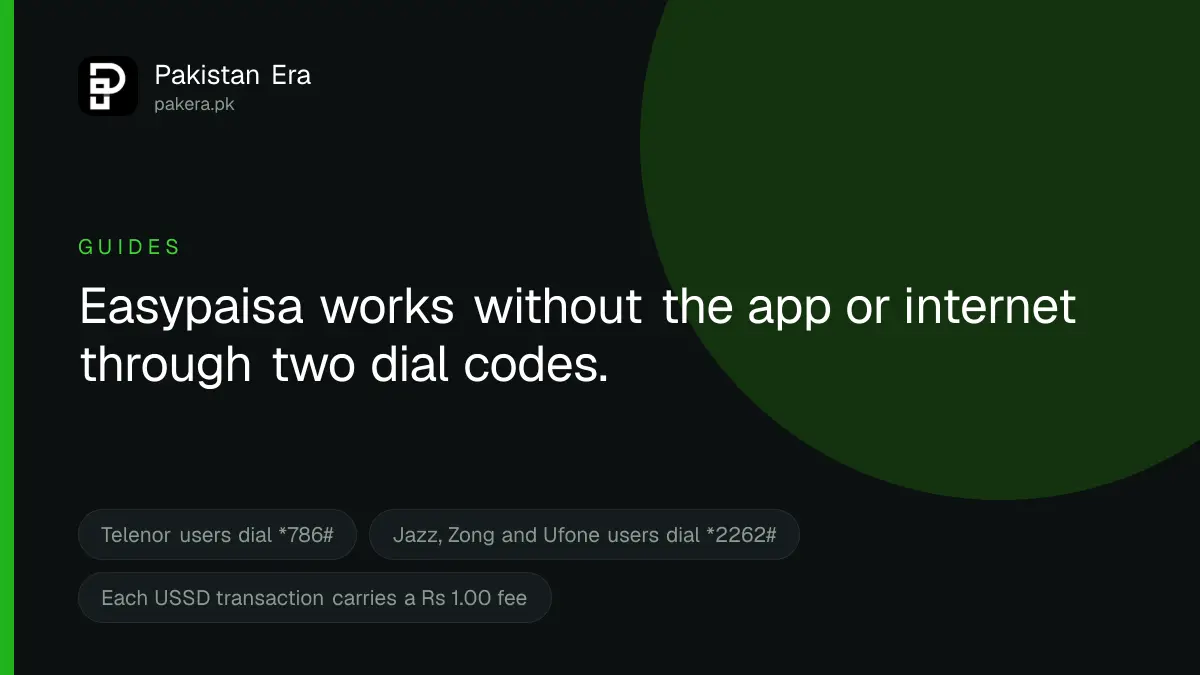
To send money from Easypaisa without the app, dial *786# from a Telenor number or *2262# from a Jazz, Zong or Ufone number. The dial menu works without internet. Choose the send money option, enter the receiver's details and amount, and confirm with your 5-digit Easypaisa PIN. Easypaisa's current schedule of charges adds a USSD platform fee of Rs 1.00 per transaction.
We read Easypaisa's FAQ and its Schedule of Bank Charges for July to September 2026 on 22 September 2026. The codes and fees below come from those pages. We did not dial the codes, so we cannot show you each menu screen. Menu numbers change from time to time, so read your own screen.
Easypaisa dial codes by network
| Your network | Dial | Needs internet? |
|---|---|---|
| Telenor | *786# | No |
| Jazz | *2262# | No |
| Zong | *2262# | No |
| Ufone | *2262# | No |
Dial from the SIM that is registered to your Easypaisa account. Your Easypaisa account number is the same as that mobile number. Easypaisa's FAQ also says the account cannot be used from a website. It works only through the app or the dial code.
A dial code like this is called USSD. It opens a text menu on your screen, and it works on any phone, including a basic keypad phone.
How to send money by dial code
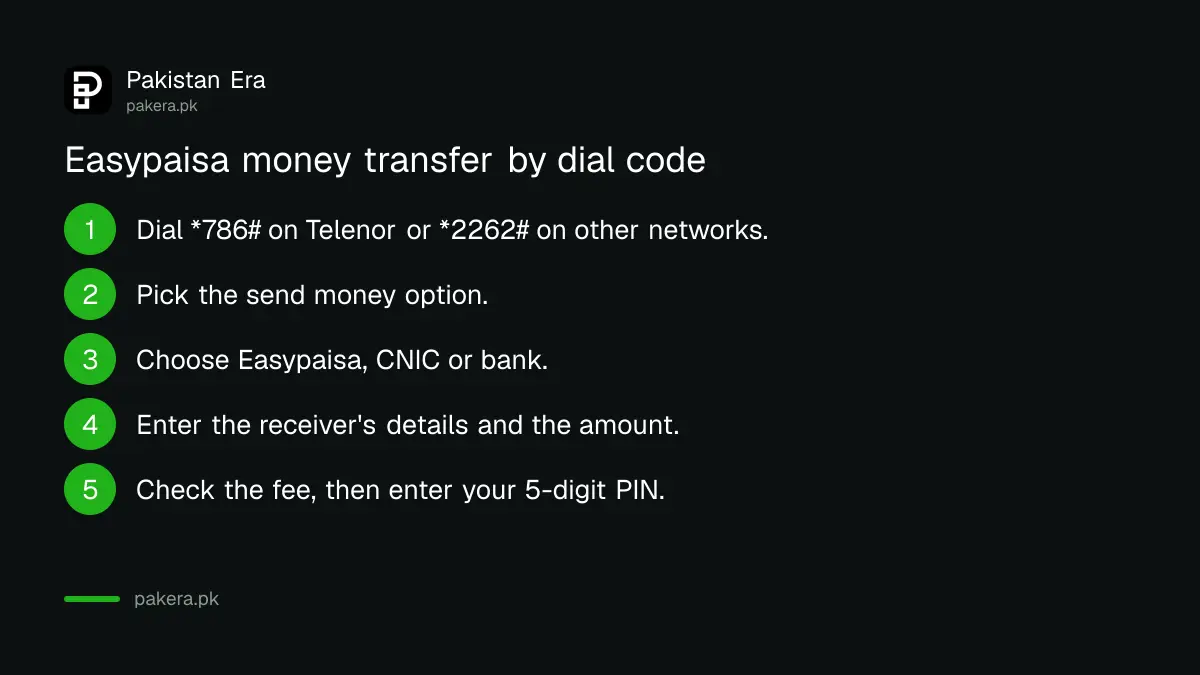
- Dial
*786#on Telenor, or*2262#on Jazz, Zong or Ufone. - Pick the money transfer or send money option from the menu.
- Choose where the money goes: another Easypaisa account, a CNIC, or a bank account.
- Enter the receiver's mobile number, CNIC number or bank account number.
- Enter the amount.
- Check the name, number, amount and fee shown on screen. Stop here if anything is wrong.
- Enter your 5-digit Easypaisa PIN to confirm.
- Wait for the confirmation SMS, and keep its transaction ID.
Some websites say the Easypaisa PIN has 4 digits. Easypaisa's FAQ says the PIN must be 5 digits.
Who you can send money to
Easypaisa's FAQ lists five kinds of receiver: another Easypaisa account, any CNIC holder, an Easypaisa bank account (the bank was earlier called Telenor Microfinance Bank), any other bank account, and any Raast ID. Raast is the State Bank's instant payment system.
The FAQ describes Raast transfers through the app. We could not confirm that Raast appears in the dial menu, so if you need Raast, check your menu or use the app.
What sending money costs
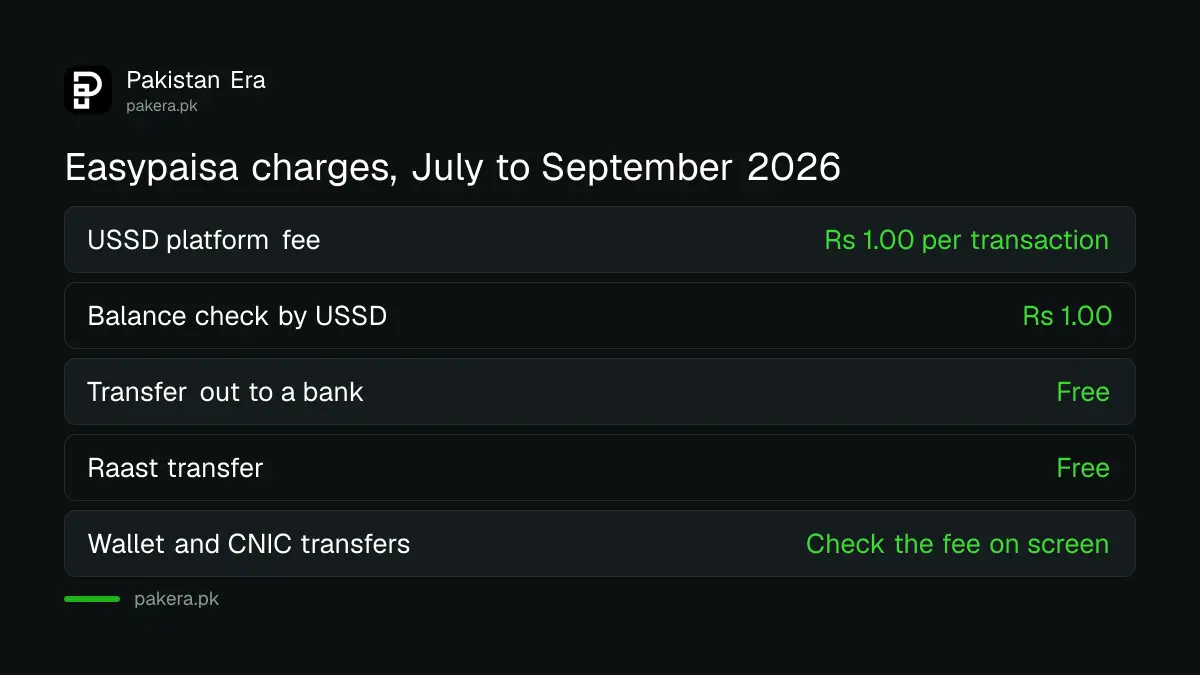
These fees are from Easypaisa's Schedule of Bank Charges for branchless banking, July 2026 to September 2026, unless we say otherwise:
- USSD platform fee: Rs 1.00 per transaction, including tax.
- Balance check by USSD: Rs 1.00 per inquiry, including tax.
- Transfer out from Easypaisa to a bank: listed as free.
- Raast: Easypaisa's FAQ calls Raast transfers free of cost for individuals.
Two fees are unclear, because Easypaisa's own documents do not agree. For Easypaisa to Easypaisa transfers, the FAQ says 5 transfers a month are free, then 1 per cent for the 6th to 10th and 2 per cent from the 11th. The current schedule lists transfers to an Easypaisa account as free. For CNIC transfers, the FAQ and the schedule print different fee tables. So always read the fee on screen before you enter your PIN.
Sending money at an Easypaisa shop
If you have no phone signal or no balance in the account, an Easypaisa shop can help. You can deposit cash into your own account at any Easypaisa shop, then send it by dial code. The app's store locator and easypaisa.com.pk/easypaisa-shops list nearby shops.
Under the State Bank's branchless banking regulations, a shop that sends money for a customer of another bank must first check that customer's fingerprints. So take your original CNIC. Ask the shopkeeper for the fee before you pay, and wait for the SMS to the receiver before you leave.
How to confirm the money arrived
- You get an SMS with a transaction ID. Keep it until the receiver confirms.
- Check your balance by dial code. It costs Rs 1.00.
- For a CNIC transfer, the receiver collects the cash from an Easypaisa shop with their CNIC.
- If you sent to the wrong CNIC, Easypaisa's FAQ says CNIC transfers can be reversed within the app. Call the helpline if you have no app.
When the transfer fails
Easypaisa's FAQ lists the usual causes: a wrong receiver number, not enough balance, or a daily, monthly or yearly limit that has been reached.
- Limit reached: upgrade your account level.
- PIN locked after wrong tries: Easypaisa lists
*786*8*1#to reactivate the account and set a new PIN. - Menu does not open: check your signal and that the SIM is the one registered to your account.
Never share your PIN or OTP
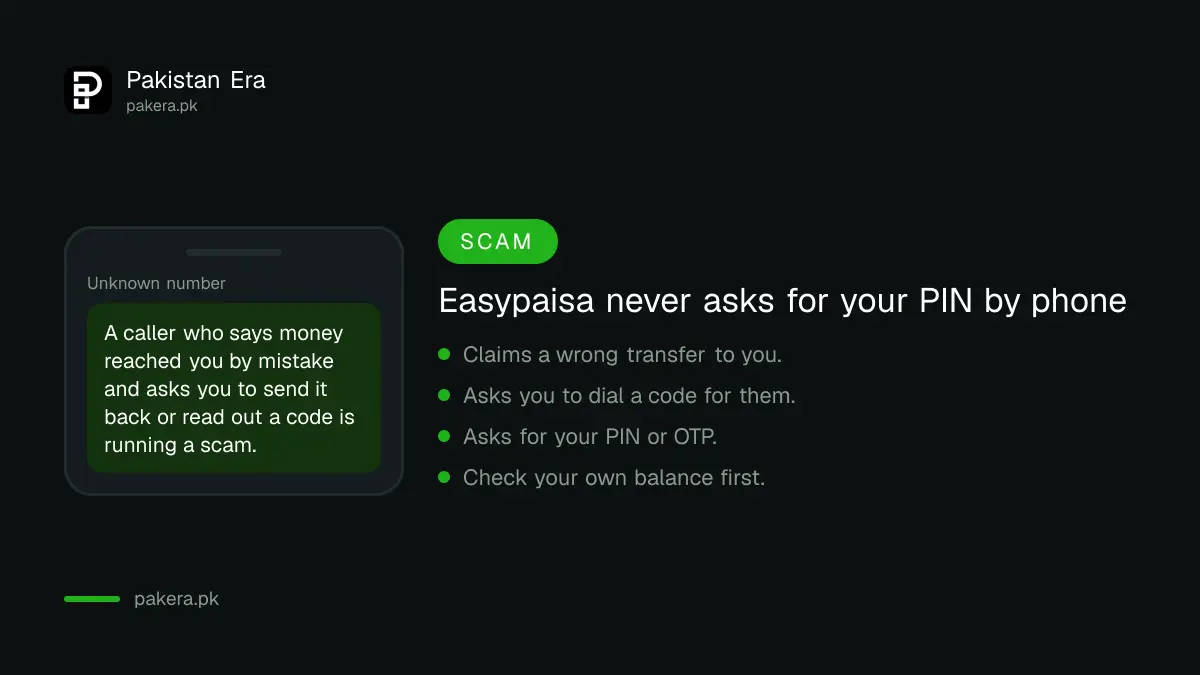
A dial menu asks for your PIN on your own screen. Nobody else ever needs it. Easypaisa's FAQ says: do not share your PIN with anyone under any circumstances.
One trick targets people who use the dial menu. A caller says money was sent to you by mistake and asks you to "send it back" by dialling a code or reading out a number. Check your balance yourself first. Easypaisa's contact page lists the only numbers it uses for outbound calls, including 042-3333-0347 and 0344-3737-111. A caller from any other number is not Easypaisa.
Common questions
What is the Easypaisa code for Jazz, Zong and Ufone?
*2262#. Telenor users dial *786#. Both are listed on Easypaisa's FAQ.
Can I use Easypaisa without internet?
Yes. The dial code works without mobile data or Wi-Fi. You only need a phone signal and your registered SIM.
How many digits is the Easypaisa PIN for dial code transfers?
Five. It is the same PIN you use in the app.
Is there a charge for using the Easypaisa dial code?
Easypaisa's July to September 2026 schedule lists a USSD platform fee of Rs 1.00 per transaction, on top of any transfer fee.
Can I use Easypaisa on a website?
No. Easypaisa's FAQ says the account works only through the app or the dial code.
Can I send money to a bank account by dial code?
Easypaisa's FAQ lists bank accounts as a receiver, and its current schedule lists transfers out to a bank as free. Pick the bank option in your menu.
How we verified this
What we checked, where we read it, and what we could not confirm.
Last checked 22 September 2026. The dial codes *786# and *2262#, the account number rule, the no website rule, the five receiver types, the 5-digit PIN, the reasons a transfer fails, the CNIC reversal, the Raast description and the wallet transfer fee tiers are from Easypaisa's FAQ at easypaisa.com.pk/faqs. The Rs 1.00 USSD platform and balance fees, the free transfer out to a bank and the free transfer to an Easypaisa account are from Easypaisa's Schedule of Bank Charges, Branchless Banking, July 2026 to September 2026. The outbound call numbers are from easypaisa.com.pk/contact-us. The fingerprint check at shops is from the State Bank's Branchless Banking Regulations, revised 30 December 2019. We did not dial the codes, so the menu wording is general. Easypaisa's FAQ and its schedule disagree on wallet and CNIC transfer fees, and we report both rather than pick one.
About the author

Tax, Bills and Technology Writer
Ali Akhtar is a young and curious voice here at Pakistan Era. He is currently pursuing his A-Levels and has a growing interest in Pakistan’s changing industrial landscape and educational trends. Ali likes to write in a way that helps him explain and explore the world around him. His writing reflects the perspective of the new generation navigating the evolving trends of Pakistan where technology, youth innovation, and shifting opportunities are reshaping the country’s future.